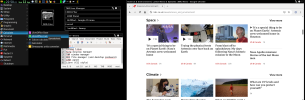
What graphical enviroment do you use?

  • twm

    Votes: 8 6.3%
  • CDE

    Votes: 5 4.0%
  • XFCE

    Votes: 37 29.4%
  • KDE

    Votes: 17 13.5%
  • GNOME

    Votes: 11 8.7%
  • MATE

    Votes: 7 5.6%
  • Cinnamon

    Votes: 5 4.0%
  • LXQT

    Votes: 4 3.2%
  • Other

    Votes: 64 50.8%

  • Total voters
    126
Espionage724 I just did a Gershwin GhostBSD VM today. Firstly, on the VM at least, it needed at least 8GB of memory to put it into Ram before booting. I'm an openbox/dwm user, so I'm not a good one to compare it. It seemed a bit Mac-ish, which I think is the point. The VM (Bhyve, using scfb as driver), played sound, but I didn't realy test it with anything more than a silly video, the ending theme to One Punch Man as an MP4. I didn't look into keyboard shortcuts or anything, I was just idly curious. I could see it being like Xfce, but I'm not real familar with that either.
 
twm with LXQt Panel, Rox desktop.

Quirky with Chrome burger menu (3 vertical dots) and/or right click of links menu/context, as that requires focus, so I include

Button3 = : title : f.focus

in .twmrc so that right click of the Chrome title bar raises the focus

fatdog-twm.png
 
Last edited:
I'd love to use labwc, the setup is very simple, stacking and mouse-oriented (I don't feel comfortable with keyboard-based compositors). The problem is, you have to literally create the whole thing (autostart and menu files), and I couldn't find any guide in the handbook.
 
If you have openbox, you can use its rc.xml. You'll get various errors about things that are in openbox and not labwc. but it will work, for example, if you have a keyboard shortcut for firefox, it will work with your labwc config.
If you install it, in /usr/local/share/examples/labwc/ there are two files rc.xml and rc.xml.all which give you working configurations

I have a page at https://srobb.net/wayland.html, which has some links for people starting with it.
 
Sometimes these types of topics get repetitive, but sometimes they offer real gems.
But the biggest takeaway for me is everyone has their likes/dislikes/needs/wants so having a choice between different WMs/DEs is good. Some want least resource usage, others want a lot of flash and sparkly things. Neither is wrong, it just "is".
My opinion:
Gershwin: to me the NexTstep interface is one of the most elegant/cohesive environments I've used/seen. Bringing that to OpenSource is huge. Not everyone is going to like it, but hey, there are choices.
KDE/Gnome: for me, bloated for what they offer, but I can understand the appeal. They can give you consistency of how things work.

It all boils down to what you want/need. I like a simple window manager, not a full blown desktop environment. Been using Windowmaker for a long time (maybe 20 years?), played with others (awesome, fvwm, openbox, twm) but usually circle back. I'm currently testdriving JWM; so far it's good.

Bottom line:
Sometimes we see these threads and go "Really? Again? Yet Another Topic About Window Managers?" (YATAWM) but the responses always change and offer me an opportunity to reevaluate what I'm using.

 
  • Like
Reactions: mro
Okay, I don't use Etch a Sketch WM as I stated before. In actual fact, I use the best combination possible:

KDE Plasma + Krohnkite Tiling Extension = A complete DE with the full functionality of any good tiling WM.
 
Back
Top