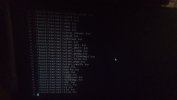
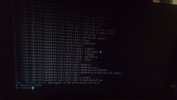
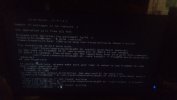
wine is unusable and not yet fixed?

Hi.
Trying run wine but
related
Code:
freeartist-bsd@home:~ $ wineboot
/home/freeartist-bsd/.i386-wine-pkg//usr/local/bin/wine doesn't exist!

Try installing 32-bit Wine with
    /usr/local/share/wine/pkg32.sh install wine mesa-dri

If using Poudriere, please make sure your repo is setup to use FreeBSD:15:i386
and create symlinks for
  FreeBSD:15:amd64 and
  FreeBSD:15:i386
to the relevant output directories. See pkg.conf(5) for more info.
freeartist-bsd@home:~ $ /usr/local/share/wine/pkg32.sh install wine mesa-dri
pkg -o ABI_FILE=/usr/lib32/libc.so.7 -o INSTALL_AS_USER=true -o RUN_SCRIPTS=false --rootdir /home/freeartist-bsd/.i386-wine-pkg install wine mesa-dri
Updating FreeBSD-ports repository catalogue...
pkg: Failed to fetch https://pkg.FreeBSD.org/FreeBSD:15:i386/quarterly/meta.conf: Not found
pkg: Failed to fetch https://pkg.FreeBSD.org/FreeBSD:15:i386/quarterly/meta.txz: Not found
pkg: Failed to fetch https://pkg.FreeBSD.org/FreeBSD:15:i386/quarterly/data.pkg: Not found
pkg: Failed to fetch https://pkg.FreeBSD.org/FreeBSD:15:i386/quarterly/data.tzst: Not found
pkg: Failed to fetch https://pkg.FreeBSD.org/FreeBSD:15:i386/quarterly/packagesite.pkg: Not found
pkg: Failed to fetch https://pkg.FreeBSD.org/FreeBSD:15:i386/quarterly/packagesite.tzst: Not found
Unable to update repository FreeBSD-ports
Updating FreeBSD-ports-kmods repository catalogue...
FreeBSD-ports-kmods repository is up to date.
Error updating repositories!
pkg: Repository FreeBSD-ports cannot be opened. 'pkg update' required
pkg: No packages available to install matching 'wine' have been found in the repositories
pkg: No packages available to install matching 'mesa-dri' have been found in the repositories
freeartist-bsd@home:~ $
 
UPD
i am tried reinstall 32bit libs according this
but now have broken OS
everything gives me
Code:
ld-elf.so.1: /usr/lib32/libc.so.7: unsupported file layout
i cant even get to sudo now
its fixable?
Code:
freeartist-bsd@home:~ $ whereis ld-elf.so.1
ld-elf.so.1: /usr/lib32/libc.so.7: unsupported file layout
freeartist-bsd@home:~ $ /rescue/ldconfig /lib /usr/lib /usr/local/lib
ldconfig: mkstemp(/var/run/ld-elf.so.hints.uuwVR9): Permission denied
freeartist-bsd@home:~ $ sudo su
ld-elf.so.1: /usr/lib32/libutil.so.10: unsupported file layout
freeartist-bsd@home:~ $ su -
ld-elf.so.1: /usr/lib32/libutil.so.10: unsupported file layout
freeartist-bsd@home:~ $ sudo /rescue/ldconfig /lib /usr/lib /usr/local/lib
ld-elf.so.1: /usr/lib32/libutil.so.10: unsupported file layout
freeartist-bsd@home:~ $ /rescue/ldconfig /lib /usr/lib /usr/local/lib
ldconfig: mkstemp(/var/run/ld-elf.so.hints.06o4jC): Permission denied
freeartist-bsd@home:~ $ su -
ld-elf.so.1: /usr/lib32/libutil.so.10: unsupported file layout
freeartist-bsd@home:~ $
 
sh**t
i cant get into chroot from live bsd media
that means my bsd totally broken and cannot be recover?
 

Attachments

  • IMG_20260102_064913.jpg
    IMG_20260102_064913.jpg
    141.1 KB · Views: 34
  • IMG_20260102_062754.jpg
    IMG_20260102_062754.jpg
    241.8 KB · Views: 31
You've managed to create a Frankenstein O.S. :)
Boot with an USB stick , go to the shell , grab the kernel.txz & base.txz , backup /etc & untar the txz's. Now you have again a nice complete 64-bit system.
 
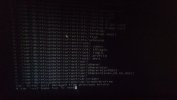
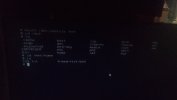
here cmd process 1
 

Attachments

  • IMG_20260102_203712.jpg
    IMG_20260102_203712.jpg
    123.6 KB · Views: 18
  • IMG_20260102_203810.jpg
    IMG_20260102_203810.jpg
    80.3 KB · Views: 17
  • IMG_20260102_203919.jpg
    IMG_20260102_203919.jpg
    103.1 KB · Views: 16
  • IMG_20260102_204039.jpg
    IMG_20260102_204039.jpg
    96.2 KB · Views: 14
  • IMG_20260102_204004.jpg
    IMG_20260102_204004.jpg
    94 KB · Views: 15
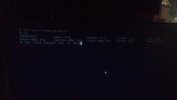
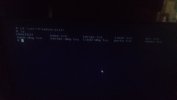
cmd process 2
 

Attachments

  • IMG_20260102_204056.jpg
    IMG_20260102_204056.jpg
    151.2 KB · Views: 23
  • IMG_20260102_204328.jpg
    IMG_20260102_204328.jpg
    175.1 KB · Views: 15
  • IMG_20260102_204527.jpg
    IMG_20260102_204527.jpg
    235.9 KB · Views: 24
Very weird i have broken my system multiple times, but this always worked.
In your case you can safely remove /usr/lib32.
All files there come from base.txz
Backup /boot/loader.conf & /etc
Verify you have the correct kernel.txz & base.txz from amd64 (not 32)
Re-untar kernel.txz & base.txz in the mounted partition. No parameters are needed.
- Verify /boot/loader.
- Verify /etc/fstab
It should work !
https://download.freebsd.org/releases/amd64/15.0-RELEASE/
 
lib32.txz installs 32bit libraries, for compatibility i guess.

The first reply to that comment indicates:
prebuilt i386 binaries and libraries are also going away
So, no chance installing 32bit packages via pkg from fbsd 15 repositories.
 
Sorry wine does not work, so i'm not even going to read the reddit post.
PS : Maybe you want want to try wine-devel.
Maybe some files in /usr/lib32 have schg flag (system immutable) set and cannot be deleted.
To remove those flags :
Code:
chflags -R noschg /usr/lib32
 
Sorry wine does not work, so i'm not even going to read the reddit post.
PS : Maybe you want want to try wine-devel.
Maybe some files in /usr/lib32 have schg flag (system immutable) set and cannot be deleted.
To remove those flags :
Code:
chflags -R noschg /usr/lib32
if i remove /usr/lib32 i am loose x32 compatibility?
if it so how i can run old x32 apps via wine?
 
chflags -R noschg /usr/lib32
bingo!
os booted now
xorg, nvidia driver loaded
but i see black screen
under root xfce working good
i am recreate my old use with old name
but same at end of booting when must be appears xfce desktop i see black screen with no mouse cursor

upd
recover .xinitrc from root user
and add
Code:
echo '. /usr/local/etc/xdg/xfce4/xinitrc' > ~/.xinitrc
not os booting good to xfce :)
 
You should not delete your lib32 directory.

I am trying to mean that you can not install any packages that is built for 32bit architecture from official freebsd 15 repositories since they do not build 32bit packages anymore starting from 15. They don't even have a repository made for 32bit architecture thats why pkg gives you these errors. You will still be able to run 32-bit programs but you'll have to build them yourself.
 
I just noticed this that you can use wine-devel's pkg32.sh to be able to download 32bit packages from the 14.3 release version's i386 repository.

Code:
run_pkg32_old()
{
    shift

    # Show what we're going to do, then do it.
    echo pkg -o ABI="FreeBSD:14:i386" -o OSVERSION=1403000 -o INSTALL_AS_USER=true -o RUN_SCRIPTS=false --rootdir "$I386_ROOT" "$@";
    pkg -o ABI="FreeBSD:14:i386" -o OSVERSION=1403000 -o INSTALL_AS_USER=true -o RUN_SCRIPTS=false --rootdir "$I386_ROOT"
"$@";
}
 
You should not delete your lib32 directory.

I am trying to mean that you can not install any packages that is built for 32bit architecture from official freebsd 15 repositories since they do not build 32bit packages anymore starting from 15. They don't even have a repository made for 32bit architecture thats why pkg gives you these errors. You will still be able to run 32-bit programs but you'll have to build them yourself.
Well you can when you untar base.txz. Because all files are in it.
 
Back
Top