Other Screen cast not working with OBS-studio in Hyprland "warning: [pipewire] Failed to start screencast, denied or cancelled by user"

Hello. I am new in FreeBSD and also BSD-based sytems too...

I have installed OBS-Studio, XWayland, wlroots, Hyprland and also `xdg-desktop-portal-hyprland` from `pkg install`.
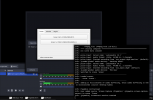
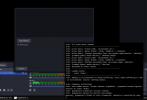
But after trying to create a `Screen Capture (PipeWire)` source and choose the first my monitor - I have nothing.
And when I do it, this warning appears in the terminal.
```
info: PipeWire initialized
info: User added source 'Screen Capture (PipeWire)' (pipewire-screen-capture-source) to scene 'Scene'
info: [pipewire] Screencast session created
info: [pipewire] Asking for monitor and window
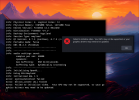
warning: [pipewire] Failed to start screencast, denied or cancelled by user
```
But I have NOT denied or cancelled screencast.
How to solve it?
 

Attachments

  • 20241027_07h24m37s_grim.png
    20241027_07h24m37s_grim.png
    116.4 KB · Views: 907
  • 20241027_07h24m46s_grim.png
    20241027_07h24m46s_grim.png
    97.6 KB · Views: 781
Hi Mate

im running obs studio on wayland using dwl on freebsd 14.1 p5

do you have dbus enabled in your rc.conf

Code:
/etc/rc.conf

Code:
dbus_enable="YES"

i use Wayland output (dmabuf)

20241027_14h41m57s_grim.png


20241027_14h42m10s_grim.png
 
do you have the following packages installed

Code:
seatd wayland-protocols wayland wlroots qt5-wayland

XWayland is for using X applications on wayland
 
On swayfx, this is what I do:
First I launch pipewire, then I launch /usr/local/libexec/xdg-desktop-portal-wlr.
Once all of this is done, I launch obs and use pipewire for screen capture.
 
On swayfx, this is what I do:
First I launch pipewire, then I launch /usr/local/libexec/xdg-desktop-portal-wlr.
Once all of this is done, I launch obs and use pipewire for screen capture.
I use pipewire too.
Btw I just tried to launch pipewire from term and see some errors, maybe it can be useful..
Code:
➜  ~ pipewire
N 15:30:16.936989 wp-internal-comp-l ../lib/wp/private/internal-comp-loader.c:945:wp_internal_comp_loader_load: Loading profile 'main'
N 15:30:16.954683          wp-device ../lib/wp/device.c:631:wp_spa_device_new_from_spa_factory: SPA handle 'api.alsa.enum.udev' could not be loaded; is it installed?
N 15:30:16.954699         s-monitors alsa.lua:324:createMonitor: PipeWire's ALSA SPA plugin is missing or broken. Sound cards will not be supported
N 15:30:16.955657 wp-internal-comp-l ../lib/wp/private/internal-comp-loader.c:590:on_component_loaded: <WpCore:0x2d8dce680030> optional component 'support.logind [module: libwireplumber-module-logind]' failed to load: Failed to locate module libwireplumber-module-logind
N 15:30:16.955667 wp-internal-comp-l ../lib/wp/private/internal-comp-loader.c:642:wp_component_array_load_task_execute_step: <WpCore:0x2d8dce680030> skipping component 'monitor.bluez.seat-monitoring [virtual]' because some of its dependencies were not loaded
N 15:30:16.956152          wp-device ../lib/wp/device.c:631:wp_spa_device_new_from_spa_factory: SPA handle 'api.bluez5.enum.dbus' could not be loaded; is it installed?
N 15:30:16.956163         s-monitors bluez.lua:386:createMonitor: PipeWire's BlueZ SPA plugin is missing or broken. Bluetooth devices will not be supported.
N 15:30:16.956496          wp-device ../lib/wp/device.c:631:wp_spa_device_new_from_spa_factory: SPA handle 'api.bluez5.midi.enum' could not be loaded; is it installed?
N 15:30:16.956506         s-monitors bluez-midi.lua:95:createMonitor: PipeWire's BlueZ MIDI SPA missing or broken. Bluetooth not supported.
E 15:30:16.956553        pw.resource ../src/pipewire/resource.c:255:pw_resource_errorf_id: can't create node: No such file or directory
W 15:30:16.956559            wp-node ../lib/wp/node.c:913:wp_impl_node_new_from_pw_factory: failed to create node from factory 'spa-node-factory'
N 15:30:16.956565         s-monitors bluez-midi.lua:130:createServers: Failed to create BLE MIDI server.
N 15:30:16.961530          wp-device ../lib/wp/device.c:631:wp_spa_device_new_from_spa_factory: SPA handle 'api.libcamera.enum.manager' could not be loaded; is it installed?
N 15:30:16.961541 s-monitors-libcame enumerate-device.lua:30:chunk: PipeWire's libcamera SPA plugin is missing or broken. Some camera types may not be supported.
 
then I launch /usr/local/libexec/xdg-desktop-portal-wlr.
Also. Just tried to launch it, and error said that some file just not exist.
Code:
➜  ~ doas /usr/local/libexec/xdg-desktop-portal-hyprland
[LOG] Initializing xdph...
[CRITICAL] Couldn't create the dbus connection ([org.freedesktop.DBus.Error.FileNotFound] Failed to open bus (No such file or directory))
 
hi mate

i dont manually start pipewire
you shouldnt need to

i found those errors as well with pipewire

this is how i start dwl

Code:
exec dbus-launch --exit-with-session dwl -s 'dwlb -font "monospace:size=16"' 2>/dev/null

can you start hyperland like this exec dbus-launch --exit-with-session
and see if that resolves the issue

Code:
exec dbus-launch --exit-with-session hyperland

i use a script called dwl-start to start dwl
i dont use a gui login manager

Code:
#!/bin/sh

# start dwl with dbus
exec dbus-launch --exit-with-session dwl -s 'dwlb -font "monospace:size=16"' 2>/dev/null


Also what version of Freebsd are you using

freebsd 14.1 automatically creates the XDG_RUNTIME_DIR and exports it
in previous version of freebsd you had to manually create the directory and export it in your shell

Code:
printenv

Code:
XDG_RUNTIME_DIR=/var/run/xdg/djwilcox
 
Don't run them as root, all of them should be on the same user, with the same dbus address.
The advantage of running pipewire on the foreground is to be able to see what is connecting directly.
So you can see if something happen when obs start.
Also does the screen capture work with a web browser ? If it does not, then the issue is not from obs.
 
You have to, if they are not started (in my case, pipewire is not started, so xdg-desktop-portal-wlr does not start, while xdg-desktop-portal-gtk does start).
Anyways, by looking at your screenshot, it appears that you use the wlr plugins for obs: multimedia/wlrobs.
This plugin is no longer necessary if you have a correct pipewire setup.
 
your right im using wlrobs packages

even with pipewire and the xdg-desktop-portal-wl started

Code:
pipewire &
/usr/local/libexec/xdg-desktop-portal-wlr &

the only 2 options i have for Wayland are

Wayland output (dmabuf)
Wayland output (scpy)

Video capture device (pipewire)
is for a camera not a screen capture

i did actually mention in a forum post a while ago if pipewire worked for screen capture
at that time it didnt

has something changed in the meantime

This plugin is no longer necessary if you have a correct pipewire setup.

i played around with pipewire and wireplumber on freebsd and a linux jail
but didnt have any luck

do you have another option listed for wayland screencapture in obs

maybe i dont have option because im using wlroots

obs log

Code:
[pipewire] No captures available


20241027_20h48m52s_grim.png
 
im using dwl which a wlroots wayland compositor

different wlroots compositors implement different wayland protocols
so the reason i dont have a pipewire screencapture option in obs may be because of the compositor im using

just checked with labwc
same issue no pipewire screencapture option in obs
 
start pipewire

Code:
daemon -f pipewire

wpctl pipewire status

Code:
wpctl status

Code:
PipeWire 'pipewire-0' [1.2.5, djwilcox@pollux, cookie:3194311115]
 └─ Clients:
        33. pipewire                            [1.2.5, djwilcox@pollux, pid:55986]
        34. WirePlumber                         [1.2.5, djwilcox@pollux, pid:56180]
        47. WirePlumber [export]                [1.2.5, djwilcox@pollux, pid:56180]
        48. wpctl                               [1.2.5, djwilcox@pollux, pid:58294]

Audio
 ├─ Devices:
 │
 ├─ Sinks:
 │  *   35. Dummy Output                        [vol: 1.00]
 │
 ├─ Sources:
 │
 ├─ Filters:
 │
 └─ Streams:

Video
 ├─ Devices:
 │
 ├─ Sinks:
 │
 ├─ Sources:
 │
 ├─ Filters:
 │
 └─ Streams:

Settings
 └─ Default Configured Devices:


still no pipewire screen capture option in obs
 
Oh, guys. I know that this is off topic, but After installing PrismLauncher (Minecraft game launcher) and making some changes for opengl/openjdk (i forgot name..) which are recommends after installation in "Notes", I broke obs studio....

Also I tried to reinstall obs by just `pkg delete obs-studio` then `pkg install obs-studio`.
And also AMD GPU drm-kmod..

I don't use my system by root.
Also I use FreeBSD 14.1


Full log:
Code:
➜  ~ obs
debug: Found portal inhibitor
debug: Attempted path: /usr/local/bin/../share/obs/obs-studio/locale/en-US.ini
debug: Attempted path: /usr/local/bin/../share/obs/obs-studio/themes
debug: Attempted path: /usr/local/bin/../share/obs/obs-studio/themes/
warning: Get on org.freedesktop.portal.Settings returned an invalid reply
info: Platform: Wayland
info: CPU Name: AMD Ryzen 5 2600 Six-Core Processor           
info: CPU Speed: 3393.85MHz
info: Physical Cores: 2, Logical Cores: 12
info: Physical Memory: 15850MB Total, 14152MB Free
info: Kernel Version: FreeBSD 14.1-RELEASE
info: Distribution: FreeBSD "14.1"
info: Desktop Environment: Hyprland
info: Session Type: wayland
info: Qt Version: 6.7.3 (runtime), 6.7.3 (compiled)
info: Portable mode: false
info: OBS 30.2.3 (freebsd)
info: ---------------------------------
info: audio settings reset:
    samples per sec: 48000
    speakers:        2
    max buffering:   960 milliseconds
    buffering type:  dynamically increasing
info: ---------------------------------
info: Initializing OpenGL...
info: Using EGL/Wayland
info: Initialized EGL 1.5
error: eglCreateContext failed
error: device_create (GL) failed
error: Failed to initialize video.  Your GPU may not be supported, or your graphics drivers may need to be updated.
info: Freeing OBS context data
info: == Profiler Results =============================
info: run_program_init: 148769 ms
info:  ┣OBSApp::AppInit: 14.708 ms
info:  ┃ ┗OBSApp::InitLocale: 1.144 ms
info:  ┗OBSApp::OBSInit: 187.711 ms
info:    ┣obs_startup: 3.714 ms
info:    ┗OBSBasic::OBSInit: 128.887 ms
info:      ┣OBSBasic::InitBasicConfig: 0.145 ms
info:      ┣OBSBasic::ResetAudio: 0.198 ms
info:      ┗OBSBasic::ResetVideo: 128.337 ms
info:        ┗obs_init_graphics: 128.329 ms
info: obs_hotkey_thread(25 ms): min=0 ms, median=0 ms, max=0.004 ms, 99th percentile=0.001 ms, 100% below 25 ms
info: audio_thread(Audio): min=0.004 ms, median=0.013 ms, max=0.039 ms, 99th percentile=0.023 ms
info: =================================================
info: == Profiler Time Between Calls ==================
info: obs_hotkey_thread(25 ms): min=25.004 ms, median=25.026 ms, max=119.97 ms, 99.9663% within ±2% of 25 ms (0% lower, 0.0337496% higher)
info: =================================================
info: Number of memory leaks: 613
➜  ~
 

Attachments

  • 20241028_04h29m32s_grim.png
    20241028_04h29m32s_grim.png
    430.3 KB · Views: 656
Maybe this info can be useful...
idk how, but i broke minecraft too ha-ha.
 

Attachments

  • 20241028_04h38m40s_grim.png
    20241028_04h38m40s_grim.png
    24.4 KB · Views: 673
I am trying to make "labwc" (which uses a "wlroots" compositor) capture either OBS or Firefox to share my screen/window. I've installed the following packages
Ive set them to autostart with the launch of my labwc session with:
  • pipewire &
  • /usr/local/libexec/xdg-desktop-portal -r &
  • /usr/local/libexec/xdg-desktop-portal-wlr -r &

dbus is enabled and running. I launch my labwc session with the command dbus-launch labwc. Whenever I open OBS and try to capture from Pipewire, nothing happens.

I've attached logs below.

Is there something I am missing? I've read the man page for /usr/local/libexec/xdg-desktop-portal-wlr -r and I created a basic config file which has the following lines
Code:
# File ~/.config/xdg-desktop-portal-wlr/labwc:wlroots
[screencast]
output_name=HDMI-A-1
max_fps=30
chooser_type=simple
chooser_cmd=slurp -f %o -or

Logs from running obs from the terminal
Code:
 # OBS Logs
# Clicking on OBS Screen Capture (Pipewire) -> "Open Selector"
info: [pipewire] Stream 0x1e925a814000 state: "unconnected" (error: none)
'loop->recurse > 0' failed at ../src/pipewire/thread-loop.c:425 pw_thread_loop_wait()
info: PipeWire initialized
info: [pipewire] Screencast session created

# Selecting Output
info: [pipewire] Asking for monitor and window
info: [pipewire] source selected, setting up screencast
info: [pipewire] Server version: 1.2.5
info: [pipewire] Library version: 1.2.5
info: [pipewire] Header version: 1.2.5
error: Cannot query the number of formats: The last function succeeded without error.
info: [pipewire] Created stream 0x1e925a814000
info: [pipewire] Stream 0x1e925a814000 state: "connecting" (error: none)
info: [pipewire] Playing stream 0x1e925a814000
info: [pipewire] Stream 0x1e925a814000 state: "paused" (error: none)

Verbose logs from pipewire:

Code:
# Pipewire -v logs
# Clicking on OBS Screen Capture (Pipewire) -> "Open Selector"
# Seems something crashes right away
[I][53455.292188] pw.context   | [       context.c: 1518 pw_context_recalc_graph()] 0x3abb9d668000: busy:0 reason:node deactivate
[I][53455.292216] pw.node      | [     impl-node.c: 2374 pw_impl_node_destroy()] (pid-42437-37) destroy
[I][53455.293025] mod.protocol-native | [module-protocol-:  458 handle_client_error()] 0x3abb9d6af2a0: connection_data: client 0x3abb9d634180 disconnected

# Selecting Output
[I][53460.588769] pw.context   | [       context.c: 1518 pw_context_recalc_graph()] 0x3abb9d668000: busy:0 reason:node deactivate
[I][53460.588795] pw.node      | [     impl-node.c: 2374 pw_impl_node_destroy()] (pid-88450-34) destroy
[I][53460.591688] pw.context   | [       context.c:  725 pw_context_acquire_loop()] 0x3abb9d668000: looking for name:'(null)' class:'main'
[I][53460.591699] pw.context   | [       context.c:  730 pw_context_acquire_loop()] 0x3abb9d668000: using main loop num-data-loops:1
[I][53460.591722] pw.node      | [     impl-node.c: 1194 check_properties()] 0x3abb9d66e400: sync group '(null)'->'group.sync.0'
[I][53460.591841] pw.node      | [     impl-node.c:  470 node_update_state()] (pid-88450-34) creating -> suspended
[I][53460.591878] pw.context   | [       context.c: 1518 pw_context_recalc_graph()] 0x3abb9d668000: busy:0 reason:node activate
[I][53460.595816] mod.portal   | [ module-portal.c:  112 context_check_access()] 0x3abb9d660040: portal managed client 0x3abb9d634180 added
[I][53460.595822] pw.client    | [   impl-client.c:  743 pw_impl_client_update_permissions()] 0x3abb9d634180: set default permissions 00000000 -> 000001c8
[I][53460.595829] mod.access   | [ module-access.c:  172 context_check_access()] client 0x3abb9d634180: has already access: 'portal'
[I][53460.595904] pw.client    | [   impl-client.c:  778 pw_impl_client_update_permissions()] 0x3abb9d634180: set global 0 permissions 000001c8 -> 000001c0
[I][53460.595907] pw.client    | [   impl-client.c:  778 pw_impl_client_update_permissions()] 0x3abb9d634180: set global 13 permissions 000001c8 -> 00000100
[I][53460.595909] pw.client    | [   impl-client.c:  778 pw_impl_client_update_permissions()] 0x3abb9d634180: set global 34 permissions 000001c8 -> 000001c0
[I][53460.595911] pw.client    | [   impl-client.c:  743 pw_impl_client_update_permissions()] 0x3abb9d634180: set default permissions 000001c8 -> 00000000
[I][53460.609104] pw.context   | [       context.c:  725 pw_context_acquire_loop()] 0x3abb9d668000: looking for name:'(null)' class:'main'
[I][53460.609113] pw.context   | [       context.c:  730 pw_context_acquire_loop()] 0x3abb9d668000: using main loop num-data-loops:1
[I][53460.609140] pw.node      | [     impl-node.c: 1194 check_properties()] 0x3abb9d66ee00: sync group '(null)'->'group.sync.0'
[I][53460.609144] pw.node      | [     impl-node.c: 1218 check_properties()] 0x3abb9d66ee00: async 0 -> 1
[I][53460.609254] pw.node      | [     impl-node.c:  470 node_update_state()] (pid-42437-37) creating -> suspended
[I][53460.609353] pw.context   | [       context.c: 1518 pw_context_recalc_graph()] 0x3abb9d668000: busy:0 reason:node activate

xdg-desktop-portal logs:
Code:
# xdg-desktop-portal logs
# Clicking on OBS Screen Capture (Pipewire) -> "Open Selector"
XDP: screen cast session owned by ':1.14' created
XDP: screen cast session owned by ':1.14' closed
# Selecting Output
XDP: Replacing restore data received from portal impl with a token
XDP: screen cast session owned by ':1.14' started

xdg-desktop-portal-wlr logs:
Code:
# xdg-desktop-portal-wlr
# Clicking on OBS Screen Capture (Pipewire) -> "Open Selector"
2024/12/04 23:48:44 [INFO] - dbus: create session method invoked
2024/12/04 23:48:44 [INFO] - dbus: request_handle: /org/freedesktop/portal/desktop/request/1_14/obs58
2024/12/04 23:48:44 [INFO] - dbus: session_handle: /org/freedesktop/portal/desktop/session/1_14/obs20
2024/12/04 23:48:44 [INFO] - dbus: app_id:
2024/12/04 23:48:44 [INFO] - dbus: select sources method invoked
2024/12/04 23:48:44 [INFO] - dbus: request_handle: /org/freedesktop/portal/desktop/request/1_14/obs59
2024/12/04 23:48:44 [INFO] - dbus: session_handle: /org/freedesktop/portal/desktop/session/1_14/obs20
2024/12/04 23:48:44 [INFO] - dbus: app_id:
2024/12/04 23:48:44 [DEBUG] - dbus: select sources: found matching session /org/freedesktop/portal/desktop/session/1_14/obs20
2024/12/04 23:48:44 [INFO] - dbus: option types:3
2024/12/04 23:48:44 [INFO] - dbus: option multiple: 0
2024/12/04 23:48:44 [INFO] - dbus: option cursor_mode:2
2024/12/04 23:48:44 [INFO] - dbus: option persist_mode:2
2024/12/04 23:48:44 [INFO] - wlroots: capturable output: Samsung Electric Company model: C32JG5x: id: 43 name: DP-1
2024/12/04 23:48:44 [INFO] - wlroots: capturable output: Samsung Electric Company model: C24F390: id: 44 name: HDMI-A-1
2024/12/04 23:48:44 [DEBUG] - wlroots: output chooser called

# Selecting Output
2024/12/04 23:48:45 [DEBUG] - wlroots: output chooser selects HDMI-A-1
2024/12/04 23:48:45 [INFO] - xdpw: screencast instance 0x21475f282c00 has 1 references
2024/12/04 23:48:45 [INFO] - xdpw: 2 active screencast instances
2024/12/04 23:48:45 [INFO] - wlroots: output: HDMI-A-1
2024/12/04 23:48:45 [INFO] - dbus: session closed
2024/12/04 23:48:45 [DEBUG] - dbus: destroying session 0x21475f21ca80
2024/12/04 23:48:45 [DEBUG] - xdpw: screencast instance 0x21475f283000 now has 0 references
2024/12/04 23:48:45 [DEBUG] - xdpw: destroying cast instance
2024/12/04 23:48:45 [DEBUG] - pipewire: destroying stream
2024/12/04 23:48:45 [INFO] - pipewire: stream state changed to "unconnected"
2024/12/04 23:48:45 [INFO] - pipewire: node id is -1
2024/12/04 23:48:45 [INFO] - dbus: start method invoked
2024/12/04 23:48:45 [INFO] - dbus: request_handle: /org/freedesktop/portal/desktop/request/1_14/obs60
2024/12/04 23:48:45 [INFO] - dbus: session_handle: /org/freedesktop/portal/desktop/session/1_14/obs20
2024/12/04 23:48:45 [INFO] - dbus: app_id:
2024/12/04 23:48:45 [INFO] - dbus: parent_window:
2024/12/04 23:48:45 [DEBUG] - dbus: start: found matching session /org/freedesktop/portal/desktop/session/1_14/obs20
2024/12/04 23:48:45 [INFO] - wlroots: num_modififiers 14
2024/12/04 23:48:45 [INFO] - pipewire: stream state changed to "connecting"
2024/12/04 23:48:45 [INFO] - pipewire: node id is -1
2024/12/04 23:48:45 [INFO] - pipewire: stream state changed to "paused"
2024/12/04 23:48:45 [INFO] - pipewire: node id is 36
2024/12/04 23:48:45 [DEBUG] - dbus: start: returning node 36
 
obs works for me without auto starting anything

labwc-start

Code:
#!/bin/sh

# labwc start
exec dbus-launch --exit-with-session labwc

try installing grim

Code:
sudo pkg install grim

see if that resolves the issue
 
obs works for me without auto starting anything
What graphics card do you have? I have an Nvidia 2080 Super and I think that might be the culprit.

I've made a bit of progress ever since my last post. grim was already installed in my last thread and it wasn't working.

I think what fixed my main problem is that I renamed ~/.config/xdg-desktop-portal-wlr/labwc:wlroots to ~/.config/xdg-desktop-portal-wlr/config, which was another option listed on the man page. After that, screen sharing with firefox worked perfectly.

Afterwards, I noticed on the OBS logs that it was complaining something about QT. I installed qt6-wayland and that made the complains go away. Still, I cannot capture my screen with OBS. Now instead of getting the error error: Cannot query the number of formats: The last function succeeded without error. I get another error haha, I guess that is progress

The error now (to my understanding) is that a format is trying to be negotiated, then an error error: No GL_OES_EGL_image appears which starts another negotiation. Format negotiation happens for a while, until it finally stops but i get an eternal error log of error: [pipewire] buffer is corrupt. I think something is missing in encoding, but I am not to knowledge in this area.

I also notice another error as obs is loading reharding FFMPEG and Nvidia encoding, which is listed below (I also attached the full obs verbose logs for anyone interested). After this format negotiating and pipewire errors, some windows in my main screen get corrupted so I gotta restart the "labwc" session which is annoying.

I looked into this encoding package missing, it seems I have to install a pkg named "linux-nvidia-libs", but this requires the Linux emulator and other compat stuff which I rather not deal with, so I am kind of giving up for now. I might record my screen using another Wayland Utility. My main concern was getting Firefox screensharing to work.

Code:
debug: Loading module: obs-ffmpeg.so
error: os_dlopen(libnvidia-encode.so.1->libnvidia-encode.so.1): Shared object "libnvidia-encode.so.1" not found, required by "obs"

debug: VAAPI: Initializing display in vaapi_device_h264_supported
debug: Libva: VA-API version 1.22.0
debug: Libva: Trying to open /usr/local/lib/dri/nvidia_drv_video.so
debug: Libva: va_openDriver() returns -1
error: VAAPI: Failed to initialize display in vaapi_device_h264_supported
info: FFmpeg VAAPI H264 encoding not supported
debug: VAAPI: Initializing display in vaapi_device_av1_supported
debug: Libva: VA-API version 1.22.0
debug: Libva: Trying to open /usr/local/lib/dri/nvidia_drv_video.so
debug: Libva: va_openDriver() returns -1
error: VAAPI: Failed to initialize display in vaapi_device_av1_supported
info: FFmpeg VAAPI AV1 encoding not supported
debug: VAAPI: Initializing display in vaapi_device_hevc_supported
debug: Libva: VA-API version 1.22.0
debug: Libva: Trying to open /usr/local/lib/dri/nvidia_drv_video.so
debug: Libva: va_openDriver() returns -1
error: VAAPI: Failed to initialize display in vaapi_device_hevc_supported
info: FFmpeg VAAPI HEVC encoding not supported

 

Attachments

here's my graphics card

NVIDIA GeForce GTX 1650

install libc6-shim

Code:
sudo pkg install libc6-shim

obs desktop entry using nv-sglrun
which is installed with libc6-shim

Code:
~/.local/share/applications/com.obsproject.Studio.desktop

Code:
[Desktop Entry]
Version=1.0
Name=OBS
GenericName=Streaming/Recording Software
Comment=Free and Open Source Streaming/Recording Software
Exec=sh -c 'LD_LIBMAP="`nv-sglrun printenv LD_LIBMAP | grep -v libGL`" obs'
Icon=com.obsproject.Studio
Terminal=false
Type=Application
Categories=AudioVideo;Recorder;
StartupNotify=true
StartupWMClass=obs

run nv-sglrun nvidia-smi

Code:
nv-sglrun nvidia-smi

should show you cuda working

Code:
shim init
Fri Dec  6 19:19:31 2024
+-----------------------------------------------------------------------------------------+
| NVIDIA-SMI 550.120                Driver Version: 550.120        CUDA Version: 12.4     |
|-----------------------------------------+------------------------+----------------------+
| GPU  Name                 Persistence-M | Bus-Id          Disp.A | Volatile Uncorr. ECC |
| Fan  Temp   Perf          Pwr:Usage/Cap |           Memory-Usage | GPU-Util  Compute M. |
|                                         |                        |               MIG M. |
|=========================================+========================+======================|
|   0  NVIDIA GeForce GTX 1650        Off |   00000000:01:00.0 Off |                  N/A |
| N/A   42C    P8              1W /   50W |       1MiB /   4096MiB |      0%      Default |
|                                         |                        |                  N/A |
+-----------------------------------------+------------------------+----------------------+

+-----------------------------------------------------------------------------------------+
| Processes:                                                                              |
|  GPU   GI   CI        PID   Type   Process name                              GPU Memory |
|        ID   ID                                                               Usage      |
|=========================================================================================|
|  No running processes found                                                             |
+-----------------------------------------------------------------------------------------+

the errors are character building
if that helps

another thing to mention

to select audio devices in the settings you have to start pulseaudio first

Code:
pulseaudio --start --daemonize 2>/dev/null
 
I remember that I also found the pkg lib6c-shim so i decided to give it another go. I installed it and since I don't use desktop entries, I ran the "Exec" line in the desktop entry that you kindly shared.

Sadly no change, the same "pipewire buffer is corrupt" messages and the screen tearing on my main screen. Also, interestingly CUDA is not enabled. Maybe I need to restart after installing the shim package?

Ha, thanks for the pulseaudio tip. Since sound worked straight out on my desktop I didn't bother too much checking it out yet.

Code:
nv-sglrun nvidia-smi
shim init
Fri Dec  6 22:15:39 2024
+-----------------------------------------------------------------------------------------+
| NVIDIA-SMI 550.120                Driver Version: 550.120        CUDA Version: N/A      |
|-----------------------------------------+------------------------+----------------------+
| GPU  Name                 Persistence-M | Bus-Id          Disp.A | Volatile Uncorr. ECC |
| Fan  Temp   Perf          Pwr:Usage/Cap |           Memory-Usage | GPU-Util  Compute M. |
|                                         |                        |               MIG M. |
|=========================================+========================+======================|
|   0  NVIDIA GeForce RTX 2080 ...    Off |   00000000:29:00.0  On |                  N/A |
| 24%   37C    P8             25W /  250W |    1600MiB /   8192MiB |     21%      Default |
|                                         |                        |                  N/A |
+-----------------------------------------+------------------------+----------------------+

+-----------------------------------------------------------------------------------------+
| Processes:                                                                              |
|  GPU   GI   CI        PID   Type   Process name                              GPU Memory |
|        ID   ID                                                               Usage      |
|=========================================================================================|
+-----------------------------------------------------------------------------------------+
 
you need to start pulseaudio so you can select the audio monitoring device in settings
to let you hear audio that is set to monitor and output

if you dont need to monitor the audio output you dont need to start pulseaudio
and you can add a oss or jack input for the mic
 
you can capture system audio using virtual oss
its also possible to capture alsa audio

its possible to use obs without running pulseaudio
( but you wont be able to monitor the audio output )

im using dwl with wlroots and wlrobs
i can capture displays but not windows

screen capture depends on which compositor you use

have you got wlrobs installed

Code:
wlrobs-1.1_3                   Wayland screen capture plugin for obs-studio

Code:
sudo pkg install wlrobs

obs tutorials


Back
Top