GeanyJust plain vi.
And they made me use vscode.
emacs, fallback to sam
I had the opportunity to use it with DEC 10, but at that time I used the more primitive SOS.Where is TECO?
You need to get out


Nice but, I see some gui stuff in your vimrc. It may be easier to utilize both a .vimrc and .gvimrc file (you can ship just the .vimrc to systems without a vim gui for one example).vim/nvim/macvim/vi
And sometimes some JetBrains tools (absolutely great for code Exploring) such as DataGrip, RubyMine, WebStorm, PyCharm
In case it's of interest to anyone, my vim config is available on gitlab https://gitlab.com/graudeejs/dot.vim.
It's been in development for eternity. Lately I started experimenting with importing all vim plugins directly into my config without using git SubModules or anything like that.
4x problems that I'm trying to solve this way:
1) I don't want to fork every plugin that I use (still may do it)
2) Full control of what is configured - no surprises such as missing repos all of a sudden
3) Full control of what is configured - I don't want to install vim plugin to find out that upstream was hacked with all the possible consequences.
4) Just clone repo and your good to go given than all dependecies are installed on system
Last to can probably handled better, bet hey, I'm experimenting currently this works fine for me.
tips for init.el are welcome
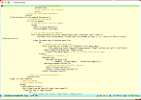
For instance i have major modes, Clojure, Crystal, Scala, D .

If you are using Emacs, I highly recommend you take a look at Doom emacs, Org-Mode, Org-Roam and Org-Roam-UI.For instance i have major modes, Clojure, Crystal, Scala, D . But i'll have a look at your script. Maybe i'll just copy the relevant parts.
I will take a look at which autocompletion options I have enabled and let you know.with doom emacs i have coloring but problems with autocompletion.
(doom! :input
       ;;bidi              ; (tfel ot) thgir etirw uoy gnipleh
       ;;chinese
       ;;japanese
       ;;layout            ; auie,ctsrnm is the superior home row

       :completion
       company           ; the ultimate code completion backend
       ;;(corfu +orderless)  ; complete with cap(f), cape and a flying feather!
       ;;helm              ; the *other* search engine for love and life
       ;;ido               ; the other *other* search engine...
       ;;ivy               ; a search engine for love and life
       vertico           ; the search engine of the future
... company and vertico completion options enabled.I am not experienced with vanilla emacs, but would you say that doom emacs' use of vi/vim keybindings would help someone who is familiar with vi/vim?Doom Emacs has no obvious advantage over a hand-crafted Emacs.
I have language servers compiled from github. Doom emacs is unaware of them.Doom Emacs has no obvious advantage over a hand-crafted Emacs.



