Show Your FreeBSD Workstation (Specs + Screenshot)

Thinkpad X220. https://www.thinkwiki.org/wiki/Category:X220
16GB RAM. 1 TB sata SSD + 1 TB mSATA SSD (2 TB total storage, which is nuts, really.).
Intel(R) Core(TM) i5-2520M CPU @ 2.50GHz
FreeBSD 14.3-RELEASE.
X11 with Windowmaker window manager. https://www.windowmaker.org/
Waterfox web browser :) https://www.freshports.org/www/waterfox
Wifi and wired ethernet LAN connectivity, configured as a lagg(4) failover pair.

Everything works under freebsd: suspend/resume (with screenlock on screen open resume), thinkpad buttons, screen brightness, thinklight, trackpad, trackpoint, sound, headphone socket, wifi, DP external monitor, USB. One small omission on the X220 that I miss from the X201 is no SD card adapter, and unfortunately they don't provide a microSD to replace it. I haven't tested the camera or mic.

What upgrades would I like? (a) 32/64GB RAM; (b) IPS LCD panel to replace the crappy TN panel; (c) updated CPU. Dream on...

Not sure this qualifies as a 'workstation' nowadays! But it's still a nice little laptop, with a real keyboard (eat your heart out, macbook air... 😂 )

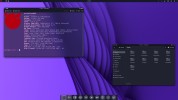
x220-fbsd-14-3.jpg


X220 screenshot showing demo of VGA bitmapped monospace font for X11 in xterm.

screenshot_2025-12-19_at_23:49:56.png
 
I'm getting Amiga vibes..
:cool:

It is the BeOS Plasma theme (from the official plasma store) ;)
I very much like combination of sleek and playful that early 00s had in their UI/UX.

blackbird9 wow we use the same Windowmaker desktop - wmix, wmnet applets, fg green bg black xterm resources, looks like VGA font too.
Can't believe it. Now I'm a bit sad. I can't run my windowmaker anymore because my screen is too big and the most important thing in the entirety of Unix ecosystem - wmfishtime - doesn't render properly anymore into a dockapp :((

I first used to run gnome-session-daemon through autostart to get the full desktop integration, xdg icons, automatic double click associations, then mate one.

I do still have Windowmaker configured through .xinitrc as a fallback to my Plasma. And ponder about how modern, HIDPI, desktop environment inspired by NeXTSTEP/WindowMaker would look like.
 
I do still have Windowmaker configured through .xinitrc as a fallback to my Plasma. And ponder about how modern, HIDPI, desktop environment inspired by NeXTSTEP/WindowMaker would look like.
Yeah, that's another reason why I keep the old standard dot pitch machines like the X220 around, so I can continue using wmaker. On my 4K monitor I use kde plasma on wayland now of course, to get the high DPI support. I found I can still run some fave dockapps on the captive X11 display, check out the top right corner of this screenshot, you might just spot wmcalclock, wmnd and wmcpuload! 😁. For bonus points I can hover the mouse pointer over the app icons in the taskbar/icon box thingy at the bottom and see the dockapps zoomed by kde, as you can see! I do miss wmaker on the high dpi screen. I'm really hoping the wmaker team will get high dpi support working, although since a lot of things are bitmapped, especially a lot of older dockapps, it might be a tough call for them :'‑(. Still they have done a brilliant job of keeping wmaker working over the years, it's lovely and stable now, I always use windowmaker on my classic thinkpads, I usually run with 8 virtual desktops. :)

I got bitmapped VGA fonts working on xterm on plasma on 4K too, you can see slashdot in a text browser using a vga18x19 bitmapped X11 font here (!), that's not a ttf font. Why? No bloody antialiasing... 😂. If anyone wants the .pcf files let me know and I will upload them, or if you search the web you will find them online in various places anyway, there are lots of bitmapped vga font repositories out there, made by people who give a damn.

Screenshot_20251220_125953.jpg
 
Yeah they made some nice changes in 'recent' times like window snapping.
I think the problem is the display of all the old nextstep/afterstep icons. I would routinely ditch the built in icons and use those, as windowmaker offers great management of the window/program attributes through the GUI.

If they haven't done it already I think tighter integration of WMenu with XDG desktop shortcuts would be nice - there was always a bit of latency going on when you use the menu script to transform xdg menu to windowmaker. I specifically liked the approach where I can use XDG menu to get the pregenerated stuff, but use main windowmaker docking and menu entries to make my own shortcuts, with their own settings.
 
I like the recent screenshot capability they have added too, and the snap stuff. I used to bind 'scrot' to a ctrl-key combo, but now just use their builtin stuff for screenshots. A small thing I know, but I use it all the time. Those guys probably don't get a lot of love, wmaker doesn't appear to be so widely used nowadays. Great job, windowmaker maintanance team, if any of you happen to be reading this. :) I've been using your stuff since probably early slackware in the late 90s, maybe around 1997 was the first time I switched to wmaker from fvwm, and used it ever since! Loved it from start. :)
 
For windowmaker fans, there is a great forum here run by a guy who is a true wmaker fanatic named 'abarbarian'. My handle on that forum is 'wibblewobble' but I've only made a couple of posts there. Well worth a browse through, 'abarbarian' has collated a great deal of useful windowmaker information here, very useful. The guys on there were laughing when I said I used windowmaker on freebsd, I think they all use linux.😂 Of course 99% of what he says applies to freebsd too.

https://forums.scotsnewsletter.com/index.php?/topic/56171-window-maker/
 
A home computer corner. It performs all the functions assigned to it.
You can see in the photo:
ThinkPad x220 Tablet + ThinkPad Mini Dock Series 3 + NEC MultiSync 1990FX + HDD WD Blue 1Tb.
ME18XJVZ_o.jpg

ThinkPad x220 Tablet:
12.5"/1366x768 IPS/Core i7 2640M 2800 Mhz/16Gb/HDD 500Gb/Intel HD Graphics 4000.
FreeBSD 15.0-RELEASE is currently installed. Xmonad is used as a window manager.
 
A home computer corner. It performs all the functions assigned to it.
You can see in the photo:
ThinkPad x220 Tablet + ThinkPad Mini Dock Series 3 + NEC MultiSync 1990FX + HDD WD Blue 1Tb.
ME18XJVZ_o.jpg

ThinkPad x220 Tablet:
12.5"/1366x768 IPS/Core i7 2640M 2800 Mhz/16Gb/HDD 500Gb/Intel HD Graphics 4000.
FreeBSD 15.0-RELEASE is currently installed. Xmonad is used as a window manager.
No photo? Would be interesting to see the X220 tablet, I'm intrigued... :)
 
Back
Top