

Hey guys, here's a quick howto run AGS on an emulator from ports.
The Amiga Game Selector is a huge library of Amiga games, programs and demos constructed to work out of the box on many types of systems - original hardware, FPGA implementations, multiemu systems like Retroarch, and UAE based emulators. It aims to bring all the stuff Amiga ever had.
To work out of the box, the AGS-UAE artifact comes with Windows based UAE emulator preconfigured - in AGS version 2.5 the inners were based on FS-UAE but for version 3 they're on WinUAE.
The built in 64bit WinUAE doesn't work on Wine, a known error of misalignment of memory map for 64 bit executables. The workaround is to run 32 bit WinUAE, but it runs sluggish under Wine.
Therefore I've instructed Claude to convert the two WinUAE configuration files to FS-UAE one and it produced a working but not working config - I just had to resolve all the problems myself One of them is FS-UAE seems not to support more than 10 HDDs and UAE collection data comes as 12 HDD images; had to remove the two "Emulation" disks (generally I don't think this is useful on emulated Amiga) to make room for shared volume that persists save files because its disklabel seems to be refered to in the boot sequence of the primary hdd and boot breaks if it's not present.
Steps :
1) get the AGS_UAE_v30 archive (~30 GB) and unpack it somewhere
2) install fs-uae package, run it once to create default dirs, which are in $XDG_DOCUMENTS_DIR/FS-UAE
3) copy all from AGS_unpack_dir/WinUAE/ROMs/Kickstarts to $XDG_DOCUMENTS_DIR/FS-UAE/Kickstarts
4) download conf file from attachment, edit in your AGS_unpack_dir wherever my /ssdpool/amiga is.
Run fs-uae without arguments - F12 key brings the emulator control panel, middle mouse releases the mouse, Alt+Enter goes fullscreen.
You can hit F12 immediately while the system is booting, and go down to "Input options" No Host Device entry, hit enter, then again on the same No Host Device of Joystick, and then you can pick here keyboard or SDL supported gamepad.
The default joystick bindings might need work, and it's done in config file. I will deal with this as I work with the system
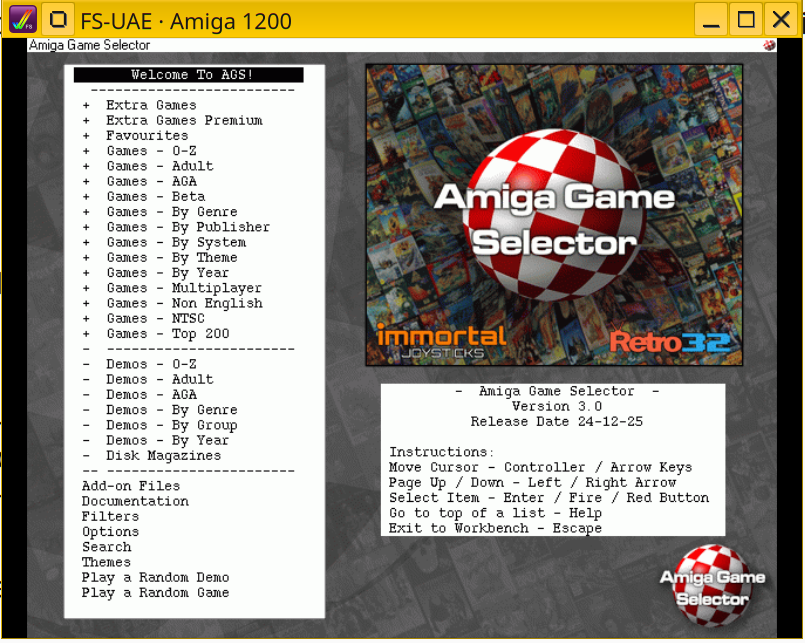
If everything is correct you should get the Amiga 1200 booting for a minute into the Game Selector, which also has nice music background :
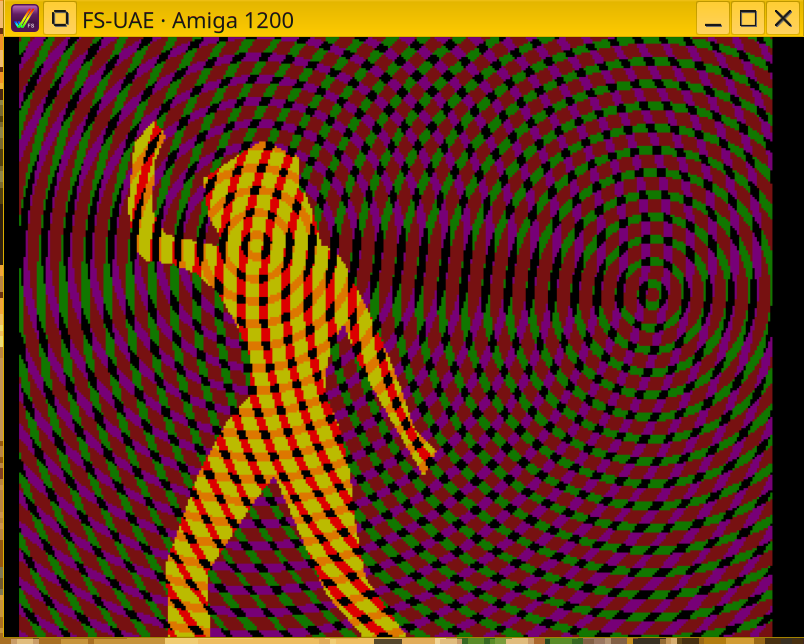
Demos - By Group - Spaceballs - State of the Art, runs perfectly
Edit : didn't allow attachment extension so remove .txt from it
The Amiga Game Selector is a huge library of Amiga games, programs and demos constructed to work out of the box on many types of systems - original hardware, FPGA implementations, multiemu systems like Retroarch, and UAE based emulators. It aims to bring all the stuff Amiga ever had.
To work out of the box, the AGS-UAE artifact comes with Windows based UAE emulator preconfigured - in AGS version 2.5 the inners were based on FS-UAE but for version 3 they're on WinUAE.
The built in 64bit WinUAE doesn't work on Wine, a known error of misalignment of memory map for 64 bit executables. The workaround is to run 32 bit WinUAE, but it runs sluggish under Wine.
Therefore I've instructed Claude to convert the two WinUAE configuration files to FS-UAE one and it produced a working but not working config - I just had to resolve all the problems myself
One of them is FS-UAE seems not to support more than 10 HDDs and UAE collection data comes as 12 HDD images; had to remove the two "Emulation" disks (generally I don't think this is useful on emulated Amiga) to make room for shared volume that persists save files because its disklabel seems to be refered to in the boot sequence of the primary hdd and boot breaks if it's not present.Steps :
1) get the AGS_UAE_v30 archive (~30 GB) and unpack it somewhere
2) install fs-uae package, run it once to create default dirs, which are in $XDG_DOCUMENTS_DIR/FS-UAE
3) copy all from AGS_unpack_dir/WinUAE/ROMs/Kickstarts to $XDG_DOCUMENTS_DIR/FS-UAE/Kickstarts
4) download conf file from attachment, edit in your AGS_unpack_dir wherever my /ssdpool/amiga is.
Run fs-uae without arguments - F12 key brings the emulator control panel, middle mouse releases the mouse, Alt+Enter goes fullscreen.
You can hit F12 immediately while the system is booting, and go down to "Input options" No Host Device entry, hit enter, then again on the same No Host Device of Joystick, and then you can pick here keyboard or SDL supported gamepad.
The default joystick bindings might need work, and it's done in config file. I will deal with this as I work with the system
If everything is correct you should get the Amiga 1200 booting for a minute into the Game Selector, which also has nice music background :
Demos - By Group - Spaceballs - State of the Art, runs perfectly
Edit : didn't allow attachment extension so remove .txt from it