How to use two screens at the same time while I'm using FreeBSD.

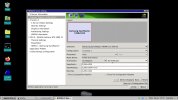
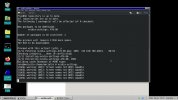
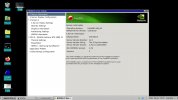
I've installed the package nvidia-settings and I've captured some screenshots,hoping that they can be useful to understand what's wrong :
 

Attachments

  • 1.jpg
    1.jpg
    190.6 KB · Views: 240
  • 2.jpg
    2.jpg
    192.2 KB · Views: 339
  • 3.jpg
    3.jpg
    158.6 KB · Views: 326
Third page of this ridiculous thread and nobody asked if he has more than one output on his motherboard. If yes, and your second monitor isn’t cheapest crap with one input just use that second intel output be it displayport/dvi/crt.
Ziomario you would save everybody’s time by starting some it school.
 
Sorry,I didn't understand what you mean with "more than one output on his motherboard" ; at school I've chosen another area,not the it,I'm sorry. But anyway,I like the it. My second monitor is very old.
 
Sorry,I didn't understand what you mean with "more than one output on his motherboard" ; at school I've chosen another area,not the it,I'm sorry. But anyway,I like the it. My second monitor is very old.
That’s why you waste everybody’s time here not having basic technical knowledge even how you pc is built. For example my motherboard can use Intel cpu with graphics chip built in, and I have HDMI, Displayport and D-sub outputs on motherboard(to use with that intel cpu built in graphics). If I want to solve your “problem”, I would just connect two monitors to my motherboard. Second monitor is connect with other cable to nvidia card so by switching inputs on that one I could use it as designated VM monitor.
No need to configure anything except some xrandr one liner for proper screen placement on intel gpu (which is easily found by googling or DuckDuckGo)
 
My HDMI,Displayport and D-sub are located only on the Nvidia gpu slots. And the intel gpu has only an HDMI port. My "problem" is a problem and it will not become a "problem" only because you think you had a stroke of genius. Can you try not to be so aggressive and less respectful with the users who wants to learn ? Is really so important to know a lot of things ? Or is even important to have the right curiosity and to ask for more details ?
 
I don’t mind you want to learn things but before you start asking lots of stupid questions do at least some research yourself first, and don’t ask for solution if you don’t describe what you want to achieve in first place.
 
From my experience Xorg should do the heavy lifting these days by itself, meaning Xorg should detect all supported cards and screens by it self, so there is no single xorg.conf needed as back in the days. There is actually a very good guide here in the forum: HOWTO: Setup Xorg with NVIDIA's driver .

I would start with that guide and go from there.

My workstation: 2x 24" IPS ilyama screens connected to a docking station on top a Lenovo x270 Gen 1 and FreeBSD 12.3-p5 (started with FreeBSD 10.x if I remember correctly). This has been running in that configuration since 2018 (24/7 365) and I experienced no issues at all.
 
I've found the reason why it does not work and I've been able to make it work,at least,partially. The problem of the black screen arises because I'm using xfce4. It misses some components inside the code and it can't replicate on the monitor 2 what is displayed on the monitor 1. I've installed mate and it happened the same. So,I've got the idea. I've chosen KDE Plasma as DM and boom. It has been able to display on the monitor 2 the content of the monitor 1. Unfortunately the magic did not last too long. KDE crashed many times and at the end I've seen again the black screen on the monitor 2. So,what I want to do can be done,but only KDE is partially able to do it. If KDE does it partially,do you know another DM that can do it better ? Below you can see what's the KDE component that crashed multiple times.

Istantanea_2022-07-19_21-24-22.png
 
From my experience Xorg should do the heavy lifting these days by itself, meaning Xorg should detect all supported cards and screens by it self, so there is no single xorg.conf needed as back in the days. There is actually a very good guide here in the forum: HOWTO: Setup Xorg with NVIDIA's driver .

I would start with that guide and go from there.

My workstation: 2x 24" IPS ilyama screens connected to a docking station on top a Lenovo x270 Gen 1 and FreeBSD 12.3-p5 (started with FreeBSD 10.x if I remember correctly). This has been running in that configuration since 2018 (24/7 365) and I experienced no issues at all.

which desktop manager are you using ?
 
Hello,

I use two screens even three I am on FreeBSD now who manage my main screen. Via the vnc protocole it display the desktop on an other screen on a second computer with ArchLinux for amd64 and on Odroid (Xu4) armv7l with ArchLinuxarm. This screen have two usable connectors an Hdmi and ad Dvi one.

I think you want two screens on the same computer what I have not explore a lot. I can say that TigerVnc do a really good job as server as well than client. The best is an Ethernet cable link but wifi is not bad.
 
Not sure if the NVidia driver will actually work in combination with other video cards. The NVidia driver uses a couple of modified Xorg libraries, those probably conflict with the AMD/Intel driver that uses the original Xorg libraries.

Wayland can fix this problem ? Wayland works great on FreeBSD at this time ? OR : some time ago I've bought another nvidia gpu,the geforce 1060 and inside the tower of my PC there is the space to mount it. Can it,in some way,help me to achieve the goal ? It has 5 ports : 2 HDMI ports,1 DVI,2 DisplayPorts...maybe it works attaching both the monitors to the two HDMI ports of the 1060....
 
Its not needed because NVIDIA xorg libs dont confilct with the normal ones.

They do have all -nvida or _nvidia at the end and both (mesa and nvidia) are using graphics/libglvnd.

So,it seems that in your opinion the NVidia driver libs does not conflict with the AMD/Intel driver that uses the original Xorg libraries. If it is true,what's the problem that's preventing me to use my two monitors with my two gpus ? My suspect may be good : the problem is inside the xfce or mate code that can't display the content on the monitor 2. Kde seems to be able,but then it crashes. Maybe Wayland can fix the problem.
 
which desktop manager are you using ?
XFCE latest binary package available.

There is basically two ways to have multiple screens:

A) Each screen got it’s own Xserver. If u want to display a window, the environment variable DISPLAY needs to be properly set:

Code:
export DISPLAY=:0.0 #localhost 1st screen
export DISPLAY=:1.0 #localhost 2nd screen

and so on.

B) Xinerama (first introduced by Nvidia, please correct me if i’m wrong) This allows u to stretch X across multiple screens and move your windows freely around without being concerned about which DISPLAY needs to be set.

From what u mentioned, that your 2nd screen keeps being black or blank as I would put it. My guess would be u, especially with two different GPUs, that u r stuck with A) . Back in the days a lot of programs got by default a menu point screen, where u could enter on which screen the window should appear. These days, perhaps of Xinerama, almost all programs lack that feature. Back then this has also been used to remote display windows without the need of VNC. XForward is the feature, wayland doesn’t support that because people think it’s not needed. ? A common work setup has been a bunch of different number crunchers and all the windows got forwarded to a single machine which acted as a presenter, but the heavy CPU lifting had been done on a number cruncher in a data center somewhere of the other side of the planet. Perhaps I’m the only one who still works that way. ?‍♂️ Sorry for rambling. ?
 
Interesting. So,maybe the configuration that I could try is the following :

Code:
Section "ServerLayout"
    Identifier  "Layout0"
    Option      "Xinerama" "on"
    Option      "Clone"    "off"
    # You would need one screen for each monitor
    Screen   0  "Screen0"
    Screen   1  "Screen1"  RightOf "Screen0"
  EndSection
  
Section "Files"
    ModulePath   "/usr/local/lib/xorg/modules"
    FontPath     "/usr/local/share/fonts/misc/"
    FontPath     "/usr/local/share/fonts/TTF/"
    FontPath     "/usr/local/share/fonts/OTF/"
    FontPath     "/usr/local/share/fonts/Type1/"
    FontPath     "/usr/local/share/fonts/100dpi/"
    FontPath     "/usr/local/share/fonts/75dpi/"
    FontPath     "catalogue:/usr/local/etc/X11/fontpath.d"
EndSection

Section "Module"
    Load  "glx"
    Load  "glxserver_nvidia"
EndSection

Section "InputDevice"
    Identifier  "Keyboard0"
    Driver      "kbd"
EndSection

Section "InputDevice"
    Identifier  "Mouse0"
    Driver      "mouse"
    Option        "Protocol" "auto"
    Option        "Device" "/dev/sysmouse"
    Option        "ZAxisMapping" "4 5 6 7"
EndSection

Section "Monitor"
    Identifier   "Monitor0"
    VendorName   "Monitor Vendor"
    ModelName    "Monitor Model"
EndSection

Section "Monitor"
    Identifier   "Monitor1"
    VendorName   "Monitor Vendor"
    ModelName    "Monitor Model"
EndSection

Section "Device"
    Identifier  "Device0"
    Driver      "intel"
    # Actual PCI location of first card/gpu
    BusID       "PCI:0:2:0"
    # Actual connector - as reported by /sys/class/drm/card0-xx (except HDMI, which is HDMI-x instead of HDMI-A-x)
    Option      "ZaphodHeads" "HDMI-1"
    # Screen number for that PCI device, i.e. 0, 1, etc.
    Screen      0
EndSection

Section "Device"
    Identifier  "Device1"
    Driver      "nvidia"
    # Actual PCI location of first card/gpu
    BusID       "PCI:2:0:0"
    # Actual connector - as reported by /sys/class/drm/card0-xx (except HDMI, which is HDMI-x instead of HDMI-A-x)
    Option      "ZaphodHeads" "HDMI-2"
    # Screen number for that PCI device, i.e. 0, 1, etc.
    Screen      1
EndSection

Section "Screen"
    Identifier "Screen0"
    Device     "Card0"
    Monitor    "Monitor0"
    SubSection "Display"
        Viewport   0 0
        Depth     1
    EndSubSection
    SubSection "Display"
        Viewport   0 0
        Depth     4
    EndSubSection
    SubSection "Display"
        Viewport   0 0
        Depth     8
    EndSubSection
    SubSection "Display"
        Viewport   0 0
        Depth     15
    EndSubSection
    SubSection "Display"
        Viewport   0 0
        Depth     16
    EndSubSection
    SubSection "Display"
        Viewport   0 0
        Depth     24
    EndSubSection
EndSection

Section "Screen"
    Identifier "Screen1"
    Device     "Card1"
    Monitor    "Monitor1"
    SubSection "Display"
        Viewport   0 0
        Depth     1
    EndSubSection
    SubSection "Display"
        Viewport   0 0
        Depth     4
    EndSubSection
    SubSection "Display"
        Viewport   0 0
        Depth     8
    EndSubSection
    SubSection "Display"
        Viewport   0 0
        Depth     15
    EndSubSection
    SubSection "Display"
        Viewport   0 0
        Depth     16
    EndSubSection
    SubSection "Display"
        Viewport   0 0
        Depth     24
    EndSubSection
EndSection
 
I tried. It didn't work. The result is even worst than before,because now I don't see the mouse pointer goes across the black screen anymore.
 
XFCE latest binary package available.

There is basically two ways to have multiple screens:

A) Each screen got it’s own Xserver. If u want to display a window, the environment variable DISPLAY needs to be properly set:

Code:
export DISPLAY=:0.0 #localhost 1st screen
export DISPLAY=:1.0 #localhost 2nd screen

Is this correct ? because it seems to me that the value of DISPLAY is repeated,so since there is one only variable,it always assumes the value 1.0. Don't forget that I have two screens,so there should be at least two variables called DISPLAY1 and DISPLAY2 ? Here the problem could be that I can't open a terminal on the monitor 2,so I can't set the DISPLAY value to 1.0 there.
 

Sorry,I don't understand what you mean. A clear communication is always the best choice. I understand what means the image,but I don't understand what you want to mean. You know,it isn't the same thing,the signified and the signifier.
 
Is this correct ? because it seems to me that the value of DISPLAY is repeated,so since there is one only variable,it always assumes the value 1.0. Don't forget that I have two screens,so there should be at least two variables called DISPLAY1 and DISPLAY2 ? Here the problem could be that I can't open a terminal on the monitor 2,so I can't set the DISPLAY value to 1.0 there.
Code:
export DISPLAY=:1.0
xterm & # should appear on the 2nd screen

DISPLAY is controlling which “Display” is the active one. As long as DISPLAY is set to 0 windows will appear there.

Like already mentioned, these days Xorg tries to auto-configure, that’s why my first approach would be to get rid of all configuration, install the nvidia driver and the intel driver connect one screen to each card, reboot the system, make sure screens are powered up and then see what’s happening, Xorg.log would be interesting as well. One of your two cards will take the lead. That’s the one I would configure as primary, when I got that I would add the second card. After that is working I would check out if Xinerama is working.

If I want to know what Xorg and it’s auto-configure came up with, I would do:


Code:
X -configure

The config should can be found here : /root/xorg.conf

Just for clarification and to rule out any misunderstanding, setting DISPLAY to 0.0 refers to the first running 1stXorg.1stScreen. So 1.0 is the 2ndXorg.1stScreen

For example I got two Xorgs running on two virtual terminals so I can be logged in with two different users at the same time, switching between users by pressing ctrl + alt + f9 and f10. Yes, both Xorg use both two 24” screens. Call me old fashioned but I like business and private stuff separated. ?‍♂️
 
Back
Top