

Euerka
I have Davinci Resolve 21 working with Cuda in a Podman container
Using my freebsd-cuda project

 github.com
I havent pushed the Davinci Resolve Podman container to github yet
i have 1 or 2 things to sort out and also have to write up the documentation
Persistent storage for the Resolve install and config files
Video directory mounted from the Freebsd host to the Podman container
So you can import and export media from Davinci Resolve
And Davinci Resolve will be launched with a desktop entry on Freebsd using your application launcher
Works with Wayland and X11
Previously i set up Davinci Resolve in a Rocky linux jail
 github.com
Using Podman makes is super easy to get Davinci Resolve working on Freebsd
You just need to build the container,
download the resolve zip and run a few commands and your good to go
Im using the Free version of resolve but it should work with the Studio version as well
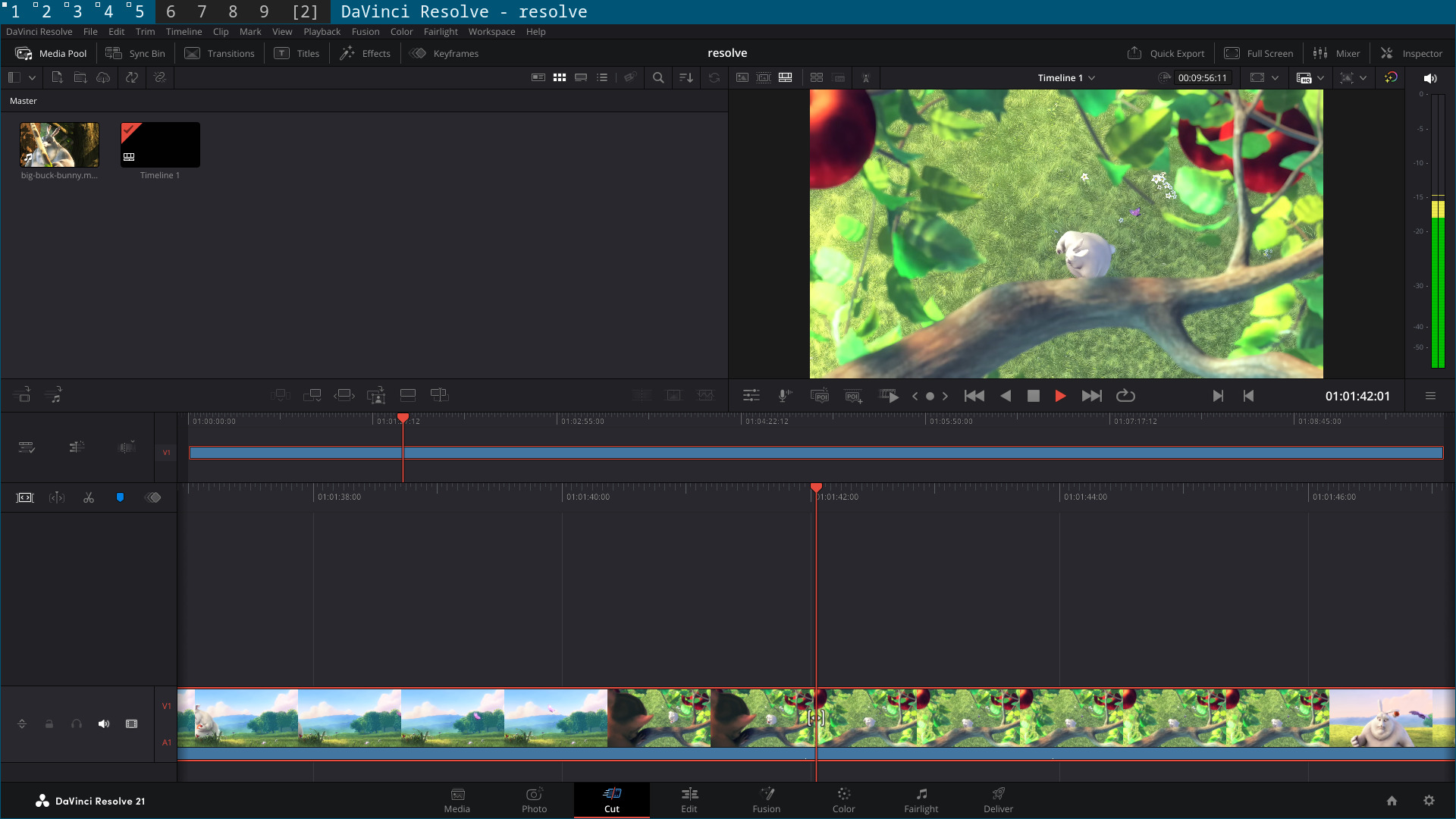
Screen shot showing the time line with the audio working
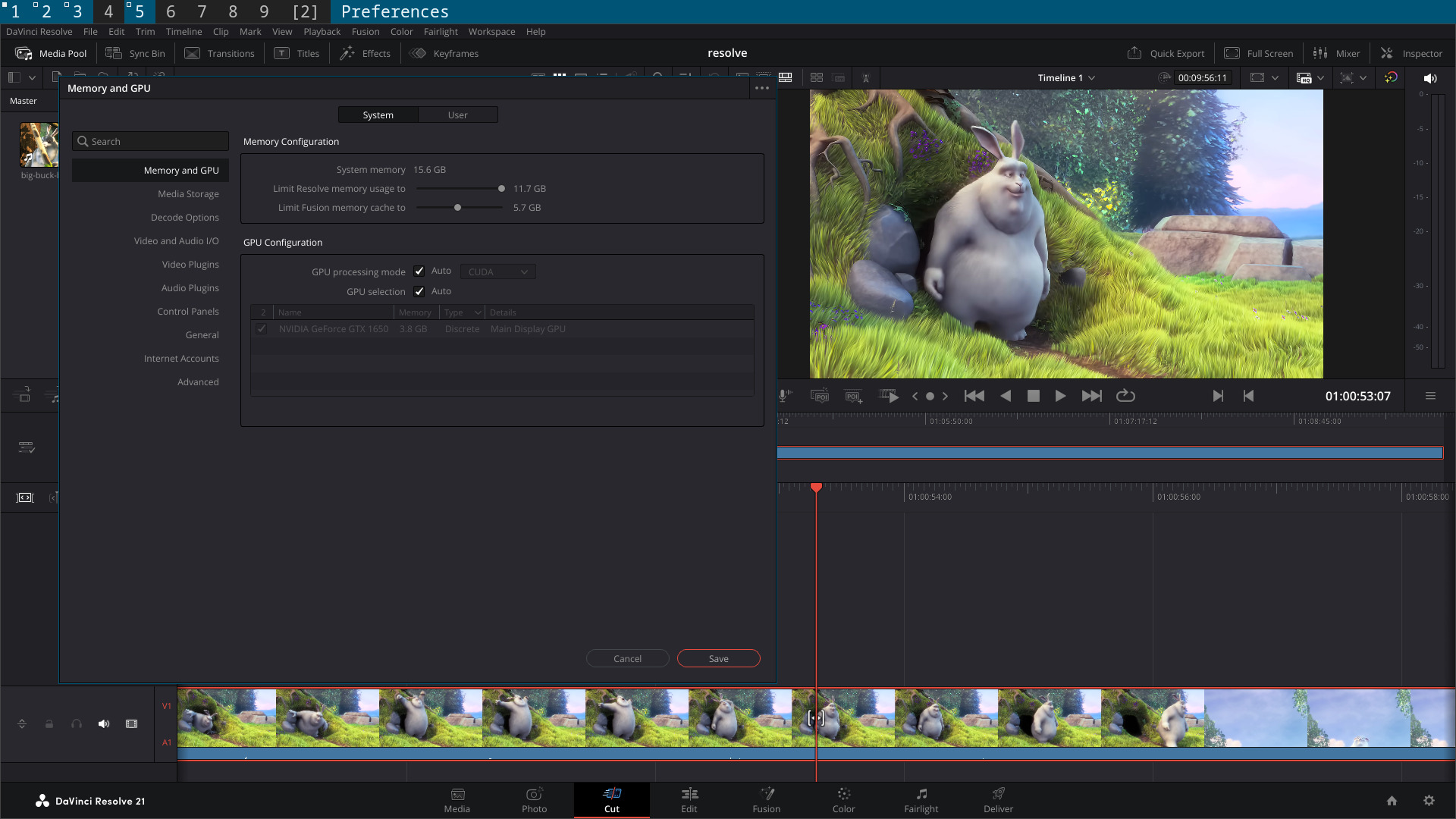
Screenshot showing the GPU and Cuda
I have Davinci Resolve 21 working with Cuda in a Podman container
Using my freebsd-cuda project
GitHub - NapoleonWils0n/freebsd-cuda: Run Linux command line and gui applications on FreeBSD with full Nvidia Cuda hardware acceleration.
Run Linux command line and gui applications on FreeBSD with full Nvidia Cuda hardware acceleration. - NapoleonWils0n/freebsd-cuda
github.com
I havent pushed the Davinci Resolve Podman container to github yet
i have 1 or 2 things to sort out and also have to write up the documentation
Persistent storage for the Resolve install and config files
Video directory mounted from the Freebsd host to the Podman container
So you can import and export media from Davinci Resolve
And Davinci Resolve will be launched with a desktop entry on Freebsd using your application launcher
Works with Wayland and X11
Previously i set up Davinci Resolve in a Rocky linux jail
GitHub - NapoleonWils0n/davinci-resolve-freebsd-jail-rocky: Daviinci Resolve in a Rocky Linux Freebsd jail
Daviinci Resolve in a Rocky Linux Freebsd jail. Contribute to NapoleonWils0n/davinci-resolve-freebsd-jail-rocky development by creating an account on GitHub.
github.com
Using Podman makes is super easy to get Davinci Resolve working on Freebsd
You just need to build the container,
download the resolve zip and run a few commands and your good to go
Im using the Free version of resolve but it should work with the Studio version as well
Screen shot showing the time line with the audio working
Screenshot showing the GPU and Cuda