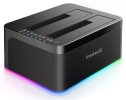
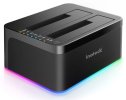
I'm looking for a hard drive cloner that produces a bootable clone of a BSD system.
I have both software hard drive cloners and a hardware device that'll clone any running Windows system hard drive over to a new/blank hard drive (i.e., old style SATA drives). Once the cloning process completes, I can remove the original drive from hardware cloner (or PC case if using a software cloner), remove/replace the original system drive with the new cloned drive, power-up system and it boots into Windows right where it left off.
But, for some reason, these same cloners can't produce a bootable FreeBSD system drive clone. The data from the source drive is there on the clone, but the clone's never bootable. Upon startup, the system always reports missing OS. So, obviously, there's something in (the boot sector?) of a FreeBSD system drive that is not getting copied from the source to the destination drive during the cloning, as is the case with Windows system drives.
Anyone know of a software or hardware cloner that'll produce a bootable clone of a running FreeBSD system hard drive?
I have both software hard drive cloners and a hardware device that'll clone any running Windows system hard drive over to a new/blank hard drive (i.e., old style SATA drives). Once the cloning process completes, I can remove the original drive from hardware cloner (or PC case if using a software cloner), remove/replace the original system drive with the new cloned drive, power-up system and it boots into Windows right where it left off.
But, for some reason, these same cloners can't produce a bootable FreeBSD system drive clone. The data from the source drive is there on the clone, but the clone's never bootable. Upon startup, the system always reports missing OS. So, obviously, there's something in (the boot sector?) of a FreeBSD system drive that is not getting copied from the source to the destination drive during the cloning, as is the case with Windows system drives.
Anyone know of a software or hardware cloner that'll produce a bootable clone of a running FreeBSD system hard drive?