

Hello everyone,
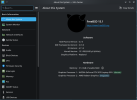
I am currently running FreeBSD 15.1 with Plasma 6 (Wayland) on an HP OMEN 16 laptop. Through some persistence, I have successfully configured almost all hardware components to work properly: webcam, Bluetooth, Wi-Fi, graphics, networking, USB, suspend/resume, audio, and keyboard illumination.
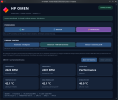
The remaining challenge is reverse-engineering the ACPI/firmware interface for fan control and power/performance mode selection (akin to the Windows OMEN Gaming Hub features). The goal is to match the performance capabilities available on Windows while keeping thermal safety in check.
Progress so far: I am able to successfully read firmware sensor data and, in a preliminary state, write back configuration changes (currently under review/testing).
Any pointers, documentation, or collaboration on HP ACPI methods or EC (Embedded Controller) access in FreeBSD would be greatly appreciated.


 Features
 Repository
 GitHub:
 Important Warning: