Show Your FreeBSD Workstation (Specs + Screenshot)

Latest iteration of my freebsd 'hifi' music listening setup.

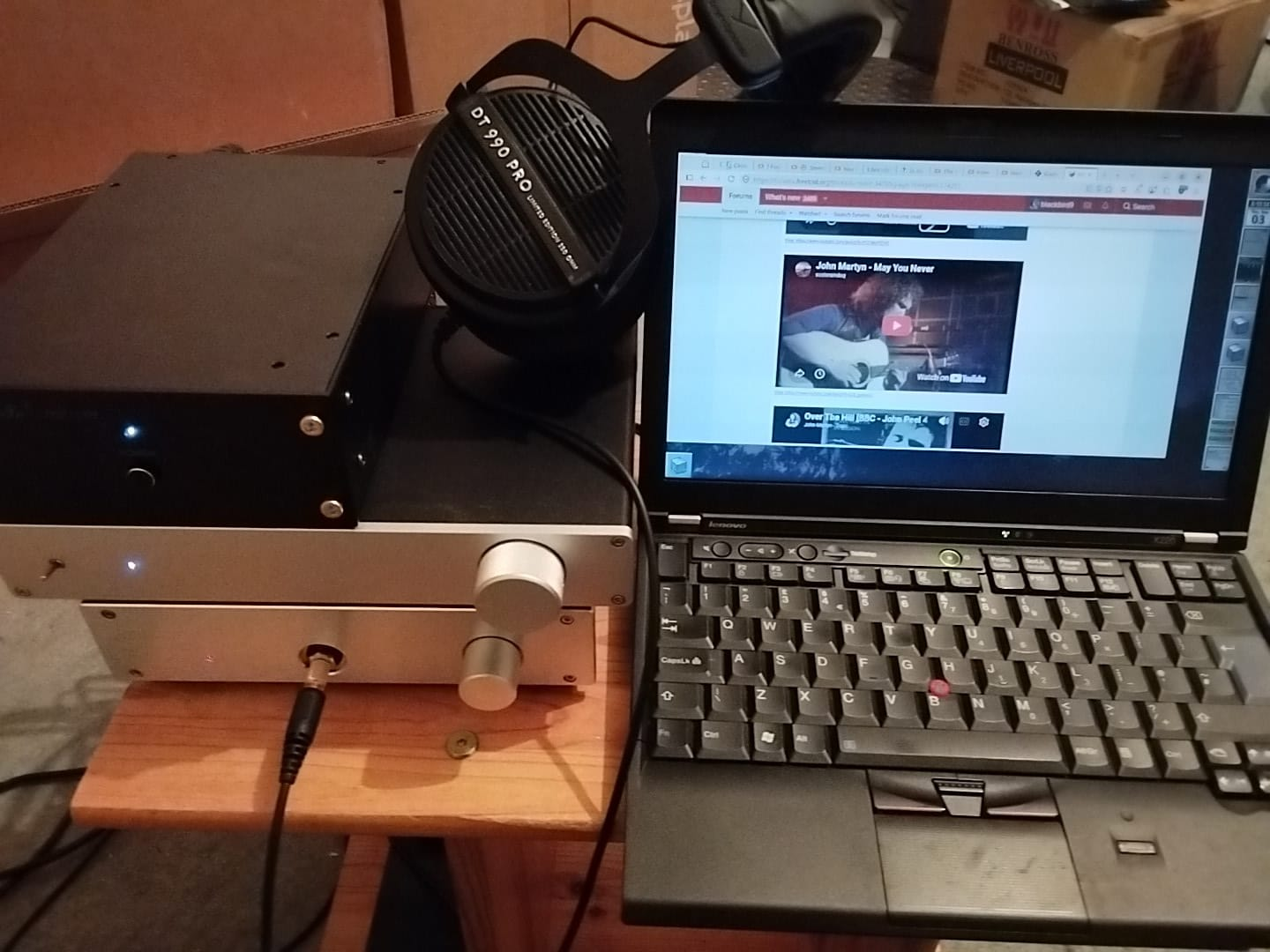
What you can see, from left to right, is as follows:- audio stack comprising: HD8-A1 headphone amp at the bottom of the stack, then a Mofi C3850 SMT preamp, then on the top a Lite DAC-AH NOS dac (8xTDA1543). Not visible is an SMSL PO100 USB-coax spdif interface, round the back, that provides the USB device interface to FreeBSD. So far I haven't modded the dac-ah, although I've got some components on order. I wrote some more about the DAC-AH in the dacs thread here https://forums.freebsd.org/threads/is-there-any-dac-compatible-with-freebsd.74463/page-5#post-770859 , there is also a review here https://www.highfidelityreview.com/lite-dac-ah.html . What I need now is a small stand to hold the audio gear.

Next to the audio stack, my thinkpad X220 running FreeBSD 14.4, X11 and WindowMaker, and Beyerdynamic DT 990 PRO headphones; I actually prefer the sound of the DT990's to my HD6XX's, and they seem to match the HD8-A1 well. FreeBSD and apps like waterfox are configured to run on OSS only, with no other audio servers installed. The system also has mpd, mpv and mpg123 installed for playing music.

I have added the following two settings in /etc/sysctl.conf, as documented in the sound(4) manpage.
# auto-configure default usb soundcard
hw.snd.default_auto=2
# better sound quality
hw.snd.feeder_rate_quality=4
The system otherwise runs with the default OSS configuration, I have not configured bitperfect. 'Everything works'(TM).
1788463129747.png


How does it sound? Very nice. It's starting to get quite good now, I think this is the best one I've built so far; it beats the Wolfson WM8740, which was my previous best one. I guess using a server O/S as a hifi component is kind of left-of-field, but it seems to work very well.

While I'm here, I'll leave a link to the macro set I wrote, for listening to the lofi music channels https://forums.freebsd.org/threads/useful-scripts.737/page-19#post-773836 . A useful source of test data. :-)
 
Last edited:
It is simply one config file in the .fvwm folder. See the attached file.
Oh wow, thank you very much, I'm very grateful. It seems that FVWM is very underexposed where it fuels for instance xfce. Should worth the time to make FVWM your real own window manager (just like the doc says).
The thing I do love is the left click menu on the desktop. Very good thing I can't reproduce on xfce!
 
Latest iteration of my freebsd music listening setup.

What you can see, from left to right, is as follows:- audio stack comprising: HD8-A1 headphone amp at the bottom of the stack, then a Mofi C3850 SMT preamp, then on the top a Lite DAC-AH NOS dac (8xTDA1543). Not visible is an SMSL PO100 USB-coax spdif interface, round the back, that provides the USB device interface to FreeBSD. So far I haven't modded the dac-ah, although I've got some components on order. I wrote some more about the DAC-AH in the dacs thread here https://forums.freebsd.org/threads/is-there-any-dac-compatible-with-freebsd.74463/page-5#post-770859 . What I need now is a small stand to hold the audio gear.

Next to the audio stack, my thinkpad X220 running FreeBSD 14.4, X11 and WindowMaker, and Beyerdynamic DT 990 PRO headphones; I actually prefer the sound of the DT990's to my HD6XX's, and they seem to match the HD8-A1 well. FreeBSD and apps like waterfox are configured to run on OSS only, with no other audio servers installed. The system also has mpd, mpv and mpg123 installed for playing music.

I have added the following two settings in /etc/sysctl.conf, as documented in the sound(4) manpage.
# auto-configure default usb soundcard
hw.snd.default_auto=2
# better sound quality
hw.snd.feeder_rate_quality=4
The system otherwise runs with the default OSS configuration, I have not configured bitperfect. 'Everything works'(TM).

View attachment 27180

How does it sound? Very nice. It's starting to get quite good now, I think this is the best one I've built so far. :-)

While I'm here, I'll leave a link to the macro set I wrote, for listening to the lofi music channels https://forums.freebsd.org/threads/useful-scripts.737/page-19#post-773836 .
I have the same DT 990 Pro for years, nice gear. My SSL2+ audio card works out of the box on FreeBSD sadly I don't have anything that replaces Cubase (heavy use of VST whose don't eve nhave a linux version) so I'm stuck on Windows for the music production.
 
It seems that FVWM is very underexposed where it fuels for instance xfce. Should worth the time to make FVWM your real own window manager (just like the doc says).
The thing I do love is the left click menu on the desktop. Very good thing I can't reproduce on xfce!
And middle click menu. All completely free configurable (Keep the restart button; you'll need it everytime when you edited the config. [I have an alias edfvwm which opens my config file directly in vim.])
And don't underestimate the also free configurable keyboard shortcuts. I very barely use any menus at all anymore, but do almost everything with key combos - way quicker than shoving mouse kilometers. :cool:

It was my journey exactly: After LXDE (my first DE when I started on FreeBSD, also recommendable, because anyhow I never became friends with Gnome and always found KDE way too bloated and Windows-like) I switched to Xfce. Used it for quite a while. I was quite happy with it: clearly structured, nice to look at but not too much eyecandy, delivers all a DE needs, but not overloaded, not bloated, not redundant, and easy to configure... nice. After all Xfce is my first recommendation to anyone looking for DE. (or MATE)
But I learned for myself I don't need a DE. I don't want a DE. All I need and want is just a simple WM I can configure the way exactly I want.
This wasn't suddenly clear to me. It was a process.
I realized that I cannot configure certain things with Xfce (or any other DE) the way I want it to be.
For example, I want to have more options about defining the menus the way I like them to be, since there are certain things I never use and don't want to be in my menus but cannot throw out. Or I never needed nor wanted those waste paper baskets ("recycle bin" is the current term) which were unavoidable from way back on my old Amiga 2000 over all Windows and any other DE. They all came with this to me pointless annoying nuisance. If I want to delete a file, I want it to be deleted. I don't want to have a conversation everytime about my intensions, being questioned if I'm aware of what I'm doing, and still the junk occupies space on my drive, fragmenting it. So, always extra clicks to just get rid of a completely pointless empty file created accidently due mistakenly clicked on the wrong icon. But there is no way to get rid of that silly waste bin junk completely from any DE I experienced. Plus all the additional directories a DE can produce in you home - some really trash up your place.
So, every DE has limits, what can be configured.
When you can live with it, OK.
If not...
Eventually I found myself start digging into Xfce's files which are not meant to be edited by the user by default for config purposes, I finally realized: Wrong.

You either pick an existing vessel from the harbor which comes closest to your needs, or you build your own.
But if all you want is to row on a pond to fish you don't pick an aircraft carrier and strip it down to get a simple boat. You pick a simple boat.

Bottom line:
You may pick from the many choices of DE's there are. If you can live with one of those, perfect.
But if there is no DE that satisfies you, because you have clear ideas how your desktop has to look and feel, and you are not willing to compromise, then you better pick one of the even larger amount of choices of WMs, and configure it to become exactly the desktop you want.
Pro: You get exactly what you want, can adapt it anytime exactly to changed needs, and no compromises.
Downside: You need to learn how to configure it, and you need to configure it.
Contra fvwm: IMO maybe not the most trivial to learn config syntax.
Pro fvwm: Not so very hard neither. Many examples and config files by others can be used as templates. Almost anything configurable I can think of.
 
I have the same DT 990 Pro for years, nice gear. My SSL2+ audio card works out of the box on FreeBSD sadly I don't have anything that replaces Cubase (heavy use of VST whose don't eve nhave a linux version) so I'm stuck on Windows for the music production.
Yes the DT 990's are capable of good results, the dac-ah and the amps I'm using are good enough to get good results out of them. Although the dac-ah is flawed as they ship it from the factory, it has to be modded, I discussed that in the forum dacs thread; diyaudio have a lot of information on modding that dac too. It's an old design, but capable of good results, some serious audio designers like lampizator liked it ( eg see http://lampizator.eu/lampizator/references/AH DAC/AHDAC.html ) . I was also interested in that dac because it uses the same parallel TDA1543 design as border patrol and audio note used in some of their dac designs. Whereas Naim use burr-brown I think. Chord is interesting too with their own gate array design, although I haven't heard their stuff, and of course it costs more; which is fair enough, everyone has to eat.

Right now with the setup I have in the photo, it sounds pretty good, I would say getting up towards real hifi CD quality, which is PDG. I've also been quite surprised at how good the yt opus codec is, I've tried comparing flacs to opus encoded files of the same music, and it's pretty hard to tell the difference. Of course what I've done isn't any kind of real high end territory, I was primarily interested in how good I could get it without spending a lot of money. If you can afford some nice Focal headphones and a high quality dac (maybe a denafrips R2R) and a good amp (lehmann, naim, sugden etc), then it's definitely going to sound better than what I have in that photo.

The freebsd OSS sound layer does a really good job too, I think it has real potential. I've been surprised at how good it sounds, even without enabling bitperfect, after all it's theoretically resampling everything. I need to do some more experiments with bitperfect, I haven't pursued it much so far becuase when I have tried it in the past I found some things work, but other things stop working with bitperfect enabled. Also I haven't gone into DSD and high-res, I don't really feel like paying for DSD streams anyway, if I can avoid it, and I'm not very convinced that you would actually hear a difference from the higher sampling rates they use.

It's a shame there isn't more audio production software for freebsd. 'Alien Bob' (Eric Hamleers) has written a good series of articles about constructing a DAW on slackware ( https://blog.slackware.nl/configuring-slackware-for-use-as-a-daw/ and https://blog.slackware.nl/tag/daw/ ); some, perhaps all, of that is likely to be portable to freebsd. I guess companies like Cubase have to make money to survive and are only going to target platforms that they think they will get a large enough number of sales on, to be worth making the investment in product development.
 
Last edited:
Screenshot of my fvwm

I don't know what exactly you mean with "theme".
in your ~/.fvwm/myfvwm.config you add a wallpaper with
Code:
+ I Exec exec fvwm-root -r $HOME/.fvwm/Wallpapers/abstract-orange-6240x1920.png
and change the colors as you like:
Code:
#######
# 3: Colorsets
#
# Colorsets can be used to configure the color of the various
# parts of fvwm such as window decor, menus, modules, etc.
#
# Colorset Convention
#
#   0 - Default
#   1 - Inactive Windows
#   2 - Active Window
#   3 - Inactive Windows Borders
#   4 - Active Windows Borders
#   5 - Menu - Inactive Item
#   6 - Menu - Active Item
#   7 - Menu - Grayed Item
#   8 - Menu - Title
#   9 - Reserved
#  10+ Modules
#      10 - Module Default
#      11 - Module Hilight
#      12 - Module ActiveButton (Mouse Hover)
#      13 - FvwmPager Active Page
#      14 - FvwmIconMan Iconified Button
###########
#Colorset 0  fg #ffffff, bg #473c8b, hi, sh, Plain, NoShape
#Colorset 1  fg #0000ff, bg #8f9fff, hi, sh, Plain, NoShape
#Colorset 2  fg #ffffff, bg #473c8b, hi, sh, Plain, NoShape
#Colorset 3  fg black, bg #4d4d4d, hi #676767, sh #303030, Plain, NoShape
#Colorset 4  fg black, bg #2d2d2d, hi #474747, sh #101010, Plain, NoShape
#Colorset 5  fg #000000, bg #ffffff, hi, sh, Plain, NoShape
#Colorset 6  fg #ffffff, bg #2d2d2d, hi, sh, Plain, NoShape
#Colorset 7  fg grey30, bg #ffffff, hi, sh, Plain, NoShape
#Colorset 8  fg #ffffff, bg #473c8b, hi, sh, Plain, NoShape
#Colorset 10 fg #ffffff, bg #473c8b, hi #aaaaaa, sh #999999, Plain, NoShape
#Colorset 11 fg #ffffff, bg #1a6e99, hi #ffffff, sh #ffffff, Plain, NoShape
#Colorset 12 fg #2d2d2d, bg #ffffff, hi, sh, Plain, NoShape
#Colorset 13 fg #ffffff, bg #006c6c, hi, sh, Plain, NoShape
#Colorset 14 fg #555555, bg #473c8b, hi #aaaaaa, sh #999999, Plain, NoShape
#Colorset 23 Transparent
#
#
Colorset 0  fg #ffffff, bg #EE7600, hi, sh, Plain, NoShape
Colorset 1  fg #000000, bg #663300, hi, sh, Plain, NoShape
Colorset 2  fg #ffffff, bg #FF7F00, hi, sh, Plain, NoShape
Colorset 3  fg black, bg #4d4d4d, hi #676767, sh #303030, Plain, NoShape
Colorset 4  fg black, bg #2d2d2d, hi #474747, sh #101010, Plain, NoShape
Colorset 5  fg #000000, bg #ffffff, hi, sh, Plain, NoShape
Colorset 6  fg #ffffff, bg #2d2d2d, hi, sh, Plain, NoShape
Colorset 7  fg grey30, bg #ffffff, hi, sh, Plain, NoShape
Colorset 8  fg #ffffff, bg #EE7600, hi, sh, Plain, NoShape
Colorset 10 fg #ffffff, bg #CD6600, hi #aaaaaa, sh #999999, Plain, NoShape
Colorset 11 fg #ffffff, bg #FF7F00, hi #ffffff, sh #ffffff, Plain, NoShape
Colorset 12 fg #2d2d2d, bg #ffffff, hi, sh, Plain, NoShape
Colorset 13 fg #ffffff, bg #EE7600, hi, sh, Plain, NoShape
Colorset 14 fg #555500, bg #EE7600, hi #aaaaaa, sh #999999, Plain, NoShape
(use a color table, e.g. this one)
There is also way more you can define/modify yourself, like the window's decorations, or the windows title buttons, see my post #19
but if you want modify more than colors and wall papers better take a look at
fvwm.org
man fvwm(1)
or
archlinux.org/title/FVWM

I wouldn't bother with the arch wiki on this for fvwm information -- fvwm.org has all you need, plus the default config, which we spent a long commenting so that it's useful.
 
I wouldn't bother with the arch wiki on this for fvwm information -- fvwm.org has all you need, plus the default config, which we spent a long commenting so that it's useful.
Which was disturbing -to me- is the fact that the whole doc is made for FVWM2, and not FVWM3.
It can seem silly for someone who's used to this WM, but when I see a doc made for a major previous version, I suspect it not to be updated and will learn me things that won't work (just like if I were to create a pseudo WM using bsddialog(1) and complaining that it *strangely* does not work on any FreeBSD version prior to 14...). I can't remember any website to tell that v3 is fully backward compatible about customization files.
I stop here, I feel I'm highjacking the thread. But I do guess anyone would have a different desktop with this :)
 
Long time lurker, first time poster. Yay. You asked for it.

Thinkpad E15 G4 AMD Ryzen 7 5825U with Dell U2715H
15.1-RELEASE-p3 (upgraded several times since first installation in Nov 2022)
X11 + SDDM + Openbox + Tint2

My Thinkpad had 8 GB of RAM out of the box, and I added another 32 GB. Lovely.

On my long quest to find a GUI which falls into the suckless category, I have tested a plethora of different solutions, ranging from all-in-one desktop solutions to different tiled WMs which would require manual tinkering in config files. I really liked LXQt before switching to my current setup, and I still use some of the LXQt apps, but it still had some minor flaws.

Openbox is great for my daily work and can be configured easily. I got inspired by "Addy" (https://addy-dclxvi.github.io/) who shares some really nice themes and wallpapers for Openbox, tint2 and more.

The Dell monitor stands above the Thinkpad display, this explains the black areas on the lower half of the screenshot.

screenshot-thinkpad.png


I also run:
- PC Engines APU.2E4 AMD embedded GX412TC / 4 GB with three Gigabit ports as my home router
- HP Microserver Gen 8 (Intel Xeon E3-1220L V2 @ 2.30GHz, 16 GB RAM, 256 GB mirror for the system, 14 TB mirror for data) as a combined NAS (SMB/NFS) and jails/bhyve host.
Both on 15.0-RELEASE-p13.

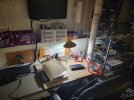
I didn't bother to clean up my desk before taking this picture. Again, you asked for it :-)

freebsd-desktop.jpg


That's my ham radio shack-in-a-box on the left. The RPi400 is connected to one of the radios, although I never use it for any digital modes (I'm a CW/SSB guy, as you can tell by the morse keys).

For the audiophiles, there's a "Objective O2 headphone amplifier" right behind the RPi400, which I soldered together back in 2014. It also has the ODAC board, so there's a USB port on the back. Search diyaudio.com or google "NwAvGuy" for details.

That's all, folks.
 
Schluppenkalle Got my Novice license in 1966. Worked my way up to the now defunct Advanced Class. Just couldn't consistently do 20wpm for Extra or cared enough to work at it. Eventually let it expire in 2010. Get an itch to do some RF work and kind of wish I still had my license.

I run into a couple of guys I knew back in the day. I also reminisce about my St Louis University days with W0FLN (Free Love Now) and Field Day out in the boondocks and my car, an old Cadillac my dad bought me, broke down on a farm country road.

73
 
Schluppenkalle Got my Novice license in 1966. Worked my way up to the now defunct Advanced Class. Just couldn't consistently do 20wpm for Extra or cared enough to work at it. Eventually let it expire in 2010. Get an itch to do some RF work and kind of wish I still had my license.

I run into a couple of guys I knew back in the day. I also reminisce about my St Louis University days with W0FLN (Free Love Now) and Field Day out in the boondocks and my car, an old Cadillac my dad bought me, broke down on a farm country road.

73
Awesome, thank you for sharing your background! The big transceiver in the bottom compartment is a Yaesu FT-101E, built in 1978 (being two years older than its current owner, heh). It's fully re-capped and has new final tubes, producing 140W PEP. As much as I am glad that we have DSPs and SDRs nowadays, I simply love analog devices for several reasons. But this is going to be too off-topic for this off-topic thread.
73 es GL dit dit
 
I didn't bother to clean up my desk before taking this picture. Again, you asked for it :-)
That desk deserves a mechanical keyboard with some cherry red silent switches.
I can recommend a DuckyOne TKL (80%)
Don't need to thank me :)
 
That desk deserves a mechanical keyboard with some cherry red silent switches.
I can recommend a DuckyOne TKL (80%)
Don't need to thank me :)
Definitely! I always wanted the good old classic Cherry G80. It has always been in the ~50€ range, but 10 years ago, the price of mechanical keyboards started to increase, and it has doubled its price since then.
I know about Cherry silent switches, but why? Who doesn't love the clickety-clack of the other guy in the office, sitting right next to you ;)
 
I didn't bother to clean up my desk before taking this picture. Again, you asked for it :-)

View attachment 27213

That's my ham radio shack-in-a-box on the left. The RPi400 is connected to one of the radios, although I never use it for any digital modes (I'm a CW/SSB guy, as you can tell by the morse keys).

For the audiophiles, there's a "Objective O2 headphone amplifier" right behind the RPi400, which I soldered together back in 2014. It also has the ODAC board, so there's a USB port on the back. Search diyaudio.com or google "NwAvGuy" for details.

That's all, folks.
That little shelf unit is just what I need for my audio stack. Something just like that. Maybe I need to take a trip to ikea. Or ebay.
Nice radios, btw.
 
Definitely! I always wanted the good old classic Cherry G80. It has always been in the ~50€ range, but 10 years ago, the price of mechanical keyboards started to increase, and it has doubled its price since then.
I know about Cherry silent switches, but why? Who doesn't love the clickety-clack of the other guy in the office, sitting right next to you ;)
The Cherry's aren't completely silent. It's not as noisy as the model M, but it does make quite a bit of noise. My G80 has 'black' switches, they are nice and fast to type on, and definitely not silent. My favourite keyboard, along with the model M, and the little standalone thinkpad one I've got now. Cherry used to have a discount shop on ebay where they sold off odd keyboards, they had alll kinds on there; I got mine from there, but it looks like that shop has closed now.
1788791263826.png
 
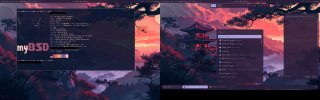
Hi everyone,

I thought it would be interesting to have a dedicated thread where we can share actual FreeBSD workstations — not just hardware lists, but real systems that people actively use, along with a screenshot of the running environment.

Here is my current setup (screenshot attached):
FreeBSD 14.2-RELEASE (in the middle of upgrading to 14.3-RELEASE, as you can see in the terminal),
Intel Xeon E5-2697 v2 x24, 16 GB RAM, ATI RV515 graphics, and roughly 1 TB of disk space.

Feel free to post your workstation specs, desktop environment, terminal setup, storage layout, and a screenshot if possible. It might be helpful for new and experienced users alike to see what FreeBSD looks like in daily use.

Looking forward to seeing your systems!

View attachment 24199
Hi,what is the theme of your desktop?It looks really good.
 
My wife has a room by our side door that served as the office for our restaurant business. Now it's just filled with a bunch of stuff from that time but we don't use it for that anymore. She doesn't need all that space so I ran a cable from our modem to that room. The plan is for me to move from my small office to that far bigger space and then I'll have the same sort of mess that Al Seitsinger has.
 
My wife has a room by our side door that served as the office for our restaurant business. Now it's just filled with a bunch of stuff from that time but we don't use it for that anymore. She doesn't need all that space so I ran a cable from our modem to that room. The plan is for me to move from my small office to that far bigger space and then I'll have the same sort of mess that Al Seitsinger has.
There is an eternal unbreakable rule that says "stuff expands to fill the space available".
 
Back
Top