How to recover lost database .db file on FreeBSD?

Hi
I somehow deleted a few files including an important .db from trash of FreeBSD. All the while I was thinking I had the latest version backup, but now I am stuck.

I tried using FreeBSD boot up usb, using option 3, boot -s and then using grep commands to search for a string with Create command for a critical table, used dd to extract and then python and sqlite commands to recover but not successful. The red flag was I didn’t realise for 15-20 minutes and then powered it off, which seems to big issue. The FreeBSD system is using ZFS

Any help or guidance on this will be appreciated.
 
See if you have any zfs snapshots with command "zfs list -t all". You can browse all snapshots under .zfs in the zfs mounted dir. For example, if "zroot/home/rajiv" is mounted on "/home/rajiv", you can check its snapshots under "/home/rajiv/.zfs/snapshot/" dir.
 
I tried using FreeBSD boot up usb, using option 3, boot -s and then using grep commands to search for a string with Create command for a critical table, used dd to extract and then python and sqlite commands to recover but not successful.
Nothing in FreeBSD itself depends on this. So why boot to single user mode? And what exactly are you looking for?
 
SirDice i was looking for a way to recover the sqlite database which i deleted from trash bin and did not have a current backup. so tried zfs snapshots as bakul advised, not successful. then checked for steps as per fjdlr but i do not have that option to recover.
nevertheless used another way of extracting raw data, and then restoring with a testdisk (photorec), but the db is not recoverable. so moving on, and will built it up back somehow.
 
mer some of my work database with tables, views, indices and triggers and data ofcourse.
Well, the "of course" was not obvious to me. I think there are some uses of sqlite dbs in a default install (packages maybe a couple of others) which is why I asked.
If they were system level they could be recreated.
If they were user data (apparent now in context) then user level backup need to control.
 
SirDice i was looking for a way to recover the sqlite database which i deleted from trash bin and did not have a current backup. so tried zfs snapshots as bakul advised, not successful. then checked for steps as per fjdlr but i do not have that option to recover.
nevertheless used another way of extracting raw data, and then restoring with a testdisk (photorec), but the db is not recoverable. so moving on, and will built it up back somehow.
Sorry to hear that. Note that zfs snapshots are quite cheap and fast. In future you may wish to snapshot frequently (may be from a cron job and another cron job to delete really old ones). Also, a good idea to backup to an external disk or machine or site (but I am sure you know that!).
 

Attachments

  • Screenshot_2026-06-26_08-17-33.png
    Screenshot_2026-06-26_08-17-33.png
    75.3 KB · Views: 28
sanjivkapur

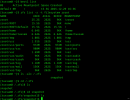
Okay, so no BE creation and an empty .zfs directory.
You really need to make use of the extensive ZFS documentation
BE creation, snapshots, and so on.
For snapshots, you can write scripts and run them via cron, or simply install Sanoid /sysutils/sanoid/
(it's easy to configure).
ZFS offers maximum data reliability,
but you have to actually use it.
 
Well, I hadn’t setup any of these! So no outputs.
But have logged in back to system and resumed after setting up the snapshots today. Learning never stops.
Ultimately, what's done is done. One of the banes of my experience is working out how to keep track of the data integrity and existence of files that I want. While modern computers are better than ever in terms of searching for things, file integrity can be a bit of a challenge. It's part of why I prefer to use file formats with side car files for user created/modified data.

I also personally try to keep files that aren't likely to change separate from ones that do and use a combination of mtree and par2 in order to keep track of/repair minor damage to the files. There are a bunch of backup software programs out there, personally, I've been liking borg backup, but there's a bunch of good ones out there and potentially even just zfs snapshots sent to a separate disk at a separate location can be good enough.
 
Hi
I somehow deleted a few files including an important .db from trash of FreeBSD. All the while I was thinking I had the latest version backup, but now I am stuck.

I tried using FreeBSD boot up usb, using option 3, boot -s and then using grep commands to search for a string with Create command for a critical table, used dd to extract and then python and sqlite commands to recover but not successful. The red flag was I didn’t realise for 15-20 minutes and then powered it off, which seems to big issue. The FreeBSD system is using ZFS

Any help or guidance on this will be appreciated.
If the filesystem is using ZFS, I'd first check whether there are any snapshots available before trying more recovery tools. If there aren't any snapshots or backups, the chances of recovering a deleted SQLite database become much lower, especially after the system has continued running. It might also help to mention whether the file was deleted from a dataset, a jail, or your home directory, since that could affect the recovery options.
 
Thank you so much for guiding and sharing excellent and helpful tips and information.

I anticipate that this blunder of mine will help others to setup snapshots and cronjob even before they initiate any project. These truly are not optional if I may say.

Now I am making sure both my old horses are first setup and configured for this risk management process and tools. Hopefully I will make more mistakes and not repeat this 😊 .

Thank you 🙏
 
Back
Top