

I have Invidious installed in a podman container in a Ubuntu bhyve vm

 github.com
 github.com
When you play a youtube video using mpv it uses yt-dlp in the backend to get the stream links
so there is a 5 or 6 second delay before it starts playing the video
Invidious actually decodes the urls so when you use invidious in the browser
so its starts instantly with no ads
But it you use mpv to play the invidious link with mpv it still use yt-dlp to grab the streams
So what i figured out is that there is a dash mpd manifest with the stream urls
That means you can use the manifest to get the urls and play them with mpv
so after i figured out the path to the manifest for the url i got Gemini to create a lua script for mpv that works with Invidious
Look at the stats using the mpv lua script with invidious vs playing the video from youtube
You can see mpv playing the youtube url uses 94.26% of the cpu
Invidious uses 8.82% of the cpu because im using the VP9 codec instead of AV1
Compare the time it takes for the video to start playing
Youtube = 3.92s user 0.63s system 71% cpu 6.381 total
Invidious = 0.49s user 0.11s system 38% cpu 1.555 total
Create the mpv scripts directory
Save the invidious.lua script into the scripts directory
invidious.lua script
Obviously you need to change the ip address in the lua script to match the ip address of your ubuntu bhyve vm
The script now gets the video title as well
mpv conditional profile for invidious
again you need to change the ip address in this line
So now i have gone from using 94% cpu usage with a 6 second wait to play youtube videos with mpv
to 8% cpu usage and less than a second before the video starts playing using Invidious and mpv with the lua script
Very cool
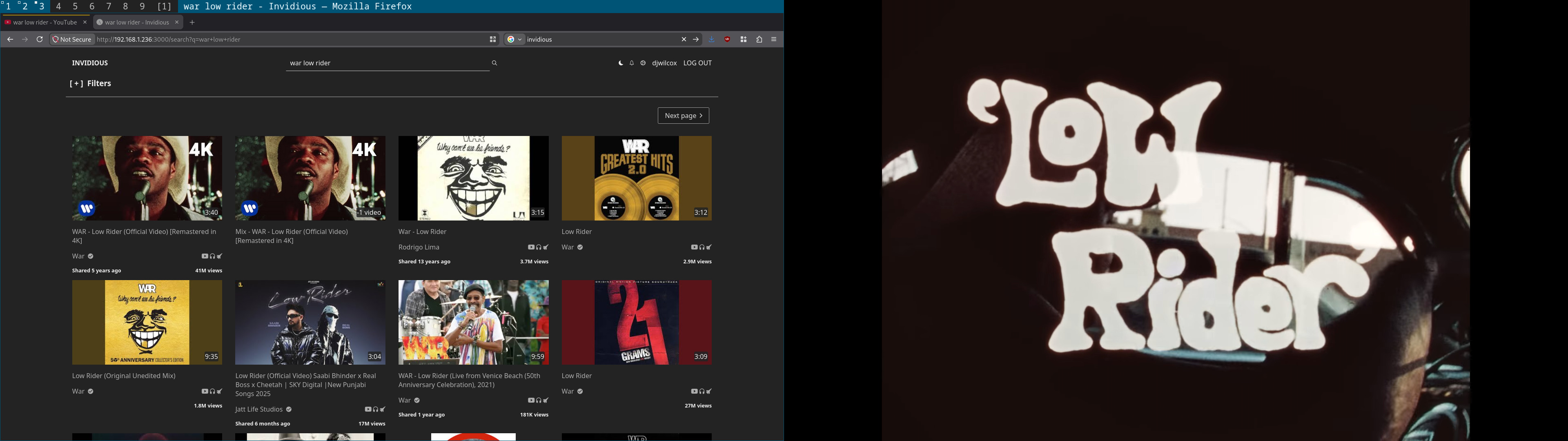
Then i use wlr-which-key
So i can copy the url from the browser hit a keyboard short cut
 github.com
and it then use emacs with the mpv.el package to play the video
 github.com
I can then use emacs with a hydra to control mpv
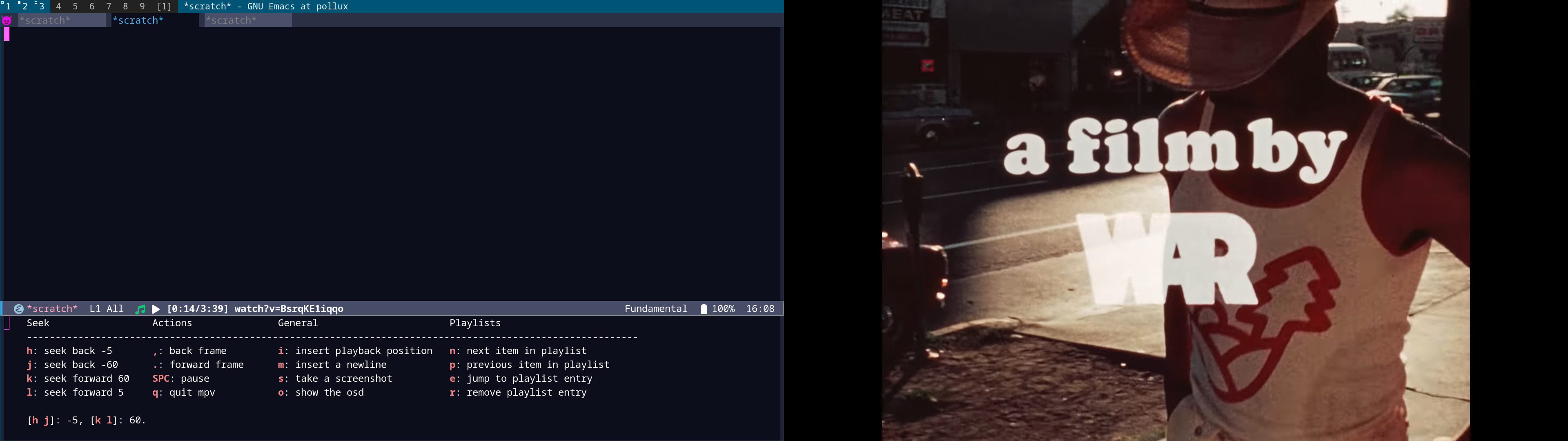
The script also makes sure to play 1080p video or less
So it doesnt try and play a massive 4k video
cerberus/freebsd/invidious-bhyve.org at master · NapoleonWils0n/cerberus
cerberus code library. Contribute to NapoleonWils0n/cerberus development by creating an account on GitHub.
github.com
GitHub - iv-org/invidious: Invidious is an alternative front-end to YouTube
Invidious is an alternative front-end to YouTube. Contribute to iv-org/invidious development by creating an account on GitHub.
github.com
An open source alternative front-end to YouTube
When you play a youtube video using mpv it uses yt-dlp in the backend to get the stream links
so there is a 5 or 6 second delay before it starts playing the video
Invidious actually decodes the urls so when you use invidious in the browser
so its starts instantly with no ads
But it you use mpv to play the invidious link with mpv it still use yt-dlp to grab the streams
So what i figured out is that there is a dash mpd manifest with the stream urls
That means you can use the manifest to get the urls and play them with mpv
so after i figured out the path to the manifest for the url i got Gemini to create a lua script for mpv that works with Invidious
Look at the stats using the mpv lua script with invidious vs playing the video from youtube
Code:
youtube cpu usage
60976 djwilcox     38   7    0   933M   324M uwait    2   0:10  94.26% mpv

time youtube
mpv 'https://www.youtube.com/watch?v=BsrqKE1iqqo'  3.92s user 0.63s system 71% cpu 6.381 total

invidious cpu usage
79252 djwilcox     29  19    0   710M   203M uwait    6   0:01   8.82% mpv

time invidous
[i] Yes Master ? time mpv 'http://192.168.1.236:3000/watch?v=BsrqKE1iqqo'
mpv 'http://192.168.1.236:3000/watch?v=BsrqKE1iqqo'  0.49s user 0.11s system 38% cpu 1.555 total
You can see mpv playing the youtube url uses 94.26% of the cpu
Invidious uses 8.82% of the cpu because im using the VP9 codec instead of AV1
Compare the time it takes for the video to start playing
Youtube = 3.92s user 0.63s system 71% cpu 6.381 total
Invidious = 0.49s user 0.11s system 38% cpu 1.555 total
Create the mpv scripts directory
Code:
mkdir -p ~/.config/mpv/scriptsSave the invidious.lua script into the scripts directory
Code:
vi ~/.config/mpv/scripts/invidious.luainvidious.lua script
Obviously you need to change the ip address in the lua script to match the ip address of your ubuntu bhyve vm
The script now gets the video title as well
Code:
-- Hook early into the loading phase before network initialization
mp.add_hook("on_load", 50, function()
    local path = mp.get_property("path", "")

    -- Intercept the browser address bar watch link
    if path:find("192%.168%.1%.236:3000/watch%?v=") then
        local video_id = path:match("v=([^&]+)")
        if video_id then
            mp.msg.info("Querying Invidious API with jq filter...")

            -- Halt the rigid loader loop so mpv doesn't panic
            mp.set_property("path", "")

            local api_url = "http://192.168.1.236:3000/api/v1/videos/" .. video_id

            -- Single network call: jq extracts the title on line 1, followed by all available itags below it
            local shell_command = "curl -s '" .. api_url .. "' | jq -r '.title, .adaptiveFormats[].itag, .formatStreams[].itag' 2>/dev/null"

            mp.command_native_async({
                name = "subprocess",
                capture_stdout = true,
                args = { "sh", "-c", shell_command }
            }, function(success, res)
                if not success or not res.stdout or res.stdout == "" then
                    mp.msg.error("Invidious API or jq parsing failed.")
                    return
                end

                -- Extract the title (which is always the very first line of the jq output)
                local first_newline = res.stdout:find("\n")
                local video_title = ""
                local itag_payload = res.stdout

                if first_newline then
                    video_title = res.stdout:sub(1, first_newline - 1)
                    itag_payload = res.stdout:sub(first_newline + 1)
                end

                -- Ordered preferences: 1080p60 VP9, 1080p30 VP9, 1080p60 H264, 1080p30 H264, 720p60 VP9, 720p30 VP9
                local target_itags = { "303", "248", "299", "137", "302", "247" }
                local chosen_itag = nil

                -- Check the clean list returned by jq for our preferred formats
                for _, itag in ipairs(target_itags) do
                    if itag_payload:find(itag) then
                        chosen_itag = itag
                        break
                    end
                end

                -- Absolute emergency fallback if the video is ancient and has no HD adaptive formats
                if not chosen_itag then
                    chosen_itag = "18"
                    mp.msg.warn("No preferred HD tracks found. Using fallback progressive track.")
                else
                    mp.msg.info("Matched Available Format! Chosen itag: " .. chosen_itag)
                end

                local video_track = "http://192.168.1.236:3000/latest_version?id=" .. video_id .. "&local=true&itag=" .. chosen_itag
                local audio_track = "http://192.168.1.236:3000/latest_version?id=" .. video_id .. "&local=true&itag=251"

                -- Handle the audio track injection right when the file finishes loading
                local function inject_audio()
                    mp.commandv("audio-add", audio_track, "auto", "External Audio")
                    mp.set_property("aid", "1")
                    mp.unregister_event(inject_audio)
                end
                mp.register_event("file-loaded", inject_audio)

                -- Safely launch the validated track and bind options using a native table dictionary.
                -- This protects commas and quotes inside the title string from breaking the parameters array.
                if video_title ~= "" then
                    mp.command_native({
                        name = "loadfile",
                        url = video_track,
                        flags = "replace",
                        options = {
                            ["demuxer-lavf-format"] = "matroska,webm",
                            ["ytdl"] = "no",
                            ["force-media-title"] = video_title,
                            ["title"] = video_title
                        }
                    })
                else
                    mp.command_native({
                        name = "loadfile",
                        url = video_track,
                        flags = "replace",
                        options = {
                            ["demuxer-lavf-format"] = "matroska,webm",
                            ["ytdl"] = "no"
                        }
                    })
                end
            end)
        end
    end
end)
mpv conditional profile for invidious
again you need to change the ip address in this line
Code:
profile-cond=path:find('http://192.168.1.236:3000') ~= nil
Code:
#===============================================================================
# mpv mpv.conf
#===============================================================================

# list profiles with: mpv --profile=help

#===============================================================================
# load hwdec profile automatically
#===============================================================================

profile=hwdec


#===============================================================================
# hardware acceleration profile
#===============================================================================

[hwdec]
profile-desc="hardware acceleration, no cache, yt-dlp 1080 or less"
vo=gpu
gpu-context=wayland
hwdec=vaapi


#===============================================================================
# msg-level
#===============================================================================

msg-level=ffmpeg=fatal


#===============================================================================
# cache no for internet streams
#===============================================================================

cache=no


#===============================================================================
# yt-dlp best format 1080 or less
#===============================================================================

ytdl-format="bestvideo[height<=?1080]+bestaudio/best"


#===============================================================================
# show milliseconds in the on screen display
#===============================================================================

osd-fractions


#===============================================================================
# youtube subs - J to switch to subs
#===============================================================================

sub-auto=fuzzy
ytdl-raw-options=sub-lang="en",write-sub=,write-auto-sub=
sub-font='NotoColorEmoji'


#===============================================================================
# screenshot timecode
#===============================================================================

screenshot-template="%F-[%P]v%#01n"


#===============================================================================
# cache profile: mpv --profile=cache
#===============================================================================

[cache]
profile-desc="hardware acceleration, cache, yt-dlp 1080 or less"
# include hwdec profile
profile=hwdec
# override hwdec profile cache setting
cache=auto


#===============================================================================
# youtube conditional auto profile match any youtube url
#===============================================================================

[youtube]
profile-desc="youtube hardware acceleration, cache"
profile-cond=path:find('youtu%.?be') ~= nil
# include hwdec profile
profile=hwdec
# override hwdec profile cache setting
cache=yes
# fullscreen 2nd display
fs
fs-screen-name=DP-3


#===============================================================================
# invidious conditional auto profile match any invidious url
#===============================================================================

[invidious]
profile-desc="invidious hardware acceleration, cache"
profile-cond=path:find('http://192.168.1.236:3000') ~= nil
# include hwdec profile
profile=hwdec
# override hwdec profile cache setting
cache=yes
# fullscreen 2nd display
fs
fs-screen-name=DP-3


#===============================================================================
# archive.org conditional auto profile match any archive.org url
#===============================================================================

[archive]
profile-desc="archive hardware acceleration, cache"
profile-cond=path:find('archive.org') ~= nil
# include hwdec profile
profile=hwdec
# override hwdec profile cache setting
cache=auto
# fullscreen 2nd display
fs
fs-screen-name=DP-3


#===============================================================================
# bbc iplayer conditional auto profile match any bbc iplayer url
#===============================================================================

[iplayer]
profile-desc="iplayer hardware acceleration, cache"
profile-cond=path:find('bbc.co.uk/iplayer') ~= nil
# include hwdec profile
profile=hwdec
# override hwdec profile cache setting
cache=yes
# fullscreen 2nd display
fs
fs-screen-name=DP-3


#===============================================================================
# bbc iplayer conditional auto profile match any bbc iplayer url
#===============================================================================

[bbc]
profile-desc="bbc hardware acceleration, cache"
profile-cond=path:find('bbc:pips:service') ~= nil
# include hwdec profile
profile=hwdec
# override hwdec profile cache setting
cache=yes
# fullscreen 2nd display
fs
fs-screen-name=DP-3
So now i have gone from using 94% cpu usage with a 6 second wait to play youtube videos with mpv
to 8% cpu usage and less than a second before the video starts playing using Invidious and mpv with the lua script
Very cool
Then i use wlr-which-key
So i can copy the url from the browser hit a keyboard short cut
freebsd-dotfiles-xps/.config/wlr-which-key/config.yaml at master · NapoleonWils0n/freebsd-dotfiles-xps
freebsd dotfiles dell xps 15 2019. Contribute to NapoleonWils0n/freebsd-dotfiles-xps development by creating an account on GitHub.
github.com
and it then use emacs with the mpv.el package to play the video
freebsd-dotfiles-xps/.config/emacs/init.el at master · NapoleonWils0n/freebsd-dotfiles-xps
freebsd dotfiles dell xps 15 2019. Contribute to NapoleonWils0n/freebsd-dotfiles-xps development by creating an account on GitHub.
github.com
I can then use emacs with a hydra to control mpv
The script also makes sure to play 1080p video or less
So it doesnt try and play a massive 4k video
Last edited: