TTL and ONT

I think the best bet at this point is to at least make a backup of your u-boot environment.
Even if that means using a terminal and cut and paste to a local file.
At least give yourself somewhere to look back at.

printenv is what you want to backup before modifications.
 
So I've been checking other things, and I've realized that even if I had all the information I need I would still have more problems.


My ont connects to the GPON network, the OLT asks for a serial number and assigns an ONU-ID. Then a PLOAM or idont will appear, which in the case of my ISP is the identifier of the ONT that is assigned to each client in the registration process.
service.

On the other hand, I have to write in my sfp module, so that I can put the idont key, the serial number.

Apart from that I have to modify the manufacturer codes, hardware version and again the serial number, so that the OLT creates
that my SFP module is the ONT provided by the ISP.

I think I've seen some modules on fs.com that can be useful. I will try again to get my ISP to provide me with the user data.... If not, I will have no other option than to try to access, or otherwise change ISP.

Regards.
 
You can dump the JFFS2 from Uboot to tftp server then mount it to read the shadow file then you will need John the ripper with rainbow table to crack the password which can take several decades OR call your ISP Support and explain why you need access to the ISP equipment.
 
My ISP has given me refusals on 2 occasions, it is not possible to provide the ONT user and pass.

The only thing they can provide me with is my PPPoe user, and from what I've seen my ISP recently provides them, a while ago they didn't even want to give you that.

It has not been possible for me to copy the content of the ONT to my PC, it would be ideal to be able to copy the content of the JFFS2 partition. How well you told me.

This idea has occurred to me, in case I managed to mount the JFFS2 system and be able to edit it, could I do the following...?

For example, in my gettytab I have the automatic login that refers to a user.

Code:
P|Pc|Pc console:\
       :al=myuser:ht:np:sp#9600:

Where do I want to go with this, I don't know how it will work well in U-Boot, but if I could do the same with the ONT user or better with root, that is possible in FreeBSD, it would be possible with the Linux system of the ONT?

With that I could rewrite the firmware to the ONT and I would have an automatic root login and I could change the password of the ONT user.

What do you think of the idea? It's possible? Because I don't have hardware to brute force the shadow file, otherwise with powerful equipment it would be very difficult.

Regards.
 
init may or may not use the ttys file but if you can alter the rootfs you can start sshd and add various accounts to passwd/shadow
did you try do boot in single user mode by altering bootcmd env ? (add init=/bin/bash) also see
 
Why are you so determined to replace/hack your ONT? Unless it is bundled with router in one box, it is just a network termination. Don't you rather want your own router? In that case PPPoE login is all you need.
 
I wouldn't worry too much about what you'll have to do with the filesystem until you actually dump it either with the JTAG or with the weird console you get. The password could just be lying around in plain text.
 
I found an ISP where all the data I need like my Idont and other data is accessible without trying to break the ONT keys.

So there is no point in trying to access my clearly obfuscated ONT, it is not my goal in itself.

On the other hand I have found an SFP module that is 100% programmable:

CPGOS03-0490 v2.0

I just have to check a few things before I continue. When you have it ready I will comment on it, maybe someone will be interested.

Although in itself it seems a bit of a waste of time and money, since it is only a curiosity.

Regards.
 
I have already obtained my GPON to be able to make the association with my OLT. I have written again to the distributor of SFP modules and he told me the following:

"We have several clients that have similar setups and have used chelsio cards, it is very important to take into account that in the new versions of the linux 5.x kernel several fixes were included to support the use of SFP GPON ONU transceiver, which only support Single readings -Byte in EEPROM, (Used to read transceiver details and use DDM function)

Like any other operating system, it should support PPPoE interfaces (FreeBSD PPPoE man page: https://www.freebsd.org/cgi/man.cgi?query=pppoe), remember that you have to configure VLAN 6 (data) on the network interface of your card (on the SFP port to which you are going to connect the GPON ONU SFP.)"

I will use a chelsio supported by the drivers cxgbe(4), I understand that I should not have problems, does anyone know anything about it?
On the other hand, I share the pdf about the sfp module in case someone is curious.

Regards.
 

Attachments

I will use a chelsio supported by the drivers cxgbe(4), I understand that I should not have problems, does anyone know anything about it?
They use Terminator as CPU/ASIC moniker and number to designate series.
T3= Oldest. S320 are dirt cheap. Run hot. Need fan. Skip these.
T4=Good cheap 10G. Needs cooling. T420-CR $40 and up used.
T5=Nice and one generation behind flagship. T520-CR-$120 used
T6=Newest cards T62100 $$$$

You can buy a new Dell T540 four port for the same price as a used two port.

I find this interesting:
remember that you have to configure VLAN 6 (data) on the network interface of your card (on the SFP port to which you are going to connect the GPON ONU SFP.)"
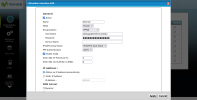
So the real clue here is not Chelsio, but it needs a vlan6.
 
Yes, this is a screenshot of my ISP's router.

Screenshot 2022-07-14 at 21-28-30 Welcome to the Web-Based Configurator.png

The PPP connection is made in VLAN6 as you can see in the screenshot, I guess the priority doesn't matter now.

So I suppose that I will need to create a vlan to be able to make the PPP connection from there, the truth is that at this point I am somewhat lost.

I have seen that FreeBSD has support for VLANs with the driver vlan(4)

So the chelsio interface would be only for the configuration of the SFP module? Since according to the pdf this is manageable through HTTP, SSH etc...

When I put the ISP's router in bridge mode, it raises my PPPoE connection logically through my interface in my case em0 and raises the pppoe interface through it, but in this case it is different, I have an interface for the chelsio card (for manage the SFP module) but I can't get up from there the PPP session since I have to create a vlan and from there raise the ppp interface , so I'm a bit lost.

Thanks.
 
but I can't get up from there the PPP session since I have to create a vlan and from there raise the ppp interface , so I'm a bit lost.
I am not greatly familiar with vlans. PPP only with Cellular.
But I do remember that PPP uses a tun interface. So configure a vlan6 on tun0?
That is my best guess.
 
Stealing from this post:


cloned_interfaces="vlan6"
create_args_vlan6="vlan 6 vlandev tun0"
or maybe
create_args_vlan6="vlan 6 vlandev cxgbe0"

Plus change ppp.conf as per that post.
 
Modify my rc.conf with these lines:

cloned_interfaces="vlan6"
create_args_vlan6="vlan 6 vlandev bge0 vlanpcp 1"

I was able to modify the priority with the vlanpcp parameter, my next step will be to put my router in bridge mode.

To try to lift the PPP connection on my vlan6 interface. I will take the links you gave me as a reference, unfortunately today I have not time.

Output of my ifconfig:

bge0: flags=8802<BROADCAST,SIMPLEX,MULTICAST> metric 0 mtu 1500
options=c019b<RXCSUM,TXCSUM,VLAN_MTU,VLAN_HWTAGGING,VLAN_HWCSUM,TSO4,VLAN_HWTSO,LINKSTATE>
ether f0:1f:af:d7:cc:01
media: Ethernet autoselect
nd6 options=29<PERFORMNUD,IFDISABLED,AUTO_LINKLOCAL>

vlan6: flags=8842<BROADCAST,RUNNING,SIMPLEX,MULTICAST> metric 0 mtu 1500
options=80103<RXCSUM,TXCSUM,TSO4,LINKSTATE>
ether f0:1f:af:d7:cc:01
groups: vlan
vlan: 6 vlanproto: 802.1q vlanpcp: 1 parent interface: bge0
media: Ethernet autoselect
nd6 options=29<PERFORMNUD,IFDISABLED,AUTO_LINKLOCAL>

If I am able to bring up the PPP connection, I should not have any problems with the SFP module.

I appreciate the recommendation for the chelsio cards, I will try to find a European seller, to avoid tariffs, this one looks good and it is in the Netherlands.

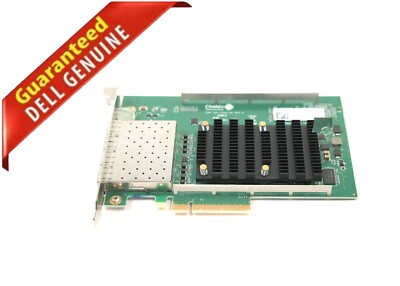
Dell Chelsio T520

Regards.
 
I have brought up the ppp interface but not as expected.

My settings:

rc.conf
ifconfig_em0=up

ppp.conf
default:
set log Phase tun command
set ifaddr 10.0.0.1/0 10.0.0.2/0

telefonica:

set device PPPoE:em0
set authname adslppp@telefonicapa
set authkey XXXXXXXXX
set dial
set login
set timeout 30
enable dns
add default HISADDR

netroute
Routing tables

Internet:
Destination Gateway Flags Netif Expire
default 192.168.144.1 UGS tun0
79.154.XX.XX link#3 UHS lo0
127.0.0.1 link#2 UH lo0
192.168.144.1 link#3 UHS tun0

ifconfig out
em0: flags=8863<UP,BROADCAST,RUNNING,SIMPLEX,MULTICAST> metric 0 mtu 1500
options=481249b<RXCSUM,TXCSUM,VLAN_MTU,VLAN_HWTAGGING,VLAN_HWCSUM,LRO,WOL_MAGIC,VLAN_HWFILTER,NOMAP>
ether 28:d2:44:3c:b7:76
media: Ethernet autoselect (1000baseT <full-duplex>)
status: active
nd6 options=29<PERFORMNUD,IFDISABLED,AUTO_LINKLOCAL>
lo0: flags=8049<UP,LOOPBACK,RUNNING,MULTICAST> metric 0 mtu 16384
options=680003<RXCSUM,TXCSUM,LINKSTATE,RXCSUM_IPV6,TXCSUM_IPV6>
inet6 ::1 prefixlen 128
inet6 fe80::1%lo0 prefixlen 64 scopeid 0x2
inet 127.0.0.1 netmask 0xff000000
groups: lo
nd6 options=21<PERFORMNUD,AUTO_LINKLOCAL>
tun0: flags=8051<UP,POINTOPOINT,RUNNING,MULTICAST> metric 0 mtu 1492
options=80000<LINKSTATE>
inet 79.154.XX.XX --> 192.168.144.1 netmask 0xffffffff
inet6 fe80::2ad2:44ff:XXXX:XXXX%tun0 prefixlen 64 scopeid 0x3
groups: tun
nd6 options=21<PERFORMNUD,AUTO_LINKLOCAL>
Opened by PID 870

To lift up the connection:

ppp -ddial telefonica

Everything works fine, but ppp was created on the tun0 interface, not vlan6 as it is supposed to be. It shouldn't work this way, right? If my ISP requires that I use vlan6?

Attempt to mount interface over vlan6 unsuccessfully.

My settings for vlan6:

ppp.conf
set device PPPoE:vlan6
rc.conf
ifconfig_em0=up
cloned_interfaces="vlan6"
ifconfig_vlan6="vlan 6 vlanpcp 1 vlandev em0"

ifconfig out
em0: flags=8863<UP,BROADCAST,RUNNING,SIMPLEX,MULTICAST> metric 0 mtu 1500
options=481249b<RXCSUM,TXCSUM,VLAN_MTU,VLAN_HWTAGGING,VLAN_HWCSUM,LRO,WOL_MAGIC,VLAN_HWFILTER,NOMAP>
ether 28:d2:44:3c:b7:76
media: Ethernet autoselect (1000baseT <full-duplex>)
status: active
nd6 options=29<PERFORMNUD,IFDISABLED,AUTO_LINKLOCAL>
lo0: flags=8049<UP,LOOPBACK,RUNNING,MULTICAST> metric 0 mtu 16384
options=680003<RXCSUM,TXCSUM,LINKSTATE,RXCSUM_IPV6,TXCSUM_IPV6>
inet6 ::1 prefixlen 128
inet6 fe80::1%lo0 prefixlen 64 scopeid 0x2
inet 127.0.0.1 netmask 0xff000000
groups: lo
nd6 options=21<PERFORMNUD,AUTO_LINKLOCAL>
vlan6: flags=8843<UP,BROADCAST,RUNNING,SIMPLEX,MULTICAST> metric 0 mtu 1500
options=4000403<RXCSUM,TXCSUM,LRO,NOMAP>
ether 28:d2:44:3c:b7:76
groups: vlan
vlan: 6 vlanproto: 802.1q vlanpcp: 1 parent interface: em0
media: Ethernet autoselect (1000baseT <full-duplex>)
status: active
nd6 options=29<PERFORMNUD,IFDISABLED,AUTO_LINKLOCAL>
tun0: flags=8051<UP,POINTOPOINT,RUNNING,MULTICAST> metric 0 mtu 1500
options=80000<LINKSTATE>
groups: tun
nd6 options=21<PERFORMNUD,AUTO_LINKLOCAL>
Opened by PID 930
ppp.log
Jul 24 00:18:48 xv0 newsyslog[687]: logfile first created
Jul 24 00:20:31 xv0 ppp[928]: Phase: Using interface: tun0
Jul 24 00:20:31 xv0 ppp[928]: Phase: deflink: Created in closed state
Jul 24 00:20:31 xv0 ppp[928]: tun0: Command: default: set ifaddr 10.0.0.1/0 10.0.0.2/0
Jul 24 00:20:31 xv0 ppp[928]: tun0: Command: telefonica: set device PPPoE:vlan6
Jul 24 00:20:31 xv0 ppp[928]: tun0: Command: telefonica: set authname adslppp@telefonicapa
Jul 24 00:20:31 xv0 ppp[928]: tun0: Command: telefonica: set authkey ********
Jul 24 00:20:31 xv0 ppp[928]: tun0: Command: telefonica: set dial
Jul 24 00:20:31 xv0 ppp[928]: tun0: Command: telefonica: set login
Jul 24 00:20:31 xv0 ppp[928]: tun0: Command: telefonica: set timeout 30
Jul 24 00:20:31 xv0 ppp[928]: tun0: Command: telefonica: enable dns
Jul 24 00:20:31 xv0 ppp[928]: tun0: Command: telefonica: add default HISADDR
Jul 24 00:20:31 xv0 ppp[930]: tun0: Phase: PPP Started (ddial mode).
Jul 24 00:20:31 xv0 ppp[930]: tun0: Phase: bundle: Establish
Jul 24 00:20:31 xv0 ppp[930]: tun0: Phase: deflink: closed -> opening
Jul 24 00:20:31 xv0 ppp[930]: tun0: Phase: deflink: Connected!
Jul 24 00:20:31 xv0 ppp[930]: tun0: Phase: deflink: opening -> dial
Jul 24 00:20:31 xv0 ppp[930]: tun0: Phase: deflink: dial -> carrier
Jul 24 00:20:36 xv0 ppp[930]: tun0: Phase: deflink: Disconnected!
Jul 24 00:20:36 xv0 ppp[930]: tun0: Phase: deflink: carrier -> hangup
Jul 24 00:20:36 xv0 ppp[930]: tun0: Phase: deflink: Connect time: 5 secs: 0 octets in, 0 octets out
Jul 24 00:20:36 xv0 ppp[930]: tun0: Phase: deflink: 0 packets in, 0 packets out
Jul 24 00:20:36 xv0 ppp[930]: tun0: Phase: total 0 bytes/sec, peak 0 bytes/sec on Mon Jul 24 00:20:31 2022
Jul 24 00:20:36 xv0 ppp[930]: tun0: Phase: deflink: hangup -> opening
Jul 24 00:20:36 xv0 ppp[930]: tun0: Phase: deflink: Enter pause (30) for redialing.
Jul 24 00:21:06 xv0 ppp[930]: tun0: Phase: deflink: Connected!
Jul 24 00:21:06 xv0 ppp[930]: tun0: Phase: deflink: opening -> dial
Jul 24 00:21:06 xv0 ppp[930]: tun0: Phase: deflink: dial -> carrier

It is unable to use vlan6, I don't know what I may be doing wrong.

Also try it with OpenBSD:

hostname.if

up #for em0

vlan 6 vlandev em0 txprio 1 rxprio 1 up #for vlan6

inet 0.0.0.0 0xffffffff NONE \
pppoedev em0 authproto pap \ # pppoedev vlan6 authproto pap \ ### for vlan6
authname adslppp@telefonicanetpa authkey adslppp up #for pppoe0
dest 0.0.0.1
!/sbin/route add default -ifp pppoe0 0.0.0.1

Well, on the em0 interface everything works fine, but on vlan6 it doesn't.

The kernel shows this error message:

Jul 23 23:35:21 xm1 /bsd: pppoe0: wrong interface, not accepting host unique
Jul 23 23:35:21 xm1 /bsd: pppoe: received PADO but could not find request for it

So I don't understand, it is not necessary to raise my connection over vlan6? if it already works on tun0 or in the case of OpenBSD on pppoe0.

Am I doing something wrong, so vlan6 doesn't work? I forget about it and when I have my chelsio card it will be to substitute em0 for cxgbe0.
It would have to work, since here it is doing it only with em0, since the sfp module would do the function that my ISP's router is doing now, and I would have to open the connection through cxgbe0.

Any idea why vlan6 is not working? Apparently it is not necessary to use it, I don't really understand it.

Regards.
 
Everything works fine, but ppp was created on the tun0 interface, not vlan6 as it is supposed to be. It shouldn't work this way, right? If my ISP requires that I use vlan6?
well, it rather works as expected and tun0 is your gateway interface. vlan6 is what is used for your ppp session establishment, and nothing else. And actually you used it per your ISP requirement. For regular internet you use tun0, which gets created upon successful ppp session start.

However, you may need to add the following in your rc.conf:
ppp_nat="YES"
ppp_profile="telefonica"
 
well, it rather works as expected and tun0 is your gateway interface. vlan6 is what is used for your ppp session establishment, and nothing else. And actually you used it per your ISP requirement. For regular internet you use tun0, which gets created upon successful ppp session start.

However, you may need to add the following in your rc.conf:
ppp_nat="YES"
ppp_profile="telefonica"
No change adding those directives in rc.conf,I show my log after adding them :

ppp.log
Jul 25 22:23:30 xv0 newsyslog[688]: logfile first created
Jul 25 22:23:48 xv0 ppp[928]: Phase: Using interface: tun0
Jul 25 22:23:48 xv0 ppp[928]: Phase: deflink: Created in closed state
Jul 25 22:23:48 xv0 ppp[928]: tun0: Command: default: set ifaddr 10.0.0.1/0 10.0.0.2/0
Jul 25 22:23:48 xv0 ppp[928]: tun0: Command: telefonica: set device PPPoE:vlan6
Jul 25 22:23:48 xv0 ppp[928]: tun0: Command: telefonica: set authname adslppp@telefonicapa
Jul 25 22:23:48 xv0 ppp[928]: tun0: Command: telefonica: set authkey ********
Jul 25 22:23:48 xv0 ppp[928]: tun0: Command: telefonica: set dial
Jul 25 22:23:48 xv0 ppp[928]: tun0: Command: telefonica: set login
Jul 25 22:23:48 xv0 ppp[928]: tun0: Command: telefonica: set timeout 0
Jul 25 22:23:48 xv0 ppp[928]: tun0: Command: telefonica: enable dns
Jul 25 22:23:48 xv0 ppp[928]: tun0: Command: telefonica: add default HISADDR
Jul 25 22:23:48 xv0 ppp[930]: tun0: Phase: PPP Started (ddial mode).
Jul 25 22:23:48 xv0 ppp[930]: tun0: Phase: bundle: Establish
Jul 25 22:23:48 xv0 ppp[930]: tun0: Phase: deflink: closed -> opening
Jul 25 22:23:48 xv0 ppp[930]: tun0: Phase: deflink: Connected!
Jul 25 22:23:48 xv0 ppp[930]: tun0: Phase: deflink: opening -> dial
Jul 25 22:23:48 xv0 ppp[930]: tun0: Phase: deflink: dial -> carrier
Jul 25 22:23:53 xv0 ppp[930]: tun0: Phase: deflink: Disconnected!
Jul 25 22:23:53 xv0 ppp[930]: tun0: Phase: deflink: carrier -> hangup
Jul 25 22:23:53 xv0 ppp[930]: tun0: Phase: deflink: Connect time: 5 secs: 0 octets in, 0 octets out
Jul 25 22:23:53 xv0 ppp[930]: tun0: Phase: deflink: 0 packets in, 0 packets out
Jul 25 22:23:53 xv0 ppp[930]: tun0: Phase: total 0 bytes/sec, peak 0 bytes/sec on Mon Jul 25 22:23:48 2022
Jul 25 22:23:53 xv0 ppp[930]: tun0: Phase: deflink: hangup -> opening
Jul 25 22:23:53 xv0 ppp[930]: tun0: Phase: deflink: Enter pause (30) for redialing.
Jul 25 22:24:23 xv0 ppp[930]: tun0: Phase: deflink: Connected!
Jul 25 22:24:23 xv0 ppp[930]: tun0: Phase: deflink: opening -> dial
Jul 25 22:24:23 xv0 ppp[930]: tun0: Phase: deflink: dial -> carrier
Jul 25 22:24:28 xv0 ppp[930]: tun0: Phase: deflink: Disconnected!
Jul 25 22:24:28 xv0 ppp[930]: tun0: Phase: deflink: carrier -> hangup
Jul 25 22:24:28 xv0 ppp[930]: tun0: Phase: deflink: Connect time: 5 secs: 0 octets in, 0 octets out
Jul 25 22:24:28 xv0 ppp[930]: tun0: Phase: deflink: 0 packets in, 0 packets out
Jul 25 22:24:28 xv0 ppp[930]: tun0: Phase: total 0 bytes/sec, peak 0 bytes/sec on Mon Jul 25 22:24:23 2022
Jul 25 22:24:28 xv0 ppp[930]: tun0: Phase: deflink: hangup -> opening
Jul 25 22:24:28 xv0 ppp[930]: tun0: Phase: deflink: Enter pause (30) for redialing.

I will contact the provider of the sfp, and I will explain what happened.

But apparently vlan6 is not required by my ISP, since when configuring PPP on the em0 interface everything works correctly and the session is started successfully.

So my ISP brings up the connection on the router in vlan6 as it could be in tun0 or inverse.... It is not a requirement, since if it were I would not be able to start the session through tun0 in Freebsd or in pppoe0 in OpenBSD .

So you shouldn't have problems with the chelsio card and the sfp, because in reality the sfp module's function will be that of the ONT, as the ISP's router is doing in bridge mode, simply acting as the ONT.

I will communicate this to the supplier, and I will not delay more in buying what is necessary.

Thanks guys.
 
The provider sent me the following response:

Regarding what you told us about configuring only the PPPoE connection without the VLAN ID, this is because even though you have configured your ISP's router in single-user mode (Bridge), the router is not really working in bridge mode. "Full transparent bridge", otherwise it continues to have the VLAN configured for the WAN (PON port) and performs an untag of the VLAN ID on the Ethernet interfaces of the LAN of said router.

When you work with an ONU like ours (Full transparent bridge), the data traffic that is tagged with a VLAN ID goes directly to your host (FreeBSD), and the VLAN IDs are not filtered or removed, so your router You must have this VLAN ID configured on the network interface so that it is able to understand the data being sent/received and establish the PPPoE connection on it.

I think that answers the question, I can't emulate the working of the sfp module by bridging the ISP's router.

I understand that there is this problem, the error when using vlan6 in FreeBSD.I will place the order when I have the devices I will be able to carry out the test.

Regards.
 
Good and bad news

The good news is that I have the chelsio tr520-cr card and the sfp module. The bad news is that I couldn't verify the correct operation because my server doesn't start when I connect the chelsio card.

When I plug it in, my dell r320 does a characterization and reboots.

On the front it seems to me a CPU0704 error, but in the end it disappeared, in the boot it recognizes the chelsio card as well as the SAS controller. But when starting the firmwares and completing them, the server freezes.

Upon removing the chelsio card, the server boots without any problems. Does anyone have experience in these cases, I don't know what it could be, it's the first time I've had this type of problem and I'm not familiar with it.

Thanks.

Edit: It is connected in the expander next to the idrac module, if someone can help me and needs more information. I'll try to find out what it is, it's quite frustrating.

Edit 2:

I think there is some kind of incompatibility with my r320 and the chelsio card. Tomorrow I will take my card to my work place, I will try if the card is recognized in an other machine, I will assign an address to the module and I will try to access it with telnet.

I will try to find a solution for my r320....
 
The Chelsio adapter is not compatible with my Dell PowerEdge R320.

Great, now I'll have to find a compatible computer, I don't have a computer with a PCI-E X4 connector either.

I don't know if I use a x4 to x8 PCI-E converter.

But I don't get it, does anyone know what professional machines these Chelsio adapters are designed for? The ideal would be to install it on a rack server that acts as a router, not on a conventional PC.

Regards.
 
My R320 is not compatible, according to this paper by Chelsio:

Chelsio paper

So I will have to leave my r320 as a storage server, which is what is reality.

In that paper there is a list of compatible hardware such as servers and mainboards.

I think I'll buy an R220, which seems to be compatible.

Regards.
 
Well, getting the T520-CR to work, but when I color the SFP module it is impossible to access it, it is simply "invisible". Surely it is some compatibility problem or who knows what.

https://forums.freebsd.org/threads/ip-and-routing-table-sfp-module.86687/

I have written to technical support about this issue a few days ago, I doubt they will answer me.

So I leave this topic ends here for my part, it has only been a waste of time and money. All problems from the first moment.

The final solution is to put my ISP's router in bridge mode and lift the PPP session from em0.

Regards and thanks..
 
Well, I'll try to find an SFP card that can "talk" with the SFP module, it has to be the problem, which I can't confirm.
 
Back
Top