
Thinkpad keyboard light - solved (ex. thinkpad T14 Gen 2)

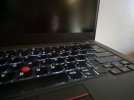
Attaching a patch to get keyboard backlight working on new-ish(?) thinkpads , such as Thinkpad T14 Gen2. Probably works on other newer thinkpad models.

Patch is based on https://reviews.freebsd.org/D14103 which seems to be in limbo since 2019. The keyboard stuff backported and tested on FreeBSD 15.1RC1.

Quick usage instructions:
In /usr/src/sys/dev/acpi_support patch acpi_ibm.c
In /usr/src/sys/modules/acpi/acpi_ibm build and install
Unload acpi_ibm and load the new one from /boot/modules (kldload /boot/modules/acpi_ibm.ko)

sysctl dev.acpi_ibm.0.kbd_backlight=1

Now you can type with confidense.
 

Attachments

  • fbsd15.1rc1-acpi_ibm.patch
    fbsd15.1rc1-acpi_ibm.patch
    7.9 KB · Views: 183
  • 20260524_082857.jpg
    20260524_082857.jpg
    73.9 KB · Views: 261
Attaching a patch to get keyboard backlight working on new-ish(?) thinkpads , such as Thinkpad T14 Gen2. Probably works on other newer thinkpad models.

Patch is based on https://reviews.freebsd.org/D14103 which seems to be in limbo since 2019. The keyboard stuff backported and tested on FreeBSD 15.1RC1.

Quick usage instructions:
In /usr/src/sys/dev/acpi_support patch acpi_ibm.c
In /usr/src/sys/modules/acpi/acpi_ibm build and install
Unload acpi_ibm and load the new one from /boot/modules (kldload /boot/modules/acpi_ibm.ko)

sysctl dev.acpi_ibm.0.kbd_backlight=1

Now you can type with confidense.
Hi ,

I feel a little silly asking this as you have added usage instructions, but can you explain how I use this patch ? I see your patch attachment , where should I place this file ?
 
You place it at the location of the file you want to patch (ex. /usr/src/sys/dev/acpi_support) , inside your kernel source tree . If you do not have the src tree already, you checkout the src with git. You use the patch command (man patch) to apply it , then after it applies cleanly, you efectively build the module (.ko file) by using the Makefile at the corresponding location (ex. /usr/src/sys/modules/acpi/acpi_ibm) . This new patched module (/boot/module) that has the new functionality should be the one loaded on boot , to superseed the already existing one (/boot/kernel/).
The FreeBSD handbook has more detailed information for managing and tracking the source tree and loads more.
 
If you do not have the src tree already, you checkout the src with git. You use the patch command (man patch) to apply it ,
If using git to checkout the src tree, why not use git-apply(1) instead of patch(1) to apply the patch?

then after it applies cleanly,
Hmm ...
Code:
# cd /usr/src

# git status
On branch releng/15.1
Your branch is up to date with 'origin/releng/15.1'.

nothing to commit, working tree clean

# git  apply  /tmp/fbsd15.1rc1-acpi_ibm.patch
/tmp/fbsd15.1rc1-acpi_ibm.patch:10: trailing whitespace.
 * Copyright (c) 2018 Michael Gmelin <grembo@FreeBSD.org>
/tmp/fbsd15.1rc1-acpi_ibm.patch:31: trailing whitespace.
 
/tmp/fbsd15.1rc1-acpi_ibm.patch:97: trailing whitespace.
 
warning: 3 lines add whitespace errors.
 
Followed all the instructions, thanks everyone. Unfortunately I couldn't get it to work. After sysctl dev.acpi_ibm.0.kbd_backlight=1 I get

Code:
sysctl: unknown oid 'dev.acpi_ibm.0.kbd_backlight'

I tried the git apply method and the patch method, kldstat shows the module is loaded, but no luck.
 
You need to unload the old driver and load the new one. The patched driver exposes that oid. You do have a thinkpad T14 gen2 yes?

kldunload acpi_ibm
kldload /boot/modules/acpi_ibm.ko
sysctl dev.acpi_ibm.0.kbd_backlight=1
 
You need to unload the old driver and load the new one. The patched driver exposes that oid. You do have a thinkpad T14 gen2 yes?

kldunload acpi_ibm
kldload /boot/modules/acpi_ibm.ko
sysctl dev.acpi_ibm.0.kbd_backlight=1
Embarrassingly, I'm starting to think I don't have a T14s. Its a second hand laptop and after digging in to it, I think I have a T490s in a T14s case. The CPU is a i5-8265u. I think the earliest T14s has a 10 series CPU. Don't get me wrong the laptop was cheap , works well and was bought exclusively for FreeBSD, so I not disappointed, but it has caused a simple issue like this not working.
 
Back
Top