

I was chatting to drr on another thread about getting Pipewire Screen Sharing working for Browsers
My first though was modifying the desktop entry to start Pipewire and XDG Desktop portals,
but that would mean every time you started the application it would create another instance of Pipewire and the Desktop Portals
Then i thought maybe you could use rc.d script to start everything,
but that wont work because services are started as root and so wont see the XDG_RUNTIME_DIR which is required for Pipewire and the Desktop Portals
So instead i came up with the idea of using Makefile to start and stop Pipewire and the Desktop Portals
for screen sharing for OBS Studio and web browsers
Here are my notes on setting up Pipewire Wayland Screen Sharing on wlroots

 github.com
So i created 2 Makefiles for Wayland,
one for wlroots based compositors like dwl, labwc, mango etc
And another one for KDE Wayland
To start Pipewire and XDG Desktop ports for Screen Sharing you just run:
To stop Pipewire and XDG Desktop ports for Screen Sharing you just run:
Here is the wlroots Makefile
Here is the KDE Wayland Makefile
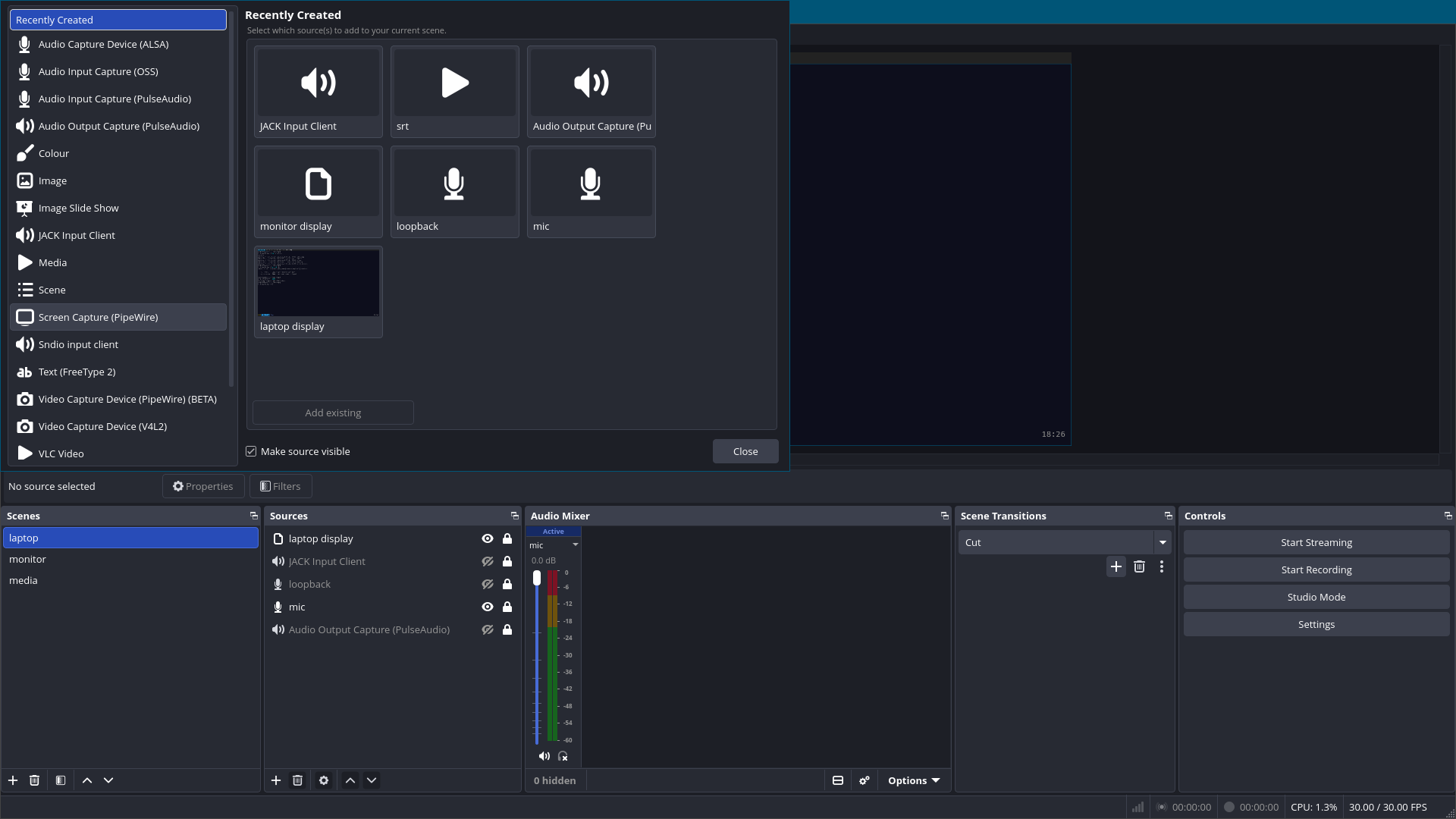
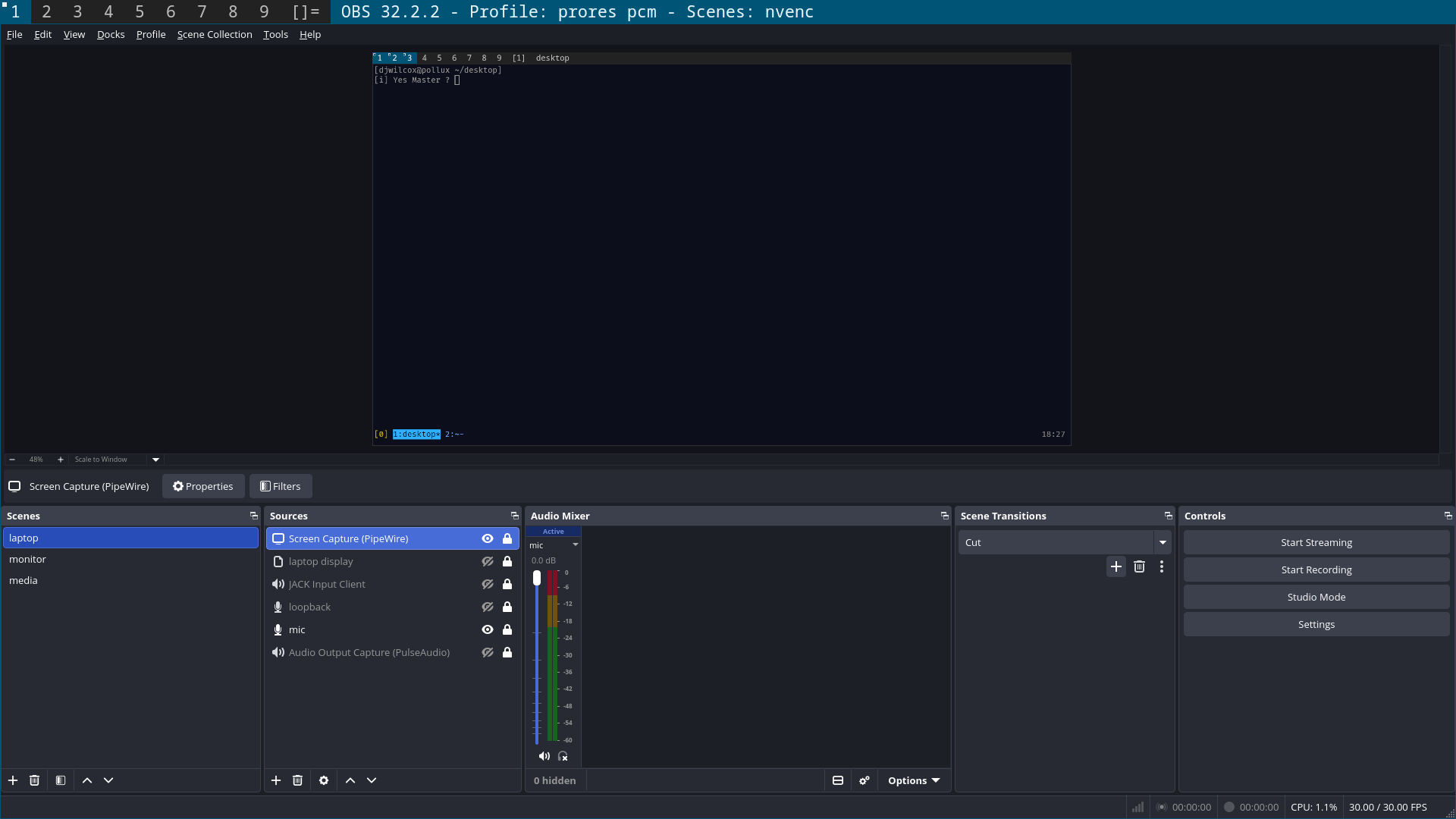
Here are screen shots of OBS Studio running on dwl using wlroots and Wayland
My first though was modifying the desktop entry to start Pipewire and XDG Desktop portals,
but that would mean every time you started the application it would create another instance of Pipewire and the Desktop Portals
Then i thought maybe you could use rc.d script to start everything,
but that wont work because services are started as root and so wont see the XDG_RUNTIME_DIR which is required for Pipewire and the Desktop Portals
So instead i came up with the idea of using Makefile to start and stop Pipewire and the Desktop Portals
for screen sharing for OBS Studio and web browsers
Here are my notes on setting up Pipewire Wayland Screen Sharing on wlroots
cerberus/freebsd/pipewire-freebsd.org at master · NapoleonWils0n/cerberus
cerberus code library. Contribute to NapoleonWils0n/cerberus development by creating an account on GitHub.
github.com
So i created 2 Makefiles for Wayland,
one for wlroots based compositors like dwl, labwc, mango etc
And another one for KDE Wayland
To start Pipewire and XDG Desktop ports for Screen Sharing you just run:
Code:
makeTo stop Pipewire and XDG Desktop ports for Screen Sharing you just run:
Code:
make cleanHere is the wlroots Makefile
Makefile:
#===============================================================================
# FILE: Makefile
# Project: Start Pipewire and xdg desktop portals on wlroots
# for OBS Studio and Browser Screen sharing
#===============================================================================

#===============================================================================
# Required Packages:
# doas pkg install pipewire wireplumber xdg-desktop-portal xdg-desktop-portal-wlr
#===============================================================================

#===============================================================================
# Usage:
# Start Pipewire = make
# Stop Pipewire = make clean
#===============================================================================

#===============================================================================
# PHONY
#===============================================================================

.PHONY: all clean pipewire_start


#===============================================================================
# commands
#===============================================================================

# pipewire
PIPEWIRE_NAME      := pipewire
PIPEWIRE_EXEC      := /usr/local/bin/pipewire > /dev/null 2>&1 &

# xdg-desktop-portal
PORTAL_EXEC    := /usr/local/libexec/xdg-desktop-portal -r > /dev/null 2>&1 &

# xdg-desktop-portal-wlr
PORTAL_WLR_NAME    := xdg-desktop-portal-wlr
PORTAL_WLR_EXEC    := /usr/local/libexec/xdg-desktop-portal-wlr -r > /dev/null 2>&1 &

# kill pipewire and xdg-desktop-portal-wlr
KILLALL        := killall -9 $(PIPEWIRE_NAME) $(PORTAL_WLR_NAME) 2>/dev/null

#===============================================================================
# default target
#===============================================================================

all: pipewire_start


#===============================================================================
# pipewire start
#===============================================================================

pipewire_start:
    @echo 'Starting Pipewire and XDG Portals'
    @$(PIPEWIRE_EXEC)
    @$(PORTAL_EXEC)
    @$(PORTAL_WLR_EXEC)


#===============================================================================
# clean
#===============================================================================

clean:
    @echo 'Stopping Pipewire and XDG Portals'
    @$(KILLALL)
Here is the KDE Wayland Makefile
Makefile:
#===============================================================================
# FILE: Makefile
# Project: Start Pipewire and xdg desktop portals on KDE
# for OBS Studio and Browser Screen sharing
#===============================================================================

#===============================================================================
# Required Packages:
# doas pkg install pipewire wireplumber xdg-desktop-portal
# plasma6-xdg-desktop-portal-kde
#===============================================================================

#===============================================================================
# Usage:
# Start Pipewire = make
# Stop Pipewire = make clean
#===============================================================================

#===============================================================================
# PHONY
#===============================================================================

.PHONY: all clean pipewire_start


#===============================================================================
# commands
#===============================================================================

# pipewire
PIPEWIRE_NAME      := pipewire
PIPEWIRE_EXEC      := /usr/local/bin/pipewire > /dev/null 2>&1 &

# xdg-desktop-portal
PORTAL_EXEC    := /usr/local/libexec/xdg-desktop-portal -r > /dev/null 2>&1 &

# plasma6-xdg-desktop-portal-kde
PORTAL_KDE_NAME    := plasma6-xdg-desktop-portal-kde
PORTAL_KDE_EXEC    := /usr/local/libexec/plasma6-xdg-desktop-portal-kde -r > /dev/null 2>&1 &

# kill pipewire and plasma6-xdg-desktop-portal-kde
KILLALL        := killall -9 $(PIPEWIRE_NAME) $(PORTAL_KDE_NAME) 2>/dev/null

#===============================================================================
# default target
#===============================================================================

all: pipewire_start


#===============================================================================
# pipewire start
#===============================================================================

pipewire_start:
    @echo 'Starting Pipewire and XDG Portals'
    @$(PIPEWIRE_EXEC)
    @$(PORTAL_EXEC)
    @$(PORTAL_KDE_EXEC)


#===============================================================================
# clean
#===============================================================================

clean:
    @echo 'Stopping Pipewire and XDG Portals'
    @$(KILLALL)
Here are screen shots of OBS Studio running on dwl using wlroots and Wayland