Hi,
So I can normally find what I'm looking for but in this case I'm stumped and have no idea what I've done wrong but here goes. My rig is just an gutted old gaming rig, I upgraded the RAM (32 GB) and 6 HDDs.
1 HDD - for OS
1 HDD - for Jail
4 HDD - for ZFS, each is a 3 TB Seagate 7200 Barracuda
I should also add I'm a fairly big noob. I learned the basics to set it up and it just kicks ass. It took me a month to realize I had a HDD in the ZFS pool disconnect (I have since replaced the SATA cable and online'd it).
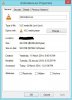
THE PROBLEM: A 1 GB file takes up 2 GB on the disk. And I can't figure out why? For the ZFS copies is set to 1 but looking through the man pages it only has options 1 2 or 3, so I'm assuming copies 1 means only original data yet I can't see anything else that would cause this? I have the drive mounted on my windows box and this is a screen shot of an example file properties:
Here are a few readouts of the setup. Hope someone can help me?
__________________________________________________
_________________________________________________
___________________________________________________
So I can normally find what I'm looking for but in this case I'm stumped and have no idea what I've done wrong but here goes. My rig is just an gutted old gaming rig, I upgraded the RAM (32 GB) and 6 HDDs.
1 HDD - for OS
1 HDD - for Jail
4 HDD - for ZFS, each is a 3 TB Seagate 7200 Barracuda
I should also add I'm a fairly big noob. I learned the basics to set it up and it just kicks ass. It took me a month to realize I had a HDD in the ZFS pool disconnect (I have since replaced the SATA cable and online'd it).
THE PROBLEM: A 1 GB file takes up 2 GB on the disk. And I can't figure out why? For the ZFS copies is set to 1 but looking through the man pages it only has options 1 2 or 3, so I'm assuming copies 1 means only original data yet I can't see anything else that would cause this? I have the drive mounted on my windows box and this is a screen shot of an example file properties:
Here are a few readouts of the setup. Hope someone can help me?
__________________________________________________
Code:
***@*******:/ % zfs list
NAME               USED  AVAIL  REFER  MOUNTPOINT
storage            6.08T  1.93T  43.4K  /storage
storage/home  6.08T  1.93T  6.08T  /bigballs
Code:
***@*******:/ % zpool list
NAME      SIZE  ALLOC   FREE    CAP  DEDUP  HEALTH  ALTROOT
storage  10.9T  8.12T  2.75T    74%  1.00x  ONLINE  -
Code:
***@*******:/ % zfs get all storage
NAME     PROPERTY              VALUE                  SOURCE
storage  type              -    filesystem             -
storage  creation         -     Wed Apr 10 11:35 2013  -
storage  used               -   6.08T                  -
storage  available          -   1.93T                  -
storage  referenced        -    43.4K                  -
storage  compressratio    -     1.00x                  -
storage  mounted             -  yes                    -
storage  quota          -       none                   default
storage  reservation   -        none                   default
storage  recordsize      -      128K                   default
storage  mountpoint     -       /storage               default
storage  sharenfs          -    off                    default
storage  checksum         -     on                     default
storage  compression      -     off                    default
storage  atime                 - on                     default
storage  devices        -       on                     default
storage  exec             -     on                     default
storage  setuid           -     on                     default
storage  readonly        -      off                    default
storage  jailed            -    off                    default
storage  snapdir         -      hidden                 default
storage  aclmode        -       discard                default
storage  aclinherit      -      restricted             default
storage  canmount     -         on                     default
storage  xattr            -     off                    temporary
storage  copies          -      1                      default
storage  version        -       5                      -
storage  utf8only       -       off                    -
storage  normalization -        none                   -
storage  casesensitivity -      sensitive              -
storage  vscan          -       off                    default
storage  nbmand       -         off                    default
storage  sharesmb    -          off                    default
storage  refquota     -         none                   default
storage  refreservation -       none                   default
storage  primarycache    -      all                    default
storage  secondarycache  -      all                    default
storage  usedbysnapshots -      0                      -
storage  usedbydataset      -   43.4K                  -
storage  usedbychildren       - 6.08T                  -
storage  usedbyrefreservation - 0                      -
storage  logbias           -    latency                default
storage  dedup             -    off                    default
storage  mlslabel           -                          -
storage  sync             -     standard               default
storage  refcompressratio  -    1.00x                  -
storage  written        -       43.4K                  -