Shared object "libsys.so.7" not found

Yesterday I tried to upgrade FreeBSD from version 13.x to 15.0-RELEASE However, I now get this error :

freebsd-update ld-elf.so.1: Shared object "libsys.so.7" not found

'What I've tried so far' :

I tried Craig's solution mentioned here : https://bugs.freebsd.org/bugzilla/show_bug.cgi?id=289769

But that entire rescue path mentioned, doesn't exist. Also, there's no Wi-Fi connectivity and so, even though if the rescue path were to be created, how would I download the patch ?
 
how would I download the patch ?
It's not a 'patch', it's a script that tries to fix the issue.

Anyway, you can download it on a different machine and put it on a USB stick (FAT32 formatted). Then copy it from the USB stick onto the machine.
 
Hi SirDice. I did put the file on a FAT32 formatted USB drive. Then I did the following steps :


/rescue/mount


ls /dev/da*


But it still shows
ld-elf.so.1: Shared object "libsys.so.7" not found, required by "libc.so.7"

How do I go past this ?
 
Yesterday I tried to upgrade FreeBSD from version 13.x to 15.0-RELEASE However, I now get this error :

freebsd-update ld-elf.so.1: Shared object "libsys.so.7" not found

'What I've tried so far' :

I tried Craig's solution mentioned here : https://bugs.freebsd.org/bugzilla/show_bug.cgi?id=289769

But that entire rescue path mentioned, doesn't exist. Also, there's no Wi-Fi connectivity and so, even though if the rescue path were to be created, how would I download the patch ?
upgrading from release 13 to release 15 is not supported?
you should upgrade to release 14 first, and the to release 15.

It's unix
get yourself a version of libsys.so.7
copy it to the /lib/libsys.so.7
reboot

One of the fine things about freebsd is,
that we know, how it works.
There is not so much miracles involved

My best bet would be,
hope you have a backup of your /home?

Install from scratch
copy back your home files
 
Thanks bakul and edxfs for your suggestions. I learnt how to use /rescue/ls and other commands within /rescue.

However, I cannot mount the USB drive nor even the harddisk because the following command displays some error :

/rescue/zfs set readonly=off zroot/ROOT/default

So, I've decided to boot via a Live CD, navigate to the right folder and copy that libsys.so.7

from my USB drive....

....to that folder in my harddisk.

I hope it works.
 
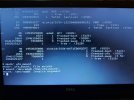
I booted via a Live CD and first tried to mount my hard disk. I've attached the screenshot of all commands from
Code:
gpart show
to
Code:
mount
below :

The mount command shows "invalid argument".

What should I do further ?
 

Attachments

  • 20260621_000654.jpg
    20260621_000654.jpg
    1.2 MB · Views: 36
Try
fsck /dev/ada0p2 # in case the system was not properly shutdown
mount /dev/ada0p2 /mnt
One you copy the missing file, umount it before rebooting.

And it looks like you have no EFI partition (should be 200MB or more). Hopefully freebsd-update will handle non-EFI systems -- may be other experienced freebsd users can help you as I have forgotten all about this case!
 
Thanks bakul and SirDice . Your suggestions worked. I also made my hard-disk read-writable by this command (in case some lost soul needs it) :
Code:
/rescue/mount -uw /

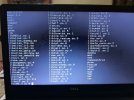
Now I have base.txz in my /lib/ folder, as can be seen in attached screenshot (its in top-left corner).

But when I type the command :
Code:
/rescue/tar xzf /lib/base.txz /lib/libsys.so.7

It displays an error :
tar : /lib/libsys.so.7 : Not found in archive

Some other variations like xJf etc also display same or similar errors.
 

Attachments

  • 20260621_212918.jpg
    20260621_212918.jpg
    1.6 MB · Views: 22
cd to / and try “/rescue/tar xzf /lib/base.txz ./lib/libsys.so.7” as lib path in the txz file is relative, not absolute. But why do you have distribution sets in /lib? I notice a lot of other files and dir in your /lib that makes me think may be you untarred a lot of things in /lib.

Looks like you made a number of mistakes and you may make it worse trying to fix them…. Your best bet might be to save (& verify!) your critical data on an sdcard or usb disk, save the list of pkgs you have and install from scratch and then restore this data & reinstall packages. Save /etc and /usr/local/etc as well.
 
I tried your command and it still gave the same error. I even tried ./usr/lib/libsys.so.7 but to no avail.

Then on giving up for the day, I simply typed "exit" and it booted up !

I ejected the CD and USB drive and restarted it. It booted up again !

Out of curiosity, I navigated to /lib/ folder and saw that libsys.so.7 is finally there ! Maybe one if those tar commands did work, and extracted the libsys.so.7 file.

There are many other folders and files, though.

Thanks for your help again, bakul.

P.S: Now, programs like Firefox and LibreOffice simply don't open on double-clicking their icons. Now I've to get that working. But this particular problem is solved.
 
Finally, today I executed the command,
Code:
/usr/sbin/freebsd-update install

Now, FreeBSD on my laptop is updated to 15.0-RELEASE-p10. All programs like Firefox and LibreOffice are also working.

Thank you everyone for the help. I hope this thread helps some other lost souls also.

So this is a summary of what I did.
  1. I visited the website : https://download.freebsd.org/releases/amd64/15.0-RELEASE/
  2. From here, I clicked on base.txz to download it to a USB Drive that was empty and of type, FAT32.
  3. Using a FreeBSD Live CD, I restarted my laptop, immediately clicked F12 and booted via Live CD.
  4. fsck /dev/ada0p2........this is needed as my laptop was shutdown using "power off" button.
  5. /rescue/mount -uw /......this command makes hard disk read-writable.
  6. cd /tmp/
  7. mkdir mount_ufs
  8. mount /dev/ada0p2 /mount_ufs........this command mounted my hard disk partition onto newly created folder called mount_ufs (you can give your own name).
  9. cd ..
  10. mkdir mount_usb
  11. mount_msdosfs /dev/da0s1 /mount_usb.....this command mounted my USB drive onto another newly created folder, mount_usb (you can give your own name).
  12. Then I executed commands to copy base.txz from my USB drive to /lib/ on my hard disk (please Google how to do it via Live CD).
  13. cd /lib............this folder now contains the magic file, base.txz.
  14. Now here I tried many tar commands like tar xzf etc (after Googling) to extract base.txz into the folder /lib/libsys.so.7. Please Google for commands to extract .txz files.
  15. Many errors came. Dejected thus, I simply exited the command prompt and it suddenly booted. I don't know how this happened. See my earlier post.
  16. Then finally, I executed /usr/sbin/freebsd-update install


If you now have this working, please mark the thread as solved,

It helps others who have the same problem.

I never used to do this, but now, when I encounter old problems of mine which I come across occasionaly I see if the problem was solved and mark it as such.
 
Back
Top