
Really Screwed up while updating

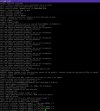
So... I really screwed up when trying to update my system. I guess I deleted a bunch of the libraries that are needed for everything to function properly during the merge process. I was updating by source because I was running the 13.2 release. I'll be completely honest and say that I thought I knew what I was doing but as anyone can probably guess, it's been a while since I've done this given that I was running 13.2. At first I was able to boot and was getting a warning about SAM and couldn't login without going into single user mode. Then I royally f***** up and did a freebsd-update rollback and now I get what the attached photo shows and can't even get into the system in single user. I read all the update notes UPDATING and really thought I had a handle on what was needed but I guess i was wrong, so please spare the criticism on that. I just really need a solution if possible to fix this mess OR get my config files off the disk before a complete clean reinstall. I had 4 jails on the system running a website, a DNS server, an mqtt server, and a mail server.... I wouldn't even know where to begin again if I lost all of it. You guys have helped me out tremendously in the past, I'm really hoping someone can save my ass again. Thanks guys.
 

Attachments

  • Screenshot 2025-05-21 143159.jpg
    Screenshot 2025-05-21 143159.jpg
    217.2 KB · Views: 353
Whatever you do, don't panic. Remember to keep breathing. Something is still booting, even if it throws a bunch of errors in your face. So you're already in a better place. To get a working shell, try /rescue/sh instead of /bin/sh, if you ever wondered what /rescue/ is for, now you know.

You said you updated by building from source, so you did do a installkernel and installworld? Then did a freebsd-update rollback? That freebsd-update(8) rollback probably put back some older 13.2 update. That might have messed up various libraries. You could just do a make installworld from the rescue shell, if you didn't mess with /usr/obj your previously built world should still be there.
 
Thanks for the quick reply guys, really appreciate it. I did as instructed and upon attempting to run make installworld I what is in the screenshot.
 

Attachments

  • Screenshot 2025-05-21 163848.png
    Screenshot 2025-05-21 163848.png
    4.9 KB · Views: 353
I recommend downloading an official installation medium and copying the various binaries from there. You can simply untar
/usr/freebsd-dist/base.txz in the root directory of the installed system.

The missing symbol in the error messages you get is provided by /lib/libc.so.7. At the very least you should fix that file.

It is also possible that the problem is with the runtime linker's cache. Normally /etc/rc.d/ldconfig start is executed at startup to update it but if /bin/sh can't start, the script that updates the linker's cache can't run. You can try running ldconfig /lib /usr/lib manually if the other troubleshooting steps don't succeed.
 
Note that untarring base.txz will overwrite files in /etc as cracauer hinted. Maybe untar to a temporary directory and compare with what you have on the installed system, selectively copying files and/or directories.
 
I did as suggested and was able to get back into single user mode I still had an issue with the libc.so.7 file but I did as JordanG advised and replaced just that file. Bit of a process... Had to pull the drive and got it attached to a VM running freebsd and copied the file from there. It was actually a windows machine running Hyper-V. Still have some minor lingering issues with some services not starting but they were an issue before the update/upgrade, which is actually one of the reasons that I did the upgrade among others. Thanks for getting me on the right track. You guys never disappoint!
 
Back
Top
