Problems with FreeBSD

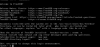
Hi people, I am new fFreeBSD user and have some problems with it on the start. I download latest BSD and after installing it on my Oracle VB I have problem with user password. And when I want to use edit /etc/motd - happen this I put below on the picture. I know this is noob question but it will help me a lot.
 

Attachments

  • 11252602_1614105245512818_2732876125814787141_n.jpg
    11252602_1614105245512818_2732876125814787141_n.jpg
    45.3 KB · Views: 287
Typically a better way to do this is to add your user to the "wheel" group. Log in as root and using this command: pw groupmod wheel "yourusername". When you replace your username, exclude the quotation marks. Once the regular user has been added, log out and, then, log back in to your normal user account. Then use the command su to then elevate yourself to root. This will make you "essentially" root and then when your done doing administrative tasks type exit or ctrl+Dto return to your unprivileged shell. This is especially useful if you work over a ssh connection, where enabling root login, can be a security risk. Also, do not be in the habit of always working as root. Only use it as necessary.

 
You need to log in as root.
How to do it when I start the bsd FreeBSD and on login spot I write root and in the installation I set a password and when I login it send me to this mode, and I can't do anything
 

Attachments

  • sjec.PNG
    sjec.PNG
    1.2 KB · Views: 270
  • sjec2.PNG
    sjec2.PNG
    16.9 KB · Views: 278
Last edited by a moderator:
In the pictures that you posted it appears that you have successfully logged in as root. Now either edit the /etc/motd file while you are root. Please reference my above post about adding your regular user to the wheel group.
 
When I "edit" it and press save changes it tell me "permission denied" and unable to create /etc/motd file.
 
Last edited by a moderator:
When you make the installation , system ask root password for root user. After that, ask you if you want to create another user. You say yes and you create the simple user. On group options, you say that you want to be wheel member. (You will write just wheel) All the others leave them defaults.
Finishing the installation, you reboot and boot from the hdd your new FreeBSD. You login as root. You exec. (Assuming that you already made your network workable during install)
sudo portsnap fetch extract
cd /usr/ports/security/sudo
make config
make install clean.
cd /usr/local/etc
ee sudoers

You put your user to sudoers. Logout and login as user. Now you can continue setup xserver, de, and configure your system. But always using sudo. This is the only right way to install a system.
Motd config file is on /etc
You will open it using
sudo ee /etc/motd.
Finishing press Esc and save the changes
 
Back
Top