
general/other podman compose to start miniflux?

I couldnt use pod names, I needed to setup an addr to connect from miniflux to postgres, fetching on localhost:8080 times out but
doas podman inspect compose-configs_miniflux_1 | grep -i ipaddres but directly it works

Code:
➜  compose-configs fetch -o- http://10.89.0.18:8080
-                                                        0  B    0  Bps
<!DOCTYPE html>
<html lang="en-US">
<head>
...
...
...
➜  compose-configs curl -s -o /dev/null -w "%{http_code}" http://localhost:8080
000


Code:
➜  compose-configs cat /etc/sysctl.conf
net.pf.filter_local=1
➜  compose-configs sysctl net.pf.filter_local
net.pf.filter_local: 1
➜  compose-configs cat /etc/pf.conf
# Change these to the interface(s) with the default route
v4egress_if = "wlan0"
v6egress_if = "wlan0"

nat on $v4egress_if inet from <cni-nat> to any -> ($v4egress_if)
nat on $v6egress_if inet6 from <cni-nat> to !ff00::/8 -> ($v6egress_if)

rdr-anchor "cni-rdr/*"
nat-anchor "cni-rdr/*"
table <cni-nat>

I can do this from miniflux container
Code:
➜  compose-configs doas podman exec -it compose-configs_db_1 psql -U miniflux -d miniflux -c 'select 1;'
 ?column?
----------
        1
(1 row)

Code:
➜  compose-configs doas pfctl -a cni-rdr -s nat
➜  compose-configs doas pfctl -s nat
nat on wlan0 inet from <cni-nat> to any -> (wlan0) round-robin
nat on wlan0 inet6 from <cni-nat> to ! ff00::/8 -> (wlan0) round-robin
nat-anchor "cni-rdr/*" all
rdr-anchor "cni-rdr/*" all


let me know if you need to know something else

Also, in the documentation, I was able to run my first podman container, so I think at least that config is OK?

Also this forum has other labels, but no label for podman, even that docker is no longer on the official documentation and only bhyve is there along with podman.
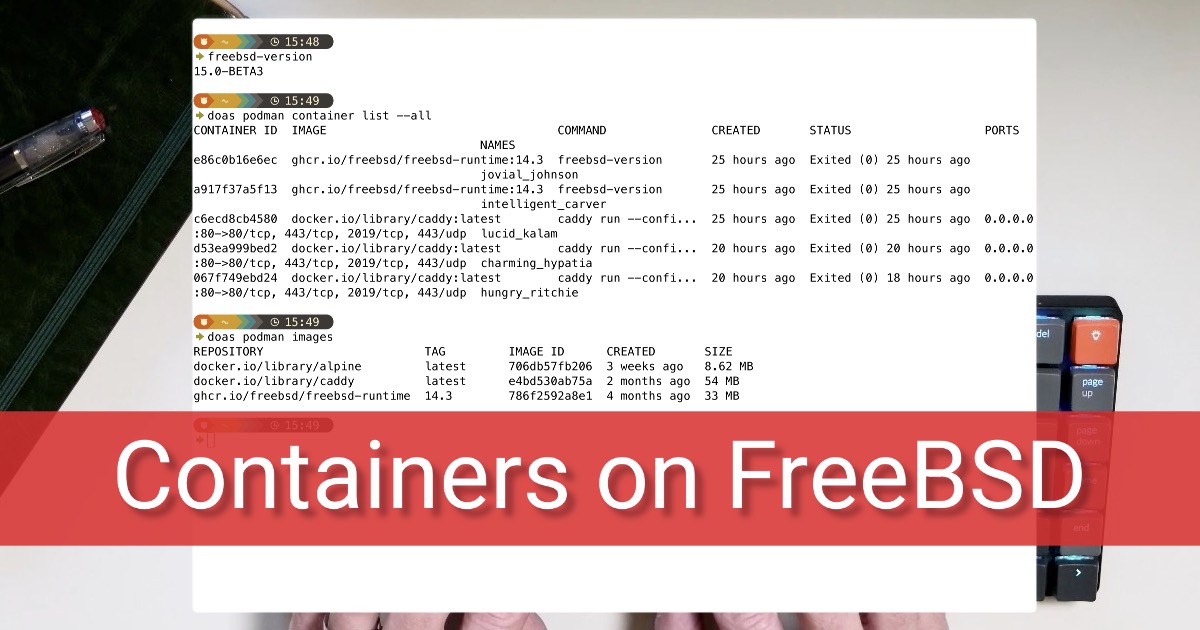
 
This seems like it works

Code:
➜  compose-configs doas sysctl net.pf.filter_local
net.pf.filter_local: 0
➜  compose-configs doas sysctl net.pf.filter_local=1
net.pf.filter_local: 0 -> 1
➜  compose-configs doas pfctl -a cni-rdr -s nat
➜  compose-configs cat /etc/pf.conf
# Change these to the interface(s) with the default route
v4egress_if = "wlan0"
v6egress_if = "wlan0"


nat on $v4egress_if inet from <cni-nat> to any -> ($v4egress_if)
nat on $v6egress_if inet6 from <cni-nat> to !ff00::/8 -> ($v6egress_if)


rdr-anchor "cni-rdr/*"
nat-anchor "cni-rdr/*"
table <cni-nat>


# Assuming your Miniflux container IP is 10.89.0.11, and the service port inside the container is 8080
rdr pass on lo0 inet proto tcp from any to 127.0.0.1 port 8080 -> 10.89.0.11 port 8080
➜  compose-configs doas pfctl -f /etc/pf.conf
➜  compose-configs doas pfctl -a cni-rdr -s nat
➜  compose-configs doas pfctl -sn
nat on wlan0 inet from <cni-nat> to any -> (wlan0) round-robin
nat on wlan0 inet6 from <cni-nat> to ! ff00::/8 -> (wlan0) round-robin
nat-anchor "cni-rdr/*" all
rdr-anchor "cni-rdr/*" all
rdr pass on lo0 inet proto tcp from any to 127.0.0.1 port = http-alt -> 10.89.0.11 port 8080
➜  compose-configs fetch -o- http://127.0.0.1:8080
^Cfetch: transfer interrupted
00:00:33.524
➜  compose-configs fetch -T 2 -o- http://127.0.0.1:8080
fetch: transfer timed out
00:00:02.013
➜  compose-configs doas pfctl -a cni-rdr -s nat
➜  compose-configs doas pfilctl hooks
            Hook                      Type
              pf:default-out6         IPv6
              pf:default-in6          IPv6
              pf:default-out          IPv4
              pf:default-in           IPv4
➜  compose-configs doas pfilctl link -o pf:default-out inet-local
➜  compose-configs doas pfilctl hooks
            Hook                      Type
              pf:default-out6         IPv6
              pf:default-in6          IPv6
              pf:default-out          IPv4
              pf:default-in           IPv4
➜  compose-configs fetch -T 2 -o- http://127.0.0.1:8080
-                                                        0  B    0  Bps
<!DOCTYPE html>
<html lang="en-US">

still
doas pfctl -a cni-rdr -s nat
shows nothing? right now not sure why this worked... so if someone can explain it better to me.... also why it didnt work from the start would be appreciated.
 
oh well, I restarted and it got disconnected, I mean accessing por 8080 from localhost or 127.0.0.1 didnt work here the logs

Code:
➜  ~ fetch -T 2 -o- http://127.0.0.1:8080
fetch: transfer timed out

Code:
➜  ~ cd ~/_amatl/compose-configs/
➜  compose-configs doas podman compose -f miniflux.yaml up
>>>> Executing external compose provider "/usr/local/bin/podman-compose". Please see podman-compose(1) for how to disable this message. <<<<


[db]       | [init] Starting container initialization...
[db]       | [init] Running: /daemonless/init.d/10-usermod
[db]       | [usermod] Setting up user bsd with PUID=1000 PGID=1000
[db]       | [usermod] User bsd configured (uid=1000, gid=1000)
[db]       | [init] Running: /daemonless/init.d/20-postgres-config
[db]       | Setting up PostgreSQL...
[db]       | PostgreSQL configuration complete
[db]       | [init] Initialization complete
[db]       | [init] Executing as bsd: /daemonless/libexec/postgresql
[db]       | Starting PostgreSQL...
[db]       | 2026-11-02 08:09:11.194 UTC [32705] LOG:  ending log output to stderr
[db]       | 2026-11-02 08:09:11.194 UTC [32705] HINT:  Future log output will go to log destination "syslog".
[miniflux] | level=INFO msg="Running database migrations" current_version=135 latest_version=135
[miniflux] | level=INFO msg="Skipping admin user creation because it already exists" username=miniflux
[miniflux] | level=INFO msg="Starting HTTP server" listen_address=0.0.0.0:8080


By the way, Im also looking an easy example and found this


still running caddy on port 80 only works if I ping the podman container directly than my localhost or 127.0.0.1.

Is this normal for porman in freebsd? I mean on linux, win and osx I have never needed to connect the containers to loopback and here Im trying to understand what Im doing wrong.
 
This is normal on FreeBSD until pf is set up for it. There are three separate issues.

1. localhost:8080 stops working after a reboot

pf only reads net.pf.filter_local when it is enabled, and at boot /etc/sysctl.conf is applied before pf.ko loads. Keep the line in sysctl.conf, make sure pf_enable=YES is set, and load pf from the loader:

Code:
doas sysrc -f /boot/loader.conf pf_load="YES"

To apply it now without rebooting:

Code:
doas sysctl net.pf.filter_local=1
doas pfctl -d
doas pfctl -e

It's working when pfilctl heads lists pf:default-out under inet-local. Avoid service pf restart while containers are running, because it empties the <cni-nat> table.

Also remove your hand-written rdr rule and run doas pfctl -f /etc/pf.conf. The container IP changes, and ports: ["8080:8080"] in your compose file already gives you a redirect for 127.0.0.1.

2. pfctl -a cni-rdr -s nat shows nothing

The rules are in a child anchor for each container:

Code:
doas pfctl -a cni-rdr -s Anchors
doas pfctl -a cni-rdr/<id> -s nat

3. Container names don't resolve

Install the DNS plugin, then recreate the stack so its network gets DNS:

Code:
doas pkg install cni-dnsname
doas podman compose -f miniflux.yaml down
doas podman compose -f miniflux.yaml up -d

Miniflux can then reach Postgres as db instead of by IP.

daemonless has updated docs:
Full host setup: https://daemonless.io/guides/quick-start/
Networking details: https://daemonless.io/guides/networking/
 
Back
Top