How? I don't know what that is. I used to have sound, but maybe an update has broken things.Check your OSS configuration.
sndiod_enable="YES"Can I just start the sndiod service and expect sound to start working? Or do to restart Chrome and/or reboot?Chromium on FreeBSD uses audio/sndio for sound, not OSS. It should work out-of-box, but did you started it? If you want to start it with the system, you can addto /etc/rc.confCode:sndiod_enable="YES"
The one I get when runWhich flavor of Chrome do you use? The Linux binary uses Pulseaudio by default.
pkg install chromium.Which flavor of Chrome do you use?
Sound should work out-of-box, if I remember correctly. I set it long time ago.Can I just start the sndiod service and expect sound to start working? Or do to restart Chrome and/or reboot?
I've never come across this before and have had sound coming out of chrome in the past.
In fact I just started up FreeBSD 13.2 on another system and can play YouTube videos with sound on that without any additions to rc.conf
 It still working for me on FreeBSD 14.0 without any changes. I would do a full reboot, maybe it helps. Of course, after adding sndio daemon to rc.conf.
I'm told there an packages available.
% pkg search -r FreeBSD-Ports chromium ; uname -KU
chromium-124.0.6367.201_1      Google web browser based on WebKit
chromium-bsu-0.9.16.1_3        Arcade-style, top-scrolling space shooter
ungoogled-chromium-124.0.6367.201_1 Google web browser based on WebKit sans integration with Google
1500018 1500018
%
pkg search -r FreeBSD-Ports chromium ; uname -KU
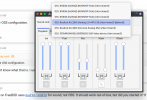
:-Installing the pavucontrol pkg in 15.1 got sound working with Chromium, so pulse-audio works here without any manual configuration. Dunno why pipewire was pulled in also.Chrome supports any other audio backends except OSS.
There is oss package and oss module native on freebsd, I did get Chromium working using the native OSS by stripping away pulseadio and sndio.How much work needed to add OSS4 backend to chromium?