Motherboard does not boot after hard power off

I'm blurting things out between runs.
That you're getting a cursor tells me the processor is doing some things but it's not displaying the motherboard's boot screen which I assume it has. This might indicate the problem is with the motherboard's boot code. On mine, I think you can reset or reload the boot code but I might be hallucinating.
 
hruodr On my monitors, when there is nothing coming from the computer, it puts a note up on the screen saying "no signal". Does yours do that? Turn the computer off or unplug the monitor cable if needed.
 
"no signal"
That happens when I disconnect the cable. In my case, I get a blank screen, even if the computer is off.

Chapter 3.2.3 explains how you could recover from a completely bricked firmware.
Interesting. Does that work without graphics? I read there something like:

1. Turn on the system.

2. Insert flash drive containing BIOS Named with M4A88TDV.ROM

3. The utility check devices for the BIOS file, reads and flashes. Really? Not danger to casually have a file with that name?

4. Turn off after complete updating. How do I know that without graphics?

5. Turn on, BIOS setup, ...

Do you have experience with that process?
 
Does that work without graphics?
Don't know about this specific board. But there are mainboards nowadays that allow you to update/flash the firmware without having a CPU installed on it. Just the bare board, no CPU, no memory, no graphics card. All you need is power and a USB stick with the firmware image.

Really? Not danger to casually have a file with that name?
I would imagine these things are signed in some way. So you don't just flash your firmware with the contents of a renamed README file 😁
 
Chapter 3.2.3 explains how you could recover from a completely bricked firmware.
Just tried. I left the USB Stick connected more than 5 minutes, I put a fan over the CPU.
The were no activity in the Stick, the leds did not light.
It seems the motherboard is gone.
I hope the PSU was not the cause, because I want to use it.
 
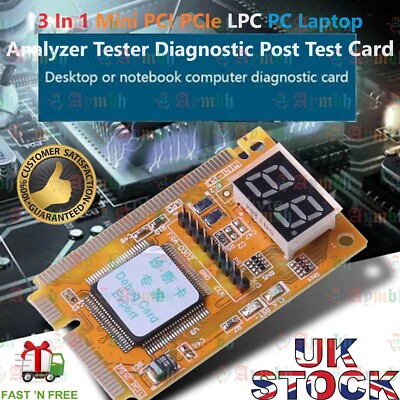
Maybe worth trying one of these hardware diagnostic cards. Get some fault codes. It should at least tell you if the bus is getting powered up. There are a couple of different types on ebay. I wouldn't bin it just yet. Or just let it stand for a week and try again, when all caps are completely discharged. I've had a couple of strange times when boards I thought were dead started working again.

 
Looking at the photo... I can't spot any obviously burnt areas or broken leads. It gets difficult with tiny surface-mount components and multi-layer boards though. Maybe have a close inspection of the board with a magnifying lens, see if you can spot any shorted or broken tracks or broken component leads. If it's several years old, the first thing to suspect is electrolytic capacitors... do any of the electrolytics have bulging tops, where the X mark is? Failed electrolytic caps is a common occurrence.
 
OP,
I see all solid state capacitors, which eliminates one common problem.

Most problems in power supplies are popped capacitors.
Take the cover off and they are readily apparent.
Remember that a trashed PSU can trash your system board under the right conditions.

A PSU tester will not show popped caps.
Take the cover off and take a good long look.

Next is "swap until ya drop".
Be sure to reseat (several times) ALL power cables on both ends of the cables.
Next, pull the memory SIMMS and wipe the contacts with a pencil eraser, then alcohol clean, reseat a few times.

Disconnect all the I/O and swap in a different power supply.
Bare bones hardware.
Make certain the case power switch is making and breaking properly.
You can use a screwdriver tip or jumper wire to make the two BERG pins on the board.

A fresh battery for CMOS is always a good idea.
 
One other thing it could be is the board's cpu voltage regulator. On some server boards its a plug-in module that can be replaced, but on your board it looks like everything is onboard. The chips will be under the blue heatsink at upper left, to the left of the cpu in the photo. If that's blown, it's debatable whether it's worth fixing or not. That is one kind of fault that would stop your cpu from powering up, provided the power supply is delivering power in the first place. You could remove the blue heatsink and see if it looks like anything is burnt or tracks broken.
 
If it's several years old,
I just bought it second hand. Look the heatsink over the CPU:

heatsink2.jpg
 
Most problems in power supplies are popped capacitors.
Take the cover off and they are readily apparent.
The (fanless) PSU is in some way integrated with the case, I do not know how to separate it.

I did many of the things you propose, but nothing with the PSU.
 
hruodr Do you have or can borrow a voltmeter? I don't remember what country you're in but Harbor Freight sells a cheap one for under $12 and I once saw it on sale for $4. It would be good enough.
 
  • Like
Reactions: mer
OK. So I'd bet you have one connector that's not hooked to anything. Or you can remove a connector to a peripheral device like networking or the graphics card. Black is ground. Measure the voltages on the other pins. You should have something on all or most of them. But you only need to test one connector.
 
Power supply connector pinouts here. This might be a bit tricky to measure however, with the connector plugged in. Perhaps you can try on the other side of the board where the connector pins come through, if you can access the back. What's really needed is a breakout connector cable.

So, check that you have +/-12V and +5V going into the motherboard from the PSU would be the first test. Note that as well as the main power connector there is an auxilliary 8-pin connector next to the cpu voltage regulator block. Alternatively... look at the screenprint layer on the PCB itself and see if you can identify any test points; there may be test points for 12V, 5V etc. You want to measure the positive voltages relative to the 0V rail on the PSU connector.
 
No, that was a typo. No cursor. Perhaps is the BIOS corrupted, but no idea how to flash it.
I had a M4A88TD or something very close to that model; the BIOS chip was socketed/removable.

I had a BIOSTAR mobo too and booted it to Linux LiveUSB and flashrom'd the ASUS BIOS image to the chip and put that chip in the ASUS board (I broke a pin off the original ASUS chip and took another BIOS chip off a 3rd unrelated board :p)
 
Back
Top