

Hello.
Since I’m building a (smart ?) phone with FreeBSD as OS, I’d like a desktop environment suitable for use as a phone interface. So it needs to provide the basic features you would expect from a phone: a dial pad for making calls, a call log for received and missed calls, a contacts/address book with people’s phone numbers, and a photo gallery for storing and viewing pictures.
I’m fine with either a complete desktop environment or even an installable theme, as long as it runs on top of FreeBSD, which is the operating system installed on the phone.
If there is nothing ready-made, I can build it by finding relevant pieces of code online and then integrating them together. GitHub would be preferable as a source.
Alternatively, I could port something that has already been written for Linux, as long as the porting effort is not too complicated.
I found a list a number of possible approaches and ideas that I would like to discuss with you.
First, an important distinction: a theme only changes the graphical appearance. A phone dialer, incoming calls, call history, contacts, and modem management require real applications and services. So at the very least I need:
mobile shell + virtual keyboard + applications + telephony service + audio management.
This is the most natural idea, because Phosh is built around GTK, Wayland, and GNOME components that are already fairly close to the FreeBSD ecosystem.
The current situation is interesting:
For calls, I could port GNOME Calls, which already provides a dial pad, call history, contacts, incoming calls, and SIP support. For cellular calls, however, it relies on ModemManager; for SIP it uses Sofia-SIP and GStreamer.
Assessment: excellent final result; medium effort for the shell, difficult for the cellular telephony layer.
The project itself describes it as a collection of programs and scripts that can easily be modified through hooks.
I would need to replace, in its scripts:
This would probably be the fastest route to a genuinely usable prototype, although the interface is intentionally sparse and strongly aimed at technical users.
Assessment: relatively easy port; appearance less similar to Android or iOS.
This is the solution I consider the best fit for the project.
I would not port the whole of Phosh. I would use only what FreeBSD already has:
FreeBSD
│
├── DRM/KMS + touchscreen
├── Phoc
├── Squeekboard
├── feedbackd
├── Cubie Phone Shell
└── phone applications
Shell would only need to provide:
The telephony part would be separated into a service called, for example:
bsd-telephonyd
It would expose operations over D-Bus such as:
Dial(number)
Answer(call_id)
Hangup(call_id)
ListCalls()
GetSignalStrength()
GetSIMStatus()
The dialer would therefore be only a graphical interface. It would not communicate with the modem directly.
Assessment: more initial work than Sxmo, but a much cleaner, controllable, and genuinely FreeBSD-native architecture.
FreeBSD already has a Gammu port, available on arm64 as well. Gammu can manage:
The first version of bsd-telephonyd could simply use libGammu. Later, I could replace it with a more modern backend based directly on:
This is not a complete user interface, but it is the component that could make any shell I choose into an actual phone.
I could start from a normal GNOME or Wayland environment and turn it into a phone-oriented kiosk mode:
This would be the fastest way to create a visual prototype, but it would not yet be a true phone shell: incoming calls, lock-screen integration, and notifications would still require own components.
Assessment: fast prototype; less elegant as a final solution.
I would not port the entire Plasma Mobile environment at first. Instead, I would consider porting individual applications or QML interfaces:
Much of the Qt/KDE framework already exists on FreeBSD, but the mobile shell and its telephony integration are not available as a finished product. Porting only the QML applications and connecting them to bsd-telephonyd would be much more realistic than porting the entire environment.
Assessment: technically possible, but more complex than Phosh and Sxmo.
Lomiri, the Ubuntu Touch environment, has a user interface very well suited to phones and is written mostly in Qt/QML.
The dialer exists as a separate project, but depends on:
Assessment: useful as a code and design donor; full porting would be too invasive.
LuneOS includes phone applications and a contacts application rewritten with Enyo, so it relies heavily on web technologies.
The complete system, however, has become fairly heavy: it uses components from webOS OSE, Qt 6, Luna Surface Manager, WebAppManager, and Chromium.
I could reuse some web applications or their design inside a WebView, but I would not port the complete system to FreeBSD.
Assessment: interesting for isolated applications; poor candidate as the main platform.
Maemo has a genuinely Unix-phone philosophy: home screen, notifications, applets, touch interface, and GTK/X11 applications. The Hildon Home source code is still available and manages the home screen, notifications, and applets.
The problems are:
Assessment: excellent historical reference material; poor long-term investment.
I could immediately build and test:
Later, I could replace or complement the SIP provider with bsd-telephonyd.
This separates three problems that would otherwise become mixed together:
phone user interface
≠
cellular modem control
≠
call audio routing
Call audio is in fact a separate subsystem: on Linux mobile systems it is often handled by callaudiod. FreeBSD has both PulseAudio and PipeWire on arm64, but I would need to explicitly configure the microphone–modem–speaker path required by the hardware.
FreeBSD 15/arm64
│
├── Phoc
├── Squeekboard
├── feedbackd
│
├── Cubie Phone Shell
│ ├── home
│ ├── launcher
│ ├── lock screen
│ └── notifications
│
├── Cubie Dialer
│ ├── dial pad
│ ├── recent calls
│ ├── missed calls
│ └── active call
│
├── GNOME Contacts
├── gThumb or Shotwell
│
└── bsd-telephonyd
├── Gammu/AT backend
├── SQLite database
├── calls
├── SMS
├── SIM
└── network status
The practical ranking is:
The real critical point will not be the photo album or the dial pad: it will be the exact modem model, its support for voice calls, and the way it transports call audio. Once those three elements are identified, I can make the final choice between Gammu, direct AT commands, or a modem-specific backend.
What do you think ?
Since I’m building a (smart ?) phone with FreeBSD as OS, I’d like a desktop environment suitable for use as a phone interface. So it needs to provide the basic features you would expect from a phone: a dial pad for making calls, a call log for received and missed calls, a contacts/address book with people’s phone numbers, and a photo gallery for storing and viewing pictures.
I’m fine with either a complete desktop environment or even an installable theme, as long as it runs on top of FreeBSD, which is the operating system installed on the phone.
If there is nothing ready-made, I can build it by finding relevant pieces of code online and then integrating them together. GitHub would be preferable as a source.
Alternatively, I could port something that has already been written for Linux, as long as the porting effort is not too complicated.
I found a list a number of possible approaches and ideas that I would like to discuss with you.
First, an important distinction: a theme only changes the graphical appearance. A phone dialer, incoming calls, call history, contacts, and modem management require real applications and services. So at the very least I need:
mobile shell + virtual keyboard + applications + telephony service + audio management.
1. Port Phosh to FreeBSD
This is the most natural idea, because Phosh is built around GTK, Wayland, and GNOME components that are already fairly close to the FreeBSD ecosystem.
The current situation is interesting:
- phoc, the mobile Wayland compositor used by Phosh, is already available in the FreeBSD Ports Collection;
- squeekboard, the virtual keyboard, is already available;
- feedbackd, for vibrations, sounds, and notifications, is already available;
- GNOME Contacts is already available;
- an old phosh port used to exist, but it was removed and would need to be rebuilt around the current version.
For calls, I could port GNOME Calls, which already provides a dial pad, call history, contacts, incoming calls, and SIP support. For cellular calls, however, it relies on ModemManager; for SIP it uses Sofia-SIP and GStreamer.
Assessment: excellent final result; medium effort for the shell, difficult for the cellular telephony layer.
2. Create “Sxmo for FreeBSD”
Sxmo is probably the easiest system to port. It is not a huge desktop environment: it is a collection of small programs and POSIX scripts that together build a minimalist phone interface.The project itself describes it as a collection of programs and scripts that can easily be modified through hooks.
I would need to replace, in its scripts:
- Linux commands with FreeBSD equivalents;
- battery and brightness handling;
- ModemManager calls;
- Linux audio handling;
- any /sys and /proc paths.
This would probably be the fastest route to a genuinely usable prototype, although the interface is intentionally sparse and strongly aimed at technical users.
Assessment: relatively easy port; appearance less similar to Android or iOS.
3. Build a “Cubie Phone Shell” on top of Phoc
This is the solution I consider the best fit for the project.
I would not port the whole of Phosh. I would use only what FreeBSD already has:
FreeBSD
│
├── DRM/KMS + touchscreen
├── Phoc
├── Squeekboard
├── feedbackd
├── Cubie Phone Shell
└── phone applications
Shell would only need to provide:
- home screen;
- launcher;
- top bar;
- lock screen;
- notification center;
- special incoming-call window;
- large buttons and touch gestures.
The telephony part would be separated into a service called, for example:
bsd-telephonyd
It would expose operations over D-Bus such as:
Dial(number)
Answer(call_id)
Hangup(call_id)
ListCalls()
GetSignalStrength()
GetSIMStatus()
The dialer would therefore be only a graphical interface. It would not communicate with the modem directly.
Assessment: more initial work than Sxmo, but a much cleaner, controllable, and genuinely FreeBSD-native architecture.
4. Use Gammu as the first telephony backend
FreeBSD already has a Gammu port, available on arm64 as well. Gammu can manage:
- starting and controlling calls;
- call lists;
- SMS;
- modem or SIM phonebooks;
- network and phone information.
The first version of bsd-telephonyd could simply use libGammu. Later, I could replace it with a more modern backend based directly on:
- AT commands;
- MBIM;
- QMI;
- a protocol specific to the modem I choose.
This is not a complete user interface, but it is the component that could make any shell I choose into an actual phone.
5. Quickly create a “GNOME Phone Mode”
I could start from a normal GNOME or Wayland environment and turn it into a phone-oriented kiosk mode:
- a full-screen launcher;
- large icons;
- applications always maximized;
- Squeekboard;
- GNOME Contacts;
- dialer;
- a custom top bar;
- gThumb or Shotwell as the photo album.
This would be the fastest way to create a visual prototype, but it would not yet be a true phone shell: incoming calls, lock-screen integration, and notifications would still require own components.
Assessment: fast prototype; less elegant as a final solution.
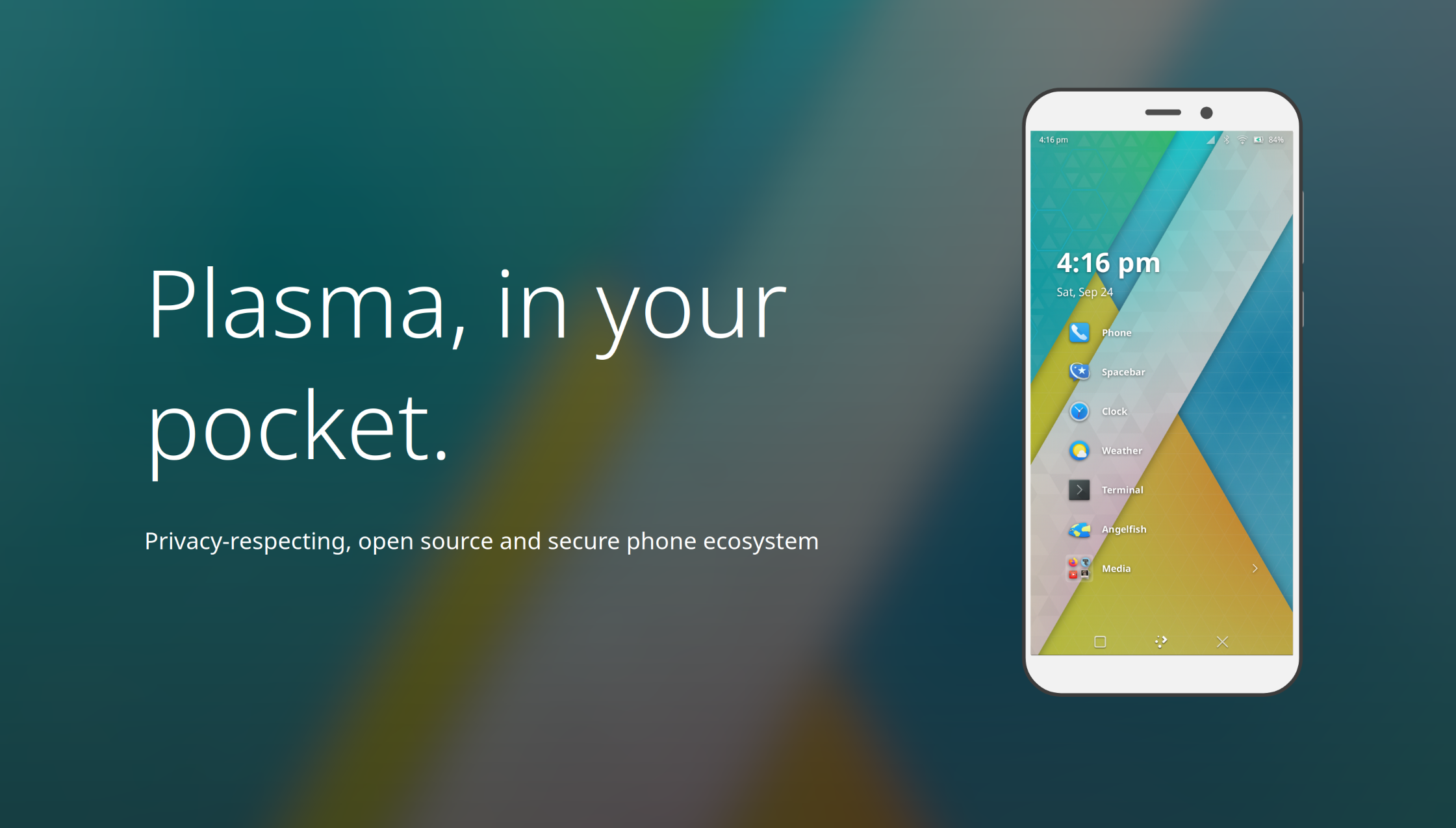
6. Port only selected Plasma Mobile components
I would not port the entire Plasma Mobile environment at first. Instead, I would consider porting individual applications or QML interfaces:
- dialer;
- contacts;
- Koko for photos;
- Index as a file manager;
- some Kirigami panels and components.
Much of the Qt/KDE framework already exists on FreeBSD, but the mobile shell and its telephony integration are not available as a finished product. Porting only the QML applications and connecting them to bsd-telephonyd would be much more realistic than porting the entire environment.
Assessment: technically possible, but more complex than Phosh and Sxmo.
7. Use Lomiri as a source of interface components
Lomiri, the Ubuntu Touch environment, has a user interface very well suited to phones and is written mostly in Qt/QML.
The dialer exists as a separate project, but depends on:
- telephony-service;
- history-service;
- the contacts application.
- dialer layouts;
- in-call screen;
- call history;
- QML components;
- ideas for the launcher and gestures.
Assessment: useful as a code and design donor; full porting would be too invasive.
8. Reuse components from LuneOS/webOS
LuneOS includes phone applications and a contacts application rewritten with Enyo, so it relies heavily on web technologies.
The complete system, however, has become fairly heavy: it uses components from webOS OSE, Qt 6, Luna Surface Manager, WebAppManager, and Chromium.
I could reuse some web applications or their design inside a WebView, but I would not port the complete system to FreeBSD.
Assessment: interesting for isolated applications; poor candidate as the main platform.
9. Reuse Maemo/Hildon
Maemo has a genuinely Unix-phone philosophy: home screen, notifications, applets, touch interface, and GTK/X11 applications. The Hildon Home source code is still available and manages the home screen, notifications, and applets.
The problems are:
- the appearance is dated;
- many components use GTK2;
- it was designed for the screen and hardware of the Nokia N900;
- even Maemo Leste still lists ongoing work on the phone interface.
Assessment: excellent historical reference material; poor long-term investment.
10. Start with SIP and add the cellular modem later
I could immediately build and test:
- dial pad;
- call log;
- active-call screen;
- accept/reject;
- speakerphone;
- contacts;
- notifications;
Later, I could replace or complement the SIP provider with bsd-telephonyd.
This separates three problems that would otherwise become mixed together:
phone user interface
≠
cellular modem control
≠
call audio routing
Call audio is in fact a separate subsystem: on Linux mobile systems it is often handled by callaudiod. FreeBSD has both PulseAudio and PipeWire on arm64, but I would need to explicitly configure the microphone–modem–speaker path required by the hardware.
This proposal sounds interesting...
FreeBSD 15/arm64
│
├── Phoc
├── Squeekboard
├── feedbackd
│
├── Cubie Phone Shell
│ ├── home
│ ├── launcher
│ ├── lock screen
│ └── notifications
│
├── Cubie Dialer
│ ├── dial pad
│ ├── recent calls
│ ├── missed calls
│ └── active call
│
├── GNOME Contacts
├── gThumb or Shotwell
│
└── bsd-telephonyd
├── Gammu/AT backend
├── SQLite database
├── calls
├── SMS
├── SIM
└── network status
The practical ranking is:
| Goal | Choice |
|---|---|
| Fastest prototype | Adapted Sxmo |
| Best already-designed result | Phosh port |
| Best long-term architecture | Cubie Phone Shell on top of Phoc |
| Most customizable interface | Plasma/Kirigami components |
| Code to borrow ideas from | Lomiri, LuneOS, Maemo |
| First cellular backend | Gammu + AT commands |
The real critical point will not be the photo album or the dial pad: it will be the exact modem model, its support for voice calls, and the way it transports call audio. Once those three elements are identified, I can make the final choice between Gammu, direct AT commands, or a modem-specific backend.
What do you think ?



 What the Percentages and Studies Say :
