
Kernel modules conflict

Hello lovely community. This happened after I switched ports tree to Q4. I managed to upgrade all ports with portmaster (except devel/appstream which ran into some hiccups), but I decapitated my working plasma desktop, because amdgpu.ko won't load by any means. Boot-time message says:
KLD amdgpu.ko: depends on kernel - not available or version mismatch
When I run
Code:
# kldload amdgpu
kldload: can't load amdgpu: module already loaded or in the kernel
Code:
#freebsd-version -kru
15.1-RELEASE-p4
15.1-RELEASE-p4
15.1-RELEASE-p4

How do I get out of this mess and avoid this happening in the future? I'm no FreeBSD expert but I'm good at following instructions.
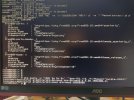
 
Please post the output of:
pkg -vv | sed -nE -e '/(^OSVERSION|^ABI)/ p' -e '/^Repositories:/,$ p'
pkg query -x '[%R] %o %n %v' '^drm-(51.-|6..?-)?kmod|(^nvidia-(d|k))'
 

Attachments

  • terminal_output1.jpg
    terminal_output1.jpg
    238.6 KB · Views: 43
No worries.

I have on 15.1-RELEASE available using quarterly:
Rich (BB code):
[1-0] # pkg rquery -x '[%R] %o %n %v' '^drm-(51.-|6..?-)?kmod'| egrep '(6\.6\.25)|(graphics/drm-kmod)|drm-612-kmod' | column -t | nl
     1  [FreeBSD-ports]        graphics/drm-66-kmod   drm-66-kmod   6.6.25.1500068_10
     2  [FreeBSD-ports]        graphics/drm-kmod      drm-kmod      20260508
     3  [FreeBSD-ports-kmods]  graphics/drm-612-kmod  drm-612-kmod  6.12.85.1501000_2
     4  [FreeBSD-ports-kmods]  graphics/drm-66-kmod   drm-66-kmod   6.6.25.1501000_11
For graphics/drm-66-kmod* your output shows the right combination: #2 and #4 (=matching your kernel, and PORTREVISION 11). By the looks of it you haven't installed these from the remote FreeBSD package servers but build them locally ("[unknown-repository]"); that should work just as well. I can't exactly see what the cause of the problem is.

What is your graphics card, or CPU with iGPU?

Temporarily disable the loading in /etc/rc.conf wrt kld_list="amdgpu" and try kldloading manually.

What gives:
pkg which /boot/modules/amdgpu.ko
After kldloading with kldload -v /boot/modules/amdgpu.ko:
kldstat -v | grep amdgpu

Does kldload -v /boot/modules/amdgpu.ko result in the same error as mentioned in your OP?

___
* Alternatively, you could try graphics/drm-612-kmod, unless your (modern) graphics really needs the drm-66 variety.
 
By the looks of it you haven't installed these from the remote FreeBSD package servers but build them locally ("[unknown-repository]")
Yes, building ports is the main appeal of FreeBSD to me, otherwise it'd be like another (non-Gentoo)Linux distro.
What is your graphics card, or CPU with iGPU
It's primarily a gaming rig I'm dual booting now with FreeBSD and it has Radeon 6750XT.
Temporarily disable the loading in /etc/rc.conf wrt kld_list="amdgpu" and try kldloading manually.
Done - same error as before.
Code:
#pkg which /boot/modules/amdgpu.ko
/boot/modules/amdgpu.ko was installed by package drm-66-kmod-6.6.25.1501000_11
I was hoping there was an obvious faux pas on my behalf. AFAIK I haven't done anything to the kernel (it's not part of user-land) - why the sudden mismatch? Do I need to rebuild the kernel?
I just rebuilt graphics/drm-66-kmod and still get same error:(
 
This summer has been a very long story of mixed up Graphics driver versions in the binary Repos.
for 15.1-p4 you should have
drm-kmod-20260508
and
drm-612-kmod-6.12.85.1501000_2
installed
during yesterday drm-612-kmod-6.12.85.1501000_2 appeared in FreeBSD-Ports-kmods 2026Q4 quarterly repo.

SO basically if you first delete the DRM packages you have installed ( as you dont want to use drm-66-kmod )
and run

pkg install drm-kmod
then
drm-612-kmod-6.12.85.1501000_2

Should install as well. ( you can check the Makefile in /usr/ports/graphics/drm-kmod , which directs to install drm-612-kmod on 15.1 )

I'll be interested in the outcome of that test.

Regards.
 
Do I need to rebuild the kernel?
You might, but I'm not very knowledgable in that area wrt to your mismatch problem. Perhaps (grasping at straws), make 2 individual efforts:
1) pkg ins -f -r FreeBSD-ports-kmods drm-66-kmod and see where kldloading gets you.
2) pkg ins -f -r FreeBSD-ports-kmods drm-612-kmod and see where kldloading gets you.

Using -f for #2 is not strictly necessary but doesn't hurt either.
If these all give the same error, then it seems there's something with your kernel going on. Others can then likely provide better advice than I.

EDIT: Didn't see the previous response, graphics/drm-kmod can also be installed but, you've already got that one and amdgpu.ko is part of graphics/drm-{612,66}-kmod
 
Building graphics/drm-66-kmod from port (ports-mgmt/portmaster) requires a source tree under /usr/src. Make sure the source tree is releng/15.1.


Apropos:
I apologize for using a screenshot, but I have no gui to copy/paste and it would take me rest of the day to type it all in.
Next time the system has no GUI and you need to show some output in forums, send it to a text storage site. The most suitable is https://termbin.com . Example:

pkg repos | nc termbin.com 9999

Or:
Code:
% pkg -vv | sed -nE -e '/(^OSVERSION|^ABI)/ p' -e '/^Repositories:/,$ p' > amdgpu.txt
% echo >> amdgpu.txt
% pkg query -x '[%R] %o %n %v' '^drm-(51.-|6..?-)?kmod|(^nvidia-(d|k))'  >>   amdgpu.txt
% cat amdgpu.txt | nc termbin.com 9999

netcat to tembin.com will return a short URL.
 
for 15.1-p4 you should have
drm-kmod-20260508
and
drm-612-kmod-6.12.85.1501000_2
I can pick the driver a la carte? I thought this was determined by graphics card version.
I was always told not to mix binaries with ports, but I can try building drm-612-kmod and remove the other one.
as you dont want to use drm-66-kmod
Why?

Quick update: it didn't work, same errors.
 
It looks like you have a "main" (aka 16.0-CURRENT) source tree. Which tool did you use to populate /usr/src?
I believe I used git, but that was before building the drm-kmods and it worked then. I did not consciously manipulate /usr/src since. I may have done compulsive
Code:
git -pull
but I assumed that refreshes currently used branch, not switches to a new one - am I wrong?
In any case it looks like I need to delete /usr/src and get 15.1 ? Also, could someone advise what is the proper way of getting and maintaining the correct sources? The Handbook insists on git and I don't like it much as it is a package. I believe source should be handled by the system.
 
Code:
#freebsd-version -kru
15.1-RELEASE-p4
15.1-RELEASE-p4
15.1-RELEASE-p4
This got me worried now: I read /usr/src/RELNOTES and the first line says
Code:
Release notes for FreeBSD 16.0
I find it a bit unexpected that, having 16.0 as your source and then having a base-install of 15.1-R-p4.
How did you install and upgrade your base install; binary install/upgrade via standard distributions sets or build from source (or something else)?
 
but I assumed that refreshes currently used branch, not switches to a new one - am I wrong?
No, that's right. git-pull(1) wouldn't switch the branch. From what it looks like, the 16 branch ("main") ended up somehow in the source directory instead of releng/15.1.

In any case it looks like I need to delete /usr/src and get 15.1 ?
That would be the easiest.

Also, could someone advise what is the proper way of getting and maintaining the correct sources?
If you want a specific branch (e.g. the branch you need now, as instructed in the handbook):
Code:
# git clone --branch releng/15.1 https://git.FreeBSD.org/src.git /usr/src
Or if you want to play with other branches, supported and unsupported versions, clone the complete FreeBSD Git repository and git-switch(1) or git-checkout(1) the branch you want, as explained in post # 18, by drsnx60.

To update the local repository, use git-pull(1).

The Handbook insists on git and I don't like it much as it is a package. I believe source should be handled by the system.
Not much choice here, you need to use one of the Git tools. There was svnlite(1) in base, but it was removed after switching the FreeBSD source from SVN to the Git version control system.:

git, git-lite, git-tiny: Every flavor decreases in the number of dependencies.

More simpler tools: net/gitup and devel/got.

Or, you can simply fetch an archive of the latest patched branch and extract it:
Code:
% fetch https://github.com/freebsd/freebsd-src/archive/refs/tags/release/15.1.0-p4.tar.gz

# tar xfC 15.1.0-p4.tar.gz /usr/src
Of course, when a new security and errata patch is release, you need to fetch a new archive.
 
Or, you can simply fetch an archive of the latest patched branch and extract it:

Code:
% fetch https://github.com/freebsd/freebsd-src/archive/refs/tags/release/15.1.0-p4.tar.gz

# tar xfC 15.1.0-p4.tar.gz /usr/src
Does it have to be from github.com opposed to https://download.freebsd.org?
Of course, when a new security and errata patch is release, you need to fetch a new archive.
Wouldn't freebsd-update take care of patching it? I mean there is the during installation source download option - what maintains it afterwards? Can't we just replicate the process post-install? Also, I understood that git requires manual updates as well.
 
Does it have to be from github.com opposed to https://download.freebsd.org?
The Github FreeBSD archives are patched to the latest security and errata level, those in https://download.freebsd.org/releases/amd64/15.1-RELEASE/ are not. Notice the date of release: "src.txz 2026-Jun-12 11:28"

Wouldn't freebsd-update take care of patching it?
Ah, yes, sure, I forgot about freebsd-update(8) (I don't use it, update and upgrade the system from source, source update with git). It would update the source tree. After freebsd-update is removed, pkgbase source packages take care of the source tree update.

For example, the packages I have in a local pkgbase repository I use in jails and bhyve VMs for testing:
Code:
FreeBSD-set-src-15.1p2.pkg
FreeBSD-src-15.1p4.pkg
FreeBSD-src-sys-15.1p4.pkg
The different name suffixes for patch levels (p2, p4) is a result of the build(7) update-packages target.
 
Everything is back to normal now. To sum up: I inadvertently switched source tree and rebuilt the kernel modules against wrong source version, rendering them useless. Hopefully this lesson won't be forgotten soon. Great thanks to all who contributed.
 
Back
Top