KDE, LibreOffice, and lpd

  • Thread starter Thread starter Deleted member 9563
  • Start date Start date
D

Deleted member 9563

Guest
I cannot set any printer preferences in either KDE or Libreoffice.
Code:
Failed to get server settings.

I've been wrestling with this for a couple of days. Libreoffice simply can't print. My environment is KDE, and the printer is a Xerox postscript capable device which takes raw text input and pdf files as well. Libreoffice, however, doesn't see any printer. KDE does not either. Printing from Firefox (running on KDE) works just fine.

Do I need CUPS? Saucers? I'm at my wits' end. All suggestions welcome.
 
You can use cups or the lpd method - both work fine. Your desktop environment has nothing to do with it (unless you use the "printer setup" GUI interface).

  • Regarding which to use (cups or lpd) search the forums for the relevant threads.
  • If you choose to use cups, install print/cups, then direct your browser to localhost:631 to setup the printer.
  • If you choose to use the lpd method, you need to edit /etc/printcap for which you can follow Warren's excellent walk-through: http://www.wonkity.com/~wblock/docs/html/lpdprinting.html
 
Beeblebrox said:
You can use cups or the lpd method - both work fine. Your desktop environment has nothing to do with it (unless you use the "printer setup" GUI interface).

Thanks Beeblebrox. After two days of searching, I am aware of a lot of threads an how-tos. That's not the problem. Sorry if I didn't make myself clear. My problem is that I wish to use lpd and don't wish to use CUPS - but still want to print. :) It would appear that KDE does not work with lpd since clicking print outside of Firefox gives the above error, but I wish to confirm that.

wblock@ said:
LibreOffice has not been able to print with lpd(8) here for quite a while. I've not investigated, just exporting to PDF and printing that as a workaround.

They don't say that up front but that's what I suspected. Actually, since I posted last night, I came across a post on the Libreoffice site where they said they intended not to support lpd. (I can't find it right now, but it is mentioned here, and here, and here.) To me that would be a good reason to switch to something else, but haven't decided yet.

I have yet to get a grip on filters (apsfilter is not so intuitive either). Printing as PDF is an acceptable workaround for me, but it would still be nice if KDE could recognize the printer too. Is it possible to install CUPS so that LO (and presumably KDE) can see it, while still using lpd?
 
Sorry, don't know about KDE, it's likely a separate issue from LibreOffice. Filters won't help with LibreOffice, the program it uses to define a printer won't run. It may just be looking for CUPS, and those tests could be disabled. It would be enough if it could define a command to run that would accept the file on stdin.
 
I'll check out the KDE problem separately then.

Regarding Libreoffice: Can I install CUPS and still use lpd? If not, can one of the apache-openoffice versions print without CUPS?
 
Re:

wblock@ said:
LibreOffice has not been able to print with lpd(8) here for quite a while. I've not investigated, just exporting to PDF and printing that as a workaround.

Is there a way to create a pseudo device that forwards to lpd(8)? Exporting to PDF and then printing isn't efficient, IMO. Thanks.
 
PR 167441 has a patch that fixes printing to lpd(8). It works with the brand-new port, and the previous version. I sent some mail today, and this might be included in the next update of the port.
 
Thanks. I didn't see the patch attached. Was going to try the --without-ppds added to Disable CUPS, but one of the posters said he just received errors.
 
The patch was just committed. It does not disable CUPS, just allows /usr/local/lib/libreoffice/program/spadmin to run without it.
 
I have the update - verified the Makefile changes. When I run /usr/local/lib/libreoffice/program/spadmin I get "No printers can be installed because the file system is read-only. Please contact your system administrator". I ran that under su.
 
Yes, updated it this morning - it took forever.

Code:
pkg info | grep libreoffice
libreoffice-4.1.5_1            Full integrated office productivity suite
 
I might have found a solution:

Code:
# cd /usr/share/locale
# ln -s en_US.ISO8859-15  en_US

I don't get the locale error now, so I'm recompiling LibreOffice to see if that works.
 
There should be four real directories in there for English:
Code:
drwxr-xr-x  2 root  wheel   512B Feb 27 12:55 /usr/share/locale/en_US.ISO8859-1
drwxr-xr-x  2 root  wheel   512B Feb 27 12:55 /usr/share/locale/en_US.ISO8859-15
drwxr-xr-x  2 root  wheel   512B Feb 27 12:55 /usr/share/locale/en_US.US-ASCII
drwxr-xr-x  2 root  wheel   512B Feb 27 12:55 /usr/share/locale/en_US.UTF-8

This is for 10-STABLE. I don't know if 9-STABLE is different, or if this is the problem with LibreOffice.
 
I'm at a loss. I completely uninstalled LibreOffice, ran pkg autoremove and portmaster -y --clean-distfiles, and then ran portmaster editors/libreoffice.
 

Attachments

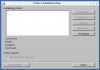
  • 2014-02-28-103316_3286x1200_scrot.png
    2014-02-28-103316_3286x1200_scrot.png
    5 KB · Views: 732
  • 2014-02-28-103327_3286x1200_scrot.png
    2014-02-28-103327_3286x1200_scrot.png
    12.1 KB · Views: 598
wblock@ said:
Aha! Enable the CUPS option in editors/libreoffice. This requires the CUPS client, but does not mean you have to use it. With that enabled, /usr/local/lib/libreoffice/program/spadmin will work. It does here, anyway.
Hah, funny thing, I was just about to post on this.

After having upgraded editors/libreoffice to the last version, the first thing I checked was whether spadmin would work or not. Well, it DOES work and even offers lpr command as an option. Fine!!!
...But, alas, printing itself doesn't: clicking on File -> Print dialogue pops up the dialogue box for but a short instant, then crashes libreoffice. CUPS support is checked, of course... @wblock, does yours work 100%?
Mine is amd64. If yours is as well and printing works OK, then maybe I should rebuild... but building really took very long. My suspicion is it uses only 1 job anyway.
 
Last edited by a moderator:
Mine is amd64, and printing works. It's necessary to define a printer. Mine is called laser. Under Properties, Select command, Configure as is Printer, and the command is lpr -Plaser. For most people, that might be just lpr, my laser queue sends files straight through to the PostScript printer without any preprocessing.
 
Back
Top