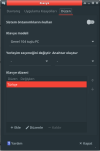
Preferably easiest way. How to do this? In Linux they work right out of the box.

What is your environment? Did you reboot after applying these changes?Nope, it didn't work
sudo vi /boot/loader.confusbhid_load="YES"sudo vi /etc/sysctl.confhw.usb.usbhid.enable=1Try installing audio/xfce4-mixer-full package and then see if they work, the non-full version of this port does not enable multimedia keybindings by default.xfce. yes
I think that it can go to /boot/loader.conf too because usbhid(4) tells that:and hw.usb.usbhid.enable=1 should go in sysctl.conf
SYSCTL VARIABLES
     The following variables are available as both sysctl(8) variables and
     loader(8) tunables:

     hw.usb.usbhid.enable
             Enable usbhid and make its priority greater than other USB HID
drivers have. Default is 0.I don't have any other clue because I didn't use xfce as much, looking forward for xfce users' reply.I swear I am doing exactly that, I rebooted even but still no work.
 github.com
github.com
github.com
github.com
github.com
you may need to create a devd.conf config fileI swear I am doing exactly that, I rebooted even but still no work.
usbhid_load="YES"
Loading the module is only necessary if a custom kernel is running without usbhid device compiled in. The GENERIC kernel has the device enabled:usbhid_load="YES" goes in loader.conf
% uname  -mir
14.2-RELEASE amd64 GENERIC

% config  -x  /boot/kernel/kernel  |  grep  usbhid
device    usbhid

% kldstat  -v  |  grep  usbhid
        296 uhub/usbhid
126 usbhid/hidbusNever noticed that setting and there is Dell Lattitude setting if you turn OFF system keyboard. That is nice. Will check that out over several models.verify it is set at 105-key or the "use system defaults" slider is ON