HELP! EXPERTS NEEDED! Xorg and any DE or related thing Hard crashes not just FreeBSD, but makes my PC fail to P.O.S.T and I have to turn off my PSU.

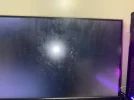
Specs before I explain the problem: Nvidia RTX 5070, Intel Ultra Core 7 265F, 32GB DDR5 RAM, and a 2TB M.2 SSD. So basically whenever I booted FreeBSD after I install sddm, it had a random black screen with the TTY cursor frozen in time, I can't go into another TTY using Ctrl+Alt+F2-8. When I turn it off, it just stays and doesn't turn off, when I force (hard) turn it off, it reboots itself and fails to P.O.S.T, which makes me turn off the PSU and boot into another OS, which is how I am even writing this. Everything was OK, nvidia-xconfig worked no errors, I grepped the log and nothing was wrong, just showcasing what (EE) (II) (WW) (??) etc. So nothing wrong with Xconfig, nor startX. I was thinking KDE plasma, but SDDM didn't work either, so not KDE plasma. Maybe Xorg? But nothing's wrong, and SDDM works fine; too. Im using 580 drivers cause that is the only thing that I was able to get, specifically nvidia-drm-61. I did everything right, and drivers were loaded, so what is the error? I don't get it. I haven't worked with FreeBSD, so I wanted it to be a daily driver and as a learning experience, but this is just beyond grep and basic troubleshoothing. It is messing with my ACTUAL hardware
 

Attachments

  • IMG_1297.jpg
    IMG_1297.jpg
    235.1 KB · Views: 61
1774063936810.png

So my Gpu IS supported.. So then What the **** is happening (yes ts is my EXACT Driver version which is)

580.142​


Mod: Swearwords in capital letters removed.
 
If you want to help people to help you, don't shout, but rather give sensible informations like:
- freebsd-version -kru
- dmesg
- kldstat

Of course, you need to disable the launch of sddm. You can select the single-user mode at the beastie menu and modify /etc/rc.conf. You will need to mount the system in RW mode. Ask, if you don't know how to do (give the gpart show output you get in single-user mode).
 
Torokia, check the linux drm mailing list (or the source code) for the pci id of your specific card (likewise for nvidia forum). It may require some kernel argument on boot to address some issue. It may also require loading newer firmware or a newer version of the software stack (mesa, wtv).
 
Do you have any of graphics/nvidia-drm-*-kmod installed?
The part "*" varies depending on the FreeBSD version if you installed it via graphics/nvidia-drm-kmod.

If yes, do you have
Code:
hw.nvidiadrm.modeset=1
hw.nvidia.registry.EnableGpuFirmware=1
lines in your /boot/loader.conf?

Basically,
Code:
hw.nvidia.registry.EnableGpuFirmware=1
line is not mandatory (defaulted to 0 to avoid suspend/resume issue), but RTX 5xxx series are known NOT to work without it set to 1 or 17 (17 is to allow fallback to 0 on any GPUs that don't have GSP in it).

Another possibility is that Intel iGPU is somehow avoiding NVIDIA dGPU (in your case, RTX 5070) to work sanely. So whenever possible, I recommend disabling iGPU via BIOS / UEFI firmware config.
 
guys I got it to work but I tried installing steam and uhh, it is failing to boot and randomly hard resetting my hardware which I do NOT want to damage.
 
I have never tried running Steam on FreeBSD before but as it is a Linux application, the FreeBSD host would have to be properly setup beforehand to run Linux compatibility.

I had a quick look to see if there was a FreeBSD package for Steam and I found this:

From its dependency list it needs RL9. Follow the handbook to get this setup:

If you want to play any 32-bit games, you should read this:

For 32-bit games running under Linux compatibility on FreeBSD, you may find that the deprecated CentOS C7 is better as it runs 32-bit Linux binaries.

Some years ago I built a gaming PC for my son. I installed two SSDs in it, one for Windows, one for the original Debian based SteamOS. I set the machine up to dual boot and it worked very well. SteamOS has moved on since then and is no longer for generic PCs or PCs with Nvidia GPUs. You can still dual boot, or have multiple operating systems, either on separate drives or separate partitions. I would go for the Linux OS for Steam that had the least friction (the one that is best supported).

I'm old, so I only occasionally play games on my PlayStation3. It never messes with my work hardware or OS!
 
but if I get C7, that deletes net-im/linux-discord and I use discord
There is more than one way of trying to fix this, some will be better than others, only you can determine which is best for you.

1. Use pkg set or pkg lock to prevent a package from deleting another's dependency.

2. Install a variety of Linux distros to use FreeBSD compatibility using a folder name other than 'compat'
E.g.
If pkg install linux_base-c7 installs to /linux/compat,
Rename it using mv /linux/compat /linux/c7
/linux/c7
/linux/rl9 (this could be a symbolic link to /linux/compat)
/linux/ubuntu
/linux/debian
/linux/alpine
Remember to fix /etc/fstab accordingly to allow one or more distinct Linux distros.

3. Run Linux compatibility in a vnet jail. Choose which apps run on the host and which run in a jail. If app has X11 GUI, use X11 forwarding over SSH to access it.

4. If your CPU is supported by Bhyve, run Linux in a virtual machine for apps than run better on native Linux compared to FreeBSD compatibility.

5. Dual, or multiboot - FreeBSD, Linux, Windows
I use rEFInd

6. Is *BSD the right operating system for you? If you are tied to Microsoft Windows apps, use Microsoft Windows
If you are tied to Linux apps, use Linux. If you are tied to Solaris apps, use Illumos... Don't use an OS that creates avoidable friction that gets in the way of pleasurable use.

7. Use more than one machine. Low CPU requirement applications (chat apps) can be run on a Raspberry Pi/thin client/old PC connecting with a browser or X11 forwarding. Choose whatever OS is right for the additional hardware. I probably do this too often as I have a lot of old machines dedicated to specific applications that are gradually being migrated to FreeBSD jails or Void/Alpine Docker containers.
 
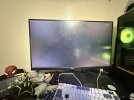
The screen photo provided looks like a reflection of an external light source in the room. It would be very strange for a GPU driver to produce a fixed position spot of light in one place unless that was the intended image. Does your BIOS/UEFI have the ability to serve an image to the screen during boot instead of diagnostics? Usually when a monitor has a GPU driver problem it will either be blank, show a manufacturer warning, show a corrupted display of rainbow pixels, show tearing of what should be on screen into strips.

I have destroyed a monitor running the wrong sync frequency, but that was in the late 1980's using a 3 year old Multisync CRT that didn't have the frequency headroom that I had hoped for. Audible squealing, followed by a pop, then a nasty burning smell. Modern LCD/LED screens have better electronics to safeguard themselves. Overheating a CPU or GPU to meltdown is possible, but I very much doubt that an idling or booting OS would do that without creating noticeable fan noise or automatically shutting down with a BIOS thermal protection setting.
 
Just a FYI for now (as not yet landed):

Found NVIDIA released new Production Branch of drivers 595.58.03 and patch to updating (with introducing new legacy variant -580) ports is under review as review D56077. The (technically) same patch is available via PR 294038, too, for convenience of anyone preferring Bugzilla.

Changes on 595.58.03 can be seen here.

Anyone having old (pre-Turing generation of architectures) GPUs need to switch to newly introduced -580 variants.
/usr/ports/UPDATING would be updated, too, on commit.
(Included in the review.)
 
The last gaming PC that I built for my son had a weird stability problem that he considered to be totally random. He would happily be playing a game sometimes for hours, sometimes only minutes and the PC would freeze or crash.

I had collected the PC from him and decided to run some burn-in tests overnight, which ran just fine. I had the PC on a desk in a glass conservatory. At dawn, I went down to check on the machine and it was still running the intensive GPU test well. As the sun came up, the temperature in my conservatory got warmer. I was web browsing on the PC when the sunlight reached the side of the black PC case. The system crashed. I didn't notice this straight away, but I did the following morning. The brand new PSU had a fault that was thermally triggered. At night time, the PC ran fine, during daytime at weekends it would crash. Sunlight, manifested whatever fault was in the PSU. I swapped the PSU for another and the PC was fixed, no more stability problems. Lesson learned: Brand new kit can be faulty. The fault may only occur when a threshold is reached.
 
Just a FYI for now (as not yet landed):

Found NVIDIA released new Production Branch of drivers 595.58.03 and patch to updating (with introducing new legacy variant -580) ports is under review as review D56077. The (technically) same patch is available via PR 294038, too, for convenience of anyone preferring Bugzilla.

Changes on 595.58.03 can be seen here.

Anyone having old (pre-Turing generation of architectures) GPUs need to switch to newly introduced -580 variants.
/usr/ports/UPDATING would be updated, too, on commit.
(Included in the review.)
This is now committed into main branch of ports tree.

No plan to merge into quarterly branch, 2026Q1, but next quarterly 2026Q2 would be created early April and it should have this, unless reverted with some reason before 2026Q2 branches from main (aka latest) branch.
 
OP, I dont see answers to questions we asked you. Sorry giving up.
Start with,output of:
Code:
cat /etc/os-release
freebsd-version -kru
pciconf -lv
cat /etc/pkg/FreeBSD.conf
kldstat | grep -i nvidia
Then we have a look at xorg setup :)
 
But without desktop i can be bit difficult to answer.
So first
Code:
pkg update -f
pkg upgrade
pkg remove ssdm gdm kdm gdm lightdù
pkg install mate

Put for your regular user:
.xinitrc.
Code:
exec mate-session

run,
startx

In case of problems have a look at :
Code:
cat /var/log/Xorg.0.log

& this should look "more or less"',
Code:
 pkg info | grep drm
drm-66-kmod-6.6.25.1500068_8   Direct Rendering Manager GPU drivers
libdrm-2.4.131,1               Direct Rendering Manager library and headers
nvidia-drm-66-kmod-580.119.02.1500068_2 NVIDIA DRM Kernel Module
nvidia-drm-kmod-580.119.02     NVIDIA DRM Kernel Module
Code:
pkg info | grep nvidia
nvidia-driver-580.119.02_1     NVidia graphics card binary drivers for hardware OpenGL rendering
nvidia-drm-66-kmod-580.119.02.1500068_2 NVIDIA DRM Kernel Module
nvidia-drm-kmod-580.119.02     NVIDIA DRM Kernel Module
nvidia-kmod-580.119.02.1500068_1 kmod part of NVidia graphics card binary drivers for hardware OpenGL rendering
nvidia-settings-580.119.02     Display Control Panel for X NVidia driver

Install if something is missing.


Just use latest drivers for your "blackwell architecture".
 
Back
Top