

Hello,
A few days ago, I came across the need and the curiosity to have a DNS service "filter" running on my personal server and, I came across AdGuardHome, which does a great job in this area... Anyway, the fact is that, it is not possible to run some type of software to run behind ports AdGuardHome or
=> First we will download the executable directly from GitHub:
=> Unzip:
=> We will create the service essentially to run the application whenever your FreeBSD is restarted, in /etc/rc.d
=> Copy and paste the code below to do this:
=> And then, we will give permission and create and mark the service to start with FreeBSD:
=> That done, everything is ready... Now we will run the AdGuardHome executable:
=> The output of the executable will look something like this:
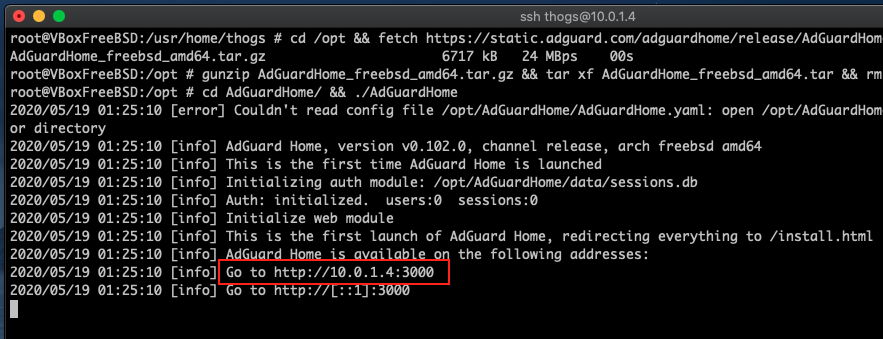
=> Now go to the address that the executable returned to you; in my case it was 10.0.1.4, certainly in your case it will be another address:
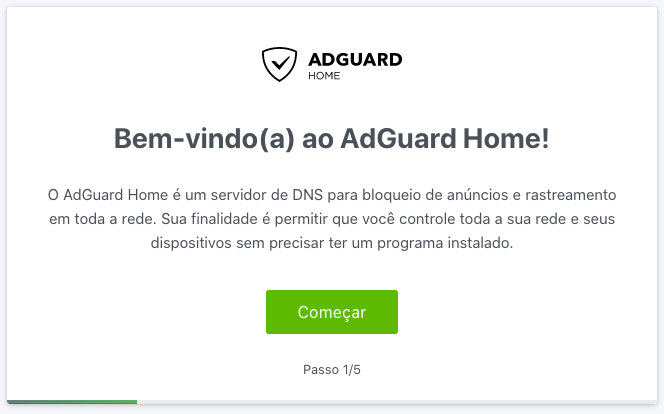
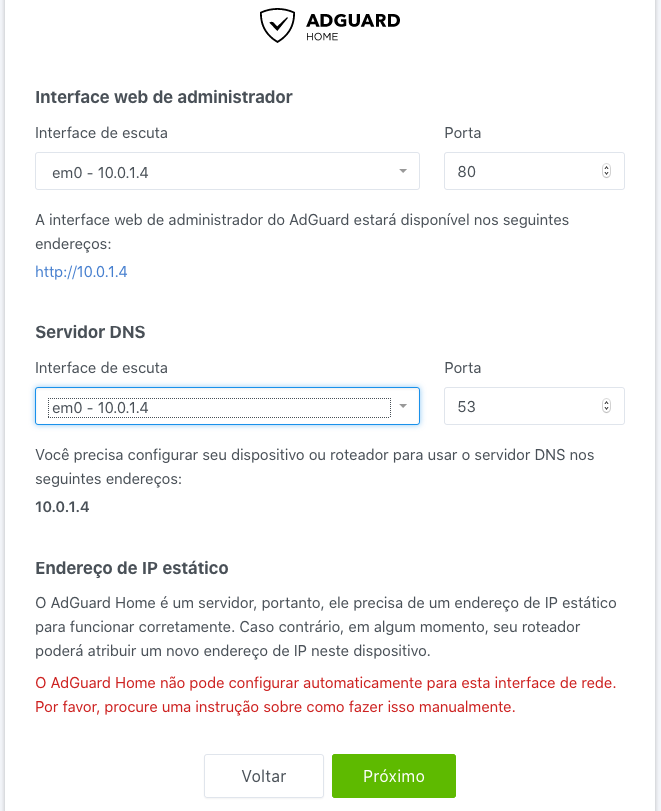
=> Follow the AdGuardHome setup step by step:
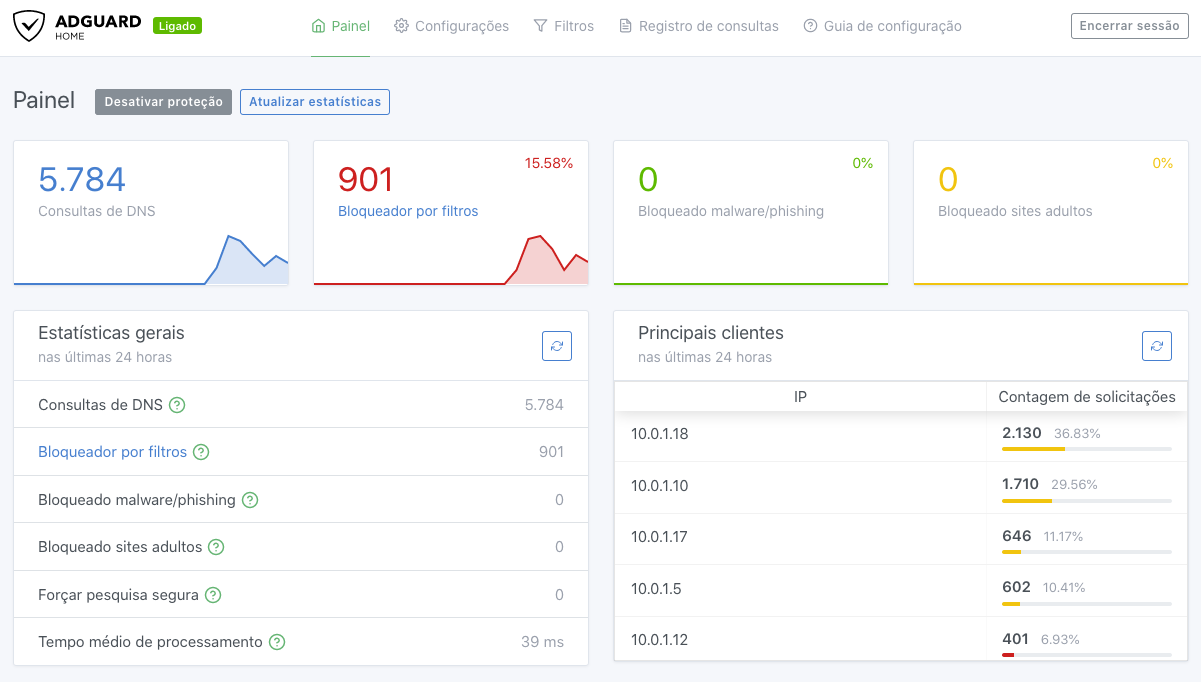
=> Enjoy...
A few days ago, I came across the need and the curiosity to have a DNS service "filter" running on my personal server and, I came across AdGuardHome, which does a great job in this area... Anyway, the fact is that, it is not possible to run some type of software to run behind ports AdGuardHome or
pkg install, so you decide to follow the official registration, however it does not cover 100% or FreeBSD, and this is where we start:=> First we will download the executable directly from GitHub:
cd /opt && fetch https://static.adguard.com/adguardhome/release/AdGuardHome_freebsd_amd64.tar.gz=> Unzip:
gunzip AdGuardHome_freebsd_amd64.tar.gz && tar xf AdGuardHome_freebsd_amd64.tar && rm AdGuardHome_freebsd_amd64.tar=> We will create the service essentially to run the application whenever your FreeBSD is restarted, in /etc/rc.d
vi /etc/rc.d/adguardhome => Copy and paste the code below to do this:
Bash:
#!/bin/sh

. /etc/rc.subr

name="adguardhome"
rcvar="adguardhome_enable"
adguardhome_user="root"
adguardhome_command="/opt/AdGuardHome/AdGuardHome"
pidfile="/var/run/${name}.pid"
command="/usr/sbin/daemon"
command_args="-P ${pidfile} -r -f ${adguardhome_command}"

load_rc_config $name
: ${adguardhome_enable:=no}

run_rc_command "$1"
=> And then, we will give permission and create and mark the service to start with FreeBSD:
chmod +x /etc/rc.d/adguardhome && sysrc adguardhome_enable="YES"=> That done, everything is ready... Now we will run the AdGuardHome executable:
cd AdGuardHome/ && ./AdGuardHome=> The output of the executable will look something like this:
=> Now go to the address that the executable returned to you; in my case it was 10.0.1.4, certainly in your case it will be another address:
=> Follow the AdGuardHome setup step by step:
=> Enjoy...
Last edited:
