$ pkg info jExifToolGUI
jExifToolGUI-2.0.2
Name           : jExifToolGUI
Version        : 2.0.2
Installed on   : Tue May  5 21:23:53 2026 +03
Origin         : graphics/jExifToolGUI
Architecture   : FreeBSD:14:*
Prefix         : /usr/local
Categories     : graphics java
Licenses       : GPLv3+
Maintainer     : nxjoseph@FreeBSD.org
WWW            : https://hvdwolf.github.io/jExifToolGUI/
Comment        : Graphical frontend for ExifTool
Options        :
        DOCS           : on
Annotations    :
        build_timestamp: 2026-05-05T18:15:23+0000
        built_by       : poudriere-git-3.4.6
Flat size      : 19.8MiB
Description    :
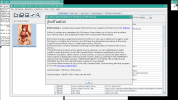
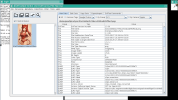
jExifToolGUI is a multi-platform java/Swing graphical frontend
for the excellent command-line ExifTool application by Phil Harvey.

$ pkg info -d jExifToolGUI
jExifToolGUI-2.0.2:
        p5-Image-ExifTool-13.36
        openjdk25-25.0.3+9.f.1
        dcraw-9.28_5



 .
.