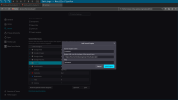
You can add the Freebsd Forums as custom search engine with Firefox

 github.com
1 - open about:config in the Firefox address bar
enter the following text
and set it to true if it isnt already set
2 - open the Firefox setting, search
click the Add button under Search Shortcuts
and fill in the following sections
Search Engine Name:
Freebsd Forums
Engine URL, use %s in place of the search term:
Alias
3 - Open the Address Bar
type
and then press tab
enter you query
that takes you to the search query page press enter
and it will return the results on the Freebsd forum
You can also create search queries that open the different tabs in the Google Search results
Google Web
Search Engine Name:
Google Web
Engine URL, use %s in place of the search term
Alias
Google Images
Search Engine Name
Google Images
Engine URL, use %s in place of the search term
Alias
Google Video
Search Engine Name
Google Video
Engine URL, use %s in place of the search term
Alias
Google Forums
Google search seems to have a new section called forums
you used to get the reddit results in the main section but it looks like they have been moved into the forum tab
Search Engine Name
Google Forums
Engine URL, use %s in place of the search term
Alias
Screen shots


cerberus/google/google-search-engines.org at master · NapoleonWils0n/cerberus
cerberus code library. Contribute to NapoleonWils0n/cerberus development by creating an account on GitHub.
github.com
1 - open about:config in the Firefox address bar
Code:
about:configenter the following text
Code:
browser.urlbar.update2.engineAliasRefreshand set it to true if it isnt already set
2 - open the Firefox setting, search
Code:
about:preferences#searchclick the Add button under Search Shortcuts
and fill in the following sections
Search Engine Name:
Freebsd Forums
Engine URL, use %s in place of the search term:
Code:
https://forums.freebsd.org/search?q=%sAlias
Code:
@freebsd3 - Open the Address Bar
type
Code:
@freebsdenter you query
that takes you to the search query page press enter
and it will return the results on the Freebsd forum
You can also create search queries that open the different tabs in the Google Search results
Google Web
Search Engine Name:
Google Web
Engine URL, use %s in place of the search term
Code:
https://www.google.com/search?q=%s&udm=14Alias
Code:
@webGoogle Images
Search Engine Name
Google Images
Engine URL, use %s in place of the search term
Code:
https://www.google.com/search?q=%s&udm=2Alias
Code:
@imagesGoogle Video
Search Engine Name
Google Video
Engine URL, use %s in place of the search term
Code:
https://www.google.com/search?q=%s&udm=7Alias
Code:
@videoGoogle Forums
Google search seems to have a new section called forums
you used to get the reddit results in the main section but it looks like they have been moved into the forum tab
Search Engine Name
Google Forums
Engine URL, use %s in place of the search term
Code:
https://www.google.com/search?q=%s&udm=18Alias
Code:
@forumsScreen shots