Does Atheros wireless card support bridge?

I have two Atheros wireless NICs using ar9223 and I just try to set[]up a small network between three computers. I use these two wireless NICs in "ad hoc" mode on two computers and another computer is connected to one of them just by cable. I also bridge the wireless interface and wired interface on the middle PC. All IPs were set as static IP.

It's like this:
Code:
(PC1 wlan0 192.168.4.1/24) <---->(192.168.4.2/24 wlan0    PC2     em0 192.168.6.1/24)<-------->(192.168.6.2/24 em0 PC3)
                                                                                bridge0 192.168.2.1/24
I thought this should work without a problem, but I cannot ping from PC1 to PC3. After adding a route to the table ping works fine between PC1 and PC2 also fine between PC3 and PC2, but just fails between PC1 and PC3.
That means on PC1 I could ping 192.168.4.2 and 192.168.2.1 also 192.168.6.1 but not 192.168.6.2 and on PC3 I can ping 192.168.6.1 and 192.168.2.1 also 192.168.4.2 but not 192.168.4.1.

After a search in the forums I found that it was said not all wireless NICs support bridge mode; does this include Atheros wireless NICs? If Atheros wireless NICs do not support bridge, is there some other way to set up such a network? Do I need a router all run DHCP with NAT on PC2? [ what? -- Mod ]

It would be greatly appreciated it if someone could offer some help!!!
 
You have to enable IP forwarding on the PC2, because your endpoints are not in the same network segment (see IP adresses and masks), however there is no need for the NAT or DHCP, forwarding with routes set is enough. Now you are in situation like when you have two PCs connected to one switch, one with the 192.168.1.1/24 address and the other one with the 192.168.100.1/24 for example. As far as the mask is /24, you must have the x.x.x.- part of the address same on all hosts which should be in one network - ethernet segment.

Aside your current problem - there is problem with wireless bridges, because in default setting wireless cards sends frames with its own MAC. You may solve it using WDS mode for example, but this is not what prevents PC1 from reaching PC3 in your current setup.
 
And finally to get a hattrick and reply to your first question - all Atheros cards which I worked with (hundreds) supported WDS mode without glitch, but I have experience only with the PCI/PCIe models. On the other hand, I don't see any reason why this can't be generalized to USB models also. I didn't check which model is your card.
 
ondra_knezour said:
And regards to the IP forwarding see section 30.2.2. Configuring a Router with Static Routes in the Handbook.

You want to exec sysctl net.inet.ip.forwarding=1 as root to enable it right now and/or add gateway_enable="YES" to the /etc/rc.conf to make this change persistent.

Thanks for your reply first!!! But after I enable IP forwarding it still does not work :( I also tried to set all the interfaces in one subnet,[]but by doing this, I can not even ping between two wlan0 interfaces. Am I still missing something important?
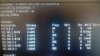
I add my configuration on PC1 and PC2 as attachments.
 

Attachments

  • PC2.jpg
    PC2.jpg
    237.8 KB · Views: 491
  • PC1.png
    PC1.png
    72.5 KB · Views: 656
Looks a little complicated to me, especially all the addresses on the lo0 interface. Show us your /etc/rc.conf.

What should work:
  • destroy the bridge
  • configure and connect the wireless interface, you should be able to ping those two computers (PC2 and the wiless connected one)
  • configure the wired interface, ping should work between PC2 and the last one computer
And now needed magic - enable forwarding on PC2, set routes on both "end" computers and you should be able to ping between them. If not, add output of ifconfig and netstat -r from all three computers.
 
ondra_knezour said:
Looks a little complicated to me, especially all the addresses on the lo0 interface. Show us your /etc/rc.conf.

What should work:
  • destroy the bridge
  • configure and connect the wireless interface, you should be able to ping those two computers (PC2 and the wiless connected one)
  • configure the wired interface, ping should work between PC2 and the last one computer
And now needed magic - enable forwarding on PC2, set routes on both "end" computers and you should be able to ping between them. If not, add output of ifconfig and netstat -r from all three computers.

After reading your post, I have figured out where the problems happened :) I just added a route of 192.168.4.0/24 on PC3 but did not set its gateway. After setting the gateway of 192.168.4.0/24 as 192.168.6.1 on PC2, it works fine!!!

Thanks again for your help!!!
 
Back
Top