Cheap laptop recommendation

I'd like to get a new laptop that will run FreeBSD as a daily driver. I've heard Lenovo thinkpads are good for this but are there any models in particular I should go for?

I don't want to spend a fortune so please don't recommend anything over £500 if possible.
 
Get a used one.
As long as you don't want high end graphics support - "gaming laptop", for which FreeBSD wasn't the best choice, or need a large full power CPU for lots of large compiling jobs, which IMO ain't no laptop for anyway, a good, solid used one will do the job, saves you a lot of money, and is more probable to be supported than any brand new hardware (see the according sites for which HW is supported.)
You may exchange the drive(s), add some more RAM, or need to exchange the WLAN module (~twenty bucks), but anyway it was worth a thought.
 
If you plan it right (end of financial year), you can get some really cheap ex-business surplus Lenovo/HP/Dell laptops.

Following on from cracauer@ 's recommendation, I agree, my regular goto has one going very cheap (£168).

(If you can get hold of two of the same model, through cannabalisation of parts, you can probably get half a century out of it (minus the battery)).
I've just bought it. It's normally batteries and chargers that go first on most laptops I've had. I think the first thing I'll do is invest in a spare.

Thanks for the recommendation. 👍

I've installed BSDs on a few machines over the years with varying success. I've always used whatever was going spare, which probably wasn't the best idea but I've always learned something from the experience and came out better for it.

I think it will be nice this time to have something that I know will just work ☺️👌
 
I like the thinkpad X220... it will take 16GB RAM and two ssds (one sata, one msata). It's not 'new', though... you're stuck with an older version of intel graphics and there's no retina screen. But it's got the nice classic thinkpad keyboard and it can all be dismantled and repaired quite easily. It runs freebsd pretty well.
 
I like the thinkpad X220... it will take 16GB RAM and two ssds (one sata, one msata). It's not 'new', though... you're stuck with an older version of intel graphics and there's no retina screen. But it's got the nice classic thinkpad keyboard and it can all be dismantled and repaired quite easily. It runs freebsd pretty well.

Not to mention the excellent keyboard.
 
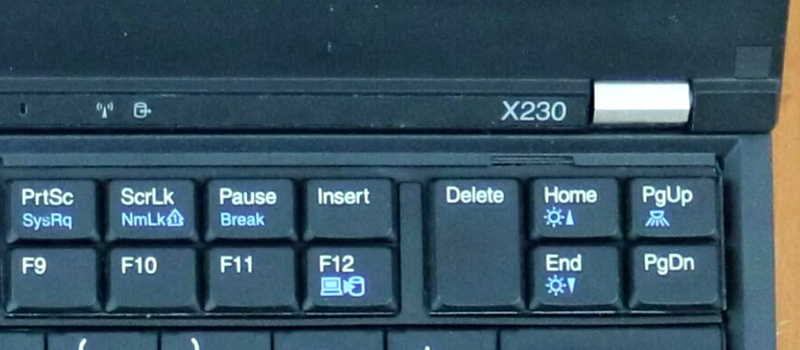
According to wikipedia, someone managed to shoehorn an X220 keyboard into an X230... there's a video on this page. It sounds like he had to work for it though...
 
Last edited:
I've got a couple of the modern pattern thinkpads... not a T14, but I've got a T490 and an X1, one of the early ones. You get better processors and better screen, of course. But the keyboard is crappier, and I'm not a fan of internal batteries. I much prefer the old style, they were much better made and more servicable. Meh... ya can't win. At least the new ones aren't 'macbook air bad'. I guess I'd better not knock Apple too much, they are probably a big sponsor of freebsd. If John Ternus is reading this, what you guys have done with the M1 series of processors is a suberb piece of work, but please just give me a laptop with a decent keyboard like the old ones you used to make, and not the wafer-thin 'zero travel' things you've been making for the last few years! 😂

I still think it was a huge mistake of ibm to sell the thinkpad business to lenovo. They had such fantastic brand recognition from having their laptops in every company boardroom in the world. But apparantly their shares have been going up recently, so what do I know?
 
Last edited:
The X201 is another older thinkpad that also works well with freebsd. That is the immediate predecessor of the X220. It's pretty similar, the main limitation is you can only put a max of 8GB ram in the X201, and only a single sata drive, there's no msata slot. Apart from that, they are very similar machines. X201's tend to go quite a bit cheaper than X220's too.

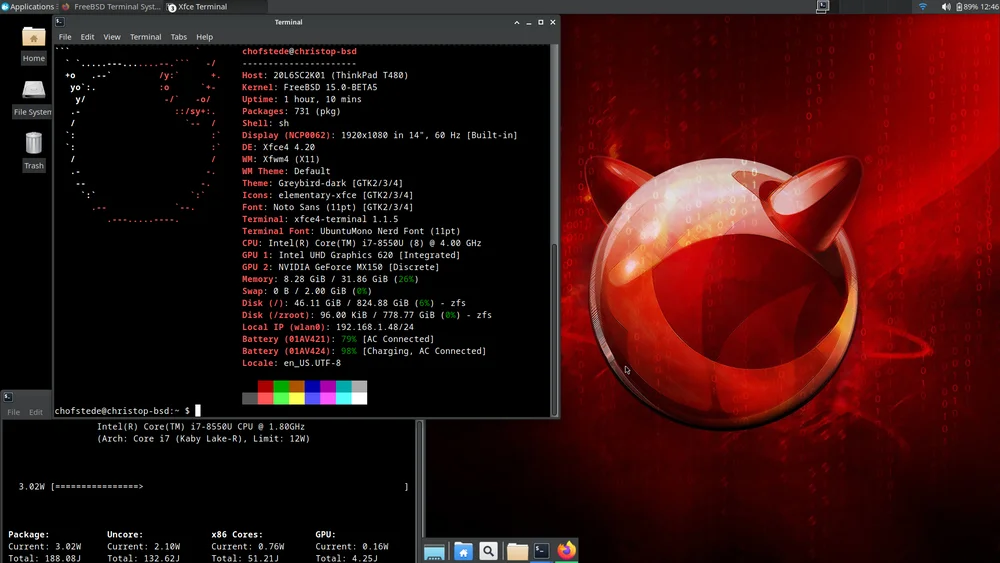
And the T480 is a (slightly) more modern thinkpad that has got some good reviews for running freebsd. There's a nice page here about running FreeBSD 15.0 on the T480.
 
I remembered this good series of videos about the X200/201/220. She describes running linux, but the videos are equally valid for running freebsd. She takes you through a full description of the hardware and all the upgrade options that can be applied, it's a pretty good introduction if you are not familiar with these machines. She is talking about the X201 here, but almost everything she says also applies to the X200 and X220. Well worth watching before buying one. I don't recommend playing the shower on the keyboard though, although it should survive such treatment.

View: https://www.youtube.com/watch?v=iG1Dhfupk8g

View: https://www.youtube.com/watch?v=ZVa9Vevs0o8

View: https://www.youtube.com/watch?v=5zmOs0LARis

And if you have an X220... this video shows you how to install an msata SSD in it, to get two SSD's in the laptop. I currently have 2TB storage in mine a 1TB ssd in the sata socket and a second 1 TB in the msata connector. So you can put quite a lot of storage in the X220, which can be pretty useful. Both drives are accessible under freebsd 14.4-release, of course.

View: https://www.youtube.com/watch?v=FVJx2iLgrAE

These videos all demonstrate one of the big attractions of older thinkpads, namely the ease with which they can be dismantled, upgraded, repaired, etc. The modern 'new pattern' thinkpads are sadly not as accessible to the user; you can still do some work on them, but not to the same extent as the older model series. The X220 is really the last of the 'old pattern' thinkpads (with the high quality keyboard) that is readily available at reasonable prices. Lenovo have released a couple of more recent 'specials' with the old-style keyboard, but they are hard to find and rather expensive.
 
I guess in fairness there are a few downsides to using older machines like the X200-220. You may not be able to get the latest high-speed wifi adapters to work, so you're stuck with slower wifi speeds; although you do have gigabit cable ethernet, I find that works very well with freebsd. The intel integrated graphics does not have hardware acceleration for some of the more recent video codecs; this is not the machine to use to try to watch 4K@60Hz youtube videos. It won't support 4K monitors anyway, this generation has DisplayPort 1.1, so you can do things like 1920 x 1080 @ 120 Hz and 2560 x 1600 @ 60 Hz; but the cpu is probably going to struggle to keep up with playing 2K videos full-screen, because of the lack of codec hardware accel. Similarly the CPU lacks some of the instructions for hardware encryption acceleration, so think https websites load times being a bit slower, or chewing up more cpu cycles than on more recent cpus. The maximum of 8GB RAM in the X200/201 or 16GB in the X220 is a real limitation for a lot of modern applications (which just tells me how inefficient modern software is). And it doesn't have some of the ports you might want to use that are common nowadays, especially hdmi and usb-c, although of course you can always get adapters. You won't get a retina screen on one of these either; the built-in LCD resolution is 1366x768, at the old standard 0.27mm dot pitch; the hidden upside of which is that it plays nicely with all your old X11 bitmapped fonts, you don't need hi-DPI support. :-) The IPS panel is nice-to-have if you can find one with it installed, but personally I don't find the base model TN panel too bad, it's perfectly usable for most things. And you have an excellent keyboard (not to mention the trackpoint), which touch typists will definitely appreciate.

One other little warning about the X220 in particular, is they seem to have become very popular in the last year or two, I think they have become popular amongst people running linux too, which means the asking prices on sites like ebay have been getting a bit steep recently. If you can spot one for a good price go for it, but I wouldn't pay too much. FWIW I paid 78 GBP for the most recent one I bought (actually in march this year), which came with an i5 and 16GB RAM, however, most sellers seem to be asking a bit more than that. It's always worth paying a bit more to get one in mint condition of course, but it's not worth paying silly money.
 
I must look into getting hold of one of the AMD T14 thinkpads... I noticed a few people on this forum have said they are good, I seem to remember Mr Vermaden suggested that model as well, which is another good recommendation. For some reason AMD processor thinkpads don't seem to turn up very often in the UK, they all seem to be intel machines here, but I guess it's just what is on the market.
 
One bit of advice for old laptops is to buy a cheap 3rd party asian battery clone whilst they are cheap.

No battery lasts decades but a 3rd party one has the circuitry bypass that you can replace the cells yourself. The DRM(?) on the official Lenovo batteries prevent you from doing any DIY on the battery.

Admittedly times are currently good again for the 3rd party X61 batteries. But about 2 years ago the cheapest battery you could buy was around £80.
 
Very good point. I will order one this afternoon. Another part worth getting a spare of is the fan, if you're thinking of keeping the machine running in the longer term; they are also pretty cheap at the moment.
 
Back
Top