Hello, first of all, I'm French. New on FreeBSD.
My issue is: I can't connect to the wifi network.
According to the command I did
What I did :
I added
in /etc/rc.conf
I added in /boot/loader.conf
I added in /etc/wpa_supplicant.conf
I did
Nothing! I did reboot, nothing! no connection to wifi.
The wlan0 status is still "no carrier"
Someone can help me? thanks in advance.
My issue is: I can't connect to the wifi network.
According to the command I did
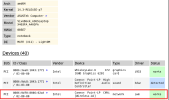
hw-probe -all -upload my wireless chipset works on FreeBSD.What I did :
ifconfig returns:
Code:
wlan0: flags=8843<UP,BROADCAST,RUNNING,SIMPLEX,MULTICAST> metric 0 mtu 1500
    options=0
    ether 98:2c:bc:9c:92:9e
    groups: wlan
    ssid "" channel 1 (2412 MHz 11g)
    regdomain FCC country US authmode WPA1+WPA2/802.11i privacy ON
    deftxkey UNDEF txpower 30 bmiss 10 scanvalid 60 protmode CTS wme
    roaming MANUAL
    parent interface: iwm0
    media: IEEE 802.11 Wireless Ethernet autoselect (autoselect)
    status: no carrier
    nd6 options=29<PERFORMNUD,IFDISABLED,AUTO_LINKLOCAL>
sysctl -n net.wlan.devices returns: iwm0 ifconfig wlan0 up list scan returns: my router Livebox-8B60 is visible.I added
Code:
wlans_iwm0="wlan0"
ifconfig_wlan0="WPA DHCPI added in /boot/loader.conf
Code:
if_iwm0_load=YES"
wlan_wep_load="YES"
wlan_ccmp_load="YES"
wlan_tklp_load="YES"
I added in /etc/wpa_supplicant.conf
Code:
network={
ssid="Livebox-8B60"
bssid=50:6f:0c:63:8b:60
key_mgmt=WPA-PSK
proto=RSN
psk="my password here"
}
I did
service netif restartNothing! I did reboot, nothing! no connection to wifi.
The wlan0 status is still "no carrier"
Someone can help me? thanks in advance.