

Hi all,
the title basically says it. My server does not boot when my two USB drives are connected.
The hardware is a HP ProLiant Microserver N36L with 8GB RAM, 1 SSD, 5 WD20EARX internal and two external 1TB 2.5" drives. Root is on ZFS on the SSD, the WDs form a storage pool, the two externals also. My kernel was built using an unmodified GENERIC config.
When I connect the drives right after the BTX Loader does its thing, the system boots just fine, the three pools get mounted, etc. The USB drives do get recognized in the BIOS, however the USB Boot priority is set to low, meaning it tries to boot the hard drives first. Also, the SSD is configured as the only valid hard drive to boot from in the BIOS.
Here's what the output of BTX Loader looks like at first:
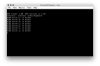
All drives recognized, everything looking good. Then all of a sudden the output of BTX Loader gets messed up and everything hangs:
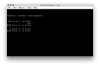
At that point my only option is to disconnect the drives, reboot and boot past BTX Loader without them.
I did search for a solution, but the only thing I could turn up was to set hw.usb.no_boot_wait="1" in /boot/loader.conf. This did unfortunately not help.
After successfully booting with disconnected drives again, I verified the option was set with
Right now I'm out of ideas (besides the obvious one of leaving the external drives disconnected) and would be grateful for any pointers in the right direction.
the title basically says it. My server does not boot when my two USB drives are connected.
The hardware is a HP ProLiant Microserver N36L with 8GB RAM, 1 SSD, 5 WD20EARX internal and two external 1TB 2.5" drives. Root is on ZFS on the SSD, the WDs form a storage pool, the two externals also. My kernel was built using an unmodified GENERIC config.
Code:
joe@phobos:~ % uname -a
FreeBSD phobos.nada-net.local 10.2-STABLE FreeBSD 10.2-STABLE #1 r291337: Tue Dec  1 07:49:02 CET 2015  joe@phobos.nada-net.local:/usr/obj/usr/src/sys/GENERIC  amd64
When I connect the drives right after the BTX Loader does its thing, the system boots just fine, the three pools get mounted, etc. The USB drives do get recognized in the BIOS, however the USB Boot priority is set to low, meaning it tries to boot the hard drives first. Also, the SSD is configured as the only valid hard drive to boot from in the BIOS.
Here's what the output of BTX Loader looks like at first:
All drives recognized, everything looking good. Then all of a sudden the output of BTX Loader gets messed up and everything hangs:
At that point my only option is to disconnect the drives, reboot and boot past BTX Loader without them.
I did search for a solution, but the only thing I could turn up was to set hw.usb.no_boot_wait="1" in /boot/loader.conf. This did unfortunately not help.
After successfully booting with disconnected drives again, I verified the option was set with
sysctl hw.usb.no_boot_waitRight now I'm out of ideas (besides the obvious one of leaving the external drives disconnected) and would be grateful for any pointers in the right direction.