Backspace problems under FreeBSD

Emacs seems to have a problem with BACKSPACE, at least in my installation. Do other programs also generate C-h when hitting BACKSPACE and is there a generally accepted solution since I've come across several.
 
Emacs seems to have a problem with BACKSPACE
What's the problem? The fact that it generates a C-h? Which starts the Emacs help system instead of deleting a character?
Do other programs also generate C-h when hitting BACKSPACE?
Yes, because C-h generates an ASCII control character with a value of decimal 8 called BS (BACKSPACE). However, Emacs overrides this by using C-h as a keybinding to access the help system using the letter 'h' as a mnemonic for help. To return the BACKSPACE key to it's original functionality of deleting characters rather than starting the help system follow one of the instructions in the following link.
Is there a generally accepted solution?
Well, that depends on what you want to happen. In Emacs My BACKSPACE key performs a DEL operation and C-h brings up the help system, which works for me. I'm using vanilla Emacs and don't seem to have changed this setting explicitly, so I'm assuming that it's the default. If you're using Doom Emacs then you may need to set or override a setting somewhere.
 
Emacs seems to have a problem with BACKSPACE, at least in my installation. Do other programs also generate C-h when hitting BACKSPACE and is there a generally accepted solution since I've come across several.

Are you talking about Emacs in a terminal (curses) or Emacs' own X11 mode?
 
I think using Ctrl-H (also known as ^H) to anything other than BS is abuse.
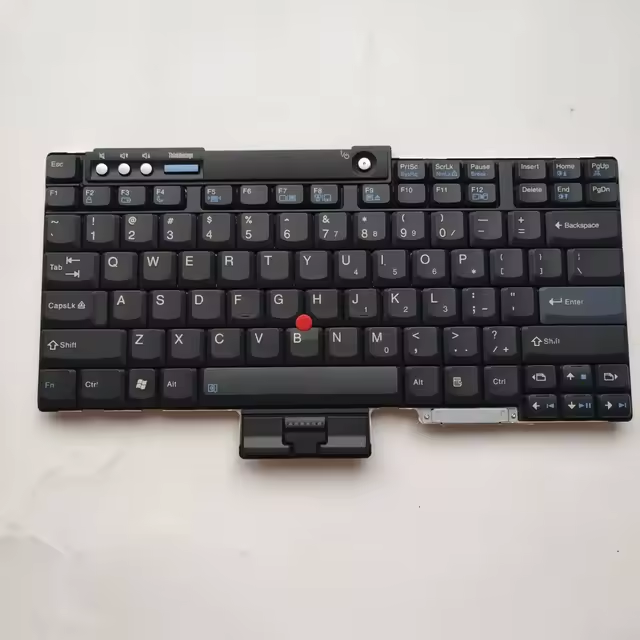
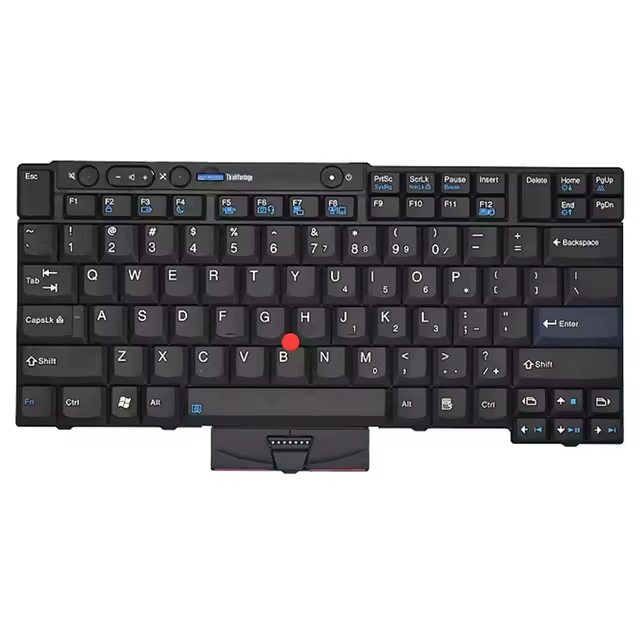
I suspect balanga is talking about the [backspace] key on the right of the [+] key.

What does "stty all" report for erase? If you want ^?, try "stty erase ^?". If you want ^H, try "stty ^H". Put whichever you want in your .zlogin (if running zsh, equivalent in other shells).
 
Yes I'm talking about the key on the right of the [+] key.

But I'm no really sure what you are suggesting.

root@W520:~ $ stty all
speed 9600 baud; 64 rows; 266 columns;
lflags: icanon isig iexten echo echoe -echok echoke -echonl echoctl
-echoprt -altwerase -noflsh -tostop -flusho -pendin -nokerninfo
-extproc
iflags: -istrip icrnl -inlcr -igncr ixon -ixoff ixany imaxbel -ignbrk
brkint -inpck -ignpar -parmrk iutf8
oflags: opost onlcr -ocrnl tab0 -onocr -onlret
cflags: cread cs8 -parenb -parodd hupcl -clocal -cstopb -crtscts -dsrflow
-dtrflow -mdmbuf rtsdtr
discard dsusp eof eol eol2 erase erase2 intr kill
^O ^Y ^D <undef> <undef> ^? ^H ^C ^U
lnext min quit reprint start status stop susp time
^V 1 ^\ ^R ^Q ^T ^S ^Z 0
werase
^W

Do mean something in ~/.profile?


Do I need to make this change in my ~/.shrc and have no idea what it's for

# Fix home/del for mobaxterm
bind ^[[5~ ed-move-to-beg
bind ^[[6~ ed-move-to-end


Other solutions I have come across talk about making changes within emacs's configuration files or within .Xresources.
 
I see that you have erase (backspace) key set to ^? (ctrl-?). Add this in your ~/.profile "stty erase ^H" so that the next time you login it will be set to ^H. For your current shell run "stty erase ^H". I don't use emacs so can't help with it.
 
I suspect balanga is talking about the [backspace] key on the right of the [+] key.

What does "stty all" report for erase? If you want ^?, try "stty erase ^?". If you want ^H, try "stty ^H". Put whichever you want in your .zlogin (if running zsh, equivalent in other shells).

root@W520:~ # stty all
speed 9600 baud; 63 rows; 265 columns;
lflags: icanon isig iexten echo echoe -echok echoke -echonl echoctl
-echoprt -altwerase -noflsh -tostop -flusho -pendin -nokerninfo
-extproc
iflags: -istrip icrnl -inlcr -igncr ixon -ixoff ixany imaxbel -ignbrk
brkint -inpck -ignpar -parmrk iutf8
oflags: opost onlcr -ocrnl tab0 -onocr -onlret
cflags: cread cs8 -parenb -parodd hupcl -clocal -cstopb -crtscts -dsrflow
-dtrflow -mdmbuf rtsdtr
discard dsusp eof eol eol2 erase erase2 intr kill
^O ^Y ^D <undef> <undef> ^? ^H ^C ^U
lnext min quit reprint start status stop susp time
^V 1 ^\ ^R ^Q ^T ^S ^Z 0
werase
^W


This is just too confusing for me.

In other places I'm told

"\e[3~": delete-char
"\C-h": backward-delete-char

I guess 'backward delete char' refers to the backspace key.

In emacs C-h brings up the help screen.

 
What's the problem? The fact that it generates a C-h? Which starts the Emacs help system instead of deleting a character?

Yes, because C-h generates an ASCII control character with a value of decimal 8 called BS (BACKSPACE). However, Emacs overrides this by using C-h as a keybinding to access the help system using the letter 'h' as a mnemonic for help. To return the BACKSPACE key to it's original functionality of deleting characters rather than starting the help system follow one of the instructions in the following link.

Well, that depends on what you want to happen. In Emacs My BACKSPACE key performs a DEL operation and C-h brings up the help system, which works for me. I'm using vanilla Emacs and don't seem to have changed this setting explicitly, so I'm assuming that it's the default. If you're using Doom Emacs then you may need to set or override a setting somewhere.
I have a DELETE key which perfoms a DEL operation.

I want the BACKSPACE key to move the cursor one space to the left and delete the character under the cursor the same way it works in virtually every other program.
 
I want the BACKSPACE key to move the cursor one space to the left and delete the character under the cursor
Try adding (normal-erase-is-backspace-mode 1) to your init.el file and then restart Emacs. Doing this means that you may lose the ability to use the C-h key sequence to bring up the Emacs help system. If so, you can always rebind the help system to another key sequence like C-x h instead.
 
Back
Top