
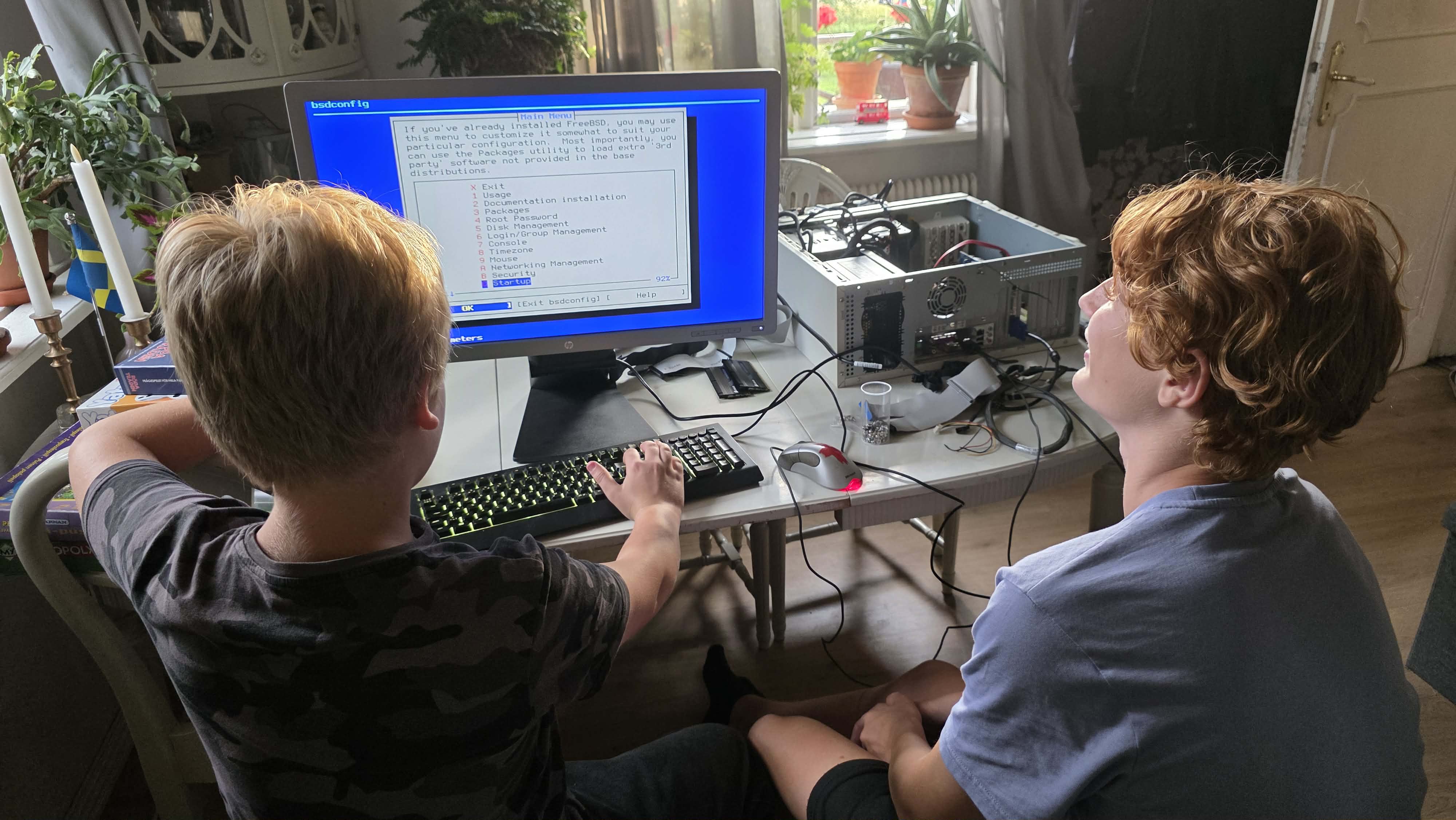
A challenge for the kids - they actually installed FreeBSD from a USB stick!!

I gave my 11 year old kid and his 11 year old cousin a challenge.

If they could put togheter an old PC made of some old hardware, without asking me any questions AT ALL, they would get a pizza each, from the towns best makers of pizza.
I know they used Google and AI, and they were allowed to.

And if they could install a OS too, they would get a BIG Coke, otherwise water 😈

I handed over a USB stick with FreeBSD 15.1, and whised them good luck!!
(I had Win 11 CDs too if thet failed)

And yes! They did it, to my suprise!!
They only had problems with the I/O shield (the snap).

Why? They only play games all the time.
I know my kid whatches this Linus Tech channel on YouTube, but I'm suprised anyway!!

They are so full of knowledge nowdays, from all the information on Internet.
We always needed to ask gurus by calling them on the phone, and by reading books!

It took them 3 hours!
Time changes!

3312aabe-ac29-4cdc-abdc-df95ca054b14.jpeg
 
I gave my 11 year old kid and his 11 year old cousin a challenge.

If they could put togheter an old PC made of some old hardware, without asking me any questions AT ALL, they would get a pizza each, from the towns best makers of pizza.
I know they used Google and AI, and they were allowed to.

And if they could install a OS too, they would get a BIG Coke, otherwise water 😈

I handed over a USB stick with FreeBSD 15.1, and whised them good luck!!
(I had Win 11 CDs too if thet failed)

And yes! They did it, to my suprise!!
They only had problems with the I/O shield (the snap).

Why? They only play games all the time.
I know my kid whatches this Linus Tech channel on YouTube, but I'm suprised anyway!!

They are so full of knowledge nowdays, from all the information on Internet.
We always needed to ask gurus by calling them on the phone, and by reading books!

It took them 3 hours!
Time changes!


View attachment 26852
Well done, lads. 😁 :beer: That looks like quite a good case and power supply. And voltage selectable case fans. Nice. Is it running from a hard drive or an SSD? If it doesn't have an SSD, you'll get a big performance increase from replacing the HDD with an SSD.

For homework, install sysutils/stress, and run some stress tests on the machine to check for stability. If it doesn't stay up, experiment with better types of heatsink paste (eg arctic silver, etc) and check your BIOS settings.

Monitor cpu temperature as described here https://blog.hofstede.it/simple-temperature-monitoring-on-freebsd/ , and make sure that it doesn't go up above 80C, and preferably stays below that under full load, if you can get it down to 70C you are doing well.

And another essential test is to make sure it runs memtest86 clean. Download the latest version from https://www.memtest86.com/ , boot the PC from it and run the "fast memory test" to check your DRAM is all working correctly.

Remember the golden rule of PC's - "stability is everything". :-)
 
Remember the golden rule of PC's - "stability is everything". :-)
Your tips might be something for lesson number two, next time his cousin is here gaming 😊
I saw there was a port for a Minecraft server, that could be a challenge for them too.
 
Still impressively fast for a first time.
True, we shouldn't underestimate the small people 🙃
There was a big confusion with DDR2 and DDR3 modules too, that took them some time.
The old motherboard uses DDR2, and I handed over a few DDR3s 🫣
 
my sons are 13 and 9. I bought them laptops and installed FreeBSD, I have nothing against Windows, but they are only interested in games, which are already so many on the phone. so FreeCAD, godot ... The games are also installed, but I always ask them to learn the system, CAD ... I envy them, they have everything, but we didn't have the Internet, and my brother and I studied from the help manual
 
I/O shield like a mainboard extension board with all ports on it? I don't remember using any. What was the problem with it?

The I/O shield is the thin piece of metal that goes between the motherboard and the case. I find them a bit of a pain; there are rows of clips that are intended to make contact with sides of the various sockets and they are easily pushed through.

The worst part IMO is fitting that little block of tiny separate connectors for power-on, reset and LEDs.
 
The I/O shield is the thin piece of metal that goes between the motherboard and the case. I find them a bit of a pain; there are rows of clips that are intended to make contact with sides of the various sockets and they are easily pushed through.

The worst part IMO is fitting that little block of tiny separate connectors for power-on, reset and LEDs.
That chrome piece only? I usually threw them away because it never fits well and it's sharp. It changes the airflow a bit but who cares?
I thought it was like these brand-owned not real PCI cards with I/O ports on it that Compaq and Packard Bell used.
 
this is absurdly impressive, it definitely is the kind of stuff i'd want my kid to do if i'm finally able to have one as it's a much-needed skill

shoutout to your kids man
 
Back
Top