Upgrading from 14.4 to 15 causes breakage

Hi I was told that freebsd is currently at version 15. I had my server at version 14.3. So, decided to upgrade to 14.4 and everything went fine.
I rebooted and did the final freebsd-update instlall command. It worked perfectly. I then upgraded from 14.4 to 15. Everything went fine until I had to reboot and run freebsd-update install. At this point after the reboot the OS didn't boot into the gnome Gui. It instead boot into the console.
I logged in as root. I did the freebsd-update install and it gave many errors that it cannot connect to various urls and mirrors. I did ifconfig checked my nics are still up and it's static ip assaigned. I cannot pinpoint but I see in the console a bunch of messages like libutil.so is missing and crypto.so.111 is missing. I try running pkg and it says libutil.so is missing and fails.

So, pretty much I have a broken system. I ask what I can do to fix this? what can I check to figure out why the internet isn't working?
I had a working system so the config setup worked before all this or many years. I assume the network software is broken like missing files.
I want to know if there's a way to download like pkg and it's dependencies on a windows machine and then use usb to install it on freebsd?

If this is possible how can I do this. I need pkg to be up and running. I also need to know what software is needed to get the OS to get internet?
is there any comments or logs I can check to see if it's complaining about missing files. just need to know what files to download from the internet
to fix such issues on my freebsd where I can manually install the pkg and the internet/ networking software so I can get back online and have pkg reinstall software to the latest versions.

I can boot into freebsd into the console. Normally it automatically books into a gnome GUI interface but that is no longer doing it.
Got any ideas?

Thank you for your time.
 
pkg needed to be bootstrapped again (at least) on major version upgrades.

I'm not using freebsd-update(8) nor pkgbase based upgrades (performing src upgrades), so not sure the bootstrapping is done as one of the phases of upgrades, if it's the case, try
pkg bootstrap -f
(if it hesitates to run, pkg-static bootstrap -f or pkg-static install -f pkg), then, upgrade all pkgs installed. (Dry run with option -n before actual run is recommended to avoid unintended deletions.)

If pkg want to delete a plenty of pkgs installed (as of absense of dependencies that are [in many cases] still on rebuilds by build clusters), hold on upgrades and try installing misc/compat13x pkg (it contains libcrypto.so.111). Possibly misc/compat14x is needed, too.
 
There is an entire thread about this issue, I put the link here just in case but it's mostly what T-Aoki said in his message above.
 
Hi I was told that freebsd is currently at version 15. I had my server at version 14.3. So, decided to upgrade to 14.4 and everything went fine.
I rebooted and did the final freebsd-update instlall command. It worked perfectly. I then upgraded from 14.4 to 15. Everything went fine until I had to reboot and run freebsd-update install. At this point after the reboot the OS didn't boot into the gnome Gui. It instead boot into the console.
Could you clarify - "I then upgraded from 14.4 to 15"? Was it 15.0 or 15.1 . FreeBSD documentations says, that upgrade is allowed in chronological order [1]. You cannot upgrade to 15.0, it is "previous" version. I will not go into details about it. Just clarify your information to be more exact in next actions.

[1] https://docs.freebsd.org/en/books/handbook/cutting-edge/#_upgrade_paths
 
Could you clarify - "I then upgraded from 14.4 to 15"? Was it 15.0 or 15.1 . FreeBSD documentations says, that upgrade is allowed in chronological order [1]. You cannot upgrade to 15.0, it is "previous" version. I will not go into details about it. Just clarify your information to be more exact in next actions.

[1] https://docs.freebsd.org/en/books/handbook/cutting-edge/#_upgrade_paths
It don't follow this, if you start from 14.4, both 15.0 and 15.1 are in chronological order and are fine. I'm not seeing anything to suggest that the OP went 14.4 ->15.1->15.0.
 
It don't follow this, if you start from 14.4, both 15.0 and 15.1 are in chronological order and are fine. I'm not seeing anything to suggest that the OP went 14.4 ->15.1->15.0.
15.0 is not in chronological order from 14.4 . 14.4R was released later and have features (from CURRENT-16 -> STABLE-14 -> releng/14.4), that are not in 15.0R, and these features could be incompatible with 15.0R. It is the result of the development model of FreeBSD. And it is documented.

For example, ZFS is updated in the system. It is included in all releases in chronological order. If you try to upgrade from 14.4R to 15.0R (in opposite direction) your file system could have unsupported features under 15.0. It is just example to illustrate the order.

Advise to topic started - restore from backup or boot environment and choose correct new OS version.
 
Could you clarify - "I then upgraded from 14.4 to 15"? Was it 15.0 or 15.1 . FreeBSD documentations says, that upgrade is allowed in chronological order [1]. You cannot upgrade to 15.0, it is "previous" version. I will not go into details about it. Just clarify your information to be more exact in next actions.

[1] https://docs.freebsd.org/en/books/handbook/cutting-edge/#_upgrade_paths
I said 15 meaning 15.0. I used the commands freebsd-update -r 15.0-RELEAE upgrade. I upgraded from 14.3 to 14.4 and everything was ok and yes I updated the pkg ran pkd update && pkg upgrade after. All that went fine. I did a reboot and then did the same going from 14.4 to 15.0.
 
15.0 is not in chronological order from 14.4 . 14.4R was released later and have features (from CURRENT-16 -> STABLE-14 -> releng/14.4), that are not in 15.0R, and these features could be incompatible with 15.0R. It is the result of the development model of FreeBSD. And it is documented.

For example, ZFS is updated in the system. It is included in all releases in chronological order. If you try to upgrade from 14.4R to 15.0R (in opposite direction) your file system could have unsupported features under 15.0. It is just example to illustrate the order.

Advise to topic started - restore from backup or boot environment and choose correct new OS version.
There's nothing about 14.4R. I checked here: Freebsd releases it shows 14.4, 15.0 and 15.1 to be current version.
I had originally 14.3. I would run updates and was shown that 14.3 is EOL and told me to upgrade to the latest version.
I check there and is why I first upgraded from 14.3 to 14.4 and then upgraded to 15.0. The upgrade from 14.3 to 14.4 went great. No issues. The moment I went from 14.4 to 15.0 I rand the install and it told me to reboot and run freebsd-update install one last time. I rebooted the computer and it no longer loaded the GUI but instead booted into a terminal where there's a ton of errror message of files missing. I cannot connect to the internet and the connections are good. The switches are good. I use them for my windows machines and those work fine. Before all this the internet would work fine.
 
It don't follow this, if you start from 14.4, both 15.0 and 15.1 are in chronological order and are fine. I'm not seeing anything to suggest that the OP went 14.4 ->15.1->15.0.
No, I didn't do that. I went from 14.3 -> 14.4 -> 15.0 and that is where I am stuck. I installed 15.0 and it asked me to reboot the computer and run freebsd-update install one last time. when I went from 14.3 to 14.4 after In installed 14.4 I then did pkg update && pkg upgrade. It ran and updated everything. I then rebooted the computer and it booted into the GUI. I then ran the same thing for 15.0 and it ran for a whole day. The next day saw it finished. It asked to reboot the computer and run freebsd-update install one last time. I did this but after I rebooted the system. I booted into terminal. The terminal showed lots of error messages of files missing. I tried running pkg too and it shows network down. I tried pinging stuff and the internet won't work.
I just ran freebsd-version and it shows 5.0.
 
pkg needed to be bootstrapped again (at least) on major version upgrades.

I'm not using freebsd-update(8) nor pkgbase based upgrades (performing src upgrades), so not sure the bootstrapping is done as one of the phases of upgrades, if it's the case, try
pkg bootstrap -f
(if it hesitates to run, pkg-static bootstrap -f or pkg-static install -f pkg), then, upgrade all pkgs installed. (Dry run with option -n before actual run is recommended to avoid unintended deletions.)

If pkg want to delete a plenty of pkgs installed (as of absense of dependencies that are [in many cases] still on rebuilds by build clusters), hold on upgrades and try installing misc/compat13x pkg (it contains libcrypto.so.111). Possibly misc/compat14x is needed, too.
Would this work without internet? Right now for some reason the internet isn't working on the machine. My other machines are windows. I need to know if that would work without internet. I am going to try it right now.
 
pkg needed to be bootstrapped again (at least) on major version upgrades.

I'm not using freebsd-update(8) nor pkgbase based upgrades (performing src upgrades), so not sure the bootstrapping is done as one of the phases of upgrades, if it's the case, try
pkg bootstrap -f
(if it hesitates to run, pkg-static bootstrap -f or pkg-static install -f pkg), then, upgrade all pkgs installed. (Dry run with option -n before actual run is recommended to avoid unintended deletions.)

If pkg want to delete a plenty of pkgs installed (as of absense of dependencies that are [in many cases] still on rebuilds by build clusters), hold on upgrades and try installing misc/compat13x pkg (it contains libcrypto.so.111). Possibly misc/compat14x is needed, too.
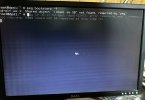
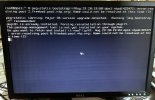
I just did this and it complains of missing file and also fails at connecting to freebsd ports online. I attached pics of the screen.
Let me know what to do. Do I have to download the pkg app from my windows machine and then put it on usb and then run that command? I would like to know if I can reinstall pkg offline. If I can download it on a windows machine put it on a usb stick and
then attached it to the server and run a command to install that onto the machine. Also would like to know what commands to use to check why the internet isn't working. I used ifconfig to check but it shows status active. What logs should I be looking at? Right now so far have not seen any errors about the network other than what's on he screen where it's failing to connect to freebsd mirrors.
 

Attachments

  • server2.jpg
    server2.jpg
    1.2 MB · Views: 11
  • server1.jpg
    server1.jpg
    1 MB · Views: 11
Back
Top