Recovering Data from Hard drive

I have a FreeBSD system with a secondary HDD for my data. Its formatted in UFS and recently I noticed that it would not mount and when I run 'fsck' it would give some error and ask me to rerun it again.
Its and old drive, so I'm guessing it's had it and I think I will replace it. I would like to know be able to recover the data from the drive.
So far when it does mount, it shows to be blank. I'm sure that's not the case since I did not format at all.
 
You might want to check for bad spots with smartctl(8). And it sounds like the primary directory structure might have been corrupted.

So far when it does mount, it shows to be blank.
That's not good. What kind of data was on the disk? Pictures, documents? There are some 'rescue' tools that can scan the disk looking for specific file types, and can sometimes restore a whole bunch of 'lost' files. No guarantees but it might be better than losing everything.

In any case, make an image backup of the entire disk (sysutils/ddrescue might be needed if there's a lot of bad sectors). Disconnect this bad drive so it can't get any worse. Work on the image to see if you can recover anything from it.
 
You might want to check for bad spots with smartctl(8). And it sounds like the primary directory structure might have been corrupted.


That's not good. What kind of data was on the disk? Pictures, documents? There are some 'rescue' tools that can scan the disk looking for specific file types, and can sometimes restore a whole bunch of 'lost' files. No guarantees but it might be better than losing everything.

In any case, make an image backup of the entire disk (sysutils/ddrescue might be needed if there's a lot of bad sectors). Disconnect this bad drive so it can't get any worse. Work on the image to see if you can recover anything from it.
The data is mostly pictures and some documents. You're probably correct. A bad sector is preventing it from being mounted correctly, etc.
Thank you for the info.. I will try that and revert later.
 
Step one: Stop messing around with it. Don't touch it. You may be making it worse. Don''t just blindly install lots of opaque packages and try to scrape data from the drive, or improve its health.

Step two: Understand your current situation. What error messages do you have? What data do you have about the bad drive? Note that I didn't say "run smartctl or some more destructive test on it", on the contrary: leave the drive alone until you know what's up.

Step three: Learn about how to diagnose drive problems, and how to read from partially damaged disks. Yes, smartctl is a useful tool, but only in knowledgeable hands. And using tools that try to read as much as possible ONCE (as SirDice suggested) are probably going to be part of a solution, but starting that blindly without knowing what the real problems are might break things further.

The fact that the disk mounts (if indeed true, we need to check error messages and mount status) is very concerning, and it might not be easy to recover data.
 
1) make an image of the drive
2) make a copy of the image
3) work on the copy made in step 2 (using testdisk or whatever tools you want)
4) when the copied image is totally broken, go back to step 2.

Repeat until you are happy, or tired enough.
 
Is BSD is there a utility that will make a sector by sector forensic copy to a separate disk?

This will give you a safety net in case of catastrophic data loss on the DUT.
 
Is BSD is there a utility that will make a sector by sector forensic copy to a separate disk?

This will give you a safety net in case of catastrophic data loss on the DUT.
Yes there is. That's the ddrescue mentioned above.

BUT: If you have a sick disk, in some cases attempting to read ALL THE DISK may make it much worse. Depending on the syndrome, it might be advantageous to mount it read-only, and only remove as much data as absolutely necessary.

One example of such a syndrome: lubricant moguls: If the lubricant is applied to the platter unevenly, it can form "hills", known as moguls (the term comes from skiing). If the disk flying low (for example due to a misadjustment in the head height, failure of the flight control actuator, or just boring old head crash), the head might smack into the lubricant, and pick up lubricant on the head. This may make the head fly even lower, picking up more lubricant, and soon you to into runaway. What to do in such a situation? First, absolutely do not attempt to write (not even mount r/w, because then the "open mount" flag is updated, and atime is written), because during writes the fly height is lowered. Second, read only as little as possible.
 
Years ago I wrote an ASM utility to do a sector forensic copy to a separate disk of equal or larger size.

GHOST now does this forensic copy under Win32 so my bit of code went into storage.

Unlike the FBI I don’t want to work on the original if I can work on a copy.
 
Step one: Stop messing around with it. Don't touch it. You may be making it worse. Don''t just blindly install lots of opaque packages and try to scrape data from the drive, or improve its health.

Step two: Understand your current situation. What error messages do you have? What data do you have about the bad drive? Note that I didn't say "run smartctl or some more destructive test on it", on the contrary: leave the drive alone until you know what's up.

Step three: Learn about how to diagnose drive problems, and how to read from partially damaged disks. Yes, smartctl is a useful tool, but only in knowledgeable hands. And using tools that try to read as much as possible ONCE (as SirDice suggested) are probably going to be part of a solution, but starting that blindly without knowing what the real problems are might break things further.

The fact that the disk mounts (if indeed true, we need to check error messages and mount status) is very concerning, and it might not be easy to recover data.
Alright. Seeing as I’ve done this before, I agree that just installing suggested packages isn’t going to help. I need to know how to use them.
I don’t know how to clone the drive into an image.
At best my only experience with FreeBSD is installing it and using it as a daily system to do normal stuff like check email, browse the web, etc.
 
To clone the drive: The good news is that the sick drive is inside a working system, and the OS and installed software are on the other drive. So you have a complete system you can use to examine the sick drive. And if you have enough disk space on the first disk (or another space), you can even make a complete copy. To do that, you would install the ddrescue software, and put an image copy of the sick drive onto a file on the first one, or in a separate partition on the first (if you left space for that).

Before you do any of that, look at your log files for when the sick disk was acting up. If you find any error messages, you can decode them (ask for help here). In particular to see whether the root cause is (a) a software error or user error that corrupted the file system, but the hardware is OK, (b) a connection or interface issue, which can likely be fixed by reseating cables, getting better cables, or a better power supply, or (c) actual damage to platter and heads. If you have smartctl installed, you can also use it to ask the sick drive about its status. Decoding the output of smartctl is not trivial, but there are lots of guides on the net, and you can ask here.

All that will require using the system from the CLI. It might even be better to do this without a GUI up, in case something goes wrong ... sick disks have the nasty habit of crashing the OS sometimes.
 
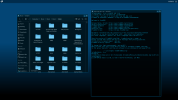
Something strange just happened. First I did another fsck of the drive. Then after that, taking your advice I decided to make a clone using "dd". I checked the mount location and now the drive is working again. All my data is accessible. While it is working I made another .img clone of the drive to make sure that I have all the data. Screenshot_20260823_135832.png
I don't know what happened to cause it to work right now, I'm just glad it does. The drive is old, by a decade or so. I recall buying it in 2013. I suppose its close to running its course.
 
Back
Top