SDR Quest: Looking for Software Defined Radios for FreeBSD

Well I am waiting on SMA bulkhead connectors to arrive for my antenna projects.

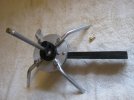
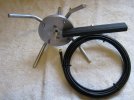
I finished up mechanical on an aluminum antenna for my ADB-S Quarter Wave Ground Plane Antenna.
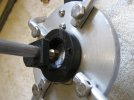
I am experimenting with a bronze plug to solder my center pin to.
 

Attachments

  • adb3.JPG
    adb3.JPG
    984.4 KB · Views: 23
  • adb2.JPG
    adb2.JPG
    1.1 MB · Views: 22
  • adb1.JPG
    adb1.JPG
    1.1 MB · Views: 23
I recently bought V3 of the same stick. If you bought the kit with antenna it goes like this:

pkg install rtl-sdr SoapyRTLSDR gqrx gnuradio gr-osmosdr
Then check your window managers menu for the application under "Multimedia" for gqrx.

You need to have some target in mind. FM Radio frequency or some National Weather Service radio frequency is a good start.
Then fire it up.
 
I just discovered this thread although bought my RTL-SDR v4 dongle over a year ago and asked for help on the forum but couldn't get any help so would like some simple instructions on how to get started so that at least I can tell if my device is actually working.
 
V4 of the RTL-SDR Blog stick may not work with some software. V3 is needed. Their own blog said that. So I bought the older V3 designed ones from them.

Mine showed up yesterday and they work just like the clone version "Light Blue" ones I bought except for SMA Jack on these.

I recommend the antenna kit. The telescoping antennas are great to get started. I wish I had bought one with antennas.
 
I cant help to notice a good amount of heat generated by the USB Stick.

If I mount them internally I may strip case and do a fan. Worried case may be RF-shielding though.

I noticed the HackRF One and clones have good amount of RF shielding onboard versus the RTL-SDR. Those do TX though.
 
Since I already have V4 I'd like to know if anyone has managed to make it do anything on FreeBSD 15.0.
I would imagine this comes down to different chips on the USB Stick being used. So I would start by looking at the rtl-sdr package. See if it had any recent changes.
My guess is this fails at driver level. rtl-sdr port is the driver.
Triage by looking at command line hotplug messages about device with the driver installed. Compare to V3 output.
 
Hi, balanga. The guys here in the thread know their stuff! I hope you find the help you need.
Many thanks.

The problem is that it's already quite a long thread and quite a lot of suggestions have been made but I don't see anything definitive regarding my RTL-SDR V4 dongle so don't want to download 20 or 30 pkgs in the hope of finding one which tells me if my adapter works. In fact it might not even be working at all.

I'd just like some basic program which will simply communicate with the device, then I can start exploring other available programs.
 
V4 of the RTL-SDR Blog stick went EOL already. Revert to V3.


What about HackRF Pro? They say it is drop in replacement for the One model..
400 Clams is alot to shell out without confirmation on FreeBSD.

sending data from Chicago to Frankfurt via shortwave is nine milliseconds faster than via undersea cables.
 
Many thanks.

The problem is that it's already quite a long thread and quite a lot of suggestions have been made but I don't see anything definitive regarding my RTL-SDR V4 dongle so don't want to download 20 or 30 pkgs in the hope of finding one which tells me if my adapter works. In fact it might not even be working at all.

I'd just like some basic program which will simply communicate with the device, then I can start exploring other available programs.
I installed sdr++ and then ran rtl_test which produced some output, none of which I understood, but at least it showed thar the device was working.

Running sdrpp produced the following but what do I do with it?

1780911197727.png
 
With SDR++ the SOURCE does not look right.

For me SDR++ Source is "RTL-SDR" not "Airspy".

See if the dropdown for SOURCE has RTL-SDR as a possible source.
I just posted any old screen shot just to show I got some output.

I don't really know what I can expect to see or hear, and am looking for guidance from people who have this working.

This is what I have currently but don't know whether to expect any sound out of this.

1780942767293.png
 
The SOURCE looks correct there.
What about noise? Do you hear static over system speakers?

If no sound you must set Audio Output to OSS /dev/dsp0

I sure do not see any stations on your output. Do you have an antenna attached?
 
The SOURCE looks correct there.
What about noise? Do you hear static over system speakers?

If no sound you must set Audio Output to OSS /dev/dsp0

I sure do not see any stations on your output. Do you have an antenna attached?
I have no idea how to setup sound.

I attached an antenna which came with my Teltonika router:=

1780944327971.png
 
That explains the lack of signals at 100mhz.

An LTE antenna is only going to cover certain frequencies.

Here in the US they are usually 700-800mhz and dual band antenna offering 1700mhz

Repeat: Do you hear static coming from your speakers?
 
Just to test out your rig and drivers you could use comms/dump1090 and see airplanes near you.
That antenna will work fine for 1090mhz.

dump1090 is a command line program for receiving Aircraft Transponder data.
dump1090
Code:
Found 1 device(s):
0: RTLSDRBlog, Blog V4, SN: 00000001 (currently selected)
Found Rafael Micro R828D tuner
RTL-SDR Blog V4 Detected
Max available gain is: 49.60
Setting gain to: 49.60
Exact sample rate is: 2000000.052982 Hz
Gain reported by device: 49.60

Not exactly sure what I can do with this.
 
That should work for starters. Back to what I asked earlier. What is your listening target? FM Radio?
You match antennas to your listening preference.

For your "Audio Output" settings scroll down the left hand panel and look for Module Manager>>Audio Output..
Once you get that setup go to Radio on the left hand panel. Select New Audio >> [OSS] /dev/dsp
 
dump1090
Code:
Found 1 device(s):
0: RTLSDRBlog, Blog V4, SN: 00000001 (currently selected)
Found Rafael Micro R828D tuner
RTL-SDR Blog V4 Detected
Max available gain is: 49.60
Setting gain to: 49.60
Exact sample rate is: 2000000.052982 Hz
Gain reported by device: 49.60

Not exactly sure what I can do with this.
Any suggestions for parameters for dump1090?

I'm just trying to find out what information the program can provide me with.
 
That should work for starters. Back to what I asked earlier. What is your listening target? FM Radio?
You match antennas to your listening preference.

At the moment I'm only trying to find out what options I have with this device, I only just got some response from it a couple of days ago.


For your "Audio Output" settings scroll down the left hand panel and look for Module Manager>>Audio Output..
Once you get that setup go to Radio on the left hand panel. Select New Audio >> [OSS] /dev/dsp

Under Module Manager, I don't see Audio Output. I only see Audio Source.
 
Some progress!

rtl_fm -f 100.9M -M wbfm -s 200k -r 48k | play -r 48k -t raw -e signed-integer -b 16 -c 1 -

Thanks to ChatGPT.

Just need to figure out what all this means.
 
Back
Top