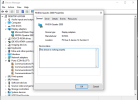
This goes into the "reset bug" and its many facets. Afaik this work is not yet finished, it certainly wasn't when this video was published. Is this now completed? Can you please link to info on this, e.g. the relevant commits or changelog item?
I'm not going to watch a 35 minute video, create a bug report if you can reproduce it.View: https://youtu.be/gKdotOoxcGQ?si=eEuP-kDpk4C6nW5f
This goes into the "reset bug" and its many facets. Afaik this work is not yet finished, it certainly wasn't when this video was published. Is this now completed? Can you please link to info on this, e.g. the relevant commits or changelog item?
I can now confirm that on 15.0p3 this is still an issue.I'm not going to watch a 35 minute video, create a bug report if you can reproduce it.
uname -ar
\
FreeBSD beastie 15.0-RELEASE-p5 FreeBSD 15.0-RELEASE-p5 GENERIC amd64#cd /usr/
#rm -rf /usr/src
#git clone https://github.com/beckhoff/freebsd-src /usr/src
cd /usr/src
#git checkout -f origin/phab/corvink/14.2/nvidia-wip
git checkout -f origin/phab/corvink/15.0/nvidia-wip
cd /usr/src/usr.sbin/bhyve
sudo make && make install
\
...
Error
/usr/src/usr.sbin/bhyve/bootrom.c:123:33: error: use of undeclared identifier 'VM_BOOTROM'
123 | romptr = vm_create_devmem(ctx, VM_BOOTROM, "bootrom", BOOTROM_SIZE);
| ^
/usr/src/usr.sbin/bhyve/bootrom.c:177:31: error: use of undeclared identifier 'VM_BOOTROM'
177 | if (vm_mmap_memseg(ctx, gpa, VM_BOOTROM, segoff, len, prot) != 0) {
| ^
2 errors generated.
*** Error code 1
Stop.
make: stopped making "all" in /usr/src/usr.sbin/bhyvepciconf -l | grep ppt
ppt0@pci0:8:0:0: class=0x030000 rev=0xa1 hdr=0x00 vendor=0x10de device=0x1e87 subvendor=0x3842 subdevice=0x2183
ppt1@pci0:8:0:1: class=0x040300 rev=0xa1 hdr=0x00 vendor=0x10de device=0x10f8 subvendor=0x3842 subdevice=0x2183
ppt2@pci0:8:0:2: class=0x0c0330 rev=0xa1 hdr=0x00 vendor=0x10de device=0x1ad8 subvendor=0x3842 subdevice=0x2183
ppt3@pci0:8:0:3: class=0x0c8000 rev=0xa1 hdr=0x00 vendor=0x10de device=0x1ad9 subvendor=0x3842 subdevice=0x2183cbsd bhyve-ppt mode=list
\
Configured PCI Passthru devices (4):
PCI DRIVER DEVICE CLASS SUBCLASS VM VENDOR
8/0/3 ppt (1) TU104 USB Type-C UCSI Controller serial bus USB - NVIDIA Corporationcmd: env LIB9P_LOGGING=/usr/jails/jails-system/cachyos_linux/cbsd_lib9p.log /usr/bin/nice -n 1 /usr/sbin/bhyve -w -H -S
-A -c cpus=8,sockets=8,cores=1,threads=1 -m 8589934592 -H -A -S -u -w -U dd1c24ca-2c4c-11f1-8a0c-7085c25db4b0 -s 0,hostb
ridge -s 4,virtio-blk,/usr/jails/vm/cachyos_linux/dsk1.vhd,sectorsize=512/4096 -s 5,virtio-net,tap3,mtu=1500,mac=00
:a0:98:c2:1f:00 -s 6,virtio-rnd -s 10:0,passthru,8/0/0 -s 10:1,passthru,8/0/1 -s 10:2,passthru,8/0/2 -s 10:3,passthru,8
/0/3 -s 7,fbuf,tcp=127.0.0.1:5902,w=1920,h=1080 -s 30,xhci,tablet -s 31,lpc -l bootrom,/usr/local/cbsd/upgrade/patch/ef
i.fd,/usr/jails/jails-system/cachyos_linux/BHYVE_UEFI_VARS.fd,fwcfg=qemu -l com1,stdio cachyos_linux
-----
bhyve: PCI device at 8/0/0 is not using the ppt(4) driver
Device emulation initialization error: Device busy
fbuf frame buffer base: 0x2279fe400000 [sz 33554432]
Sleep 1 seconds...
Erase is delete.
119: not found
Warning: unable to determine bhyve pid for: cachyos_linux
bstop done in 1 seconds#BHYVE setting needed for the cbsd bconstruct-tui
vmm_load="YES"
##Passthough
nmdm_load="YES"
#Bhyve Passthrough
pptdevs="8/0/0 8/0/1 8/0/2 8/0/3"
hw.vmm.amdvi.enable="1"
# Force the IOMMU to be more permissive with BAR mapping
hw.vmm.iommu.enable="1"
hw.vmm.iommu.relaxed_mapping="1"
# Disable the host's EFI framebuffer from "holding" the GPU memory
hw.vga.textmode="1"
machdep.disable_mtrr_setup="1"
# Specific for NVIDIA TU104 on FreeBSD 15
hw.pci.honor_msi_blacklist="0"git checkout -f origin/phab/corvink/15.0/nvidia-wipI can now confirm that on 15.0p3 this is still an issue.
Rebooting the VM will still make the passed through GPU not work within the guest. This "reset bug" is real and still exists. I will add it to bugzilla.
That's not how it's done, you cant just build bhyve like that, do a buildworld and buildkernel if you have no idea what you're doing. Don't overcomplicate things yet.Okay here we go ... [doesn't follow instructions for how to compile freebsd]
Code:#cd /usr/ #rm -rf /usr/src #git clone https://github.com/beckhoff/freebsd-src /usr/src cd /usr/src #git checkout -f origin/phab/corvink/14.2/nvidia-wip git checkout -f origin/phab/corvink/15.0/nvidia-wip cd /usr/src/usr.sbin/bhyve sudo make && make install \ ... Error /usr/src/usr.sbin/bhyve/bootrom.c:123:33: error: use of undeclared identifier 'VM_BOOTROM' 123 | romptr = vm_create_devmem(ctx, VM_BOOTROM, "bootrom", BOOTROM_SIZE); | ^ /usr/src/usr.sbin/bhyve/bootrom.c:177:31: error: use of undeclared identifier 'VM_BOOTROM' 177 | if (vm_mmap_memseg(ctx, gpa, VM_BOOTROM, segoff, len, prot) != 0) { | ^ 2 errors generated. *** Error code 1 Stop. make: stopped making "all" in /usr/src/usr.sbin/bhyve
It is not really a bug, it is more like a lack of feature in GPU card. Most consumer GPUs do not support Function Level Reset (FLR) properly or do not support it at all. Sometimes it is possible to reset those cards using various hacks.I can confirm the bug, too (15.0p5). Have you already opened a report in bugzilla?
You sound like an idiot.... And a script kiddie.Works fine for me, but continuously refusing to provide a bug report or steps for reproduction for your issue is rather annoying...
That's not how it's done, you cant just build bhyve like that, do a buildworld and buildkernel if you have no idea what you're doing. Don't overcomplicate things yet.
vm poweroff win11gamesvm my system has Kernel Panic and restarts. I was testing a little bit more by installing fresh Windows 11 but it makes no difference. When I have disabled in /boot/loader.conf T1000 I have managed to start VM, get freeze and kill VM with no Kernel Panic. I have updated FreeBSD 15.0 to 15.0-RELEASE-p9
pciconf -lv

ppt0@pci0:130:0:0:      class=0x030000 rev=0xa1 hdr=0x00 vendor=0x10de device=0x2d05 subvendor=0x1458 subdevice=0x41a1

    vendor     = 'NVIDIA Corporation'

    device     = 'GB206 [GeForce RTX 5060]'

    class      = display

    subclass   = VGA

ppt1@pci0:130:0:1:      class=0x040300 rev=0xa1 hdr=0x00 vendor=0x10de device=0x22eb subvendor=0x10de subdevice=0x0000

    vendor     = 'NVIDIA Corporation'

    class      = multimedia

    subclass   = HDA
loader="uefi"

graphics="yes"

graphics_res="1920x1080"

xhci_mouse="yes"

cpu=8

cpu_sockets=1

cpu_cores=4

cpu_threads=2

memory=16G


# put up to 8 disks on a single ahci controller.

# without this, adding a disk pushes the following network devices onto higher slot numbers,

# which causes windows to see them as a new interface

ahci_device_limit="8"


# ideally this should be changed to virtio-net and drivers installed in the guest

# e1000 works out-of-the-box

network0_type="virtio-net"

#network0_type="e1000"

network0_device="tap7"

network0_switch="public"


disk0_type="nvme"

disk0_name="disk0.img"

#disk1_type="nvme"

#disk1_name="gamedrive.img"


# Passthrough

#passthru0="129/0/0=3:0"

#passthru1="129/0/1=3:1"

#RTX 5060

passthru0="130/0/0=3:0"

passthru1="130/0/1=3:1"


# windows expects the host to expose localtime by default, not UTC

utctime="no"

uuid="21280ac9-3329-11ef-bb25-ecf4bbe5c838"

network0_mac="58:9c:fc:03:0b:77"

debug="yes"AirostGood evening everyone,
I wonder if anybody can advise me what to do. I used to run FreeBSD 14.X version with 2x GPUs in my Dell PowerEdge R730xd - one was RTX 3090 and the other one Nvidia Quadro T1000 8GB Low Profile. Both video cards worked fine in Virtual Machines (RTX 3090 in Windows 10, T1000 in Windows 11). Because I did have to trim radiator to fit RTX3090 I decided to remove it from the server and fit it in my desktop PC. I have updated FreeBSD to 15.0-p4. I have fitted new radiator and I bought RTX 5060 so I can use it for moonlight/sunshine with AV1 however when I started VM it was freezing during boot loading when the circle is spinning in Windows. I did have to kill the VM. As soon as I use command
vm poweroff win11gamesvmmy system has Kernel Panic and restarts. I was testing a little bit more by installing fresh Windows 11 but it makes no difference. When I have disabled in /boot/loader.conf T1000 I have managed to start VM, get freeze and kill VM with no Kernel Panic. I have updated FreeBSD 15.0 to 15.0-RELEASE-p9
I have pulled out RTX 5060 and tested in my desktop PC - works fine, even under some stress from Cyberpunk 2077. Any tricks and tips how I can successfully pass-through both GPUs to VMs? I can't even find any information on Kernel Panic in dmesg to paste it here to give some clue. I wonder if anybody managed to use RTX 5060 in VM?
pciconf -lv

ppt0@pci0:130:0:0:      class=0x030000 rev=0xa1 hdr=0x00 vendor=0x10de device=0x2d05 subvendor=0x1458 subdevice=0x41a1

    vendor     = 'NVIDIA Corporation'

    device     = 'GB206 [GeForce RTX 5060]'

    class      = display

    subclass   = VGA

ppt1@pci0:130:0:1:      class=0x040300 rev=0xa1 hdr=0x00 vendor=0x10de device=0x22eb subvendor=0x10de subdevice=0x0000

    vendor     = 'NVIDIA Corporation'

    class      = multimedia

    subclass   = HDA
Code:loader="uefi" graphics="yes" graphics_res="1920x1080" xhci_mouse="yes" cpu=8 cpu_sockets=1 cpu_cores=4 cpu_threads=2 memory=16G # put up to 8 disks on a single ahci controller. # without this, adding a disk pushes the following network devices onto higher slot numbers, # which causes windows to see them as a new interface ahci_device_limit="8" # ideally this should be changed to virtio-net and drivers installed in the guest # e1000 works out-of-the-box network0_type="virtio-net" #network0_type="e1000" network0_device="tap7" network0_switch="public" disk0_type="nvme" disk0_name="disk0.img" #disk1_type="nvme" #disk1_name="gamedrive.img" # Passthrough #passthru0="129/0/0=3:0" #passthru1="129/0/1=3:1" #RTX 5060 passthru0="130/0/0=3:0" passthru1="130/0/1=3:1" # windows expects the host to expose localtime by default, not UTC utctime="no" uuid="21280ac9-3329-11ef-bb25-ecf4bbe5c838" network0_mac="58:9c:fc:03:0b:77" debug="yes"
Please advise, if there are any patches available or I should take another step please let me know.
Thanks,
Seb
[LIST]
[*]-s 7:0,passthru,4/0/0 -s 7:1,passthru,4/0/1 -s 7:2,passthru,4/0/
[*]-s 3:0,passthru,6/5/0   -s 8:0,passthru,6/5/1
[/LIST]#Bhyve Passthrough
pptdevs="8/0/0 8/0/1 8/0/2 8/0/3"May 23 08:59:56 mclose kernel: NMI ISA 38, EISA 0
savecore 3821 - - reboot after panic: APEI Fatal Hardware Error!
May 23 08:59:56 mclose savecore[3821]: reboot after panic: APEI Fatal Hardware Error!
savecore 3821 - - writing core to /var/crash/vmcore.8
Writing crash summary to /var/crash/core.txt.8. kgdb /boot/kernel/kernel /var/crash/vmcore.8 Sat May 23 08:05:59 BST 2026
tap3: promiscuous mode enabled
tap3: link state changed to UP
tap4: promiscuous mode enabled
tap4: link state changed to UP
tap5: promiscuous mode enabled
tap5: link state changed to UP
tap6: promiscuous mode enabled
tap6: link state changed to UP
tap8: promiscuous mode enabled
tap8: link state changed to UP
May 23 08:18:13 mclose su[5838]: airost to root on /dev/pts/0
May 23 08:24:26 mclose sshd-session[6031]: error: Fssh_kex_exchange_identification: read: Connection reset by peer
tap2: promiscuous mode enabled
tap7: promiscuous mode enabled
tap2: link state changed to UP
tap7: link state changed to UP
tap7: link state changed to DOWN
tap7: link state changed to UP
tap2: link state changed to DOWN
NMI ISA 38, EISA 0
panic: APEI Fatal Hardware Error!
cpuid = 22
time = 1779523022
KDB: stack backtrace:
Uptime: 51m41s
Dumping 5821 out of 130934 MB:..1%..11%..21%..31%..41%..51%..61%..71%..81%..91%
------------------------------------------------------------------------
kernel config
options CONFIG_AUTOGENERATED
ident LDRIVE15
machine amd64
cpu HAMMER
makeoptions WITH_CTF=1
makeoptions DEBUG=-g
options ALTQ_NOPCC
options ALTQ_PRIQ
options ALTQ_HFSC
options ALTQ_RIO
options ALTQ_RED
options ALTQ_CBQ
options ALTQ
options IICHID_SAMPLING
options HID_DEBUG
options EVDEV_SUPPORT
options XENHVM
options USB_DEBUG
options SC_PIXEL_MODE
options PPS_SYNC
options COMPAT_LINUXKPI
options PCI_IOV
options PCI_HP
options IOMMU
options SMP
options NETGDB
options NETDUMP
options DEBUGNET
options ZSTDIO
options GZIO
options EKCD
options KDB_TRACE
options KDB
options RCTL
options RACCT_DEFAULT_TO_DISABLED
options RACCT
options INCLUDE_CONFIG_FILE
options DDB_CTF
options KDTRACE_HOOKS
options KDTRACE_FRAME
options MAC
options CAPABILITIES
options CAPABILITY_MODE
options AUDIT
options HWPMC_HOOKS
options KBD_INSTALL_CDEV
options PRINTF_BUFR_SIZE=128
options _KPOSIX_PRIORITY_SCHEDULING
options SYSVSEM
options SYSVMSG
options SYSVSHM
options STACK
options KTRACE
options SCSI_DELAY=5000
options COMPAT_FREEBSD14
options COMPAT_FREEBSD13
options COMPAT_FREEBSD12
options COMPAT_FREEBSD11
options COMPAT_FREEBSD10
options COMPAT_FREEBSD9
options COMPAT_FREEBSD7
options COMPAT_FREEBSD6
options COMPAT_FREEBSD5
options COMPAT_FREEBSD4
options COMPAT_FREEBSD32
options EFIRT
options GEOM_LABEL
options GEOM_RAID
options TMPFS
options PSEUDOFS
options PROCFS
options CD9660
options MSDOSFS
options NFS_ROOT
options NFSLOCKD
options NFSD
options NFSCL
options MD_ROOT
options QUOTA
options UFS_GJOURNAL
options UFS_DIRHASH
options UFS_ACL
options SOFTUPDATES
options FFS
options KERN_TLS
options SCTP_SUPPORT
options TCP_RFC7413
options TCP_HHOOK
options TCP_BLACKBOX
options TCP_OFFLOAD
options FIB_ALGO
options ROUTE_MPATH
options IPSEC_OFFLOAD
options IPSEC_SUPPORT
options INET6
options INET
options VIMAGE
options EXTERR_STRINGS
options PREEMPTION
options NUMA
options SCHED_ULE
options NETLINK
options CC_CUBIC
options GEOM_PART_GPT
options GEOM_PART_MBR
options GEOM_PART_EBR
options GEOM_PART_BSD
options EARLY_AP_STARTUP
device isa
device mem
device io
device uart_ns8250
device cpufreq
device acpi
device smbios
device pci
device fdc
device ahci
device ata
device mvs
device siis
device ahc
device ahd
device hptiop
device isp
device mpt
device mps
device mpr
device mpi3mr
device sym
device isci
device ocs_fc
device pvscsi
device scbus
device ch
device da
device sa
device cd
device pass
device ses
device arcmsr
device ciss
device ips
device smartpqi
device tws
device aac
device aacp
device aacraid
device ida
device mfi
device mlx
device mrsas
device nvme
device nvd
device ufshci
device vmd
device atkbdc
device atkbd
device psm
device kbdmux
device vga
device splash
device sc
device vt
device vt_vga
device vt_efifb
device vt_vbefb
device agp
device cbb
device cardbus
device uart
device ppc
device ppbus
device lpt
device ppi
device puc
device iflib
device igc
device ix
device ixv
device ixl
device mlx5
device mlxfw
device mlx5en
device miibus
device crypto
device aesni
device loop
device padlock_rng
device rdrand_rng
device ether
device vlan
device tuntap
device md
device gif
device firmware
device xz
device bpf
device uhci
device ohci
device ehci
device xhci
device usb
device usbhid
device hkbd
device ukbd
device umass
device sound
device snd_cmi
device snd_csa
device snd_emu10kx
device snd_es137x
device snd_hda
device snd_ich
device snd_via8233
device mmc
device mmcsd
device sdhci
device virtio
device virtio_pci
device vtnet
device virtio_blk
device virtio_scsi
device virtio_balloon
device kvm_clock
device hyperv
device xenefi
device xenpci
device xentimer
device netmap
device evdev
device uinput
device hid
device hidbus
device efidev
device efirtc
device pf
device pflog
device pfsync
------------------------------------------------------------------------
ddb capture buffer
ddb: ddb_capture: kvm_nlist
[root@mclose /var/crash]# kgdb /boot/kernel/kernel /var/crash/vmcore.8
GNU gdb (GDB) 15.1 [GDB v15.1 for FreeBSD]
Copyright (C) 2024 Free Software Foundation, Inc.
License GPLv3+: GNU GPL version 3 or later <http://gnu.org/licenses/gpl.html>
This is free software: you are free to change and redistribute it.
There is NO WARRANTY, to the extent permitted by law.
Type "show copying" and "show warranty" for details.
This GDB was configured as "x86_64-portbld-freebsd15.0".
Type "show configuration" for configuration details.
For bug reporting instructions, please see:
<https://www.gnu.org/software/gdb/bugs/>.
Find the GDB manual and other documentation resources online at:
<http://www.gnu.org/software/gdb/documentation/>.
For help, type "help".
Type "apropos word" to search for commands related to "word"...
Reading symbols from /boot/kernel/kernel...
Reading symbols from /usr/lib/debug//boot/kernel/kernel.debug...
Unread portion of the kernel message buffer:
<6>tap2: link state changed to DOWN
<2>NMI ISA 38, EISA 0
panic: APEI Fatal Hardware Error!
cpuid = 22
time = 1779523022
KDB: stack backtrace:
Uptime: 51m41s
Dumping 5821 out of 130934 MB:..1%..11%..21%..31%..41%..51%..61%..71%..81%..91%
Reading symbols from /boot/kernel/coretemp.ko...
Reading symbols from /usr/lib/debug//boot/kernel/coretemp.ko.debug...
Reading symbols from /boot/kernel/if_bridge.ko...
Reading symbols from /usr/lib/debug//boot/kernel/if_bridge.ko.debug...
Reading symbols from /boot/kernel/bridgestp.ko...
Reading symbols from /usr/lib/debug//boot/kernel/bridgestp.ko.debug...
Reading symbols from /boot/kernel/zfs.ko...
Reading symbols from /usr/lib/debug//boot/kernel/zfs.ko.debug...
Reading symbols from /boot/kernel/nmdm.ko...
Reading symbols from /usr/lib/debug//boot/kernel/nmdm.ko.debug...
Reading symbols from /boot/kernel/vmm.ko...
Reading symbols from /usr/lib/debug//boot/kernel/vmm.ko.debug...
Reading symbols from /boot/kernel/cryptodev.ko...
Reading symbols from /usr/lib/debug//boot/kernel/cryptodev.ko.debug...
Reading symbols from /boot/kernel/acpi_wmi.ko...
Reading symbols from /usr/lib/debug//boot/kernel/acpi_wmi.ko.debug...
Reading symbols from /boot/kernel/hcons.ko...
Reading symbols from /usr/lib/debug//boot/kernel/hcons.ko.debug...
Reading symbols from /boot/kernel/hidmap.ko...
Reading symbols from /usr/lib/debug//boot/kernel/hidmap.ko.debug...
Reading symbols from /boot/kernel/hsctrl.ko...
Reading symbols from /usr/lib/debug//boot/kernel/hsctrl.ko.debug...
Reading symbols from /boot/kernel/if_em.ko...
Reading symbols from /usr/lib/debug//boot/kernel/if_em.ko.debug...
Reading symbols from /boot/kernel/ioat.ko...
Reading symbols from /usr/lib/debug//boot/kernel/ioat.ko.debug...
Reading symbols from /boot/kernel/mlx4.ko...
Reading symbols from /usr/lib/debug//boot/kernel/mlx4.ko.debug...
Reading symbols from /boot/kernel/ctl.ko...
Reading symbols from /usr/lib/debug//boot/kernel/ctl.ko.debug...
Reading symbols from /boot/kernel/cfiscsi.ko...
Reading symbols from /usr/lib/debug//boot/kernel/cfiscsi.ko.debug...
Reading symbols from /boot/kernel/iscsi.ko...
Reading symbols from /usr/lib/debug//boot/kernel/iscsi.ko.debug...
Reading symbols from /boot/kernel/mac_ntpd.ko...
Reading symbols from /usr/lib/debug//boot/kernel/mac_ntpd.ko.debug...
Reading symbols from /boot/kernel/fdescfs.ko...
Reading symbols from /usr/lib/debug//boot/kernel/fdescfs.ko.debug...
__curthread () at /usr/src/sys/amd64/include/pcpu_aux.h:57
57 __asm("movq %%gs:%c1,%0" : "=r" (td)[root@mclose /var/crash]# cat info.8
Dump header from device: /dev/nda0p3
Architecture: amd64
Architecture Version: 2
Dump Length: 6104694784
Blocksize: 512
Compression: none
Dumptime: 2026-05-23 08:57:02 +0100
Hostname: mclose.co.uk
Magic: FreeBSD Kernel Dump
Version String: FreeBSD 15.0-RELEASE-p9 LDRIVE15
Panic String: APEI Fatal Hardware Error!
Dump Parity: 2604355142
Bounds: 8
Dump Status: goodYou have to disable VNC in bhyve.... I ssh into the VMGood evening everone,
After spending about 2 days on this I can confirm RTX 5060 doesn't work on Windows machine, I have managed to install cachyOS and took me long time to confirgure Sunshine + nvidia drivers but it works. The only thing it still crashes if I have VNC enabled and will shutdown VM so clearly there is a bug (bhyve doesn't like 2x GPU in one VM - i.e. virtual for VNC and RTX 5060). With this cachyOS working both GPU in pass-through mode. When I tried tweaking BIOS a little bit to see if this helps I have noticed x2APIC still not working in PowerEdge R730XD - this was reported about year ago - issue only on R630 and R730+R730XD from Dell. I will do some tests on Windows 10 to see if maybe drivers for Win10 works better than Win11.
How do I report bugs so this can be fixed?
Thanks,
Seb
systemctl --user start sunshine github.com
#!/bin/sh
#
# corvin_build.sh — build unificato per bhyve/vmm di Corvin (Beckhoff)
# Integra: setup_git.sh, build_branch.sh, build.sh, start.sh
#
# NOTA: questo script compila vmm.ko + bhyve dai sorgenti Corvin.
#       Il kernel va compilato separatamente oppure con --with-kernel.
#       vmm.ko richiede che il kernel in esecuzione sia stato compilato
#       dagli stessi sorgenti (stesso branch, stessa snapshot).
#
# Esempi d'uso:
#   Prima esecuzione (clone + checkout + build senza kernel):
#     ./corvin_build.sh --clone --branch=origin/phab/corvink/15.0/nvidia-wip \
#                       --without-kernel --verbose
#
#   Build successiva (solo vmm + bhyve, sorgenti già presenti):
#     ./corvin_build.sh --src-dir=/usr/src-corvin --without-kernel --verbose
#
#   Build completa con kernel:
#     ./corvin_build.sh --src-dir=/usr/src-corvin \
#                       --branch=origin/phab/corvink/15.0/nvidia-wip \
#                       --with-kernel --verbose
#
#   Build completa con KERNCONF=BHF (se presente nei sorgenti):
#     ./corvin_build.sh --src-dir=/usr/src-corvin --with-kernel --with-bhf --verbose

set -e
set -u

# --- Costanti ---
REPO_URL="https://github.com/beckhoff/freebsd-src"
DEFAULT_BRANCH="origin/phab/corvink/15.0/nvidia-wip"
DEFAULT_SRC_DIR="/usr/src"
DEFAULT_CLONE_DIR="/usr/src-corvin"

# --- Funzioni di supporto ---

usage() {
    cat >&2 << EOF
Usage: ${0} [options]

Opzioni:
  --clone                   Clona il repo Beckhoff/freebsd-src (prima esecuzione)
  --clone-dir=PATH          Directory di destinazione del clone
                            (default: ${DEFAULT_CLONE_DIR})
  --branch=BRANCH           Branch git da usare
                            (default: ${DEFAULT_BRANCH})
  --src-dir=PATH            Directory sorgenti (se non si clona)
                            (default: ${DEFAULT_SRC_DIR})
  --clean                   Esegue 'make clean' prima di compilare
  --reboot                  Riavvia il sistema dopo la build
  --verbose                 Mostra l'output completo dei comandi make
  --with-kernel             Compila e installa anche il kernel
  --with-bhf                Usa KERNCONF=BHF per il kernel (richiede --with-kernel)
  --without-kernel          Non compila il kernel (default)
  --without-world           Non compila vmm.ko + bhyve (solo kernel)
  -h|--help                 Mostra questo messaggio

EOF
    exit 1
}

log() {
    printf '[%s] %s\n' "$(date '+%H:%M:%S')" "$*"
}

die() {
    log "ERRORE: $*" >&2
    exit 1
}

build_module() {
    local _path="${1}"
    local _label="${2:-${_path}}"

    log "  -> ${_label}"
    cd "${_path}"

    if [ "${opt_clean}" = "true" ]; then
        if [ "${opt_verbose}" = "true" ]; then
            make clean
        else
            make clean > /dev/null
        fi
    fi

    if [ "${opt_verbose}" = "true" ]; then
        make
        make install
    else
        make > /dev/null
        make install > /dev/null
    fi
}

# --- Parsing argomenti ---

opt_clone="false"
opt_clone_dir="${DEFAULT_CLONE_DIR}"
opt_branch="${DEFAULT_BRANCH}"
opt_src_dir="${DEFAULT_SRC_DIR}"
opt_clean="false"
opt_reboot="false"
opt_verbose="false"
opt_kernel="false"
opt_bhf="false"
opt_world="true"

while [ $# -gt 0 ]; do
    case "${1}" in
        --clone)
            opt_clone="true"
            ;;
        --clone-dir=*)
            opt_clone_dir="${1#*=}"
            ;;
        --branch=*)
            opt_branch="${1#*=}"
            ;;
        --src-dir=*)
            opt_src_dir="${1#*=}"
            ;;
        --clean)
            opt_clean="true"
            ;;
        --reboot)
            opt_reboot="true"
            ;;
        --verbose)
            opt_verbose="true"
            ;;
        --with-kernel)
            opt_kernel="true"
            ;;
        --with-bhf)
            opt_bhf="true"
            ;;
        --without-kernel)
            opt_kernel="false"
            ;;
        --without-world)
            opt_world="false"
            ;;
        -h|--help)
            usage
            ;;
        *)
            printf 'Opzione sconosciuta: %s\n' "${1}" >&2
            usage
            ;;
    esac
    shift
done

# Se --clone, il src_dir diventa il clone_dir
if [ "${opt_clone}" = "true" ]; then
    opt_src_dir="${opt_clone_dir}"
fi

readonly opt_clone opt_clone_dir opt_branch opt_src_dir
readonly opt_clean opt_reboot opt_verbose opt_kernel opt_bhf opt_world

# --- Validazione ---

if [ "${opt_kernel}" = "false" ] && [ "${opt_world}" = "false" ]; then
    die "Hai specificato --without-kernel e --without-world: nulla da compilare."
fi

if [ "${opt_bhf}" = "true" ] && [ "${opt_kernel}" = "false" ]; then
    die "--with-bhf richiede --with-kernel."
fi

# --- Step 1: Clone ---

if [ "${opt_clone}" = "true" ]; then
    if [ -d "${opt_src_dir}/.git" ]; then
        log "Repo già presente in ${opt_src_dir}, eseguo fetch..."
        cd "${opt_src_dir}"
        git fetch --all --prune
    else
        log "Clonando ${REPO_URL} -> ${opt_src_dir}"
        git clone "${REPO_URL}" "${opt_src_dir}"
    fi
fi

[ -d "${opt_src_dir}" ] || die "Directory sorgenti non trovata: ${opt_src_dir}"

# --- Step 2: Checkout branch ---

if [ -d "${opt_src_dir}/.git" ]; then
    log "Checkout: ${opt_branch}"
    cd "${opt_src_dir}"
    git fetch --all --prune 2>/dev/null || true
    git checkout -f "${opt_branch}"
    log "Commit attivo: $(git log --oneline -1)"
else
    log "WARN: ${opt_src_dir} non è un repo git, salto il checkout."
fi

# --- Info build ---

ncpu=$(sysctl -n hw.ncpu 2>/dev/null || echo 4)

log "=== Corvin bhyve/vmm build ==="
log "src-dir : ${opt_src_dir}"
log "branch  : ${opt_branch}"
log "ncpu    : ${ncpu}"
log "kernel  : ${opt_kernel} | world: ${opt_world} | bhf: ${opt_bhf} | clean: ${opt_clean}"
log ""

# --- Step 3: World (vmm.ko + bhyve) ---

if [ "${opt_world}" = "true" ]; then
    log "--- World: include + libvmmapi + vmm.ko ---"
    build_module "${opt_src_dir}/include"         "include"
    build_module "${opt_src_dir}/lib/libvmmapi"   "libvmmapi"
    build_module "${opt_src_dir}/sys/modules/vmm" "vmm.ko"
    log ""
fi

# --- Step 4: Kernel ---

if [ "${opt_kernel}" = "true" ]; then
    log "--- Kernel ---"

    kern_conf="GENERIC"
    if [ "${opt_bhf}" = "true" ]; then
        if [ -f "${opt_src_dir}/sys/amd64/conf/BHF" ]; then
            kern_conf="BHF"
            log "Uso KERNCONF=BHF"
        else
            log "WARN: BHF non trovato in ${opt_src_dir}/sys/amd64/conf/, uso GENERIC"
        fi
    fi

    kern_opts="-j${ncpu} KERNCONF=${kern_conf}"
    if [ "${opt_clean}" != "true" ]; then
        kern_opts="${kern_opts} NO_CLEAN=YES"
    fi

    log "make kernel ${kern_opts}"
    cd "${opt_src_dir}"
    if [ "${opt_verbose}" = "true" ]; then
        make kernel ${kern_opts}
    else
        make kernel ${kern_opts} > /dev/null
    fi
    log "Kernel installato."
    log ""
fi

# --- Step 5: bhyve userspace ---

if [ "${opt_world}" = "true" ]; then
    log "--- bhyve userspace ---"
    build_module "${opt_src_dir}/usr.sbin/bhyve"     "bhyve"
    build_module "${opt_src_dir}/usr.sbin/bhyvectl"  "bhyvectl"
    build_module "${opt_src_dir}/usr.sbin/bhyveload" "bhyveload"
    log ""
fi

log "=== Build completata ==="

if [ "${opt_reboot}" = "true" ]; then
    log "Riavvio in corso..."
    reboot
fi00:02.0 VGA compatible controller: Intel Corporation CoffeeLake-S GT2 [UHD Graphics 630] (rev 02)can't derive routing for PCI INT A" , "nvidia PCI INT A: no GSI" , "Failed to allocate NvKmsKapiDevice
NVRM: GPU 0000:00:08.0: rm_init_adapter failed, device minor number 0This issue is Linux side on Bhyve, right?Hello.
I have installed the Corvin's patches on FreeBSD 15.0-RELEASE,from his github :

GitHub - Beckhoff/freebsd-src at phab/corvink/15.0/nvidia-wip
FreeBSD src tree (read-only mirror). Contribute to Beckhoff/freebsd-src development by creating an account on GitHub.
using this script :
Code:#!/bin/sh # # corvin_build.sh — build unificato per bhyve/vmm di Corvin (Beckhoff) # Integra: setup_git.sh, build_branch.sh, build.sh, start.sh # # NOTA: questo script compila vmm.ko + bhyve dai sorgenti Corvin. # Il kernel va compilato separatamente oppure con --with-kernel. # vmm.ko richiede che il kernel in esecuzione sia stato compilato # dagli stessi sorgenti (stesso branch, stessa snapshot). # # Esempi d'uso: # Prima esecuzione (clone + checkout + build senza kernel): # ./corvin_build.sh --clone --branch=origin/phab/corvink/15.0/nvidia-wip \ # --without-kernel --verbose # # Build successiva (solo vmm + bhyve, sorgenti già presenti): # ./corvin_build.sh --src-dir=/usr/src-corvin --without-kernel --verbose # # Build completa con kernel: # ./corvin_build.sh --src-dir=/usr/src-corvin \ # --branch=origin/phab/corvink/15.0/nvidia-wip \ # --with-kernel --verbose # # Build completa con KERNCONF=BHF (se presente nei sorgenti): # ./corvin_build.sh --src-dir=/usr/src-corvin --with-kernel --with-bhf --verbose set -e set -u # --- Costanti --- REPO_URL="https://github.com/beckhoff/freebsd-src" DEFAULT_BRANCH="origin/phab/corvink/15.0/nvidia-wip" DEFAULT_SRC_DIR="/usr/src" DEFAULT_CLONE_DIR="/usr/src-corvin" # --- Funzioni di supporto --- usage() { cat >&2 << EOF Usage: ${0} [options] Opzioni: --clone Clona il repo Beckhoff/freebsd-src (prima esecuzione) --clone-dir=PATH Directory di destinazione del clone (default: ${DEFAULT_CLONE_DIR}) --branch=BRANCH Branch git da usare (default: ${DEFAULT_BRANCH}) --src-dir=PATH Directory sorgenti (se non si clona) (default: ${DEFAULT_SRC_DIR}) --clean Esegue 'make clean' prima di compilare --reboot Riavvia il sistema dopo la build --verbose Mostra l'output completo dei comandi make --with-kernel Compila e installa anche il kernel --with-bhf Usa KERNCONF=BHF per il kernel (richiede --with-kernel) --without-kernel Non compila il kernel (default) --without-world Non compila vmm.ko + bhyve (solo kernel) -h|--help Mostra questo messaggio EOF exit 1 } log() { printf '[%s] %s\n' "$(date '+%H:%M:%S')" "$*" } die() { log "ERRORE: $*" >&2 exit 1 } build_module() { local _path="${1}" local _label="${2:-${_path}}" log " -> ${_label}" cd "${_path}" if [ "${opt_clean}" = "true" ]; then if [ "${opt_verbose}" = "true" ]; then make clean else make clean > /dev/null fi fi if [ "${opt_verbose}" = "true" ]; then make make install else make > /dev/null make install > /dev/null fi } # --- Parsing argomenti --- opt_clone="false" opt_clone_dir="${DEFAULT_CLONE_DIR}" opt_branch="${DEFAULT_BRANCH}" opt_src_dir="${DEFAULT_SRC_DIR}" opt_clean="false" opt_reboot="false" opt_verbose="false" opt_kernel="false" opt_bhf="false" opt_world="true" while [ $# -gt 0 ]; do case "${1}" in --clone) opt_clone="true" ;; --clone-dir=*) opt_clone_dir="${1#*=}" ;; --branch=*) opt_branch="${1#*=}" ;; --src-dir=*) opt_src_dir="${1#*=}" ;; --clean) opt_clean="true" ;; --reboot) opt_reboot="true" ;; --verbose) opt_verbose="true" ;; --with-kernel) opt_kernel="true" ;; --with-bhf) opt_bhf="true" ;; --without-kernel) opt_kernel="false" ;; --without-world) opt_world="false" ;; -h|--help) usage ;; *) printf 'Opzione sconosciuta: %s\n' "${1}" >&2 usage ;; esac shift done # Se --clone, il src_dir diventa il clone_dir if [ "${opt_clone}" = "true" ]; then opt_src_dir="${opt_clone_dir}" fi readonly opt_clone opt_clone_dir opt_branch opt_src_dir readonly opt_clean opt_reboot opt_verbose opt_kernel opt_bhf opt_world # --- Validazione --- if [ "${opt_kernel}" = "false" ] && [ "${opt_world}" = "false" ]; then die "Hai specificato --without-kernel e --without-world: nulla da compilare." fi if [ "${opt_bhf}" = "true" ] && [ "${opt_kernel}" = "false" ]; then die "--with-bhf richiede --with-kernel." fi # --- Step 1: Clone --- if [ "${opt_clone}" = "true" ]; then if [ -d "${opt_src_dir}/.git" ]; then log "Repo già presente in ${opt_src_dir}, eseguo fetch..." cd "${opt_src_dir}" git fetch --all --prune else log "Clonando ${REPO_URL} -> ${opt_src_dir}" git clone "${REPO_URL}" "${opt_src_dir}" fi fi [ -d "${opt_src_dir}" ] || die "Directory sorgenti non trovata: ${opt_src_dir}" # --- Step 2: Checkout branch --- if [ -d "${opt_src_dir}/.git" ]; then log "Checkout: ${opt_branch}" cd "${opt_src_dir}" git fetch --all --prune 2>/dev/null || true git checkout -f "${opt_branch}" log "Commit attivo: $(git log --oneline -1)" else log "WARN: ${opt_src_dir} non è un repo git, salto il checkout." fi # --- Info build --- ncpu=$(sysctl -n hw.ncpu 2>/dev/null || echo 4) log "=== Corvin bhyve/vmm build ===" log "src-dir : ${opt_src_dir}" log "branch : ${opt_branch}" log "ncpu : ${ncpu}" log "kernel : ${opt_kernel} | world: ${opt_world} | bhf: ${opt_bhf} | clean: ${opt_clean}" log "" # --- Step 3: World (vmm.ko + bhyve) --- if [ "${opt_world}" = "true" ]; then log "--- World: include + libvmmapi + vmm.ko ---" build_module "${opt_src_dir}/include" "include" build_module "${opt_src_dir}/lib/libvmmapi" "libvmmapi" build_module "${opt_src_dir}/sys/modules/vmm" "vmm.ko" log "" fi # --- Step 4: Kernel --- if [ "${opt_kernel}" = "true" ]; then log "--- Kernel ---" kern_conf="GENERIC" if [ "${opt_bhf}" = "true" ]; then if [ -f "${opt_src_dir}/sys/amd64/conf/BHF" ]; then kern_conf="BHF" log "Uso KERNCONF=BHF" else log "WARN: BHF non trovato in ${opt_src_dir}/sys/amd64/conf/, uso GENERIC" fi fi kern_opts="-j${ncpu} KERNCONF=${kern_conf}" if [ "${opt_clean}" != "true" ]; then kern_opts="${kern_opts} NO_CLEAN=YES" fi log "make kernel ${kern_opts}" cd "${opt_src_dir}" if [ "${opt_verbose}" = "true" ]; then make kernel ${kern_opts} else make kernel ${kern_opts} > /dev/null fi log "Kernel installato." log "" fi # --- Step 5: bhyve userspace --- if [ "${opt_world}" = "true" ]; then log "--- bhyve userspace ---" build_module "${opt_src_dir}/usr.sbin/bhyve" "bhyve" build_module "${opt_src_dir}/usr.sbin/bhyvectl" "bhyvectl" build_module "${opt_src_dir}/usr.sbin/bhyveload" "bhyveload" log "" fi log "=== Build completata ===" if [ "${opt_reboot}" = "true" ]; then log "Riavvio in corso..." reboot fi
Guest OS is Ubuntu 24.04,my GPU is the RTX 2080 ti and I've chosen this GPU as the default one on the BIOS :
Code:00:02.0 VGA compatible controller: Intel Corporation CoffeeLake-S GT2 [UHD Graphics 630] (rev 02)
I left the RTX 2080 free for the GPU passthru. It means that I have added
pptdevs="2/0/0 2/0/1 2/0/2 2/0/3" to /boot/loader.conf
The problem is that it is not recognized by Ubuntu,it does not work at all ,because these repetitive errors :
Code:can't derive routing for PCI INT A" , "nvidia PCI INT A: no GSI" , "Failed to allocate NvKmsKapiDevice NVRM: GPU 0000:00:08.0: rm_init_adapter failed, device minor number 0
I don't know how to fix them. Someone has already found and fixed them ? Please help.
hw.nvidia.registry.EnableMSI to 1 (or if already 1, flip to 0 instead) in configs equivalent with FreeBSD's /boot/loader.conf on your Linux side help?I'm not at all using Bhyve, so not sure.---> This issue is Linux side on Bhyve, right?
it is in Linux when used as guest OS on bhyve.
Is this the fix or not ?
# ./04-Ubuntu-2404-KDE-6-Wayland-vm4
ls: /dev/vmm/*: No such file or directory

rtx 2080ti slot 2/0/0 is already attached to ppt
rtx 2080ti slot 2/0/1 is not attached to ppt,attaching...
rtx 2080ti slot 2/0/2 is not attached to ppt,attaching...
rtx 2080ti slot 2/0/3 is not attached to ppt,attaching...
rtx 2080ti is fully attached to ppt

VM avviata, attendo che x11vnc sia pronto su 192.168.1.11:5905...
bhyve: vm_openf: Operation not permitted