amdgpu: Radeon RX7600 support

So i got a radeon RX7600 card and i for the life of me cant setup xorg to run it. I followed FreeBSD handbook by the letter, tried every possible solution i found on forums, it just doesnt work.
Is it even supported by FreeBSD? I'm using version 15.

amdgpu module is loaded, if i run with "radeon" driver it doesnt detect it, but if i run with "modesetting" it panics and reboots the system.

What am i mssing?
 

Attachments

  • download (1).jpeg
    download (1).jpeg
    80.4 KB · Views: 49
  • download.jpeg
    download.jpeg
    99.1 KB · Views: 51
bamy88, did you install drm-kmod, gpu-firmware-kmod (or just gpu-firmware-amd-kmod, in case the dependency wasn't pulled) and added amdgpu to the list of kld_list on /etc/rc.conf?

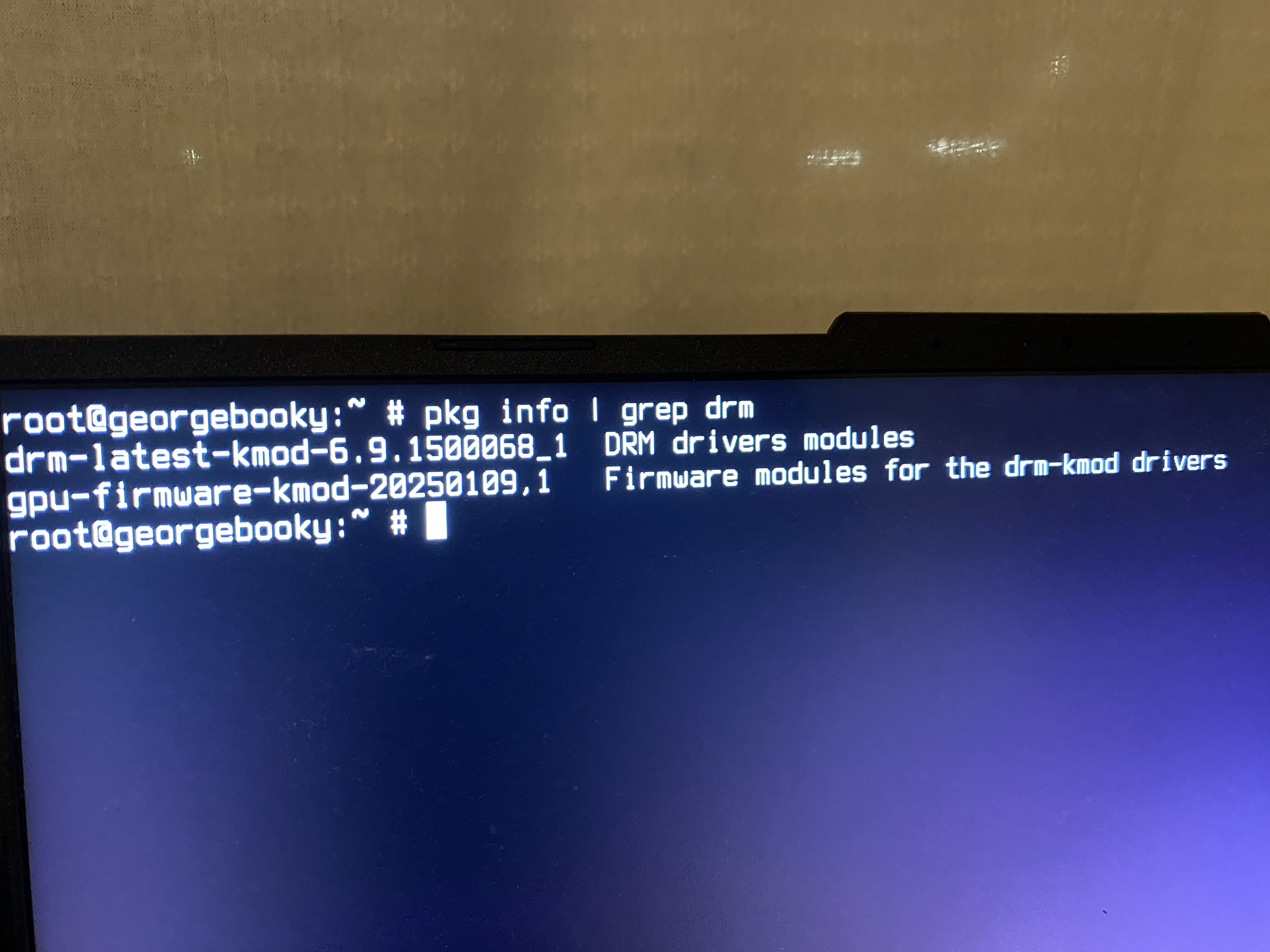
If yes to all, you can uninstall drm-kmod , drm-66-kmod and gpu-firmware-kmod and install drm-latest-kmod and gpu-firmware-amd-kmod. These are the drm components from Linux 6.9 which are more recent than the 6.6 of drm-kmod. It may work.

If all else fails, remove amdgpu from the kld_list of /etc/rc.conf and setup either the framebuffer (UEFI boot) or vesa drivers (legacy boot). You have information on this here: https://docs.freebsd.org/en/books/handbook/x11/#x-config-gpu
 
bamy88, did you install drm-kmod, gpu-firmware-kmod (or just gpu-firmware-amd-kmod, in case the dependency wasn't pulled) and added amdgpu to the list of kld_list on /etc/rc.conf?

If yes to all, you can uninstall drm-kmod , drm-66-kmod and gpu-firmware-kmod and install drm-latest-kmod and gpu-firmware-amd-kmod. These are the drm components from Linux 6.9 which are more recent than the 6.6 of drm-kmod. It may work.

If all else fails, remove amdgpu from the kld_list of /etc/rc.conf and setup either the framebuffer (UEFI boot) or vesa drivers (legacy boot). You have information on this here: https://docs.freebsd.org/en/books/handbook/x11/#x-config-gpu
yes alll is installed. will try the second option.
the thing is amdgpu driver is activated via kernel because the terminal resolution changes as soon as kernel module is loaded.. so it is activated. but xorg doesnt recognize the radeon driver.

im guessing framebuffer and/or vesa drivers are without hardware acceleration. i'd rather not use them.
 
Well, for me on a 780M (also rdna 3, but different firmware), I don't have any specific setting for X to use the radeon driver, so I'm using modesetting.

So, if you have this file,

/usr/local/etc/X11/xorg.conf.d/20-radeon.conf
Section "Device"
Identifier "Card0"
Driver "radeon"
EndSection
Remove or rename it to something other than .conf. And see if it starts the mode setting driver.

Edit: From your first screen shot, I would say first remove all of your *.conf files and try to boot X.

You should have some lines about this on /var/log/Xorg.0.log

[ 4.654] (II) LoadModule: "modesetting"
[ 4.654] (II) Loading /usr/local/lib/xorg/modules/drivers/modesetting_drv.so
[ 4.654] (II) Module modesetting: vendor="X.Org Foundation"
[ 4.654] compiled for 1.21.1.20, module version = 1.21.1
[ 4.654] Module class: X.Org Video Driver
[ 4.654] ABI class: X.Org Video Driver, version 25.2

And yes, the framebuffer/vesa driver offer no acceleration. It should just be used as fallback (I have a backup conf just in case to enable it).

Alternatively you can also see the Wayland chapter for an alternative to X.
 
Like i wrote in my first post, running in modesetting it kernel panics and reboots my system. So it doesnt work.
I've installed GhostBSD which video works with amd drivers and will copy all the setting files and try it on fbsd to see what i did wrong.

i don't like Wayland and will not use it until i have to.
 
Try installing xf86-video-ati also, it's where the x11 radeon driver is located. But I don't think it will work with your card.

GhostBSD is tracking 14.3, so also try with drm-61-kmod and associated firmware files.
 
i tried that package, it didnt work.

EDIT: i actualy made it to work. Reinstalled everything, installed drm-61-kmod and all the requered firmware packages. I made no xorg.conf file so Xorg made it itself and voila it works.
 
bamy88, great. I had issues on the past when changing repositories for base and kmods. That's one point where FreeBSD still trips me. Maybe that's what happened to you?

In any case, you shouldn't have many issues running 6.1. Enjoy
 
well at first i did a fresh install with alot of kmods for radeon and amd with drm-kmod and i've set my own xorg file but like you saw nothing worked. did a fresh install again with minimal kmod pacakges and somewhat did the trick.
 
i tried that package, it didnt work.

EDIT: i actualy made it to work. Reinstalled everything, installed drm-61-kmod and all the requered firmware packages. I made no xorg.conf file so Xorg made it itself and voila it works.
Would it be possible to share what firmware packages you installed for it to work? I've been trying to also set up a GPU in the same family as the RX 7600 (more specifically an RX 7600M XT) with zero progress.
 
sure,

pkg install drm-61-kmod gpu-firmware-kmod


In /etc/rc.conf:
kld_list="amdgpu"

And that's it. Reboot, if gpu module is correctly installed and loaded, terminal resolution will change and you can startx to check your installation.
I've tried installing 'drm-kmod' and 'drm-latest-kmod' and it never worked.
And don't do your own 20-radeon.conf as per FreeBSD handbook it will never work. Just leave it be without any config and will generate its own.


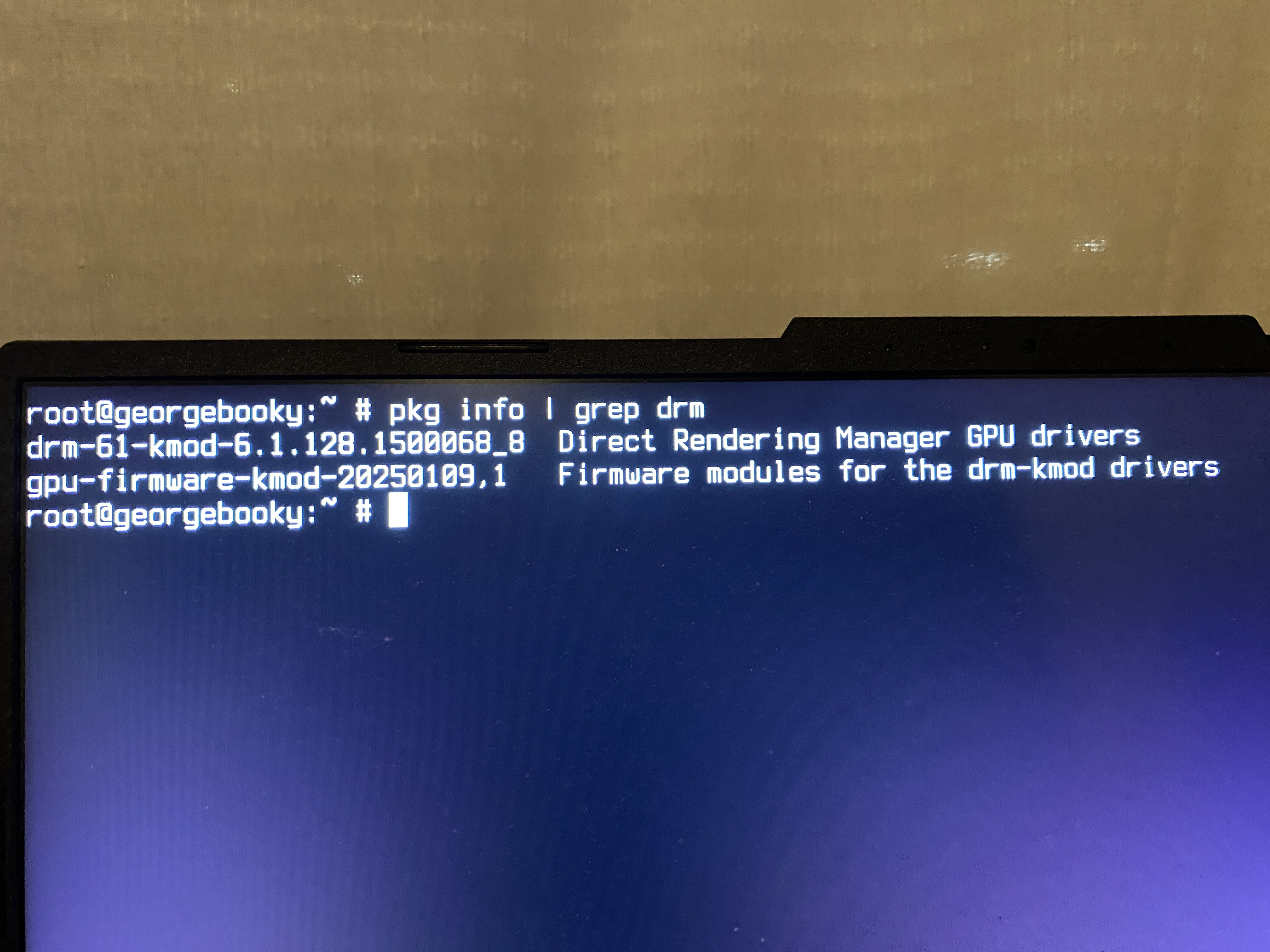
root@darkstar:~$ pkg info | grep drm
drm-61-kmod-6.1.128.1500068_8 Direct Rendering Manager GPU drivers
gpu-firmware-kmod-20250109,1 Firmware modules for the drm-kmod drivers

This is my setup.


Hope this helps.
 
I am running the same gpu and had to specifically install drm-latest-kmod for X to start playing nice.
I also hit an issue of not having a cursor once I started X, So I have Option "SWcursor" "true" as it was something wierd with HWcursor.
Most of this will be relevent, tinker around for what suites you best.
https://wiki.archlinux.org/title/AMDGPU#Xorg_configuration
https://man.archlinux.org/man/amdgpu.4

cat /usr/local/etc/X11/xorg.conf.d/20-amdgpu.conf
Section "Device"
Identifier "RX7600"
Driver "amdgpu
BusID "pci:3:0:0
Option "PrimaryGPU" "true"
Option "SWcursor" "true"
EndSection

cat /etc/rc.conf | grep kld_list
kld_list="if_rge amdgpu nullfs"

EDIT: Formatting.
 
thanks to the both of you for the info, but neither solution really worked for me. Could either be a specific problem with this GPU or how it’s communicating with the rest of the system (the system in question is a laptop after all). So I’ll have to start a separate thread for that.
 
thanks to the both of you for the info, but neither solution really worked for me. Could either be a specific problem with this GPU or how it’s communicating with the rest of the system (the system in question is a laptop after all). So I’ll have to start a separate thread for that.
Run a HW-Probe, that should give you info on what is working/detected as well. PM me if you have any questions, happy to help.

pkg install hw-probe

hw-probe --all --upload
open the link it provides on another PC.

EDIT: Formatting.
 
Run a HW-Probe, that should give you info on what is working/detected as well. PM me if you have any questions, happy to help.


pkg install hw-probe

hw-probe --all --upload
open the link it provides on another PC.
just published a thread under “Display Servers” with a hw-probe, I’d like to redirect you there if that’s alright :)
 
Back
Top