

And if you enter commandThere isn't anything in it as far as I can see, Maybe I'm in the wrong file?
pkg info xorg-server what do you get?And if you enter commandThere isn't anything in it as far as I can see, Maybe I'm in the wrong file?
pkg info xorg-server what do you get?I'm guessing you may have skipped this step:OK Now when I started all over new Sdd 60G 8G ram all new and now gnome3-lite followed all handbook instructions, It doesn't even
start with startx command? Error Can't run in framebuffer mode. It just don't want me in freebsd.
pkg install xorgA lot of information I don't understand, mostly a description about x11 xorgAnd if you enter commandpkg info xorg-serverwhat do you get?
Vull, you beat me to the punch!!!!I'm guessing you may have skipped this step:pkg install xorg
Reference: https://docs.freebsd.org/en/books/handbook/x11/#x-install
We may be overworking these threads a bit.Vull, you beat me to the punch!!!!
That means the Xorg is installed. What is your GPU type (AMD, Intel, Nvidia)? For AMD and Intel chips you need DRM to be loaded. For Nvidia you need a driver.A lot of information I don't understand, mostly a description about x11 xorg
I'm booting 12.2 now maybe 13 isn't for me. Yes the first thing I installed after freebsd update & fetch was org, pkg install -y xorgIt may make sense to just start over and re-install.
Get to a bare shell (it only takes 15 minutes if you accept defaults and have a password for both regular user and root prepared in advance). Once you have a normally-booting machine with sh(1), then make sure that x11-servers/xorg-server is the very first thing you install. If you look in the Handbook (I even found the section for you), you will find that on FreeBSD, it requires no config, really. Once installation of x11-servers/xorg-server and dependencies (which get pulled in automatically) is out of the way, then you can look at installing KDE again.
I'm on 13-RELEASE, never bothered with freebsd-update. But what I said should work for you regardless. I'd suggest just following along with the Handbook for Xorg, just keep going until the section stops.I'm booting 12.2 now maybe 13 isn't for me. Yes the first thing I installed after freebsd update & fetch was org, pkg install -y xorg
That means the Xorg is installed. What is your GPU type (AMD, Intel, Nvidia)? For AMD and Intel chips you need DRM to be loaded. For Nvidia you need a driver.
Assume you did read the following - FreeBSD Graphics
kld_list=amdgpuThat means the Xorg is installed. What is your GPU type (AMD, Intel, Nvidia)? For AMD and Intel chips you need DRM to be loaded. For Nvidia you need a driver.
Assume you did read the following - FreeBSD Graphics
OK Here I am with startx it started now what should I just install gnome-lite without freebsd-update and the rest?I'm booting 12.2 now maybe 13 isn't for me. Yes the first thing I installed after freebsd update & fetch was org, pkg install -y xorg
Now that you have Xorg going, you should be able to fire up Xterm, and keep plugging with installation... and do follow along with the Handbook - next up is your favorite KDE, which you tried earlier. Can you find instructions in the Handbook?
I thought you had nvidia graphics-- is this a different machine? Please post the output ofOK Followed the Desktop Environment to the letter for gnome3 after reboot it went into a grey screen, so I tried to get back into xterm
it opened with grey screen also? It must be the graphics as you mentioned, where should I look? I do have kld_list=amdgpu in /etc/rc.conf
pciconf -lv pciconf -lv | more and you can look through the output yourself to identify your graphics card.Wayland session by accident?
A lot of information I don't understand, mostly a description about x11 xorg
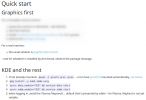
Even with packages, the SDDM install does have the option to select either the Wayland or the Xorg session.Could that be that you use the Wayland session by accident?
Try starting plasma from console with:exec ck-launch-session startplasma-x11
Even with packages, the SDDM install does have the option to select either the Wayland or the Xorg session.
Chek if DRM is loaded correctly. If you runOK Followed the Desktop Environment to the letter for gnome3 after reboot it went into a grey screen, so I tried to get back into xterm
it opened with grey screen also? It must be the graphics as you mentioned, where should I look? I do have kld_list=amdgpu in /etc/rc.conf
kldstat | grep amd what do you get? Should be several lines with AMD GPU modules. grep drm /var/log/messages. This is self explanatory. In the end there should be something like this [drm] Initialized amdgpu 3.35.0 20150101 for drmn0 on minor 0.kld_list="amdgpu"I 'm using an 5 year old and built AMD Athlon 5350 ap with Radeon R3. my /etc/fstab "proc /proc procfs rw 00"I thought you had nvidia graphics-- is this a different machine? Please post the output ofpciconf -lv
Edited to add: If you have trouble copying and pasting the output, trypciconf -lv | moreand you can look through the output yourself to identify your graphics card.
24f9d4 amdgpu.ko and a lot of other numbers are in there, Sorry can't copy and paste exact thing. I'm answering on my iMac.Chek if DRM is loaded correctly. If you runkldstat | grep amdwhat do you get? Should be several lines with AMD GPU modules.
DRM is completely independent of Xorg. Before starting to play with Xorg, ensure that your DRM is OK. After booting up check messages withgrep drm /var/log/messages. This is self explanatory. In the end there should be something like this[drm] Initialized amdgpu 3.35.0 20150101 for drmn0 on minor 0.
BTW, in rc.conf I have the list in quotation markskld_list="amdgpu"
Do not know if this works without quotation marks. Anyway, make sure that your DRM is loaded and working properly.
Xorg should be OK when DRM works. It needs no configuration, however expert users can configure it. Not recommended for beginners. After that ensure that your login manager works. These are also independent of window managers and there are several options available. I like sddm, but this is personal preference, not mandatory. You can try slim also.

OK Followed the Desktop Environment to the letter for gnome3 after reboot it went into a grey screen, so I tried to get back into xterm
it opened with grey screen also? It must be the graphics as you mentioned, where should I look? I do have kld_list=amdgpu in /etc/rc.conf
 bugs.freebsd.org

Enable sshd(8) on the FreeBSD machine (probably already enabled by the installer), then you can SSH into it from your Mac. That'll make configuring a little easier and allows you to copy/paste the information instead of having to retype it by hand.I'm answering on my iMac.
Never used it, Don't know where to start?Enable sshd(8) on the FreeBSD machine (probably already enabled by the installer), then you can SSH into it from your Mac. That'll make configuring a little easier and allows you to copy/paste the information instead of having to retype it by hand.
I'll start over and try the quick start, Can you post the link? ThanksHopefully not. The quick start (linked from page 1) explicitly warns against it.
I know. X.Org is a frequent source of frustration and confusion.
This is partly why we have the KDE-provided quick start, which should be much easier to understand. Try the quick start, without looking at the FreeBSD Handbook.
View attachment 11577


