Dual boot Windows and FreeBSD (ZFS) on two different hard disks

Hi! First, excuse my ignorance; I'm new in FreeBSD and this is my first message to the forum.

I'm trying to install FreeBSD 10.2 RELEASE in my second hard disk (ada1) and I would like to install it on a ZFS file system. In my first hard disk (ada0) I have Windows.

When I begin the installation of FreeBSD and I select the "Auto ZFS" option, the installer shows many options that one may set up, and one of them is the partition scheme (GPT by default, and recommended). Now, the question is: will I be able to dual boot between Windows and FreeBSD if I select GPT as partition scheme? I read that boot0cfg utility only works with MBR partition tables and, because its simplicity, I would like to use the boot0cfg. But the installer recommends GPT with ZFS, and I preffer ZFS over UFS. What should I do?

Thanks :)
 
Thanks for your reply, kpa. I forgot to say I have BIOS, not UEFI, and I have SATA set in Legacy mode, so I don't know if GPT is possible.
 
Thanks for your reply, kpa. I forgot to say I have BIOS, not UEFI, and I have SATA set in Legacy mode, so I don't know if GPT is possible.

GPT usually works on BIOS systems because of the PMBR (protective MBR) that presents the GPT partitioned disk as a standard MBR disk to the BIOS and does a simple chain loading of the GPT boot code to enable booting. There are exceptions though and those are the systems where the BIOS manufacturer has tried to be too smart and the PMBR causes the BIOS to crash or lock up on boot.
 
Hi Kalero, welcome to the forums. I agree with kpa; using the BIOS boot menu is the simplest way to achieve what you want quickly. Since it sounds like you are only getting started with FreeBSD, don't worry too much about chossing the "right" disk layout. Once you have installed FreeBSD, configured it and used it for a while you will likely realise you want to set it up differently anyway. With luck that will happen around the time of the release of 10.3 and/or 11.0 :)
 
If you don't want to deal with BIOS switcher, the most easy solution is EasyBCD Community (free) edition. Moreover with EasyBCD you can change the default OS and set the time counter for default start.

http://neosmart.net/EasyBCD/

It works under Windows, and so needs a Windows install as it uses some components of Windows to execute the OS load.

With FreeBSD set up in old fashion MBR scheme it works well. In MBR scheme the boot partition is always the first partition of a given slice.

For example : ada0s1a
=> ada0 = first hard drive attached to sata port
=> s1 = slice 1
=> a = first partition of the slice 1

When FreeBSD is set up in GPT scheme, I have experienced many big issues, but unable to know if theses issue are related or not to my quite old hardware as old BIOS can have some problems to deal with the GPT scheme.

When switching with EasyBCD to the FreeBSD disk, the FreeBSD boot loader was sometimes erasing the windows bootloader of the primary windows disk with no reason and making it unusable... just need to rewrite the Windows bootloader.

So, my advice would be to install FreeBSD OS in old MBR scheme to ensure a good compatibility with Windows. You can install additional FreeBSD disk in GPT scheme since these are not bootable partition. For example HOME, VAR data can be located on GPT hard drives as they are further mounted on the root partition.
 
GPT usually works on BIOS systems because of the PMBR (protective MBR) that presents the GPT partitioned disk as a standard MBR disk to the BIOS and does a simple chain loading of the GPT boot code to enable booting. There are exceptions though and those are the systems where the BIOS manufacturer has tried to be too smart and the PMBR causes the BIOS to crash or lock up on boot.

Thanks, kpa :)

This is the info about my BIOS:
- (in msinfo32) Dell Inc. A22, 11/06/2012
- (in Windows registry) DELL - 15
Phoenix ROM BIOS PLUS Version 1.10 A22


I also have the SATA Operation set for Legacy mode at the next BIOS screen

maxresdefault.jpg


So, do you think will there be any problem with GPT?
 
Whether it works does not depend on Legacy/AHCI setting of the SATA controller but purely on how well the BIOS manufacturer has followed the MBR standard. Try it and see if it works.
 
Hi Kalero, welcome to the forums. I agree with kpa; using the BIOS boot menu is the simplest way to achieve what you want quickly. Since it sounds like you are only getting started with FreeBSD, don't worry too much about chossing the "right" disk layout. Once you have installed FreeBSD, configured it and used it for a while you will likely realise you want to set it up differently anyway. With luck that will happen around the time of the release of 10.3 and/or 11.0 :)

Hi asteriskRoss! Thanks a lot for your encouragement! By the moment, I think I have to read a lot :)
 
If you don't want to deal with BIOS switcher, the most easy solution is EasyBCD Community (free) edition. Moreover with EasyBCD you can change the default OS and set the time counter for default start.

http://neosmart.net/EasyBCD/

It works under Windows, and so needs a Windows install as it uses some components of Windows to execute the OS load.

With FreeBSD set up in old fashion MBR scheme it works well. In MBR scheme the boot partition is always the first partition of a given slice.

For example : ada0s1a
=> ada0 = first hard drive attached to sata port
=> s1 = slice 1
=> a = first partition of the slice 1

When FreeBSD is set up in GPT scheme, I have experienced many big issues, but unable to know if theses issue are related or not to my quite old hardware as old BIOS can have some problems to deal with the GPT scheme.

When switching with EasyBCD to the FreeBSD disk, the FreeBSD boot loader was sometimes erasing the windows bootloader of the primary windows disk with no reason and making it unusable... just need to rewrite the Windows bootloader.

So, my advice would be to install FreeBSD OS in old MBR scheme to ensure a good compatibility with Windows. You can install additional FreeBSD disk in GPT scheme since these are not bootable partition. For example HOME, VAR data can be located on GPT hard drives as they are further mounted on the root partition.

Thanks, Wozzeck :)

So, why is the FreeBSD installer recommending GPT partition scheme with ZFS? Is there any reason?
 
Whether it works does not depend on Legacy/AHCI setting of the SATA controller but purely on how well the BIOS manufacturer has followed the MBR standard. Try it and see if it works.

Mainly because ZFS setup on MBR disks is such a hassle:

https://wiki.freebsd.org/RootOnZFS#Using_MBR_Disk

GPT partitioning solves all the problems with the bootcode very nicely.

Again, thanks a lot, kpa.

I'll try it tomorrow and I'll tell you whether it works :)
 
Hi again! Excuse my delay, I've been busy with personal affairs.

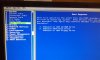
This afternoon I've been trying to install FreeBSD 10.2, on ZFS with GPT. First, I tried unsuccessfully the kpa user's BIOS boot selection menu solution, but the BIOS only shows one SATA hard drive boot option, like it's shown in the picture below (the F12 Boot selection menu shows the same options), although I have two hard drives. Then, it directly boots Windows.

Once in Windows, I downloaded EasyBCD 2.2 and added two entries (the first one for Windows NT/XP/2k/etc, leaving autodetect disk option enabled, and the second one for FreeBSD/PC-BSD, selecting the partition below the second disk). I restarted the PC and I got an error message saying: "Invalid boot.ini file. Booting from c:\windows\", and Windows booted correctly, but I didn't see the FreeBSD option! What is happening? What should I do? Thanks so much.
 

Attachments

  • 20151014_165447.jpg
    20151014_165447.jpg
    965.3 KB · Views: 473
Back
Top