Trying to install FreeBSD on Mac OSX via VirtualBox

Hi!

I'm trying to install FreeBSD on Mac OSX via VirtualBox.

I think there's a lack of documentation about how to make it right. On the pre-installation tasks page, there an example of how to make an amd64 install, but no i386 version.

I searched for a solution on Google, but so far, no luck, it seems to be too specific case.

So if anybody can help, that'd be cool.

Thanks.
 
Thank you for your answers, guys.

But at the moment I didn't managed to boot on the .img file.

I'll try again later today, not in front on the computer I use for this right now.

As I'm totally new to this, it's a trial-and-error pattern.

Thanks again.
 
If you want to install FreeBSD in a VirtualBox VM you can just assign the ISO to the virtual CD/DVD drive. There's no need to burn anything. The memstick image is most likely not going to work.
 
If you want to run FreeBSD using VirtualBox. The simplest and favourite way (at least for me): download a pre-installed VMD; run the wizard to make a new VM; you will be asked to create a new HD image or use an existent one; choose "use an existent one"; browse your filesystem and select the downloaded VMD file.
Download & official download link (this is a compressed .xz file, you need to uncompress it): ftp://ftp.freebsd.org/pub/FreeBSD/releases/VM-IMAGES/10.1-RELEASE/i386/Latest/FreeBSD-10.1-RELEASE-i386.vmdk.xz

Let us know if it helps! ;)
 
Managed to boot, easy as pie with your solution, Jorma. Thanks a lot!

I was stuck at a message saying :
Code:
edit /etc/motd to change this login announcement
Then I saw the manual. I wrote man man without knowing it would should the manual.

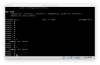
And I attached a picture of where I am now.
 

Attachments

  • Capture d’écran 2015-01-28 à 05.52.38.png
    Capture d’écran 2015-01-28 à 05.52.38.png
    37.9 KB · Views: 708
I'm not sure I understand the question. The message you see is /etc/motd, it's not asking you to change it, just telling you where the file is located if you want to change it. Most people ignore it (which is funny considering how much bikeshedding I went through to update that message, but anyway).

You have FreeBSD installed. The command prompt is it. At this point, users typically install applications from ports or packages. The Handbook has instructions on that and many other things: https://www.freebsd.org/doc/en_US.ISO8859-1/books/handbook/.

For new questions not related to the topic of this thread, best results will be achieved by starting a new thread for each new question.
 
The blue background is produced by dialog(1), used in the installer. After the installer completes, it's just a plain terminal environment defaulting to black and white.
 
OK so maybe I chose FreeBSD in a hurry, I was expecting to use a GUI.
Or maybe that's the FreeBSD Ports time?
 
What you downloaded was a pre-installed FreeBSD on a virtual machine.
FreeBSD has no GUI right off the bat, best option for you is to try PCBSD. Here is screenshot of PCBSD's installer.
 
Back
Top