ArduPilot SITL on FreeBSD 15.0 – successful build and a question about porting

Hello,

Over the last few days I have been experimenting with building and running ArduPilot on FreeBSD 15.0.

My goal was to see whether ArduPilot SITL (Software-In-The-Loop) could be used as a development and training platform on FreeBSD without relying on Linux.

The result was surprisingly good.

The following components are working:

  • ArduPilot SITL
  • MAVProxy
  • MAVProxy Console
  • MAVProxy Map
  • GUIDED mode
  • STABILIZE mode
  • MAVLink telemetry
  • AP_Bootloader build
  • STM32 flashing via dfu-util

System used:

Code:
FreeBSD 15.0-RELEASE-p5 amd64
clang 19
Python 3.11

Build issues encountered

ArduPilot contains a few Linux-specific assumptions that prevent it from building on FreeBSD out of the box.

1. libraries/AP_HAL_SITL/UART_utils.cpp

Build failed with:

Code:
fatal error: 'asm/termbits.h' file not found

The code uses Linux-specific interfaces:

Code:
#include <asm/ioctls.h>
#include <asm/termbits.h>

struct termios2
TCGETS2
TCSETS2
BOTHER

FreeBSD does not provide these APIs.

I modified the code to use the existing POSIX termios path:

Code:
#include <sys/ioctl.h>
#include <termios.h>

and standard termios functionality instead of Linux-specific termios2.

Example diff:

Code:
-#include <asm/ioctls.h>
-#include <asm/termbits.h>
+#include <sys/ioctl.h>
+#include <termios.h>

2. libraries/AP_Filesystem/AP_Filesystem_posix.cpp

Build failed with:

Code:
fatal error: 'sys/vfs.h' file not found

On FreeBSD I replaced it with:

Code:
#ifdef __FreeBSD__
#include <sys/param.h>
#include <sys/mount.h>
#else
#include <sys/vfs.h>
#endif

Example diff:

Code:
+#ifdef __FreeBSD__
+#include <sys/param.h>
+#include <sys/mount.h>
+#else
 #include <sys/vfs.h>
+#endif

Bootloader build

While building AP_Bootloader I encountered errors such as:

Code:
struct _reent declared inside parameter list

The issue turned out not to be ArduPilot itself, but the ARM toolchain.

The FreeBSD package:

Code:
/usr/local/bin/arm-none-eabi-gcc
and
Code:
export PATH=/usr/local/gcc-arm-embedded-14.2.rel1/bin:$PATH
export MAKE=gmake

was built with:

Code:
--without-headers

and therefore lacks the required newlib headers.

After switching to:

Code:
/usr/local/gcc-arm-embedded-14.2.rel1/bin/arm-none-eabi-gcc

the bootloader built successfully without any source code modifications.

Python dependencies

Installed via pip:

Code:
MAVProxy
pymavlink
dronecan
empy
fastcrc
geocoder
pexpect
pyserial
pynmeagps

Installed via pkg:

Code:
opencv
proj
git 
gmake 
python 
py311-pip 
py311-sqlite3

The MAVProxy map module initially failed because OpenCV was missing:

Code:
ModuleNotFoundError: No module named 'cv2'

After installing OpenCV, the map module loaded successfully.

Result

ArduPilot SITL is now running correctly on FreeBSD.

Example commands tested successfully:

Code:
mode guided
arm throttle
takeoff 20
velocity 1 0 0
mode land
link files
Code:
sudo ln -s /usr/local/bin/python3.11 /usr/local/bin/python
sudo ln -s /usr/local/bin/python3.11 /usr/local/bin/python3

MAVProxy Console and Map are both operational.

Question to the FreeBSD community

Would there be any interest in creating a proper FreeBSD port for ArduPilot SITL?

At least for my setup, only two relatively small source code changes were required to get SITL running.

I would be interested in hearing opinions about:

  • Creating a FreeBSD port for ArduPilot SITL
  • Adding official FreeBSD support upstream
  • Maintaining a small FreeBSD compatibility patch set

Perhaps there are already users running ArduPilot or PX4 on FreeBSD who could share their experience.

Thank you.
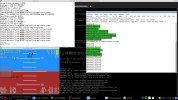
 

Attachments

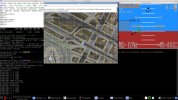
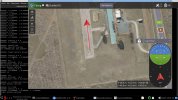
  • sitl.jpg
    sitl.jpg
    326.2 KB · Views: 36
  • sitlmap.jpg
    sitlmap.jpg
    329.7 KB · Views: 37
I performed some additional testing after my original post.

Using the same FreeBSD 15.0 setup and the two compatibility patches mentioned above, I was able to build the following ArduPilot vehicle targets successfully:

Code:
./waf plane
./waf rover
./waf sub
./waf heli
./waf blimp

Усі вони були успішно завершені без необхідності будь-яких додаткових змін вихідного коду.
Code:
Tools/autotest/sim_vehicle.py -v Rover --console --map

I also tested an embedded target and successfully built ArduCopter firmware for a SpeedyBee F405 V3 flight controller:

[code]
./waf configure --board speedybeef4v3
./waf copter

Generated files:

Code:
BUILD SUMMARY
Build directory: /home/res2500/code/ardupilot/build/speedybeef4v3
Target          Text (B)  Data (B)  BSS (B)  Total Flash Used (B)  Free Flash (B)  External Flash Used (B)
----------------------------------------------------------------------------------------------------------
bin/arducopter    858612      3060    81320                861672          137748  Not Applicable        

'copter' finished successfully (6m26.456s)
res2500@:~/code/ardupilot $ ll build/speedybeef4v3/bin/
total 3592
drwxr-xr-x   2 res2500 res2500 -     512 12 черв. 17:11 ./
drwxr-xr-x  10 res2500 res2500 -    1024 12 черв. 17:11 ../
-rw-r--r--   1 res2500 res2500 -   13701  5 черв. 20:43 AP_Bootloader.apj
-rwxr-xr-x   1 res2500 res2500 -   13840  5 черв. 20:43 AP_Bootloader.bin*
-rwxr-xr-x   1 res2500 res2500 - 1861168 12 черв. 17:11 arducopter*
-rw-r--r--   1 res2500 res2500 -  785130 12 черв. 17:11 arducopter.apj
-rwxr-xr-x   1 res2500 res2500 -  861676 12 черв. 17:11 arducopter.bin*

Important note regarding the ARM toolchain:

The FreeBSD arm-none-eabi-gcc package was not sufficient for building AP_Bootloader because it was built without the required newlib headers.

I used the ARM GNU Embedded Toolchain instead:

Code:
export PATH=/usr/local/gcc-arm-embedded-14.2.rel1/bin:$PATH
export MAKE=gmake

Verification:

Code:
which arm-none-eabi-gcc
arm-none-eabi-gcc --version

After switching to the ARM GNU Embedded Toolchain, both AP_Bootloader and embedded firmware targets built successfully.

At this point I have successfully tested:

Code:
SITL:
- ArduCopter
- ArduPlane
- Rover
- ArduSub
- Heli
- Blimp

Embedded:
- AP_Bootloader
- SpeedyBee F405 V3 (ArduCopter)

Єдиними змінами вихідного коду, які були потрібні, були два виправлення сумісності з FreeBSD, описані в оригінальному дописі.
Testing is still ongoing. The next step is testing with the QGroundControl ground station.
 
QGroundControl Update

I also spent some time testing QGroundControl on the same FreeBSD 15.0 system.

The build was not completely straightforward. During the process I encountered several FreeBSD-specific issues, including missing dependencies and a few source-level build problems.

Some of the issues included:

Code:
showLinuxErrorDialog()
unused-function warnings treated as errors (-Werror)
missing Python modules (for example defusedxml, jinja2)

After resolving the dependency issues and applying a few local fixes, QGroundControl built successfully.

Version tested:

Code:
QGroundControl v5.0.3-1059-gdc6a04d87

Current status:

  • Build completed successfully
  • Application starts correctly
  • No immediate crashes observed
  • Successfully connects to ArduPilot SITL
  • MAVLink communication confirmed
  • Basic flight testing performed

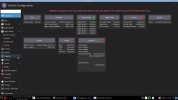
I have attached a screenshot of the running application.

At this stage I have not fully tested all functionality yet.

I am still learning the QGroundControl workflow, configuration options, mission planning tools and flight control interface, so additional testing is required before I can make any claims about full compatibility.

However, based on the current results, QGroundControl appears to be usable on FreeBSD and is able to communicate with ArduPilot SITL.

Together with the previous ArduPilot work, the current FreeBSD setup now includes:

Code:
ArduPilot SITL
MAVProxy
MAVProxy Map
QGroundControl
AP_Bootloader
STM32 DFU flashing

The next steps for me are:

  • More extensive QGroundControl testing
  • Mission planning tests
  • RTL and autonomous mission tests
  • Parameter management
  • Log analysis tools
  • Testing with real flight controllers

For now I can confirm that QGroundControl builds and runs on FreeBSD 15.0, and is capable of connecting to ArduPilot SITL.
 

Attachments

  • QGroundControl.jpg
    QGroundControl.jpg
    308.2 KB · Views: 29
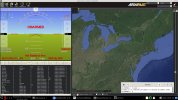
Mission Planner successfully launched on FreeBSD 15.0 with Mono
I tested Mission Planner on FreeBSD 15.0-RELEASE amd64 using Mono.

Environment
Code:
FreeBSD 15.0-RELEASE amd64
Mono 6.8.0.123
LXQt desktop

Mission Planner version
Code:
Mission Planner 1.3.83

Results:
  • Mission Planner starts successfully under Mono.
  • No source code modifications or recompilation of Mission Planner were required.
  • Main window loads correctly.
  • Flight Data and Flight Plan tabs open.
  • Map is displayed and zooming works.
  • Plugins are detected and loaded.
  • The application is usable for basic navigation through the interface.

Mission Planner was launched directly with Mono on FreeBSD, without Wine.

Known issues

  • City names, borders and some map labels are missing.
  • Built-in SITL launch fails with a Process.Start() / Access denied error.
  • Some windows and panels do not resize correctly.
  • GDAL-related warnings are present during startup.
  • Not all functionality has been tested yet.

Not yet tested
  • Real flight controller connection
  • Parameter management
  • Mission upload/download
  • Telemetry operation
  • Log analysis
  • Complete SITL workflow

Additional investigation
During investigation of Mission Planner startup issues, I found that the FreeBSD GDAL port currently disables C# bindings:
Code:
BUILD_CSHARP_BINDINGS
CSHARP_MONO

I enabled these options and successfully built the GDAL C# bindings (gdal_wrap, ogr_wrap, osr_wrap) on FreeBSD.
While testing this, I also found a build issue where CSHARP_PLATFORM was correctly set in CMakeCache.txt, but was not propagated correctly into the Mono compiler command line, resulting in:
Code:
/platform:
instead of a valid target platform value.
After patching the build files, the GDAL C# bindings were successfully built.
Further compatibility testing between the generated GDAL C# bindings and Mission Planner is still required.

Conclusion:
Mission Planner appears to be functional on FreeBSD for at least basic usage through Mono.
More testing is needed, but the current results are promising and show that Mission Planner can run on FreeBSD without Wine.

If anyone else has experience running Mission Planner on FreeBSD, I would be interested in comparing results and testing additional functionality.
 

Attachments

  • mpFreeBSDmono.jpg
    mpFreeBSDmono.jpg
    357.1 KB · Views: 27
Today's Progress Update: SPEDIXF405, QGroundControl and Mission Planner on FreeBSD

Today I focused on testing a real flight controller instead of SITL.

Hardware: SPEDIX F405
Building ArduPilot Firmware
Environment:
Code:
$ export PATH=/usr/local/gcc-arm-embedded-14.2.rel1/bin:$PATH
$ export MAKE=gmake

Firmware build:

Code:
$ ./waf clean
$ ./waf configure --board SPEDIXF405
$ ./waf copter

Generated files:
Code:
build/SPEDIXF405/bin/arducopter.apj
build/SPEDIXF405/bin/arducopter.bin
build/SPEDIXF405/bin/arducopter_with_bl.hex

To generate the with-bootloader image, the Python intelhex module was required:

Code:
$ python3 -m pip install --user intelhex

Building AP_Bootloader

I also built the standalone bootloader:

Code:
$ MAKE=/usr/local/bin/gmake ./waf configure --board SPEDIXF405 --bootloader
$ MAKE=/usr/local/bin/gmake ./waf bootloader

Generated:

Code:
build/SPEDIXF405/bin/AP_Bootloader.bin

One FreeBSD-specific issue was that waf attempted to use BSD make. Switching to GNU make resolved the problem.

Flashing Tests

Initial test:

Code:
$ dfu-util -a 0 -s 0x08000000:leave -D build/SPEDIXF405/bin/AP_Bootloader.bin

This did not produce a usable result.

After reading the SPEDIXF405 documentation, I discovered that the recommended first installation image is:
Code:
Firmware
Firmware for the SPEDIX F405 is available from ArduPilot Firmware Server under the SPEDIXF405 target.

Loading Firmware
To flash firmware initially, connect USB while holding the bootloader button and use DFU to load the with_bl.hex file. Subsequent updates can be applied using .apj files through a ground station.


arducopter_with_bl.hex = AP_Bootloader + ArduCopter firmware

Work build firmware
[код]
$ export PATH=/usr/local/gcc-arm-embedded-14.2.rel1/bin:$PATH
$ export MAKE=gmake
$ ./waf clean
$ ./waf configure --board SPEDIXF405
$ ./waf copter

$ arm-none-eabi-objcopy -I ihex -O binary arducopter_with_bl.hex arducopter_with_bl.bin

$ dfu-util -a 0 -s 0x08000000:leave -D arducopter_with_bl.bin[/code]

The official documentation specifically recommends using the with_bl image for the initial DFU installation.

QGroundControl Results

QGroundControl was able to detect the controller:

Code:
Found device: ArduPilot ChibiOS (cuaU0)

This confirms:

  • Firmware build completed successfully
  • ArduPilot bootloader is present
  • USB communication works
  • FreeBSD detects the controller correctly

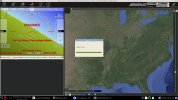
Mission Planner Results

Mission Planner was started under Mono using:

Code:
$ export MONO_IOMAP=drive:case
$ export MONO_WINFORMS_XIM_STYLE=disabled
$ export LANG=C.UTF-8
$ mono MissionPlanner.exe

Results:

  • Mission Planner starts
  • Controller connection successful
  • MAVLink telemetry received
  • HUD updates correctly

Mission Planner is not fully functional yet under Mono:

  • Firmware upload not working
  • File save dialogs not working correctly
  • Some parameter functions incomplete
  • WinForms exceptions observed

However, live telemetry from the flight controller was successfully displayed.

Current Status
Today's successful workflow:
Code:
FreeBSD 15.0 -> ArduPilot Build -> SPEDIXF405 Firmware -> DFU Flashing -> ArduPilot ChibiOS Bootloader -> QGroundControl (Connect USB ) and Mission Planner (Mono) (Connect USB )

At this point I have confirmed:
  • Firmware builds on FreeBSD
  • Bootloader builds on FreeBSD
  • DFU flashing works
  • QGroundControl detects the hardware
  • Mission Planner can communicate with the hardware
  • MAVLink telemetry is working
  • Calibration accelerometer

Further testing is still needed for parameter management, calibration, mission planning and actual flight operation.
 

Attachments

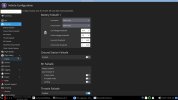
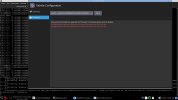
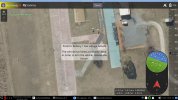
  • warningAP.jpg
    warningAP.jpg
    162.7 KB · Views: 22
  • qgconf.jpg
    qgconf.jpg
    124.2 KB · Views: 22
  • qgBOOT.jpg
    qgBOOT.jpg
    203.3 KB · Views: 22
  • qgfly.jpg
    qgfly.jpg
    244.3 KB · Views: 25
  • MPspedixF405.jpg
    MPspedixF405.jpg
    333.2 KB · Views: 24
The DISARMED status is expected. The screenshots were taken during bench testing and connection verification. I was only testing firmware upload, MAVLink communication and ground station connectivity. I have not yet performed full calibration or flight testing on the hardware. The controller was intentionally left disarmed.
./waf list_boards
3DR-L431-ASAUAV 3DRControlZeroG AcctonGodwit_GA1 ACNS-CM4Pilot ACNS-F405AIO AEDROXH7 aero AeroCogito-H7Digital AeroFox-Airspeed AeroFox-Airspeed-DLVR AeroFox-GNSS_F9P AEROFOX-H7 AeroFox-PMU Aeromind6X AET-H743-Basic airbotf4 AIRBRAINH743 AIRLink Airvolute-DCS2 AnyleafH7 Aocoda-RC-H743Dual AR-F407SmartBat ARK_CANNODE ARK_FPV ARK_GPS ARK_PI6X ARK_RTK_GPS ARKV6X ARKV6X-bdshot Atlas-Control AtomRCF405NAVI ATOMRCF405NAVI-Deluxe bbbmini BeastF7 BeastF7v2 BeastH7 BeastH7v2 bebop BETAFPV-F405 BETAFPV-F405-I2C bhat BirdCANdy BlitzF745 BlitzF745AIO BlitzH743Pro BlitzMiniF745 BlitzWingH743 blue BotBloxDroneNet BOTWINGF405 BrahmaF4 BROTHERHOBBYF405v3 BROTHERHOBBYH743 C-RTK2-HP canzero CarbonixF405 CBU-H7-LC-Stamp CBU-H7-Stamp CORVON405V2_1 CORVON743V1 CrazyF405 crazyflie2 CSKY405 CSKY_PMU CUAV-7-Nano CUAV-7-Nano-ODID CUAV-Nora CUAV-Nora-bdshot CUAV-Nora-ODID CUAV-Pixhack-v3 CUAV-V6X-v2 CUAV-V6X-v2-ODID CUAV-X25-EVO CUAV-X25-EVO-ODID CUAV-X7 CUAV-X7-bdshot CUAV-X7-ODID CUAV_GPS CUAVv5 CUAVv5-bdshot CUAVv5Nano CUAVv5Nano-bdshot CubeBlack CubeBlack+ CubeBlack-periph CubeGreen-solo CubeNode CubeNode-ETH CubeOrange CubeOrange-bdshot CubeOrange-joey CubeOrange-ODID CubeOrange-periph CubeOrange-periph-heavy CubeOrange-SimOnHardWare CubeOrangePlus CubeOrangePlus-bdshot CubeOrangePlus-ODID CubeOrangePlus-SimOnHardWare CubePurple CubeRedPrimary CubeRedPrimary-PPPGW CubeRedSecondary CubeRedSecondary-IO CubeSolo CubeYellow CubeYellow-bdshot DAKEFPVF405 DAKEFPVH743 DAKEFPVH743_SLIM DAKEFPVH743Pro dark DevEBoxH7v2 disco DroneerF405 DrotekP3Pro Durandal Durandal-bdshot edge erleboard erlebrain2 esp32buzz esp32diy esp32empty esp32icarus esp32imu_module_v11 esp32nick esp32s3devkit esp32s3empty esp32s3m5stampfly esp32tomte76 f103-ADSB f103-Airspeed f103-GPS f103-HWESC f103-QiotekPeriph f103-RangeFinder f103-Trigger f303-GPS f303-HWESC f303-M10025 f303-M10070 f303-MatekGPS f303-PWM f303-TempSensor f303-Universal F35Lightning f405-MatekAirspeed f405-MatekGPS F4BY F4BY_F427 F4BY_H743 FlyingMoonF407 FlyingMoonF427 FlyingMoonH743 FlysparkF4 FlywooF405HD-AIOv2 FlywooF405Pro FlywooF405S-AIO FlywooF745 FlywooF745Nano FlywooH743Pro fmuv2 fmuv3 fmuv3-bdshot fmuv5 FoxeerF405v2 FoxeerH743v1 FreeflyRTK G4-ESC GEPRC_TAKER_H743 GEPRCF745BTHD GreenSightUltraBlue H757I_EVAL H757I_EVAL_intf HEEWING-F405 HEEWING-F405v2 Here4AP Here4FC Hitec-Airspeed HitecMosaic HolybroF4_PMU HolybroG4_Airspeed HolybroG4_Compass HolybroG4_GPS HolybroGPS HWH7 IFLIGHT_2RAW_H7 iomcu iomcu-dshot iomcu-f103 iomcu-f103-8MHz-dshot iomcu-f103-dshot iomcu_f103_8MHz JFB100 JFB110 JHEM_JHEF405 JHEMCU-GSF405A JHEMCU-GSF405A-RX2 JHEMCU-H743HD JHEMCUF405PRO JHEMCUF405WING JPilot-C KakuteF4 KakuteF4-Wing KakuteF4Mini KakuteF7 KakuteF7-bdshot KakuteF7Mini KakuteH7 KakuteH7-bdshot KakuteH7-Wing KakuteH7Mini KakuteH7Mini-Nand KakuteH7v2 kha_eth KT-FMU-F1 linux LongBowF405WING LumenierLUXF765-NDAA luminousbee4 luminousbee5 MambaF405-2022 MambaF405US-I2C MambaF405v2 MambaH743v4 MatekF405 MatekF405-bdshot MatekF405-CAN MatekF405-STD MatekF405-TE MatekF405-TE-bdshot MatekF405-Wing MatekF405-Wing-bdshot MatekF765-SE MatekF765-Wing MatekF765-Wing-bdshot MatekG474-DShot MatekG474-GPS MatekG474-Periph MatekH743 MatekH743-bdshot MatekH743-periph MatekH7A3 MatekH7A3-Wing MatekL431 MatekL431-ADSB MatekL431-Airspeed MatekL431-APDTelem MatekL431-AUAV MatekL431-BatteryTag MatekL431-BattMon MatekL431-bdshot MatekL431-DShot MatekL431-EFI MatekL431-GPS MatekL431-HWTelem MatekL431-MagHiRes MatekL431-Periph MatekL431-Proximity MatekL431-Rangefinder MatekL431-RC MatekL431-Serial MazzyStarDrone MFE_AirSpeed_CAN MFE_PDB_CAN MFE_POS3_CAN MFT-SEMA100 MicoAir405Mini MicoAir405v2 MicoAir743 MicoAir743-AIO MicoAir743-Lite MicoAir743v2 mindpx-v2 mini-pix ModalAI-VOXL2 ModalAI-VOXL3 modalai_fc-v1 Morakot mRo-M10095 mRoCANPWM-M10126 mRoControlZeroClassic mRoControlZeroF7 mRoControlZeroH7 mRoControlZeroH7-bdshot mRoControlZeroOEMH7 mRoCZeroOEMH7-bdshot mRoKitCANrevC mRoNexus mRoPixracerPro mRoPixracerPro-bdshot mRoX21 mRoX21-777 MUPilot NarinFC-H5 NarinFC-H7 NarinFC-X3 navigator navigator64 navio navio2 Nucleo-G491 Nucleo-L476 Nucleo-L496 NucleoH743 NucleoH753ZI NucleoH755 NxtPX4v2 obal ocpoc_zynq omnibusf4 omnibusf4pro omnibusf4pro-bdshot omnibusf4pro-one omnibusf4v6 OMNIBUSF7V2 OmnibusNanoV6 OmnibusNanoV6-bdshot ORBITH743 OrqaF405Pro OrqaH7QuadCore PH4-mini PH4-mini-bdshot PilotGaeaSH7V1-bdshot pilotpi Pix32v5 PixC4-Jetson PixFlamingo PixFlamingo-F767 Pixhawk1 Pixhawk1-1M Pixhawk1-1M-bdshot Pixhawk1-bdshot Pixhawk4 Pixhawk4-bdshot Pixhawk5X Pixhawk6C Pixhawk6C-bdshot Pixhawk6X Pixhawk6X-bdshot Pixhawk6X-ODID Pixhawk6X-PPPGW PixPilot-C3 PixPilot-V3 PixPilot-V6 PixPilot-V6PRO Pixracer Pixracer-bdshot Pixracer-periph PixSurveyA1 PixSurveyA1-IND PixSurveyA2-IND pocket pocket2 PrincipIoTH7Pi pxf pxfmini QioTekAdeptF407 QioTekZealotF427 QioTekZealotH743 QioTekZealotH743-bdshot QURTBoard R9Pilot RadiolinkF405 RadiolinkPIX6 RADIX2HD ReaperF745 ResoluteH7 revo-mini revo-mini-bdshot revo-mini-i2c revo-mini-i2c-bdshot revo-mini-sd rFCU rGNSS SDMODELH7V1 SDMODELH7V2 SequreH743 Sierra-F405 Sierra-F412 Sierra-F9P Sierra-L431 Sierra-PrecisionPoint Sierra-TrueNavIC Sierra-TrueNavPro Sierra-TrueNavPro-G4 Sierra-TrueNorth Sierra-TrueSpeed sitl SITL_arm_linux_gnueabihf sitl_periph_battery_tag sitl_periph_battmon sitl_periph_can_to_serial sitl_periph_gps sitl_periph_PPP sitl_periph_universal SITL_x86_64_linux_gnu SIYI_N7 SkyDroid-S3 SkyRukh_Surge_H7 SkySakuraH743 SkystarsF405v2 SkystarsH7HD SkystarsH7HD-bdshot SkystarsH7HDv2 skyviper-f412-rev1 skyviper-journey skyviper-v2450 sparknavi-blue sparky2 SPEDIXF405 SPEDIXH743 speedybeef4 SpeedyBeeF405AIO SpeedyBeeF405Mini SpeedyBeeF405WING speedybeef4v3 speedybeef4v4 speedybeef4v5 SPRacingH7 SPRacingH7RF StellarF4 StellarF4V2 StellarH7V2 SuccexF4 SULILGH7-P1-P2 SVehicle-E2 sw-boom-f407 sw-nav-f405 sw-spar-f407 Swan-K1 t3-gem-o1 TBS-Colibri-F7 TBS-L431 TBS-L431-Airspeed TBS-L431-BattMon TBS-L431-CurrMon TBS-L431-PWM TBS_LUCID_H7 TBS_LUCID_H7_WING TBS_LUCID_H7_WING_AIO TBS_LUCID_PRO thepeach-k1 thepeach-r1 TMotorH743 uav-dev-auav-g4 uav-dev-fc-um982 uav-dev-powermodule uav-dev_m10s VM-L431-BatteryTag VM-L431-BMS VM-L431-Periph-Pico VM-L431-SRV-Hub-4CHP vnav VRBrain-v51 VRBrain-v52 VRBrain-v54 VRCore-v10 VRUBrain-v51 VUAV-TinyV7 VUAV-V7pro X-MAV-AP-H743r1 X-MAV-AP-H743v2 YARIV6X YJUAV_A6 YJUAV_A6SE YJUAV_A6SE_H743 YJUAV_A6Ultra ZeroOneX6 ZeroOneX6_Air ZubaxGNSS zynq
'list_boards' finished successfully (0.005s)

Code:
./waf configure --board SPEDIXF405
./waf rover
build:
Code:
build/SPEDIXF405/bin/ardurover.apj
build/SPEDIXF405/bin/ardurover.bin
I was able to build the following ArduPilot vehicle targets successfully:

./waf plane
./waf rover
./waf sub
./waf heli
./waf blimp
 
The controller was intentionally left disarmed.
Well that is a relief. I was worried about a more nefarious use. When I was a plane captain we had to check all sort of gadgets like ejection seat to make sure they were disarmed/safe.

Can you give me the low down here. Ardu pilot doesn't require an Ardundio right? Can I use an Arm64 platform for the rover? FreeBSD running the mission software.
I do have an Uno somewhere.
Thanks for this effort.
 
Installed via pip:
So no packages for any of these modules? PIP is a trainwreck waiting to happen.
Instant relief now but python packages downloaded like that are a security problem. System update don't touch them and they linger.
I don't know that a proper port could be created with PIP involved..
Please don't let that deter you. It is an incredible effort and porting it seemed impossible to me.

Doing a rough pkg search I see the pyserial module but not pynemagps.
py311-pyserial-3.5_4

So maybe I could help bringing some of the the PIP stuff to packages. I know some about ports tree now. Not so much the py ecoculture.
But it is a good to learn. I wanted to build a buggy and this seems to be a path forward.
 
ArduPilot does not require an Arduino. For my testing I used a SPEDIX F405 flight controller. One thing that is nice about ArduPilot is that the same hardware can be used for different vehicle types. The firmware determines whether the controller operates as a copter, plane, rover, etc.For example, on the same SPEDIX F405 board I can build different firmware targets:
s405sm.png


ArduCopter:
./waf configure --board SPEDIXF405
./waf copter

ArduPlane:
./waf configure --board SPEDIXF405
./waf plane

ArduRover:
./waf configure --board SPEDIXF405
./waf rover

The resulting firmware files are generated in:

build/SPEDIXF405/bin/
For example:
arducopter.apj
arduplane.apj
ardurover.apj
list autopilote board: https://ardupilot.org/copter/docs/common-autopilots.html

So the same SPEDIX F405 hardware can be used as a multicopter controller, fixed-wing controller, or rover controller simply by loading different firmware. If by ARM64 platform you mean a Raspberry Pi, RK3588, or similar system, that can be used as a companion computer or as a ground control station.In my case I am testing the ground control software on FreeBSD 15.0, including:
- MAVProxy
- QGroundControl
- Mission Planner (via Mono, still experimental)

An Arduino Uno generally does not have enough memory or processing power to run ArduPilot itself.
 
Yes, I agree about pip.

For my first test I used pip because I wanted to quickly check whether ArduPilot, MAVProxy and QGroundControl could run on FreeBSD at all. But for a proper FreeBSD port, pip should not be required at runtime. The Python dependencies should ideally come from the ports tree / pkg.In my local test I used pip mainly for:
Code:
- MAVProxy
- pymavlink
- dronecan
- empy
- fastcrc
- geocoder
- pexpect
- pyserial
- pynmeagps
- intelhex
- defusedxml
- jinja2

Some of these already exist in FreeBSD packages, for example pyserial: py311-pyserial-3.5_4

Others may need new ports, such as pynmeagps, and possibly some MAVProxy-related dependencies. I completely agree that pip is fine for a proof-of-concept, but not ideal for a clean FreeBSD port. My current work should be treated as a first proof-of-concept:
Code:
- ArduPilot builds on FreeBSD
- SITL runs
- MAVProxy works
- QGroundControl builds and connects
- SPEDIX F405 firmware builds
- hardware communication works

The next proper step would be to identify all Python dependencies and replace the pip-installed modules with FreeBSD ports/packages where possible. If you are interested in helping package some of the Python dependencies, that would be very useful. I am also interested in learning the ports tree side of this better. My repo: https://codeberg.org/reslab
 
or as a ground control station.In my case
Thank You for clarifying that. Arm64 on ground control. I will get me this SPEDIX controller and read up on the suite. I have zero knowledge.

I originally wanted to do something with AWS DeepRacer that was not cloud/Bezos just reused hardware. Turns out hardware ain't that great.
That is when I found ArduPilot for possible use. When researching autonomous vehicles.
I also have some kids 12V-SLA riding toys that might get used for this..
I used a SPEDIX F405 flight controller.
What are you using for GPS module? Something UART based?
What are your comms and range? Wifi/Cellular/SDR/Starlink?
 
Looking at ebay I see the term F405 stack used alot. SpeedyBee is just another brand? With each brand having their own firmwares?

I had landed on these before with an ECS and Controller combined.

Good bit of soldering involved but at least they have descent sized pads.
 
The resulting firmware files are generated in:

build/SPEDIXF405/bin/
For example:
arducopter.apj
arduplane.apj
ardurover.apj
Then the needed one is uploaded to the target how ??? How do you flash the firmware? Via USB? Same with mission payload? How is it uploaded to F405
 
Thank You for clarifying that. Arm64 on ground control. I will get me this SPEDIX controller and read up on the suite. I have zero knowledge.

I originally wanted to do something with AWS DeepRacer that was not cloud/Bezos just reused hardware. Turns out hardware ain't that great.
That is when I found ArduPilot for possible use. When researching autonomous vehicles.
I also have some kids 12V-SLA riding toys that might get used for this..

What are you using for GPS module? Something UART based?
What are your comms and range? Wifi/Cellular/SDR/Starlink?
For communications I mainly use ExpressLRS (ELRS).

I use 868/915 MHz ELRS modules because they provide reliable long-range communication and work very well with ArduPilot. ELRS can be used for both RC control and MAVLink telemetry, which simplifies the setup.

For GPS I use standard UART-based GNSS receivers, typically u-blox compatible modules connected directly to the flight controller.

For video, I use a Video Transmitter (VTX). Depending on the application, it can provide a real-time FPV video feed independently of the ELRS control link. I prefer keeping the control/telemetry link and video link separate, so that a problem with one does not affect the other.

optional build all:
f405-V3-specification-2.webp

ExpressLRS RX
mceclip0.png
For communications, I use ExpressLRS (ELRS) modules at 868/915 MHz. On the vehicle, an ELRS receiver is connected to the flight controller. It receives commands from the radio transmitter and passes steering, throttle, and mode commands to ArduPilot. The same link can also be used for MAVLink telemetry. On the ground side, I use a radio transmitter with an external antenna. This serves as the control station and communicates with the ELRS receiver on the vehicle. For video, I use a separate VTX (Video Transmitter) connected to the onboard camera. The VTX sends a live video feed to a ground station video receiver with its own antenna. The video system is independent from the ELRS control link.
So the setup is:
- ELRS transmitter + antenna on the ground station
- ELRS receiver on the vehicle for control and telemetry
- Camera + VTX on the vehicle
- Video receiver + antenna at the ground station for live video
I prefer keeping control and video on separate systems. If the video link is lost, control of the vehicle is still maintained through ELRS.
VTX module
vtx.png
 
Slightly off topic but how do you control and stream the FPV camera?? Is that via SPEDIX or aux setup?
The FPV video is completely separate from the SPEDIX flight controller. I use a camera connected to a 5.8 GHz VTX on the vehicle. The VTX transmits the video to a video receiver at the ground station. The SPEDIX F405 handles vehicle control through ArduPilot, while ELRS is used for command and telemetry. The video system is independent of both.
pult.webp
 
Then the needed one is uploaded to the target how ??? How do you flash the firmware? Via USB? Same with mission payload? How is it uploaded to F405
Yes, SpeedyBee is just another flight controller manufacturer. SPEDIX, SpeedyBee, Matek, Holybro and others make boards based on STM32 MCUs, for example F405.

In my case I flashed the SPEDIX F405 through DFU mode using dfu-util.

The general process was: 1. Build ArduPilot for the target:
Code:
export PATH=/usr/local/gcc-arm-embedded-14.2.rel1/bin:$PATH
export MAKE=gmake
./waf clean
./waf configure --board SPEDIXF405
./waf copter
build/SPEDIXF405/bin/arducopter.apj
build/SPEDIXF405/bin/ardurover.apj
build/SPEDIXF405/bin/arduplane.apj

2. Put the flight controller into DFU/bootloader mode.
Press button "BOOT", conect USB, unpress "BOOT"
3. Flash the firmware over USB using dfu-util.
Code:
dfu-util -a 0 -s 0x08000000:leave  -D build/SPEDIXF405/bin/arducopter_with_bl.bin

After that, Mission Planner or another GCS is used to connect to the board and upload parameters, missions, waypoints, and configuration. Those are not part of the firmware image itself.
 
I had no idea what these acronyms meant.
SITL

MAVproxy
Good point, I should have explained the acronyms. SITL = Software In The Loop. It is a software simulator that runs the ArduPilot firmware on a PC instead of a physical flight controller. It is commonly used for development and testing.
MAVProxy = MAVLink Proxy
It is a command-line ground control station for ArduPilot. It can connect to a vehicle, display telemetry, send commands, load maps and forward MAVLink traffic to other applications.

In my testing workflow: ArduPilot SITL -> MAVProxy -> QGroundControl / Mission Planner -> SPEDIX F405 hardware -> QGroundControl / Mission Planner
So SITL was used for simulation and testing, while the SPEDIX F405 was used for real hardware testing.
 
So controller firmware uses a fixed ROM and mission info sent and stored onboard in a storage device?

Pixhawk is just a different Flight Controller platform? IE.. FreeBSD could work with these too if supported via Ardu Pilot?
 
I will start with the GPS module to see if I am competent enough person for this PIP to port.
py311-pynemagps

Question is the build version checking real fussy?
 
So controller firmware uses a fixed ROM and mission info sent and stored onboard in a storage device?

Pixhawk is just a different Flight Controller platform? IE.. FreeBSD could work with these too if supported via Ardu Pilot?
build Pixhawk1 good
Code:
export PATH=/usr/local/gcc-arm-embedded-14.2.rel1/bin:$PATH
export MAKE=gmake

./waf configure --board Pixhawk1
./waf rover 
...
[1207/1212] Generating bin/ardurover.bin
[1208/1212] checking symbols build/Pixhawk1/bin/ardurover
[1209/1212] app_descriptor set_app_descriptor: build/Pixhawk1/bin/ardurover build/Pixhawk1/bin/ardurover.bin
No APP_DESCRIPTOR found
[1210/1212] apj_gen build/Pixhawk1/bin/ardurover.bin
[1211/1212] bin cleanup build/Pixhawk1/bin/ardurover.bin
[1212/1212] Generating bin/ardurover_with_bl.hex
Waf: Leaving directory `/home/res2500/code/ardupilot/build/Pixhawk1'

BUILD SUMMARY
Build directory: /home/res2500/code/ardupilot/build/Pixhawk1
Target         Text (B)  Data (B)  BSS (B)  Total Flash Used (B)  Free Flash (B)  External Flash Used (B)
---------------------------------------------------------------------------------------------------------
bin/ardurover   1409376      2752   100500               1412128          668636  Not Applicable         

'rover' finished successfully (7m59.902s)

build CubeOrange https://ardupilot.org/copter/docs/common-thecubeorange-overview.html
Code:
export PATH=/usr/local/gcc-arm-embedded-14.2.rel1/bin:$PATH
export MAKE=gmake

./waf configure --board CubeOrange
./waf rover
...
[1207/1213] Generating bin/ardurover.bin
[1208/1213] checking symbols build/CubeOrange/bin/ardurover
[1209/1213] app_descriptor set_app_descriptor: build/CubeOrange/bin/ardurover build/CubeOrange/bin/ardurover.bin
No APP_DESCRIPTOR found
[1210/1213] apj_gen build/CubeOrange/bin/ardurover.bin
[1211/1213] bin cleanup build/CubeOrange/bin/ardurover.bin
[1212/1213] Generating bin/ardurover.abin
[1213/1213] Generating bin/ardurover_with_bl.hex
githash 744d5e1378974a46df7ceffe824f0aa711e8ca91 md5 842436c9bb4f06eb3c907bd9cab22932
Created bin/ardurover.abin

Waf: Leaving directory `/home/res2500/code/ardupilot/build/CubeOrange'

BUILD SUMMARY
Build directory: /home/res2500/code/ardupilot/build/CubeOrange
Target         Text (B)  Data (B)  BSS (B)  Total Flash Used (B)  Free Flash (B)  External Flash Used (B)
---------------------------------------------------------------------------------------------------------
bin/ardurover   1484640      2776   136292               1487416          478660  Not Applicable         

'rover' finished successfully (7m48.763s)
The firmware is stored in the flight controller's internal flash memory WinBond W25Qxx. It is not a fixed ROM. The firmware can be updated or replaced by flashing a new version. On most Pixhawk-compatible flight controllers, firmware is uploaded through the USB connection. Additional hardware programmers are usually not required for normal firmware updates. Mission data, parameters, and configuration are stored separately in non-volatile onboard storage and remain available after power cycling.
 
Back
Top