TLDR; The performance of traffic through wg tunnel is about 40x slower than baseline internet. Why?
Our setup seems standard to me. Two test sites (Oregon & California). Each site has a modest FreeBSD Bhyve host running a dozen or so VMs of various flavors. The bhyve configuration is using if_bridge and tap interfaces. Upstream is phy link is Intel I350 quad gig-E, using igb device. VMs receive a VirtIO interface, vtnet device.
Recently, I added a new VM at each site to create a site-to-site WireGuard link. VPN is up, with test hosts at each site are routing both IPv4+6 through the new tunnel. Pings and traceroutes (4+6) all working as expected with latency typically 20ms through the tunnel, just about 1ms slower than outside the tunnel. pf is installed inside the VM and used to control access between the sites. The goal is to possibly replace L2TP/IPSec tunnels between sites that currently burden network appliances.
Both sites have 1G/1G network offerings (different providers). Direct plugged tests into those ISPs do get good performance in the local region. Running transfers intra-VMs (through the taps and bridge) will sustain rates around 300-400Mbps (curl->bridge->https->bridge->http ). Site to site transfer (California to Oregon) tests directly over the internet today baseline about 131Mbps. My blunt test is to curl a 500MB file of random bytes from an Webserver VM over HTTPS.
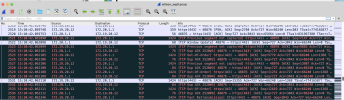
When I run these same transfer tests through the WireGuard tunnel, the transfer rate is an abysmal at 3.5Mbps. Transfers over IPv6 have the same performance characteristics as the IPv4 transfers. Most of the prior discussions about wireguard performance I've read seem related to fragmentation. I've tuned my MTU up and down and performance seems uniform and link stable with an MTU of 1420. There seems to be plenty of compute capacity on the hosts, none of the CPU cores max out when testing through the tunnel.
I'm looking for suggestions.
Some of my suspections:
Our setup seems standard to me. Two test sites (Oregon & California). Each site has a modest FreeBSD Bhyve host running a dozen or so VMs of various flavors. The bhyve configuration is using if_bridge and tap interfaces. Upstream is phy link is Intel I350 quad gig-E, using igb device. VMs receive a VirtIO interface, vtnet device.
Recently, I added a new VM at each site to create a site-to-site WireGuard link. VPN is up, with test hosts at each site are routing both IPv4+6 through the new tunnel. Pings and traceroutes (4+6) all working as expected with latency typically 20ms through the tunnel, just about 1ms slower than outside the tunnel. pf is installed inside the VM and used to control access between the sites. The goal is to possibly replace L2TP/IPSec tunnels between sites that currently burden network appliances.
Both sites have 1G/1G network offerings (different providers). Direct plugged tests into those ISPs do get good performance in the local region. Running transfers intra-VMs (through the taps and bridge) will sustain rates around 300-400Mbps (curl->bridge->https->bridge->http ). Site to site transfer (California to Oregon) tests directly over the internet today baseline about 131Mbps. My blunt test is to curl a 500MB file of random bytes from an Webserver VM over HTTPS.
When I run these same transfer tests through the WireGuard tunnel, the transfer rate is an abysmal at 3.5Mbps. Transfers over IPv6 have the same performance characteristics as the IPv4 transfers. Most of the prior discussions about wireguard performance I've read seem related to fragmentation. I've tuned my MTU up and down and performance seems uniform and link stable with an MTU of 1420. There seems to be plenty of compute capacity on the hosts, none of the CPU cores max out when testing through the tunnel.
I'm looking for suggestions.
Some of my suspections:
- I'm overlooking something obvious
- Maybe the pf filter is mangling performance of the tunnel
- Maybe netgraph would do better than if_bridge & tap
- Maybe WireGuard isn't great on FreeBSD and I should try with Linux guest VMs
- Maybe the hairpin turns running wg host and workload hosts on the same hardware isn't ideal, interrupt timing, etc.
- My tests using random bytes is cruel and unusual, one public site using files full of null bytes was way faster
- Maybe my network isn't coping with UDP WireGuard packets well, baseline tests were direct TCP transfers