

I'm writing this post for no other reason to help others that may experience issues upgrading FreeBSD to version 14.0. If this is redundant, feel free to delete it.
I recently upgraded my laptop from 13.3-RELEASE-p2 to 14.0-RELEASE-p6 and experienced several issues performing the upgrade while in multi-user mode. One recurring issue was some form of package corruption which affected the file ../../source3/lib/interface.c which resulted in an infinite loop of an error message written to standard output after the first install and reboot. The terminal was essentially useless at this point and necessitated a hard shutdown and reboot to a former snapshot. I seem to recall /boot/modules/i915kms.ko also having a problem during installation, but honestly can't remember what the symptom was.
I worked around upgrade issues by performing the upgrade in single user mode and followed these steps:
The tool
Please don't use this post as detailed instructions on how to resolve your upgrade problems. I'm simply sharing the general process that worked for me. Hopefully this helps someone.
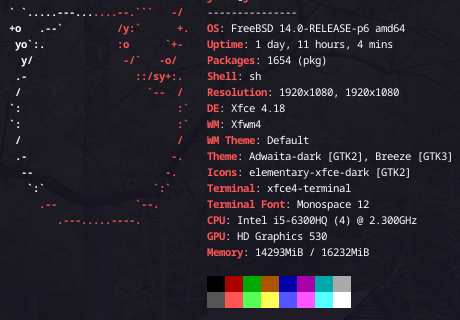
I recently upgraded my laptop from 13.3-RELEASE-p2 to 14.0-RELEASE-p6 and experienced several issues performing the upgrade while in multi-user mode. One recurring issue was some form of package corruption which affected the file ../../source3/lib/interface.c which resulted in an infinite loop of an error message written to standard output after the first install and reboot. The terminal was essentially useless at this point and necessitated a hard shutdown and reboot to a former snapshot. I seem to recall /boot/modules/i915kms.ko also having a problem during installation, but honestly can't remember what the symptom was.
I worked around upgrade issues by performing the upgrade in single user mode and followed these steps:
- booted the system into single user mode
- mounted the file system
- disabled unnecessary packages in /etc/rc.conf
- restarted system services using
service -r - performed the OS upgrade and explicitly upgraded all packages prior to the execution of the 3rd install command.
The tool
beadm was quite handy for managing failed snapshots throughout this process.Please don't use this post as detailed instructions on how to resolve your upgrade problems. I'm simply sharing the general process that worked for me. Hopefully this helps someone.
