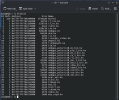
As you are new to FreeBSD, did you install it with ZFS on root? If so, at a command prompt, run:
That will show you how many boot environments that you have available to rollback to if/when you mess things up.
Watch this video and learn from it. It will give you the confidence to make changes and experiment without trashing your system.
View: https://youtu.be/OyxewvZlyjU
Now on to your actual problem...
When you installed FreeBSD, did it run OK when you booted into the freshly installed system? Did it initialize the network connection and gain access to the internet OK? If so, and the number of changes that you have made since the most recent boot environment snapshot are trivial and can be performed manually to recreate them, then the fastest way to repair is to rollback to a working boot environment.
If not, and you have too many changes to apply, then there are two things to do:
1. Fix the problem.
2. Learn how to use ZFS snapshots so that you can snapshot your filesystems before making any configuration change, installing any package or updating any package. Boot Environments use snapshots and are great for a last resort when you forgot to do a manual snapshot.
View: https://youtu.be/rUgp0jmkktc
I am guessing from what you describe is that your FreeBSD system is using DHCP to obtain an IP address from a DHCP service present on the connected network. Sometimes, obtaining the IP address can be slow and the rest of your system is ready before IP. If this is the case a simple change to /etc/rc.conf could fix this.
Edit /etc/rc.conf with root privilege.
E.g.
Code:
sudo zfs snapshot -r zroot@dhcpfix
sudo zfs list -t snapshot | grep @dhcpfix
sudo nano /etc/rc.conf
Edit the ifconfig line that contains DHCP and change DHCP to SYNCDHCP. Save the change and reboot to test.



 (heard of bectl but haven't used it)