tl;dr
Booting with FreeBSD-10.0-RELEASE-amd64-memstick.img burned to usb with the following command (run on Ubuntu 13.10):
The SHA256 sum of the .img file was verified.
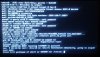
System specs: Core i7 2.4 GHz, Nvidia GTX 670, 15.6 GB RAM. Computer is a System76 Bonobo Extreme (https://system76.com/laptops/model/bonx8). Output shown below.
------------------------------------------------------------------------------------------------------------
Hello all,
I'm going to start the Operating Systems class here at my university. I thought it would be a good idea to install FreeBSD since it seems to be much easier to hack for than Linux, thanks to the Documentation Project. However, I can't even get the installer to boot into the install menu. I have no idea what is causing the seg fault, and I highly doubt such a bug would be in a release. It has to be something I'm doing wrong.
I searched Google for an answer, and there didn't seem to be one.
I guess I must say that I didn't create an empty partition for FreeBSD; I was planning to replace Linux completely. (I have a full backup of my files, and I've installed Linux so many times that I prefer to take the plunge.) If I must create a partition, than that might be the problem, but the Handbook said that if FreeBSD was going to be installed as the only OS, such an action wasn't necessary.
There's got to be something I'm doing wrong; the problem is that I'm so new to FreeBSD (not even installed), that I have no idea what to do, and the Handbook doesn't provide any hints for this particular case. At least, not that I know of. Anyway, some help would be greatly appreciated.
Booting with FreeBSD-10.0-RELEASE-amd64-memstick.img burned to usb with the following command (run on Ubuntu 13.10):
sudo dd if=FreeBSD-10.0-RELEASE-amd64-memstick.img of=/dev/sdb bs=64kThe SHA256 sum of the .img file was verified.
System specs: Core i7 2.4 GHz, Nvidia GTX 670, 15.6 GB RAM. Computer is a System76 Bonobo Extreme (https://system76.com/laptops/model/bonx8). Output shown below.
------------------------------------------------------------------------------------------------------------
Hello all,
I'm going to start the Operating Systems class here at my university. I thought it would be a good idea to install FreeBSD since it seems to be much easier to hack for than Linux, thanks to the Documentation Project. However, I can't even get the installer to boot into the install menu. I have no idea what is causing the seg fault, and I highly doubt such a bug would be in a release. It has to be something I'm doing wrong.
I searched Google for an answer, and there didn't seem to be one.
I guess I must say that I didn't create an empty partition for FreeBSD; I was planning to replace Linux completely. (I have a full backup of my files, and I've installed Linux so many times that I prefer to take the plunge.) If I must create a partition, than that might be the problem, but the Handbook said that if FreeBSD was going to be installed as the only OS, such an action wasn't necessary.
There's got to be something I'm doing wrong; the problem is that I'm so new to FreeBSD (not even installed), that I have no idea what to do, and the Handbook doesn't provide any hints for this particular case. At least, not that I know of. Anyway, some help would be greatly appreciated.